Adv Hands On Lab 5: Embedding PowerApps into Power BI


Step by step guide for embedding PowerApps within Power BI.

Key points to consider – https://docs.microsoft.com/en-us/powerapps/maker/canvas-apps/powerapps-custom-visual#limitations-of-the-power-apps-visual

Charles Sterling's avatarSterlings


Power BI Dashboard

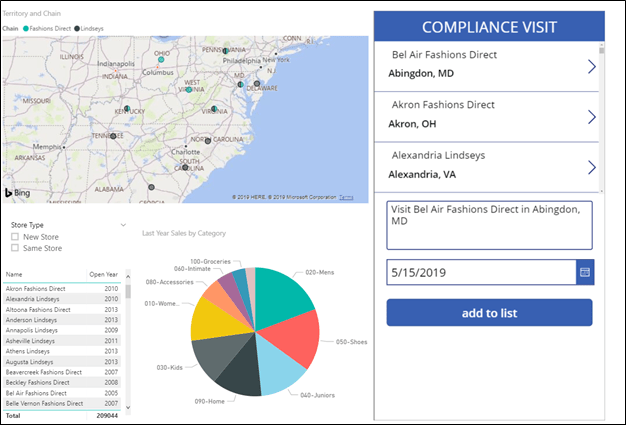
In this lab, you will create a Power BI dashboard with an embedded PowerApp. The final product will look like the image below.

Exercise 1: Build Power BI Report

High level tasks

    Task 1: Connect to PowerBI and enable sample data. Build PowerBI report

    Task 2: Import PowerApp visual for use in report

Task 1: Build Report

In this task, you will build the Power BI Report.

  1. Navigate to https://powerbi.microsoft.com and click Sign in.
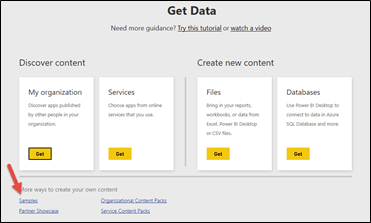
  2. At the bottom of the left navigation, click Get Data
  3. Select Samples.

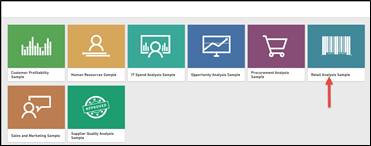
  1. Select the Retail Analysis Sample.

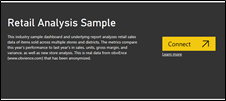
  1. Connect.

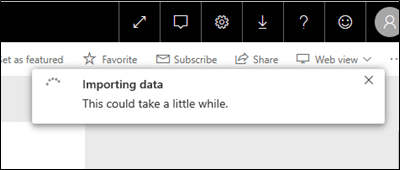
  1. Your sample dataset will take a moment to load.

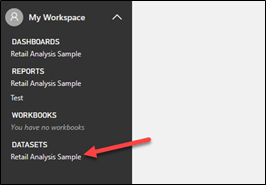
  1. Expand My Workspace and click to on the Retail Analysis Sample under the Datasets. If you have completed the prior steps and do not see this sample, refresh your browser.

  1. Go to the Fields pane, expand the Store table, and select the

View original post 924 more words

How to – Use RetrieveTotalRecordCount function to get the total number of records in Dynamics 365


Using RetrieveTotalRecordCount Function we can get the total number of records for an entity (works for more than 50000 records)

For e.g.

https://[orgname].crm.dynamics.com/api/data/v9.1/RetrieveTotalRecordCount(EntityNames=[‘lead’,’contact’,’account’,’incident’])


https://dreamingincrm.com/2019/07/22/getting-entity-record-counts/

https://stackoverflow.com/questions/51543802/counting-all-rows-in-dynamics-crm-online-web-api-odata

https://nishantrana.me/2020/05/27/different-ways-of-getting-record-count-total-in-dynamics-365/

Hope it helps..

Advertisements

SLA Changes in Dynamics 365/Power Apps


Prashant Maurya's avatarPrashant Kumar Maurya

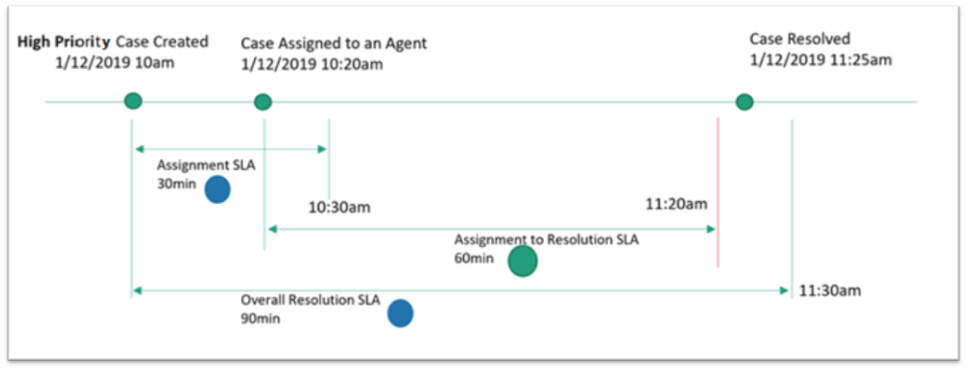
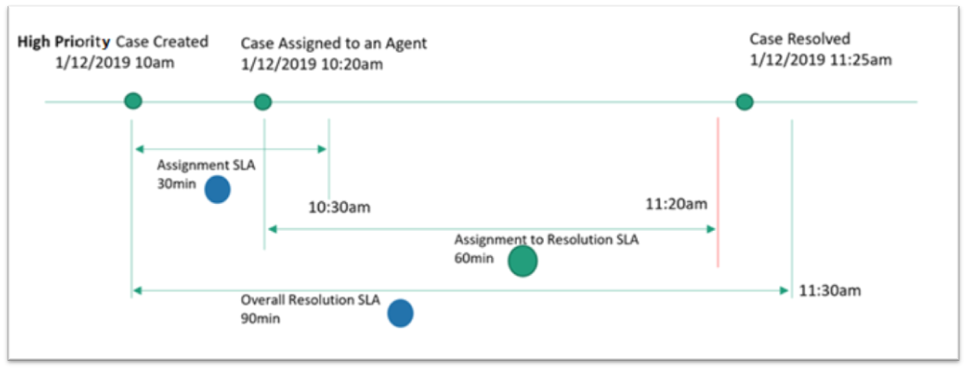
Microsoft has made some changes in SLA design; here I am going to share about the differences

  1. SLA Type option standard has been removed, earlier user has option to choose (as shown in below image)

  2. Earlier there were 2 entities now there are 3 entities to configure a new SLA
    1. Earlier
      1. SLA
      2. SLA Item
    2. Now
      1. SLA
      2. SLA Item
      3. SLAKPI
  3. Earlier only one SLA can be applied now you can use multiple SLAs. This is a much-needed feature, in our recent implementation we need to have 5 SLAs on Work Order entity and to chieve that we need to implement a child entity on work order and create 5 records in that to track 5 different SLAs.

  4. To manage SLA settings, you can navigate to “Customer Service Hub” application and then navigate to “Service Configuration Setting”, there you can find below settings
    1. You can disable SLA on an entity which is…

View original post 147 more words

The Nigel Frank International Salary Survey 2020/21 for Microsoft Dynamics 365


The latest edition of Nigel Frank International’s Microsoft Dynamics salary survey is now live!

This will be their 12th annual report published, and has proven to be an invaluable resource to myself and my peers over the years.

I had the pleasure of contributing a foreword to the report, which set the scene in terms of where the Dynamics 365 ecosystem is now, what the future holds, and my own career journey. I can say with certainty that the ecosystem has been, and will continue to be, altered dramatically due to the Covid-19 crisis, as is the same with the technology sector as a whole.

The report uncovers a wealth of changing sentiments, along with work benefits, diversity statistics, the importance of certifications, and of course average salaries to name just a few topics covered. After reading through the results, here are my 5 main takeaways:

  • Certifications are growing in importance

The crisis has resulted in a huge increase of professionals upskilling; this is due to a combination of increased free time and job losses. Certifications are the best way to beat the competition in this increasingly difficult environment according to 61% of professionals surveyed, who believe certifications give you the edge in the job market. This along with the fact that getting certified can increase your salary by up to a reported 22% makes the decision whether to get certified or not an easy one. This was echoed by 80% of respondents who agreed Dynamics certifications were important towards increasing earning potential. Now is the time to upskill and safeguard your career!

  • The rise of working from home

The most obvious impact of Covid-19 on our working lives has been the shift from office to remote. The increase in related benefits offered such as a company laptop (73%) has followed, with 60% of respondents being offered homeworking. It will be interesting to see if this continues as restrictions across the world are beginning to ease, but it certainly seems the pandemic has changed our way of working forever. A company laptop and flexible/ remote working options have continuously been the most desired benefits when looking at past editions of the survey, so if this continues, job satisfaction will surely be boosted within the Dynamics workforce.

  • Equal rights are being championed

69% of respondents see their employers as being equal rights champions, which is hugely positive. Obviously, there is some way to go to reach the remaining 31%, however this signals change for the better across the industry. This along with 61% of employers promoting racial and ethnic diversity, and 56% hiring and retaining mature employees, is a resounding success. I hope this will continue and grow across the tech sector as a whole.

  • Increasing workload for partners

51% of employees working for Dynamics partners have seen their workload increase over the last year, and this was prior to the effects of the Coronavirus. This is a keen reflection of the digital skills gap, which will only be widening with the increased demand on cloud and digital in terms of keeping businesses and economies functioning. It is crucial that more people are encouraged into the tech sector in order to relieve the burden from these existing Dynamics professionals. This will be sure to further boost diversity within the ecosystem also.

  • Increased adoption of Dynamics 365

Since its release in November 2019, there has been an increase in take up from both new customers and existing users. 41% of end users, an 5% increase on last year’s result, are using Dynamics 365, with a further 19% expecting to use it in the future. The move to the cloud has been instrumental to this increase, and Dynamics 365 only looks to keep building momentum and customer base.

If you’d like to read the full report, and find out the average salary for your role and location, please do take a look here: https://www.nigelfrank.com/microsoft-dynamics-salary-survey/

Hope it helps..

Fixed – ID3242: The security token could not be authenticated or authorized in Dynamics 365


We recently got this error in our web application while trying to fetch some records from one for CRM On-premise organization.

This error was because we had recently configured IFD for that CRM Server.

We had around 6 organizations in that particular deployment and because of security reasons, we didn’t use the wildcard SSL certificate and had a single certificate with multiple subject alternative names (SAN Certificate), and this organization was not part in it.

Fortunately, it wasn’t the case in our production environment and we had this organization part of the SAN Certificate used for IFD configuration there.

So as a quick and temporary fix, as we just wanted to test a couple of methods, we disabled the Claims Based Authentication / IFD from the deployment manager for that short period.

Hope it helps..

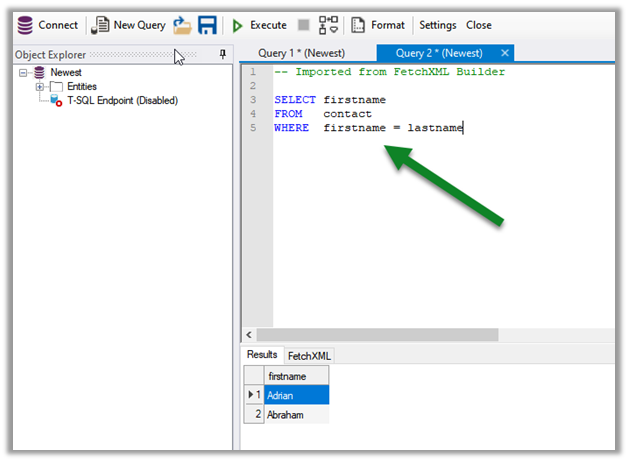
Column Comparison using FetchXML Builder and SQL 4 CDS


Check it out, the column comparison feature is now added in our favorite XrmToolBox plugins (make sure to update to the latest version)

  • FetchXML Builder

https://jonasr.app/2020/07/fxb-july-2020/#more-4374

  • SQL 4 CDS

https://markcarrington.dev/2020/07/15/column-comparisons-in-fetchxml/

Thanks, @Jonas, and @Mark for incorporating it.

Also, refer –

https://www.itaintboring.com/dynamics-crm/we-can-now-do-column-comparison-with-fetchweb-api/

https://prashantmayur.wordpress.com/2020/07/20/use-column-comparison-in-d365-ce-power-apps-cds-queries/

https://debajmecrm.com/2020/07/16/compare-two-columns-in-queryexpression-in-dynamics-365-cds-sdk/

https://nishantrana.me/2020/07/16/the-new-column-comparison-in-queries-in-dynamics-365-powerapps/

Hope it helps..