AI suggestions for similar knowledge articles and cases in Dynamics 365 – 2020 Release Wave 2


The AI suggested knowledge articles and similar cases capabilities have been added in the Customer Service workspace to help the agents in faster resolution of the cases.

Check other posts on Release 2020 Wave 2

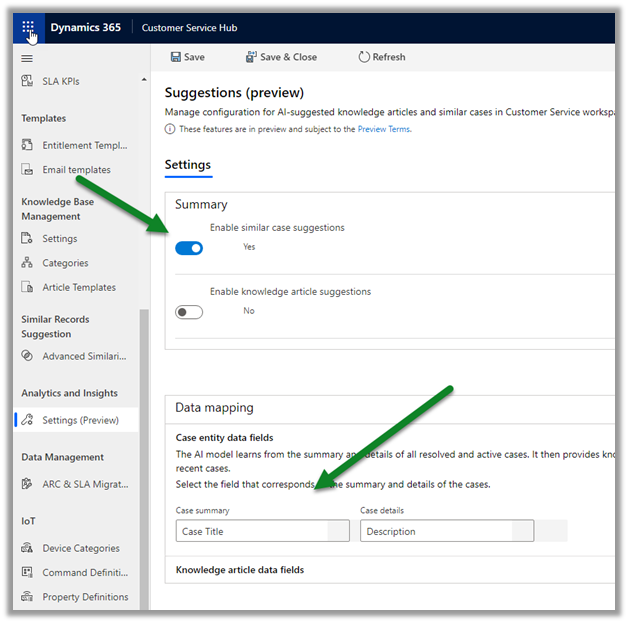
Open Customer Service Hub, navigate to Settings in Analytics and Insights section.

Click on Manage to configure the Suggestions.

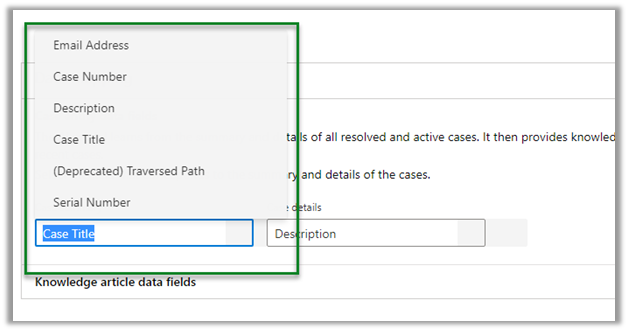
Below Case Title is the field that is defined for Case summary and Description for the Case details as default.
The other fields that can be specified are
Similarly, we can enable knowledge article suggestions, for which Article title and Article content fields need to be specified.

The other fields that can be specified are

Save the configuration.
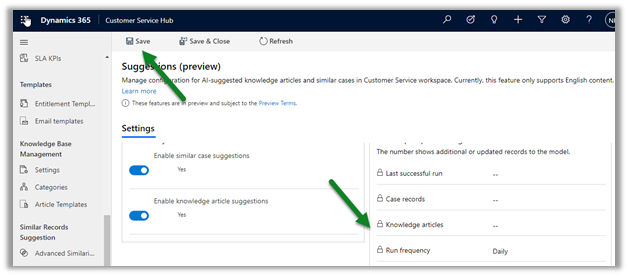
The settings can take up to 24 hours for processing the model and to complete the first-time setup.

To view the Smart Assist Pane where we will find all the suggestions –

Open the Customer Service workspace app

https://nishantrana.me/2020/08/13/new-customer-service-workspace-app-preview-in-dynamics-365-2020-release-wave-2/

In the Customer Service Agent Dashboard, use Shift + Mouse action to open the case record.

We can see the Smart assist pane opened to the right of the record.

  • Sample knowledge article components

  • Sample similar cases component

Get all the details below

https://docs.microsoft.com/en-gb/dynamics365/customer-service/csw-view-ai-suggested-cases-knowledge-articles

Hope it helps..


Email file attachment enhancements in Dynamics 365 – 2020 Release wave 2


Let us look at the changes that have been introduced in 2020 Release wave 2, with regards to the file attachments in Email.

Enable early access to 2020 release wave 2

Check other posts on Release 2020 Wave 2

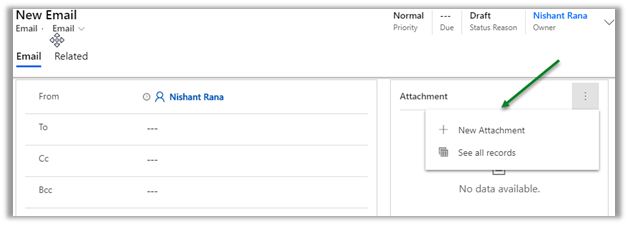
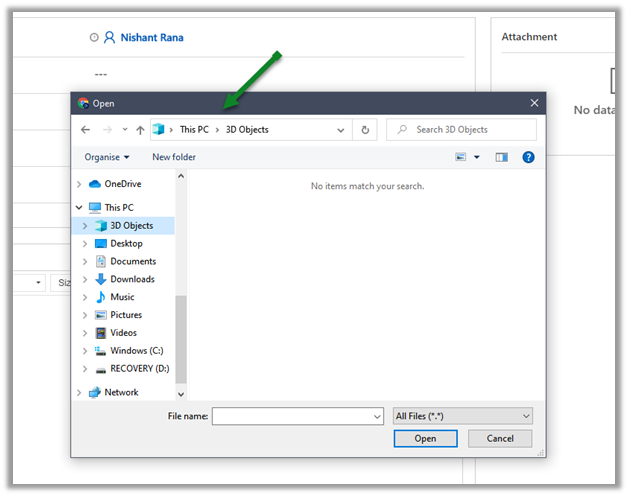
Clicking on New Attachment button will,

open Manage Attachment dialog box in 2020 Release wave 1, wherein we need to click on Choose file to open the open file dialog box.

In 2020 Release wave 2, it will open the open file dialog box directly.

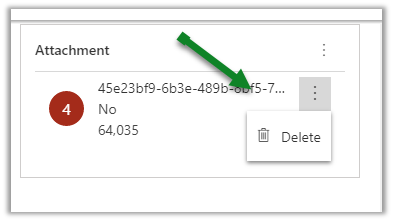
For the attached file, we have only the Delete option available in 2020 Release wave 1.

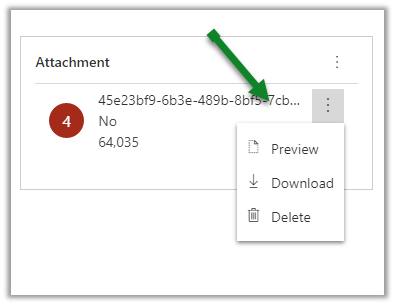
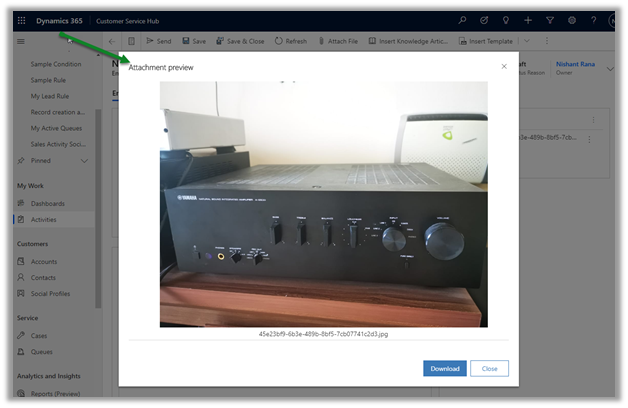
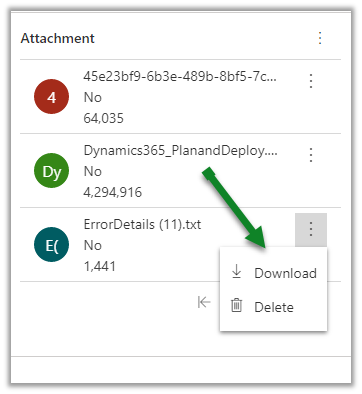
In 2020 Release wave 2, we have Preview, Download along with Delete option.

Clicking on Preview will open the attachment preview dialog box as shown below.

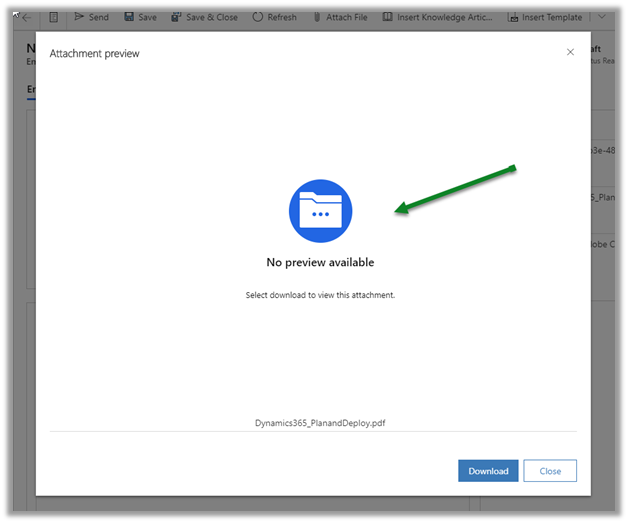
For attachment of type pdf, we get the below message

We do not see the preview option available for word document or text file.

Dynamics 365 2020 release wave 2https://docs.microsoft.com/en-us/dynamics365-release-plan/2020wave2/

Hope it helps..

Posts on 2020 Release wave 2 – Dynamics 365


New Customer Service workspace app (Preview) in Dynamics 365 – 2020 Release wave 2


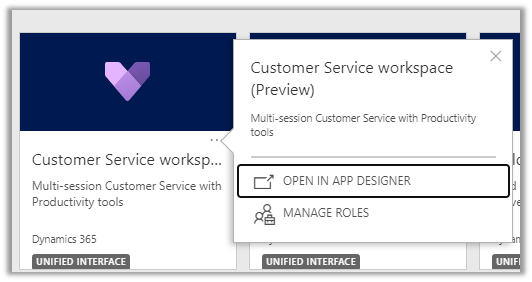
In 2020 Release wave 2, we can see a new Dynamics 365 app introduced for the Customer Service agents – Customer service workspace (preview), allowing multitasking (multi-tab) and multi-session  to work on multiple cases simultaneously more efficiently.

Enable early access to 2020 release wave 2

Check other posts on Release 2020 Wave 2

  • Customer Service workspace App ->

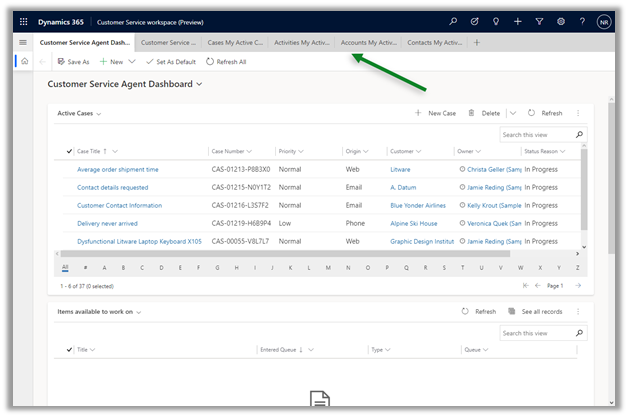
The app allows agents to work in multiple cases at the same time along with associated activities

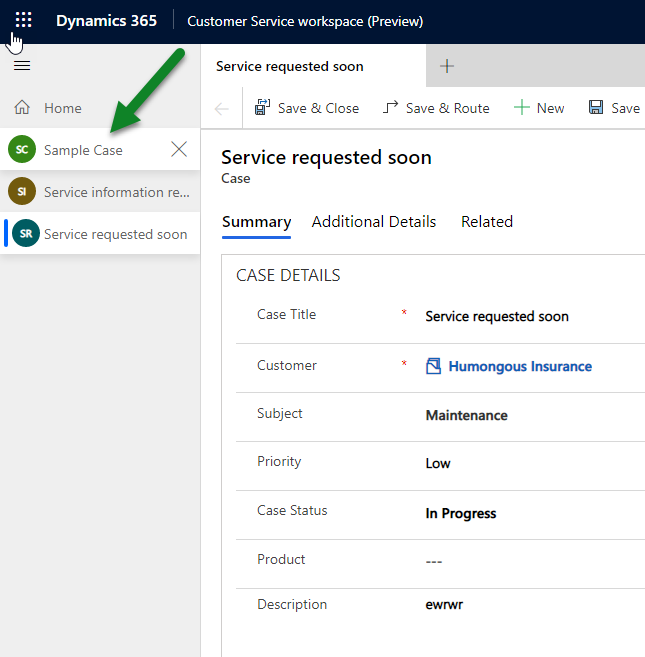
We can open multiple case, contact, account, activity, dashboard etc. in differents tabs as shown below, which allows for easier reference, without losing the context.

Session

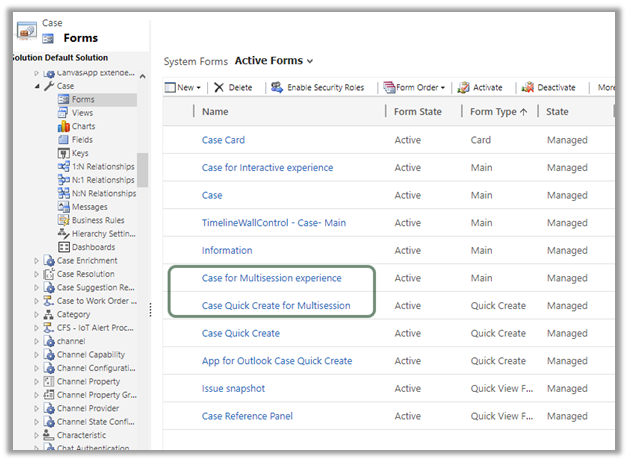
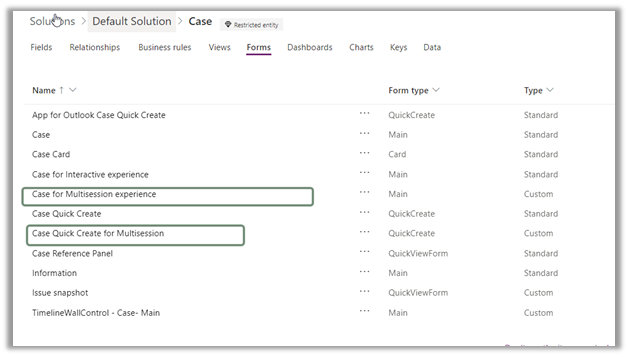
We have new main form ‘Case for Multisession experience’ and quick create form added for the new app for the case entity.

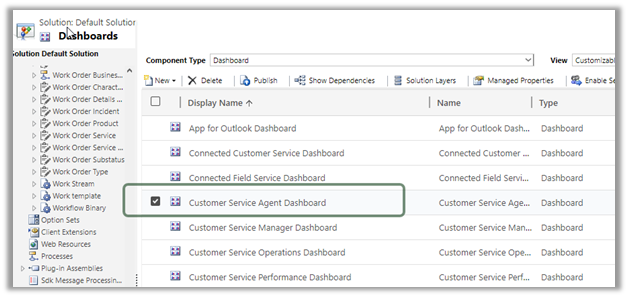
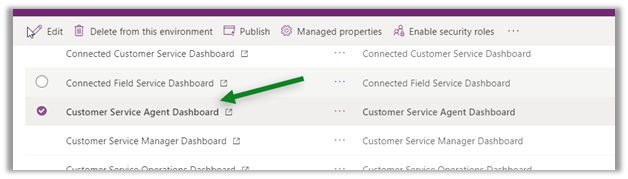
Along with Customer Service agent dashboard.

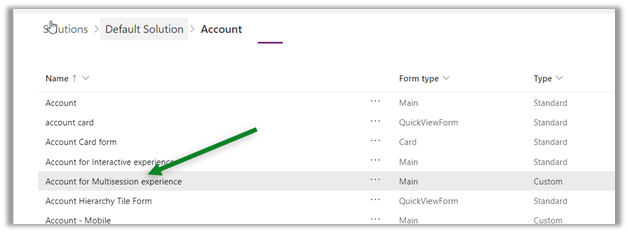
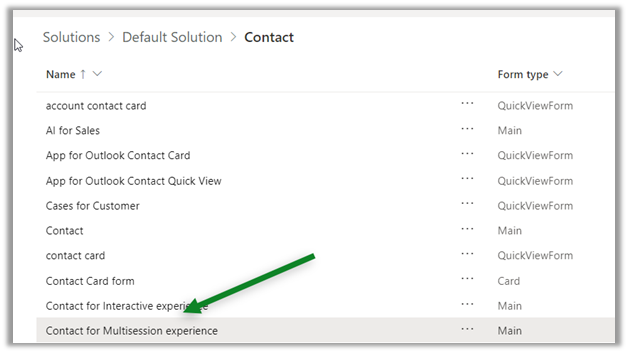
Similarly, we can also find new multi session form added for Account and Contact entity.

Dynamics 365 2020 release wave 2https://docs.microsoft.com/en-us/dynamics365-release-plan/2020wave2/

Hope it helps..
Rich text editor control in Dynamics 365 – 2020 Release Wave 2


2020 Release wave 2 bring the configurable PCF Control, which we can now use for our multiline text input field.

Enable early access to 2020 release wave 2

Check other posts on Release 2020 Wave 2

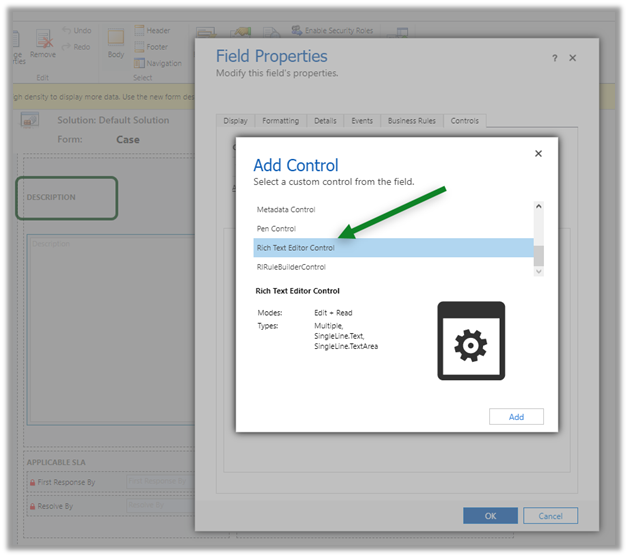
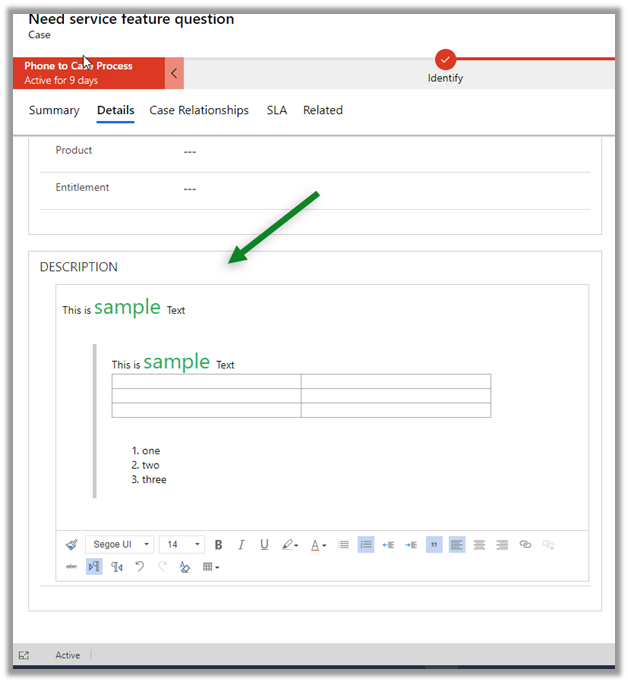
Below we have added the Rich Text Editor Control for the Description field in the Case Form.

The field properties

The control within the form with all the options.

We didn’t had the rich text editor control in 2020 Release wave 1.

Dynamics 365 2020 release wave 2 –https://docs.microsoft.com/en-us/dynamics365-release-plan/2020wave2/

Hope it helps..

Advertisements

Insert knowledge article in email – 2020 Release wave 2


Agents while working on email can now search for Knowledge articles and insert its content in 2020 release wave 2.

Enable early access to 2020 release wave 2

Check other posts on Release 2020 Wave 2

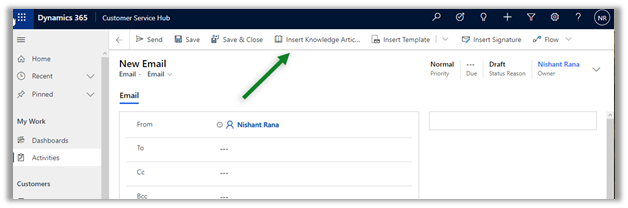
The new Insert Knowledge Article button in the command bar for email.

Agents can now search for the article without losing the context

Agents can preview and insert the article content.

The same experience for email within the timeline control

timeline

This feature was not available in 2020 Release wave 1.

Missing Insert Knowledge Article button there –

Dynamics 365 2020 release wave 2 –https://docs.microsoft.com/en-us/dynamics365-release-plan/2020wave2/

Hope it helps..