Hi,
Have a look at this awesome set of Visio Stencils for CRM 2011.
http://appstencils.codeplex.com/
Bye.

Hi,
Have a look at this awesome set of Visio Stencils for CRM 2011.
http://appstencils.codeplex.com/
Bye.


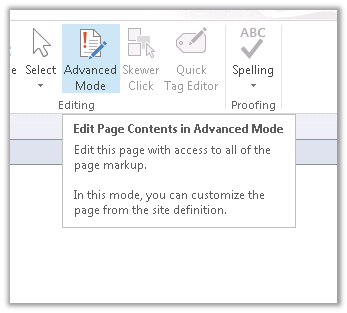
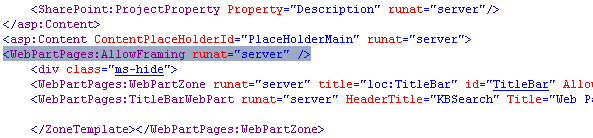
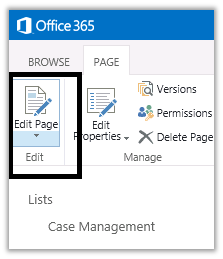
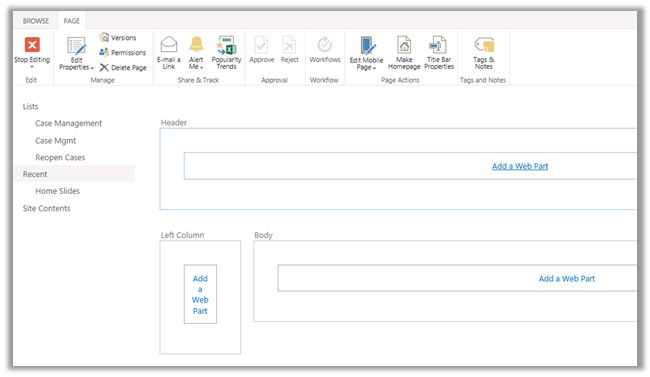
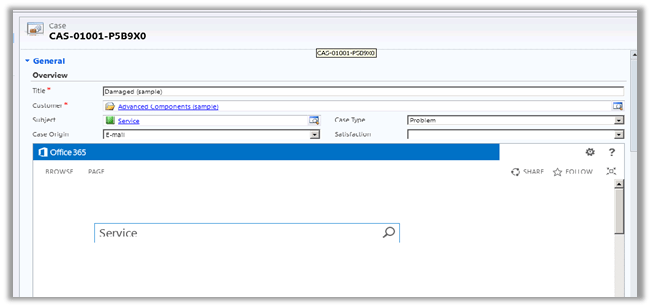
Select preview in browser

https://xyz.sharepoint.com/sites/contoso/Search/SitePages/KBSearch.aspx
https://xyz.sharepoint.com/sites/contoso/Search/SitePages/KBSearch.aspx?k=searchTerm
Hope it helps.

Hi,
Below is the code that we can use to update user’s work hours for a specific day. Here we are setting the work hours of the user to be starting from 2 to ending at 7 p.m. for 1st of April.
IServiceManagement orgServiceManagement =
 ServiceConfigurationFactory.CreateManagement(new Uri("https://mycrm.crm5.dynamics.com/XRMServices/2011/Organization.svc"));

AuthenticationCredentials authCredentials = new AuthenticationCredentials();
 authCredentials.ClientCredentials.UserName.UserName = "username@onmicrosoft.com";
 authCredentials.ClientCredentials.UserName.Password = "password";
 AuthenticationCredentials tokenCredentials = orgServiceManagement.Authenticate(authCredentials);

OrganizationServiceProxy organizationProxy = new OrganizationServiceProxy(orgServiceManagement, tokenCredentials.SecurityTokenResponse);
 // Get the user id
 Guid userid = ((WhoAmIResponse)organizationProxy.Execute(new WhoAmIRequest())).UserId;

// Get the calendar id of the user
 Entity systemUserEntity = organizationProxy.Retrieve("systemuser", userid, new ColumnSet(new String[] { "calendarid"}));


// Retrieve the calendar of the user
 Entity userCalendarEntity = organizationProxy.Retrieve("calendar", ((Microsoft.Xrm.Sdk.EntityReference)(systemUserEntity.Attributes["calendarid"])).Id, new ColumnSet(true));

// Retrieve the calendar rules defined in the calendar
 EntityCollection calendarRules = (EntityCollection)userCalendarEntity.Attributes["calendarrules"];

// Create a new inner calendar
 Entity newInnerCalendar = new Entity("calendar");
 newInnerCalendar.Attributes["businessunitid"] = new EntityReference("businessunit", ((Microsoft.Xrm.Sdk.EntityReference)(userCalendarEntity["businessunitid"])).Id);
 Guid innerCalendarId = organizationProxy.Create(newInnerCalendar);

// Create a new calendar rule and assign the inner calendar id to it
 Entity calendarRule = new Entity("calendarrule");
 calendarRule.Attributes["duration"] = 1440;
 calendarRule.Attributes["extentcode"] = 1;
 calendarRule.Attributes["pattern"] = "FREQ=DAILY;COUNT=1";
 calendarRule.Attributes["rank"] = 0;
 calendarRule.Attributes["timezonecode"] = 190;
 calendarRule.Attributes["innercalendarid"] = new EntityReference("calendar", innerCalendarId);

// starting at 12:00 on 1 April
 calendarRule.Attributes["starttime"] = new DateTime(2013, 4, 2,0,0,0,DateTimeKind.Utc);
 calendarRules.Entities.Add(calendarRule);

// assign all the calendar rule back to the user calendar
 userCalendarEntity.Attributes["calendarrules"] = calendarRules;
 // update the user calendar entity that has the new rule
 organizationProxy.Update(userCalendarEntity);

Entity calendarRule1 = new Entity("calendarrule");

// duration of 5 hours
 calendarRule1.Attributes["duration"] = 300;
 calendarRule1.Attributes["effort"] = 1.0;
 calendarRule1.Attributes["issimple"] = true;

// offset 120 i.e. 2 hours from start time (12:00)
 calendarRule1.Attributes["offset"] = 120;
 calendarRule1.Attributes["rank"] = 0;
 calendarRule1.Attributes["subcode"] = 1;
 calendarRule1.Attributes["timecode"] = 0;
 calendarRule1.Attributes["timezonecode"] = -1;
 calendarRule1.Attributes["calendarid"] = new EntityReference("calendar", innerCalendarId);

EntityCollection innerCalendarRules = new EntityCollection();
 innerCalendarRules.EntityName = "calendarrule";
 innerCalendarRules.Entities.Add(calendarRule1);

newInnerCalendar.Attributes["calendarrules"] = innerCalendarRules;
 newInnerCalendar.Attributes["calendarid"] = innerCalendarId;
 organizationProxy.Update(newInnerCalendar);
Hope it helps.

As a follow on to my CRM Project Scoping post I wanted to provide some examples questions that I use to help me size and get an overall understanding of a CRM project. These discovery questions can help you understand not only the size or type of project but also some of the risks and issues of the project. I’m only providing a general set of template questions here, you will want to tailor your questions to the industry, company and division you are talking to. For a comprehensive set of CRM Questionnaire or question templates then Microsoft Sure Step Methodology is a great place to start. I also refer you to my previous post on Great Books for Software and Product Management.
Before I start I thought I would provide a brief overview of the requirements elicitation process and objectives. I am going to write a detailed post on this in…
View original post 1,592 more words

Hi,
Got the below error while trying to open the organization.svc in browser. Although rest of the CRM was working properly.

Checked the event log and got this interesting error message over there.
Exception information:
Exception type: InsufficientMemoryException
Exception message: Memory gates checking failed because the free memory (208502784 bytes) is less than 5% of total memory. As a result, the service will not be available for incoming requests. To resolve this, either reduce the load on the machine or adjust the value of minFreeMemoryPercentageToActivateService on the serviceHostingEnvironment config element.
at System.ServiceModel.Activation.ServiceMemoryGates.Check(Int32 minFreeMemoryPercentage, Boolean throwOnLowMemory, UInt64& availableMemoryBytes)
at System.ServiceModel.ServiceHostingEnvironment.HostingManager.CheckMemoryCloseIdleServices(EventTraceActivity eventTraceActivity)
at System.ServiceModel.ServiceHostingEnvironment.HostingManager.EnsureServiceAvailable(String normalizedVirtualPath, EventTraceActivity eventTraceActivity)
As suggested by the error message, increasing the RAM resolved the issue.
Bye.

Hi,
We might receive the below error in CRM 2011 even though the user has the System Administrator Role assigned.
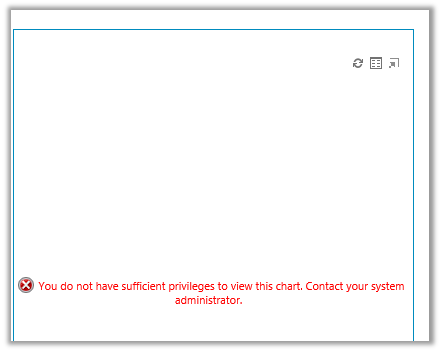
We need to check that the Access Mode for the system user is set to Read-Write and not Administrative.

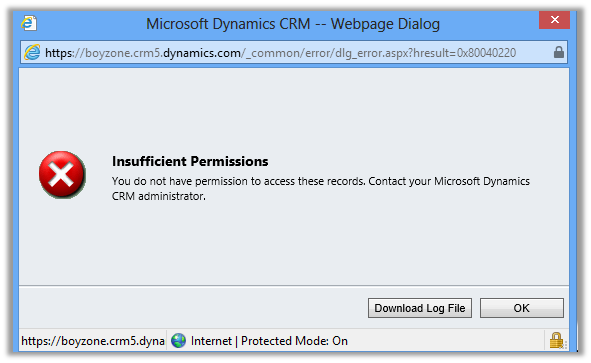
In case if we receive the Insufficient Permission error
Go to Admin Section of your portal and select Assign User Licenses link in it
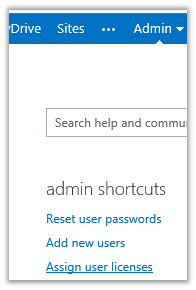
Assign License to the user
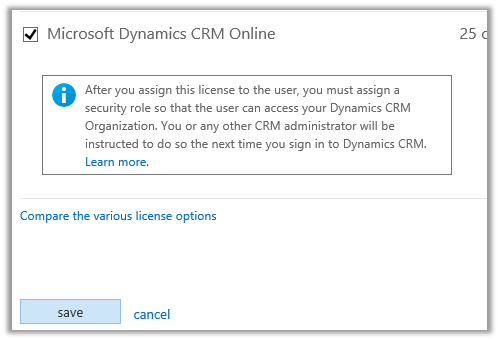
This will resolve the issue.
Bye.


 Nishant Rana's Weblog