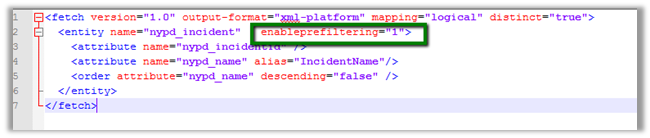
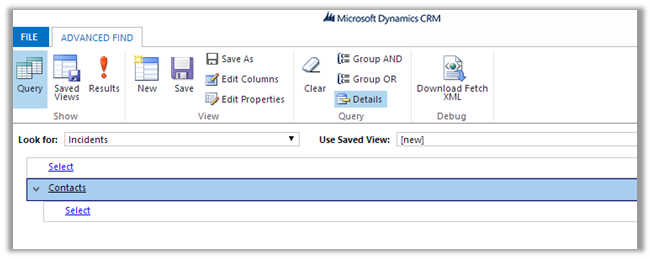
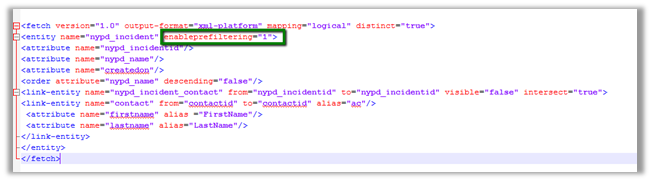
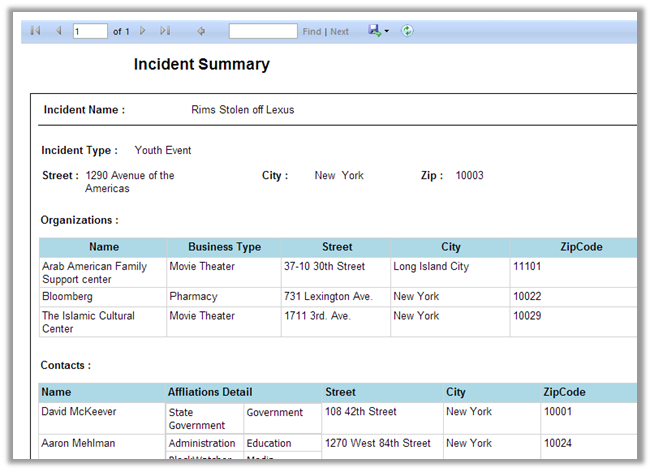
Dynamics CRM 2011 Report Development using FetchXML


Nicely expliained

Remove the extra commas from the string using C#


Suppose our string is in following format


string input = “Test1,, Test2,,,,,”;


string result =
Regex.Replace(input, “,+”, “,”).Trim(‘,’);


http://stackoverflow.com/questions/4405703/remove-extra-commas-in-c-sharp

Bye.

Sample code to get label and value for OptionSet in CRM


Hi,

Just sharing a sample code that retrieves optionset data from CRM and also sorts it. We are using it to bind drop down in one of our custom SharePoint Application Page.


/// <summary>
/// The get global option sets.
/// </summary>
/// <param name="config">
/// The config.
/// </param>
/// <param name="globalOptionSetName">
/// The _global option set name.
/// </param>
/// <returns>
/// The <see cref="List"/>.
/// </returns>
public static List<XrmOptionSet> GetGlobalOptionSets(IOrganizationService config, string globalOptionSetName)
{
using (
XrmServiceContext context = SDKHelper.GetXrmServiceContext(
config.OrganizationServiceUrl,
config.Credentials))
{
RetrieveOptionSetRequest retrieveOptionSetRequest = new RetrieveOptionSetRequest
{
Name =
globalOptionSetName
};

// Execute the request.
RetrieveOptionSetResponse retrieveOptionSetResponse =
(RetrieveOptionSetResponse)context.Execute(retrieveOptionSetRequest);

OptionSetMetadata retrievedOptionSetMetadata =
(OptionSetMetadata)retrieveOptionSetResponse.OptionSetMetadata;

OptionMetadata[] optionList = retrievedOptionSetMetadata.Options.ToArray();

List<XrmOptionSet> optionSetItems = new List<XrmOptionSet>();

// Add each item in OptionMetadata array to the ListItemCollection object.
foreach (OptionMetadata o in optionList)
{
XrmOptionSet xrmOptionSet = new XrmOptionSet();
xrmOptionSet.Label = o.Label.LocalizedLabels[0].Label;
xrmOptionSet.Value = o.Value.Value.ToString(CultureInfo.InvariantCulture);
optionSetItems.Add(xrmOptionSet);
}

optionSetItems.Sort(
delegate(XrmOptionSet thisItem, XrmOptionSet otherItem)
{
return thisItem.Label.CompareTo(otherItem.Label);
});

return optionSetItems;
}
}

/// <summary>
/// The get local option sets.
/// </summary>
/// <param name="config">
/// The config.
/// </param>
/// <param name="entityName">
/// The entity name.
/// </param>
/// <param name="optionSetAttributeName">
/// The option set attribute name.
/// </param>
/// <returns>
/// The <see cref="List"/>.
/// </returns>
public static List<XrmOptionSet> GetLocalOptionSets(
IOrganizationService config,
string entityName,
string optionSetAttributeName)
{
using (
XrmServiceContext context = SDKHelper.GetXrmServiceContext(
config.OrganizationServiceUrl,
config.Credentials))
{
// Create the Attribute Request.
RetrieveAttributeRequest retrieveAttributeRequest = new RetrieveAttributeRequest
{
EntityLogicalName =
entityName,
LogicalName =
optionSetAttributeName,
RetrieveAsIfPublished
= true
};

// Get the Response and MetaData. Then convert to Option MetaData Array.
RetrieveAttributeResponse retrieveAttributeResponse =
(RetrieveAttributeResponse)context.Execute(retrieveAttributeRequest);
PicklistAttributeMetadata retrievedPicklistAttributeMetadata =
(PicklistAttributeMetadata)retrieveAttributeResponse.AttributeMetadata;
OptionMetadata[] optionList = retrievedPicklistAttributeMetadata.OptionSet.Options.ToArray();

List<XrmOptionSet> optionSetItems = new List<XrmOptionSet>();

// Add each item in OptionMetadata array to the ListItemCollection object.
foreach (OptionMetadata o in optionList)
{
XrmOptionSet xrmOptionSet = new XrmOptionSet();
xrmOptionSet.Label = o.Label.LocalizedLabels[0].Label;
xrmOptionSet.Value = o.Value.Value.ToString(CultureInfo.InvariantCulture);
optionSetItems.Add(xrmOptionSet);
}

optionSetItems.Sort(
delegate(XrmOptionSet thisItem, XrmOptionSet otherItem)
{
return thisItem.Label.CompareTo(otherItem.Label);
});

return optionSetItems;
}
}
}

&nbsp;


Hope it helps.

Disable Caching while using IE and Chrome Developer tools.


Following are the setting that we can use to disable caching in Chrome and IE.

Chrome:-


IE:-


Issue while using SDK.MetaData.js in Chrome in CRM 2013.


Recently was writing a jscript function to populate optionset value using SDK.MetaData.js helper class.

https://nishantrana.wordpress.com/2014/02/05/retrieve-optionset-label-using-sdk-metadata-rertrieveattribute-method-in-javascript-crm-2011/

It was working fine in IE, however I was getting error in Chrome.

It turned out the following condition was always evaluating as true

And as selectSingleNode is not supported in Chrome we were getting error.

Added the following condition fixed the issue


if (typeof(window.chrome) != ‘undefined’) {


var xpe = new XPathEvaluator();


var xPathNode = xpe.evaluate(xpathExpr, node, _NSResolver, XPathResult.FIRST_ORDERED_NODE_TYPE, null);


return (xPathNode != null) ? xPathNode.singleNodeValue : null;


}


Hope it helps..

Using clientidmode property to get the id of the control in JavaScript in Visual Web Part


Hi,

In a Visual Web Part we were saving few values in a hidden input field and were retrieving it in the jScript. However the issue we were facing was the id of the control kept changing.

http://therightstuff.de/2006/02/14/Accessing-Controls-In-SharePoint-Web-Parts-Using-JavaScript-On-The-Client-Side.aspx

Here the clientidmode property came to rescue.

<input id=”hiddenobject” type=”hidden” clientidmode=”Static” runat=”server”/>

With the clientidmode set as static the id remains the same.

Hope it helps.