Role Based Views in Dynamics CRM – New version released


Debajit's avatarDebajit's Dynamic CRM Blog

Hi All,

Finally got some time around to work on the bug fixes in the my codeplex tool ‘Role Based Views in Microsoft Dynamics CRM’. The new version has been uploaded in codeplex site- https://rolebasedviews.codeplex.com

Thanks everyone for the huge downloads and making the tool so popular.

What’s fixed in this version

  • Error in the tool for users without security roles
  • Intermittent error in the lookup view of the entities configured for role based views
  • Compatibility with CRM 2015 online update 1

Please visit the link https://rolebasedviews.codeplex.com and go to ‘Downloads’ section and download the release – Role Based Views – CRM 2015 Version. Please download both the managed solution as well as the executable as using the new version of the managed solution with the old executable would give an error.

New to the tool? Please check for the Documentations tab at https://rolebasedviews.codeplex.com to learn how to use…

View original post 225 more words

Nice Videos on understanding “Package Deployer Tool” and “Configuration Migration Tool” in CRM.


While going through various videos on Microsoft Dynamics CRM, found these 2 nice videos on Package Deployer Tool and Configuration Tool.

Do check it out

Hope it helps..

“​SharePoint Attachment Extractor & Metadata Manager” tool for Microsoft Dynamics CRM


Two of the most common requirements of the users while using OOB CRM and SharePoint integration have been

  • To associate some sort of metadata with the  document being uploaded from CRM
  • Moving attachments from notes of a particular record to the corresponding folder in SharePoint.

Finally we have a tool than enhances the Out the box integration between CRM and SharePoint and provides these features (in a fully supported manner)

Get all the details here :

https://debajmecrm.com/2016/10/05/new-tool-dynamics-crm-sharepoint-metadata-manager-attachment-extractor/

The tool has been developed by one of my closest friends and now also a MVP for Microsoft Dynamics CRM – Debajit Dutta.

Task and Phone Activity Created through the Social Pane CRM 2013/15/16


Interesting

Ranjeet Patel's avatarRanjeet Patel

When I tried to run a post create plugin on any activity (i.e. phonecall,  task, email, etc) that time i was unable to get the regardingobjectid in the target entity.

then I looked into the Audit history of this entity and found out that at time of creation we don’t get the “regardingobjectid”, internally some workflow of something runs and it creates one update audit history, and i found out that update audit history really update the regarding object id.

then i registered  my post create plugin to post update plugin and this solved my problem.

View original post

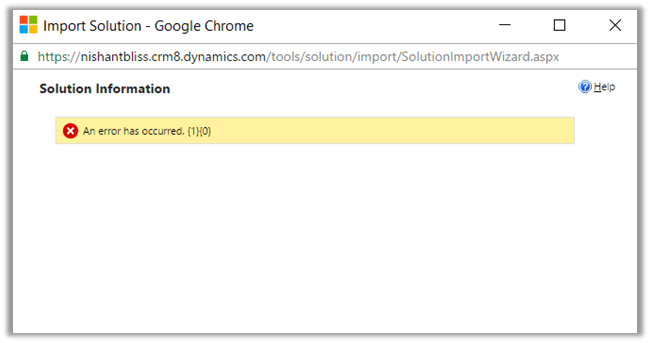
An error has occurred. {1} {0} while Importing Solutoin in CRM 2016 Online.


Hi,

I was getting below error while importing solutoin in my trial CRM 2016 Online Org. I tried with other browser and it was the same case. Infact I created a new trial and tried there but no success.

Without losing hope, tried the same in one of my VM (Windows Server 2012 Standard). It got successfully imported.

So went back to my workstation and cleared browser cache there.

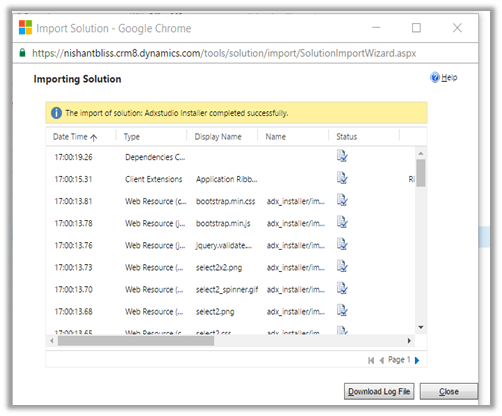
And the Import was Successful.

Hope it helps..

Configure Office 365 Groups in CRM 2016 Online Update 1


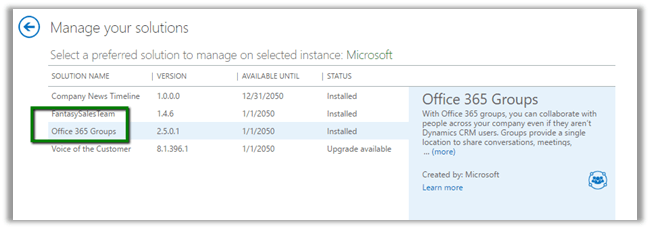
Go to CRM Admin Center à Solutions à Install the Office 365 Groups Solution

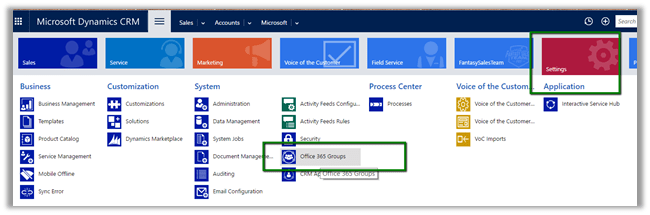
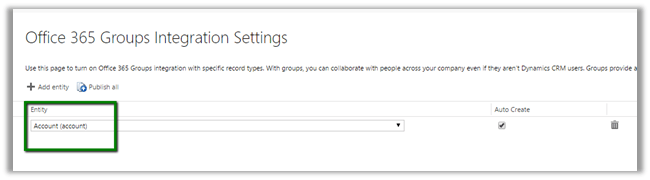
Once installed, go to Settings – Office 365 Groups to configure Entities.

We have enabled it for Account (select entity and Publish All)

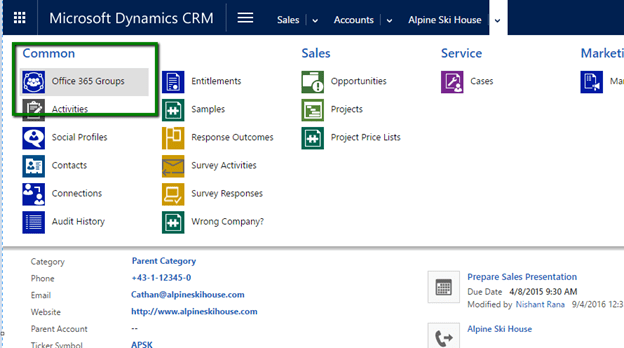
Open the Account Record and navigate to Office 365 Groups.

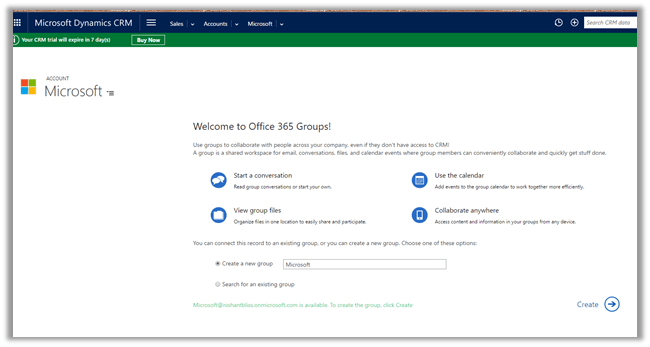
It will auto create a Group or we can specify an existing one.

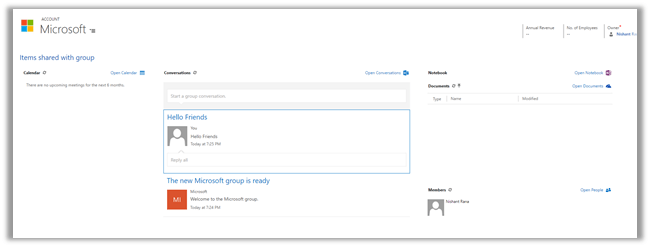
Once configured we can see the Calendar, Conversation, Notebook etc.

Hope it helps..