

Recently, we ran into an issue where the Audit History page stopped loading on the form. Interestingly, the problem was limited only to the Account forms.
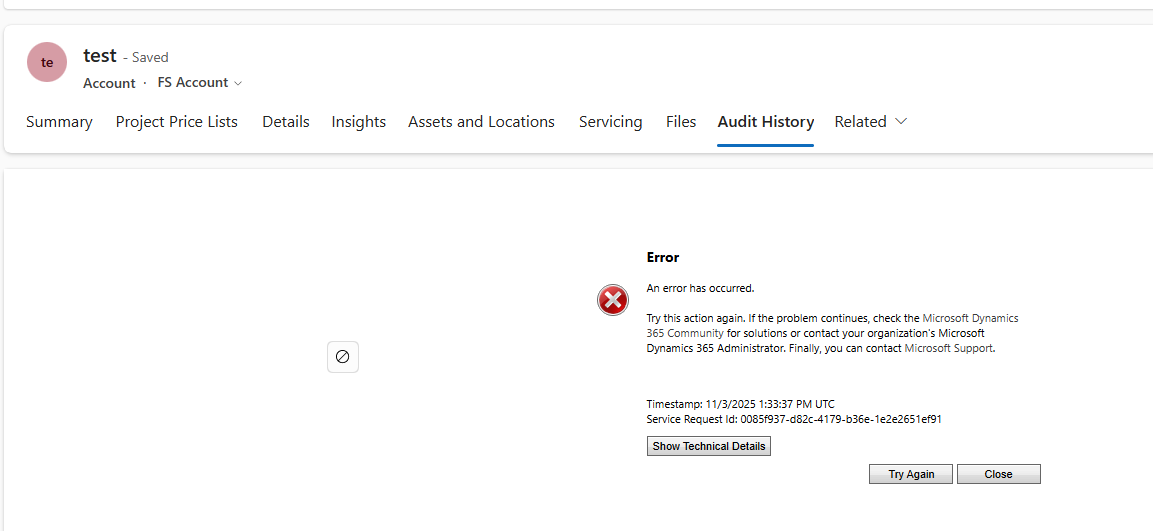
Whenever we tried to open Audit History, we received the generic error below:
An error has occurred.
Try this action again. If the problem continues, check the Microsoft Dynamics 365 Community for solutions or contact your organization’s Microsoft Dynamics 365 Administrator. Finally, you can contact Microsoft Support.
To investigate further, we raised a Microsoft Support ticket. After reviewing the issue, Microsoft informed us that the problem was likely related to a custom control used on the Account form. They shared the Form ID (GUID) along with the control classid F9A8A302-114E-466A-B582-6771B2AE0D92, which corresponds to that custom control.
Microsoft asked us to inspect the Form XML of the affected Account form. Specifically, they advised searching for all controls that use the given classid and carefully reviewing the uniqueid property of each control. We were also asked to verify that there were no case mismatches in the GUIDs and that every uniqueid had a matching entry in the controldescription section of the Form XML.
To identify the correct form, we used a SQL4CDS query to retrieve the Form Name and Form ID.
For easier analysis, we created a temporary solution, added the affected Account form to it, exported the solution, and opened the Form XML.
While reviewing the Form XML, we found six instances of the control using the specified classid. For five of these controls, the uniqueid had a corresponding entry in the controldescription section. However, one control was missing this mapping. The problematic uniqueid was 815D8A5B-6355-47B5-9500-EE2D658820D5.
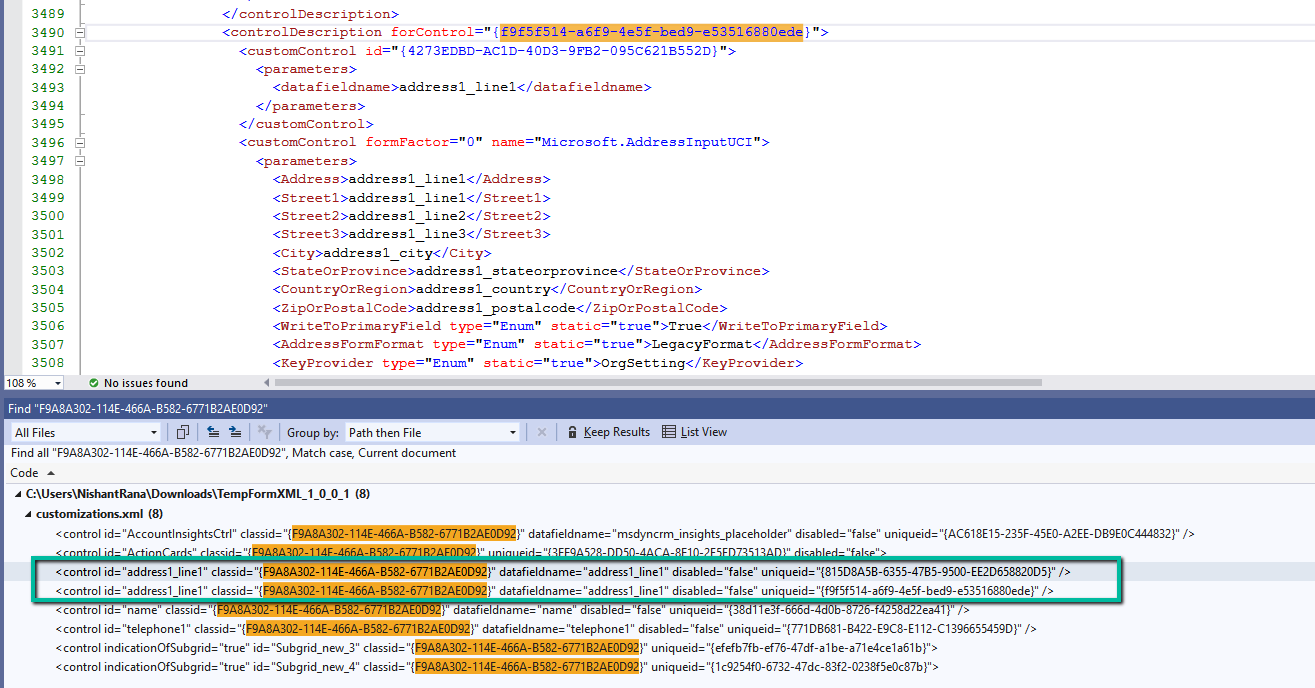
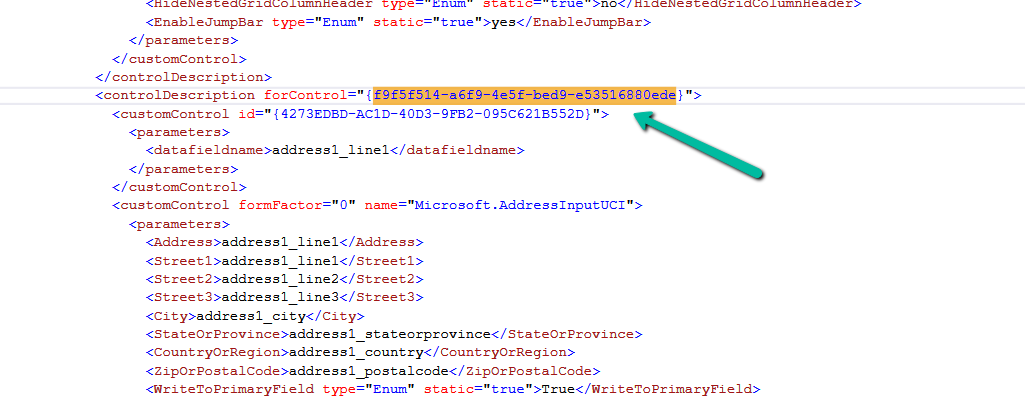
To resolve the issue, we updated this uniqueid to match an existing and valid one already present for the address1_line1 control, which was f9f5f514-a6f9-4e5f-bed9-e53516880ede. After making the change, we zipped the solution, imported it back into the environment, and published the updates.
More on that Address Input Control – https://www.axazure.com/en/how-to-use-the-new-address-input-control-in-model-driven-app
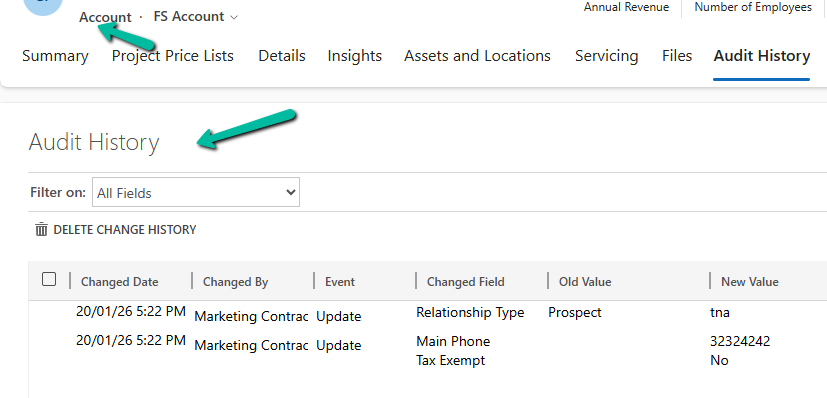
Once the solution was re-imported, the Audit History page started working correctly for Account forms, confirming that the issue was resolved.
This could be helpful if you run into a similar Audit History issue caused by custom controls and Form XML inconsistencies.
Hope it helps..
Discover more from Nishant Rana's Weblog
Subscribe to get the latest posts sent to your email.
Share It -


 Nishant Rana's Weblog
One thought on “Fixed: Audit History Page Not Loading (Dataverse / Dynamics 365)”