

Microsoft has always recommended managed solution(s), apart from the some of benefits that managed solutions offer over unmanaged, Microsoft is also adding features to the managed solution, making it easy for teams to adopt and transition to Managed solutions, like focusing on making the solution import faster and adding ALM-specific features to it.
Let us take a simple example to see it working –
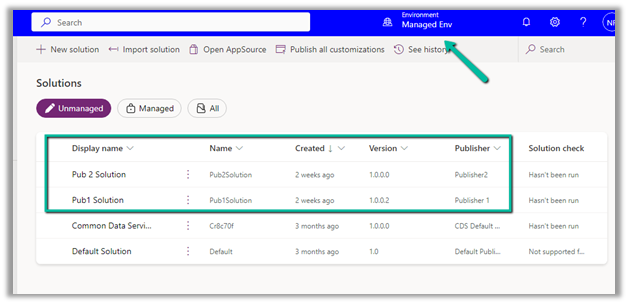
Suppose we have 2 environments, a Test and a Managed environment.
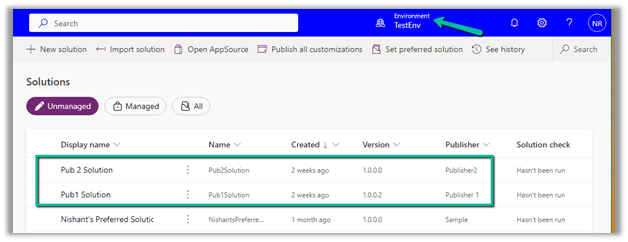
The test environment has 2 unmanaged solutions from different publisher that is already deployed to the target environment as unmanaged.
Source –
Target –
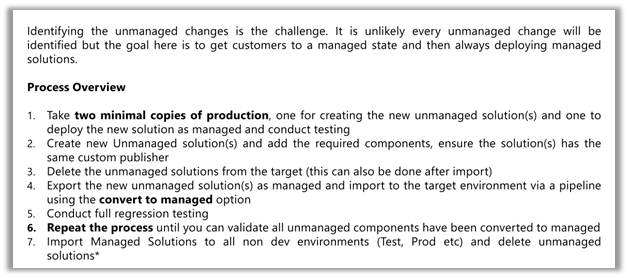
Ideally, we should be creating 2 copies of production environments, one for creating the new unmanaged solution (s) containing the components to be converted to managed and the other environment where the unmanaged solution (s) will be converted to managed and will be used for testing and validation.
Ref – Dynamics 365 FastTrack Architecture Insights – ALM Transitioning from Unmanaged to Managed Solutions
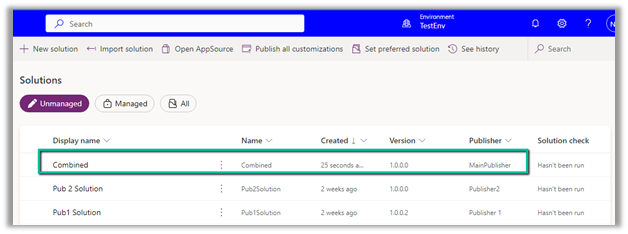
Now let us create a new unmanaged solution in the source environment that will combine the components we have in Pub 1 and Pub 2 unmanaged solutions.
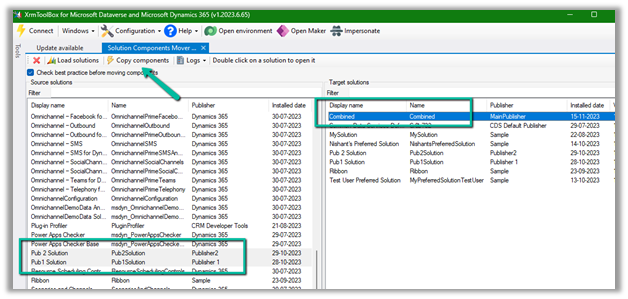
Here we can use the wonderful XrmToolBox plugin – Solutions Components Mover.
Select source solutions and the target solution (combined) in our case, and click on Copy Components.
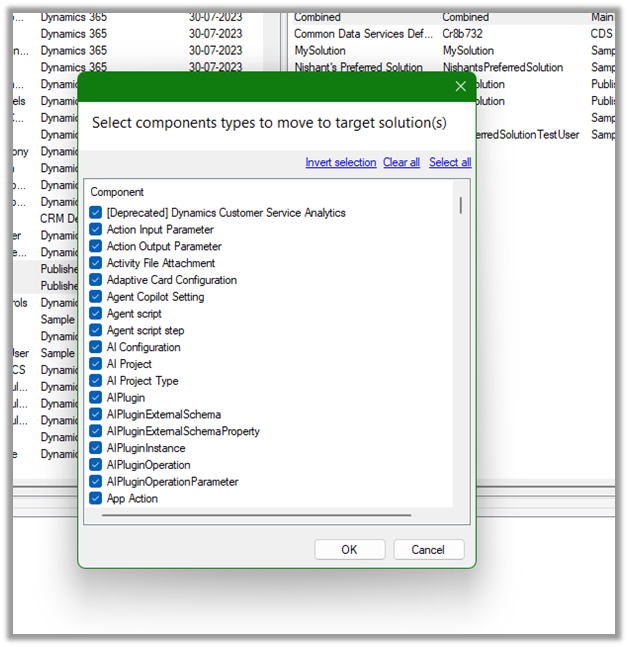
Here we have selected all the component types.
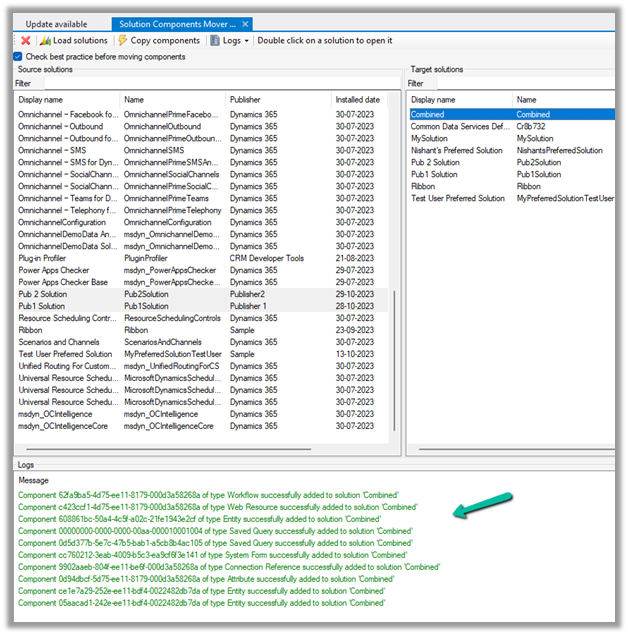
Back in our TestEnv, we can see the components of the solution added from Pub 1 and Pub 2 solutions to the combined solution.
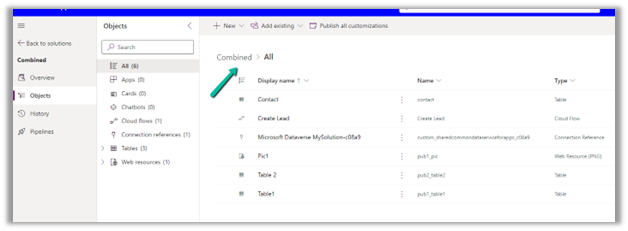
Let us export the combined solution as managed.
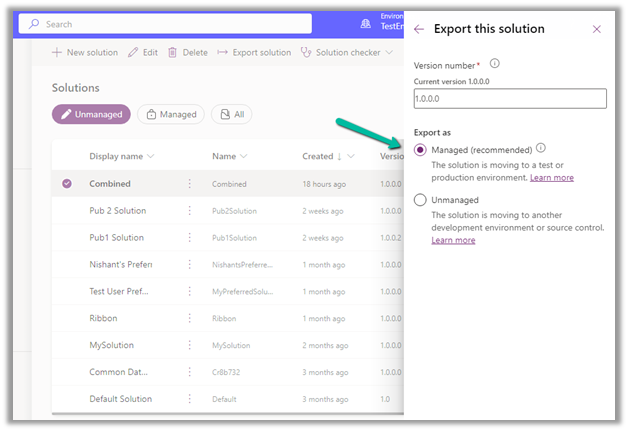
The other way to create the combined solution would be to “Include all objects” for unmanaged components like custom tables. For managed components, like out-of-the-box tables lead, contact, case, etc, we’d only select the components customized.
Run the below command, to connect to the destination (managedenv) environment.
https://learn.microsoft.com/en-us/power-platform/developer/cli/reference/auth#pac-auth-create
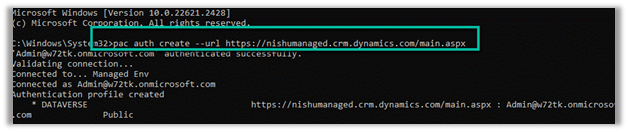
Run the below command, to convert the unmanaged solution to managed.

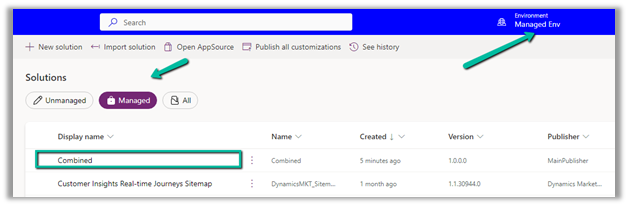
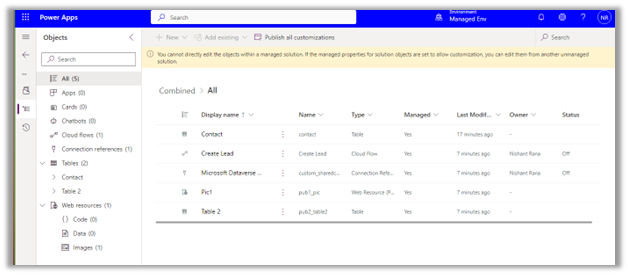
We can see the managed solution imported successfully to our target environment.
For quick reference –
|
Unmanaged |
Managed |
|
Unmanaged solutions are intended to be used in the development environment. |
Managed solutions are intended to be distributed and installed. |
|
Unmanaged solutions can be exported either as managed or unmanaged. |
Managed solutions cannot be exported |
|
Components can be directly edited within an unmanaged solution. |
Components inside the managed solutions cannot be edited directly. Editing can only be done in the corresponding unmanaged solution or an additional unmanaged solution in dev and then exported and imported as managed in the target environment. |
|
The unmanaged solution can be seen as the source code |
A managed solution can be seen as a compiled code. |
|
Deleting an unmanaged solution only deletes the solution container, all unmanaged customizations remain in effect and are applied to the default solution of the environment |
Deleting a managed solution removes the customizations from the environment. |
|
Benefits |
Benefits |
|
Unmanaged solutions allow for real-time customization directly within the environment. |
The managed solution secures the solution components in the environment, by restricting the user from making changes or removing components from it. |
|
Developers can make changes on the fly without the need for importing/exporting solutions |
Ability to uninstall/roll back. In case of issues or undesired changes, managed solutions make it easier to roll back to a previous version. This can be crucial for maintaining system stability and ensuring minimal disruption to ongoing operations |
|
The managed solution supports layering allowing multiple solutions to be installed simultaneously without conflicts. |
|
|
Clearly defined component ownership in the case of multiple publishers/solutions. |
|
|
Improved solution import performance with reduced performance impact on the environment. |
Check the below links for more details
Hope it helps..
Discover more from Nishant Rana's Weblog
Subscribe to get the latest posts sent to your email.
Share It -


 Nishant Rana's Weblog
Incredibly useful, thanks a lot !!!
LikeLike