

We might get the below error while connecting to the Dataverse Web API using the client ID and client secret.
AADSTS700016: Application with identifier ‘6d8ff73a-27ef-443c-b524-d8b69ae87580’ was not found in the directory ‘w72tk’. This can happen if the application has not been installed by the administrator of the tenant or consented to by any user in the tenant. You may have sent your authentication request to the wrong tenant.
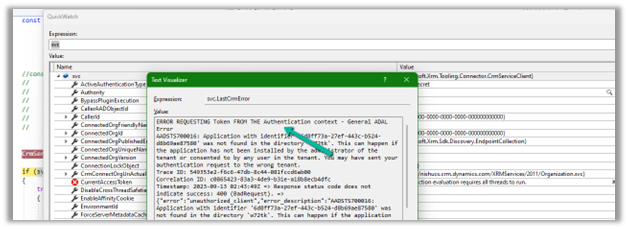
This could be if we have specified wrong Client or App Id.
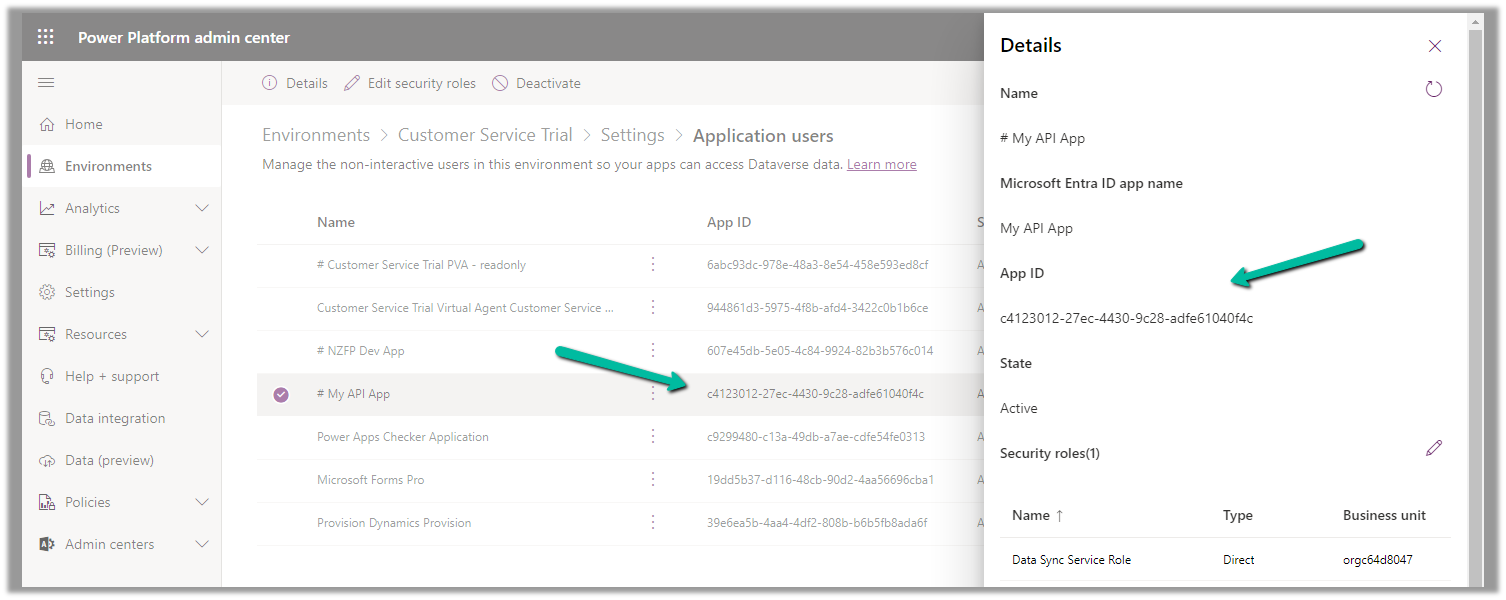
Check the correct App Id either from Azure you can also refer to the correponding Application User created for it.

Hope it helps..
Advertisements
Discover more from Nishant Rana's Weblog
Subscribe to get the latest posts sent to your email.
Share It -


 Nishant Rana's Weblog
One thought on “ERROR REQUESTING Token FROM THE Authentication context – General ADAL Error (Dataverse / Dynamics 365)”