

In one of our environments, the ActivityPointBase table was occupying nearly 20 GB. It was earlier 40 GB, and we then deleted email records to bring it down to 20 GB.
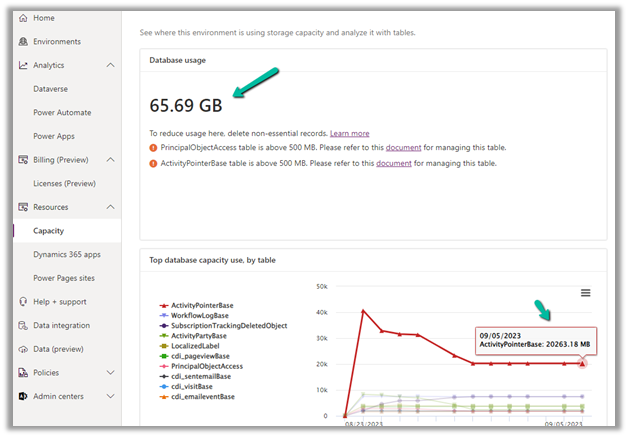
On downloading the table details, we did not get a clear idea of what activity-type table was occupying that much space.
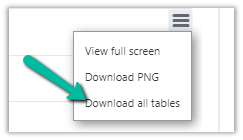
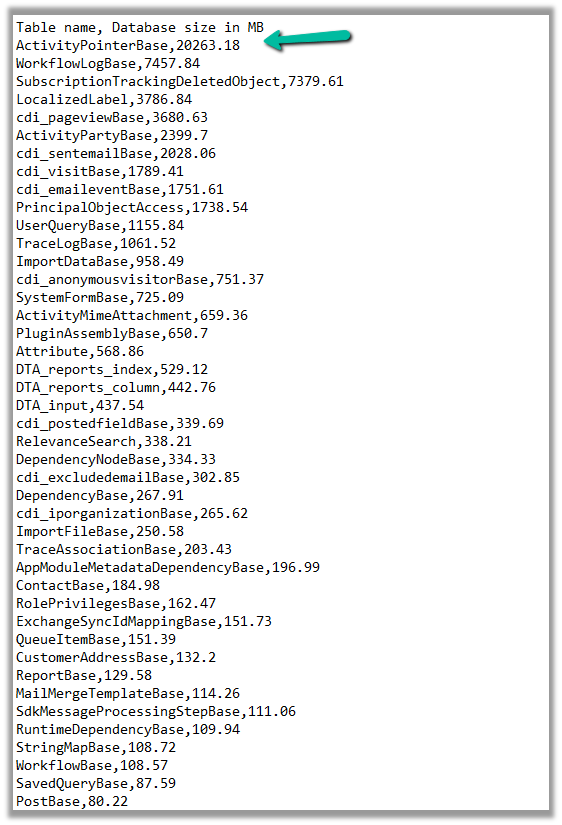
So we raised the Microsoft Support ticket, and they shared with us the breakdown of records occupied by different activity type tables.
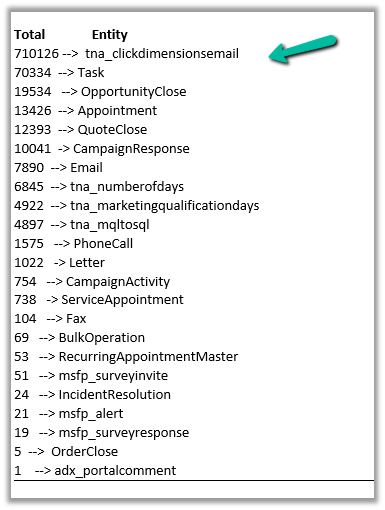
Then we configured our Bulk Deletion Job to delete the corresponding activity type records.
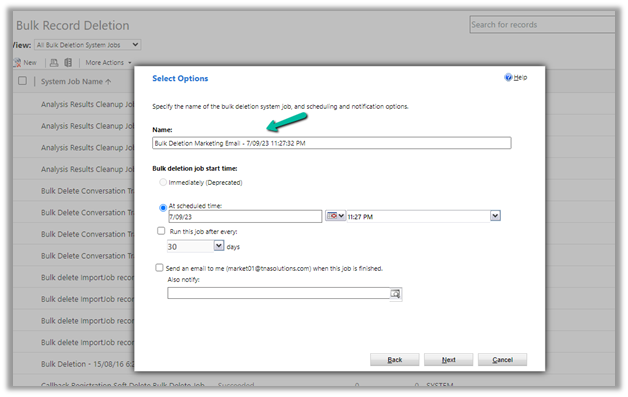

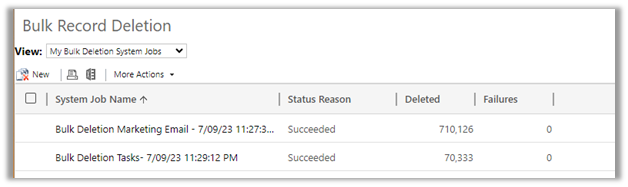
This helped us to bring down the ActivityPointerBase from 20 GB to 15 GB.
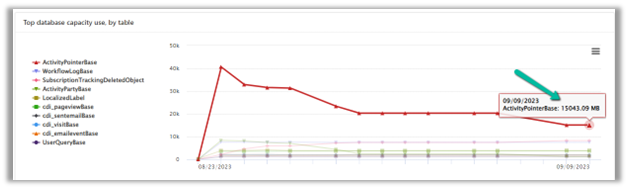
https://learn.microsoft.com/en-us/power-platform/admin/capacity-storage
Hope it helps..
Advertisements
Discover more from Nishant Rana's Weblog
Subscribe to get the latest posts sent to your email.
Share It -


 Nishant Rana's Weblog
You can get also the record breakdown with Power BI – just connect to the activitypointers table in the relevant environment.
LikeLike
Thanks for sharing Donal. And also we can run the following query in SQL4CDS –
select activitytypecodename,activitytypecode, Count(activitytypecode) as Total
from activitypointer
group by activitytypecode, activitytypecodename
order by Total desc
LikeLike