
To configure it,
Go to Settings – Administration – System Settings
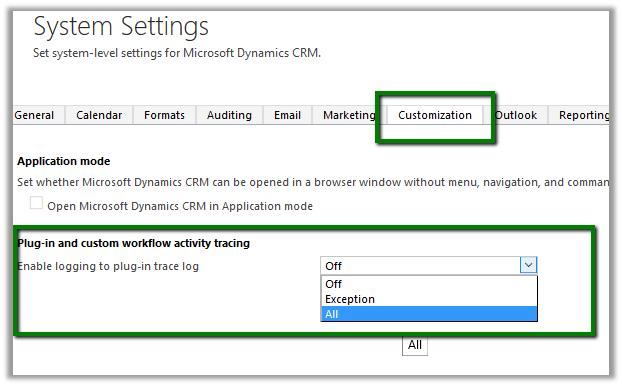
Here we have selected “All” for enable tracing and registered a sample plugin which only writes trace.
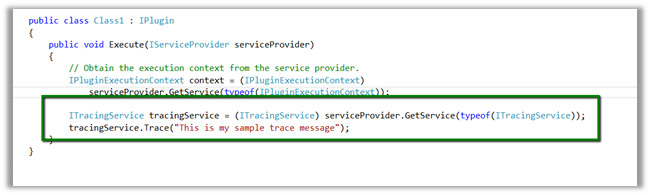
Now perform the event that will trigger the plugin.
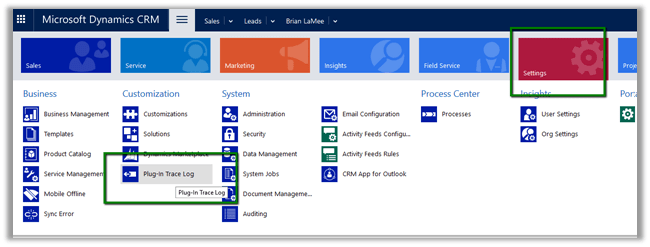
Go to Settings – Plugin Trace Logs
Open the Trace Log record
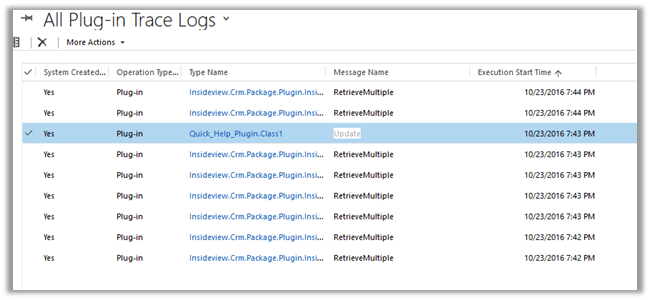
Trace message

In case of enable logging set as Off no trace log records will be created and in case of Exception only when exception occurs trace log record is created.
“Trace logs older than 24 hours are deleted by Bulk Deletion background job”
Hope it helps..
Discover more from Nishant Rana's Weblog
Subscribe to get the latest posts sent to your email.
Share It -


 Nishant Rana's Weblog