Missing Activities tab in Social Pane in CRM 2013


Hi,

Was working on a task wherein we had to add Social Pane to a form of a custom entity. We enabled the Notes for the entity (Activities was already enabled).

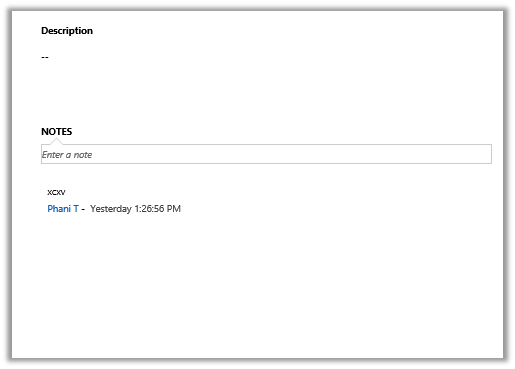
However after adding it to the form it was only showing only Notes tab.
The solution we found was to export the entity and change the following value to 1 for the particular form.
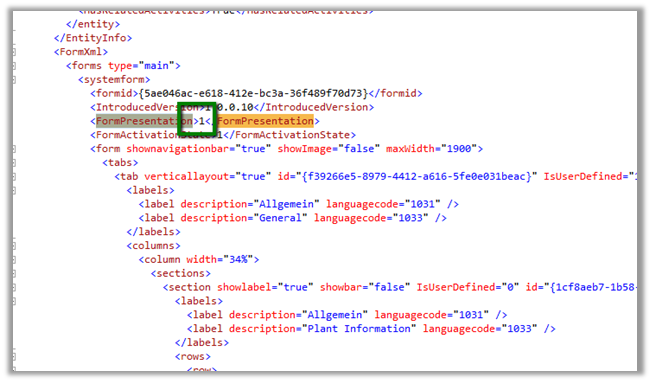
Saving and importing back the solution fixed the issue.


The helpful post

https://thecrmgrid.wordpress.com/2013/11/22/social-pane-control-not-working-in-custom-forms/

Hope it helps..

Solved: The remote server returned an error: (413) Request Entity Too Large in WCF Service.


Hi,

Recently created a WCF Service to be used for file upload.

Was getting the below error for large file

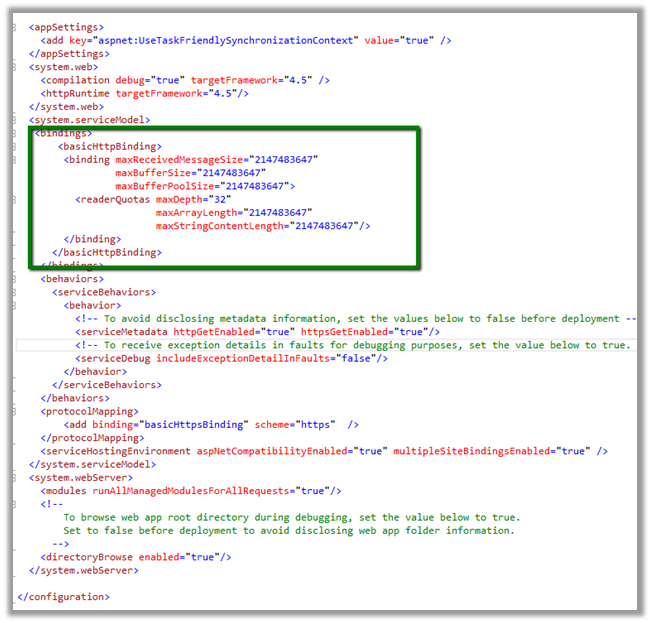
Setting the binding in the following manner fixed the issue


<bindings>
<basicHttpBinding>
<binding maxReceivedMessageSize="2147483647"
maxBufferSize="2147483647"
maxBufferPoolSize="2147483647">
<readerQuotas maxDepth="32"
maxArrayLength="2147483647"
maxStringContentLength="2147483647"/>
</binding>
</basicHttpBinding>
</bindings>


Hope it helps..

Reports in Dynamics CRM 2013


List of OOB reports in CRM

CRMCONSULTANT's avatarMicrosoft Dynamics CRM Blog

Microsoft Dynamics CRM 2013 includes reports that provide useful business information to the user. These reports are based on Microsoft SQL Server Reporting Services, and provide the same set of features that are available for the Microsoft SQL Server Reporting Services reports. The report definition (data and layout) of Microsoft Dynamics CRM reports are contained in an .rdl file, and the contents of the .rdl file conform to the Microsoft SQL Server Report Definition Language Specification.

1. System Reports (Out-of-box Reports):

Dynamics CRM 2013 comes with 25 out-of-box reports for viewing your business data. The following table shows a list of available reports and what data they get when you run.

NameDescription
Account DistributionIdentify patterns in top revenue-generating accounts.
Account OverviewView a one-page overview of an account.
Account SummaryView a chronological summary of an account.
ActivitiesDisplay a list of activities.
Campaign Activity StatusTrack campaign…

View original post 723 more words

“The formula is empty” exception while importing solution in CRM 2015


Got this error while trying to import a managed solution.

It was giving this error for Calculated fields.

On checking these fields in the source CRM realized that these fields were missing Action in them.

Adding appropriate action to them and then exporting and importing the same solution worked fine.

Hope it helps..

Fixed – Exception calling “CreateSPNavigationNode” with “4” argument(s): Access is denied. (Exception from HRESULT: 0x80070005 (E_ACCESSDENIED)) in SharePoint 2013


Got this error while running a PowerShell script that creates Navigation in the portal.

Adding the logged in user as to Site Collection Administrator group fixed the issue.

http://alstechtips.blogspot.in/2014/07/sharepoint-2013-access-is-denied.html

Hope it helps..

Fixed – Copying file “” failed. Could not find file while trying to Publish the portal in Azure using Visual Studio


The project was getting build successfully. But while trying to publish it was getting the below error.

Excluding all the files from the Project fixed the issue.


Hope it helps..