
Run Microsoft Azure PowerShell
- Add-AzureAccount
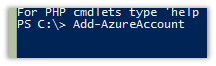
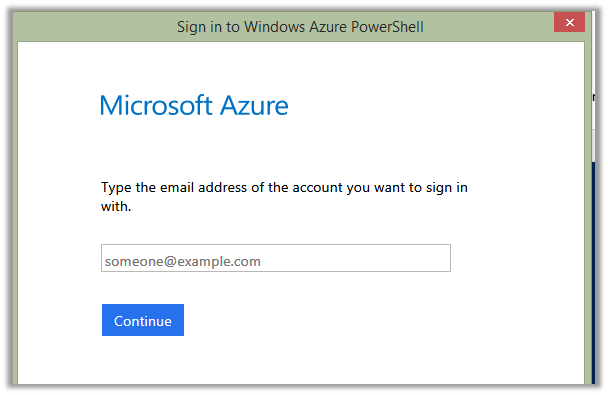
Sign in using your Azure Account.
- Get-AzureSubscription
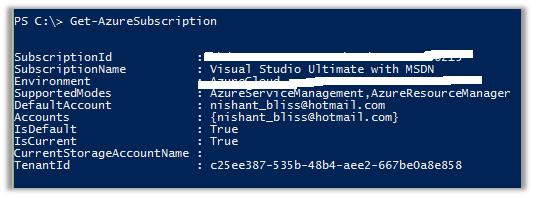
- Select-Azuresubscription <name of the subscription you need>
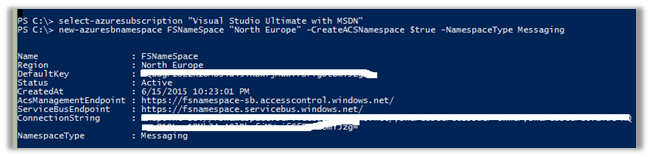
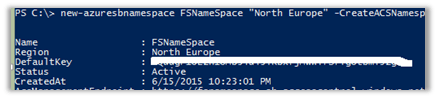
- New-Azuresbnamespace <name for the service bus> “North Europe” -CreateACSNamespace $true -NamespaceType Messaging
Open Azure Management Portal
https://manage.windowsazure.com/
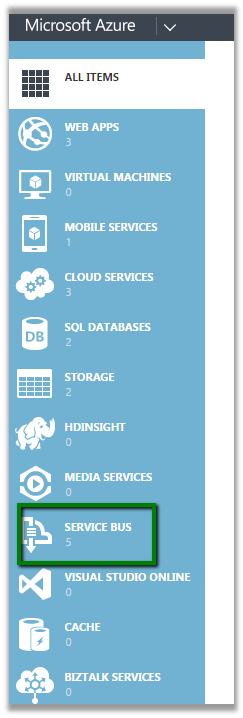
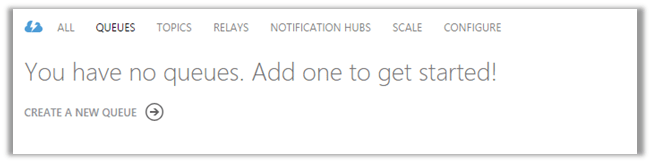
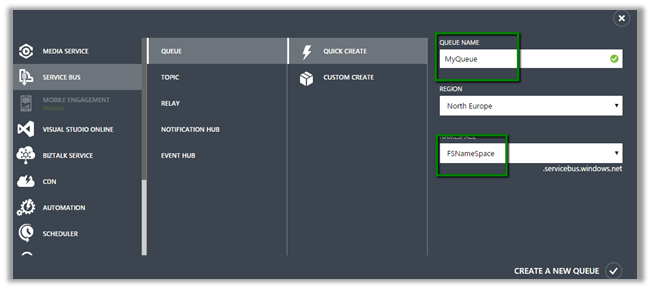
Click on the Service Bus à Queues and Create a Queue using Quick Create
Now open Plugin Registration Tool.
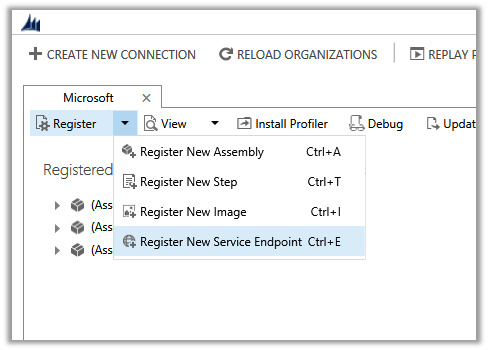
Solution Namespace – Name Space we gave to our Service Bus.
Path – Name of the Queue.
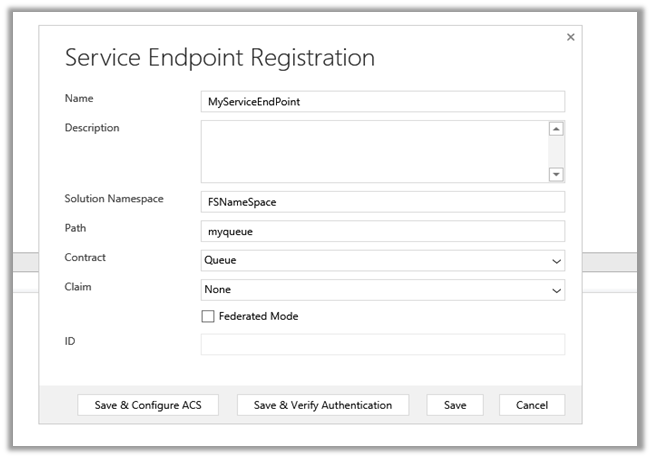
Cick Save & Configure ACS
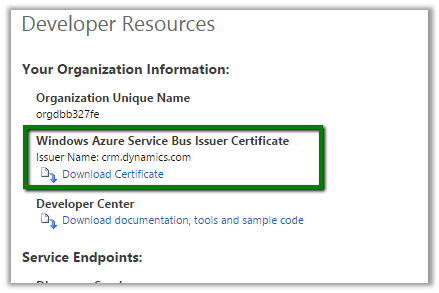
Management Key è Default Key
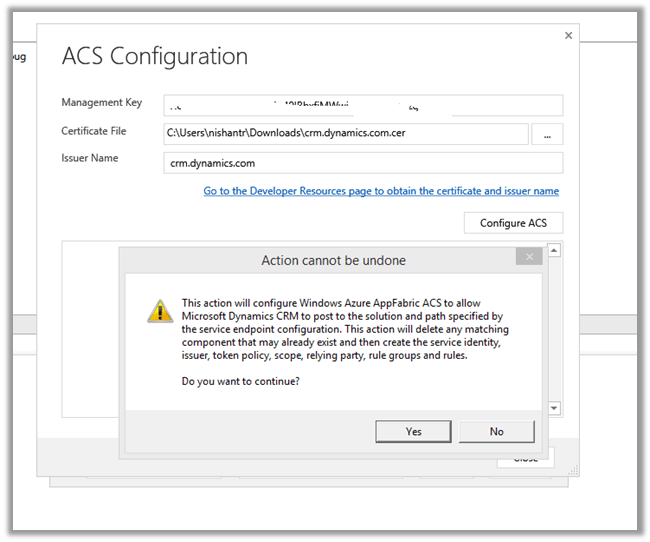
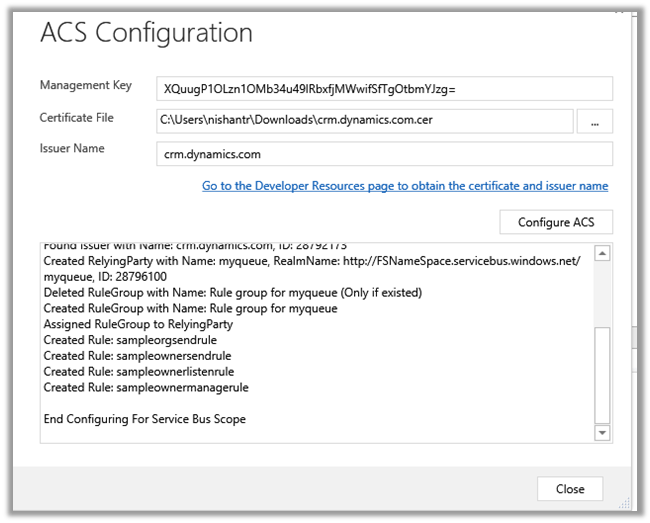
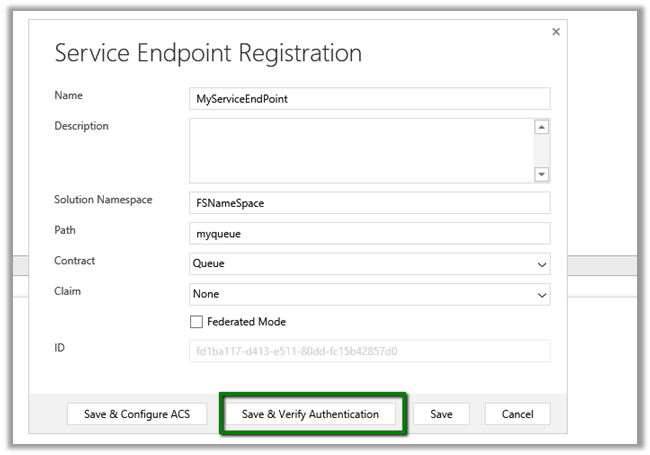
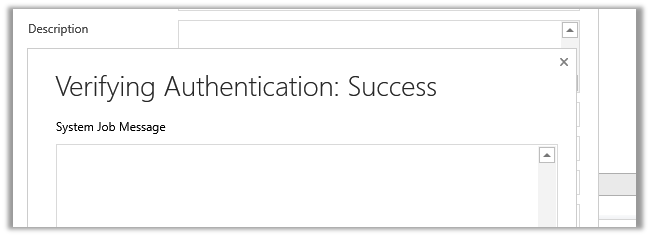
Click Save.
Now register a new Step. (Post Lead Create Asynchronous)
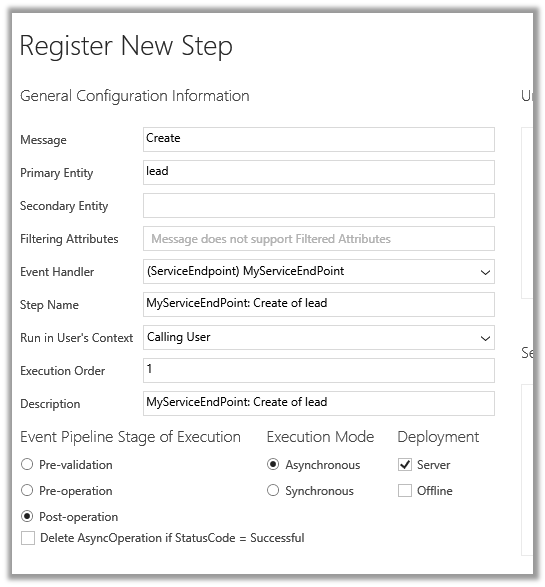
Create a new Lead record in CRM.
Check the System Job.
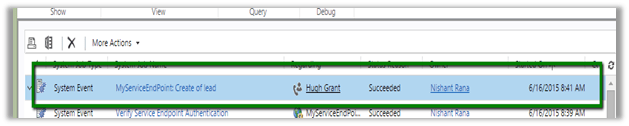
Hope it helps..
Discover more from Nishant Rana's Weblog
Subscribe to get the latest posts sent to your email.
Share It -


 Nishant Rana's Weblog
Reblogged this on CRM Backlog.
LikeLike
Great Post Nishant!
LikeLike
Great Post Nishant – Srihari
LikeLike
Thanks for taking the time to post this, so much better help than the Microsoft “walkthrough”
LikeLike
Hi Nishant,
I have a Development environment and Test Environment and I created a Azure service bus to perform bulk operation. Azure is working fine. But when I am connecting Azure to one Environment(via Plugin Registration Tool as a Service Endpoint), the other environment which was already connected doesn’t work.
Does CRM has limitation of having Azure Service Bus linked to only one CRM Organisation ?
Any Thoughts on this?
LikeLike