
To achieve the same security model that was implemented using Manager Hierarchy earlier
(https://nishantrana.me/2014/10/04/hierarchical-security-modelling-manager-hierarchy-in-crm-2015/)
in Custom Position Hierarchy we need to follow these steps.
To create Custom Position Hierarchy
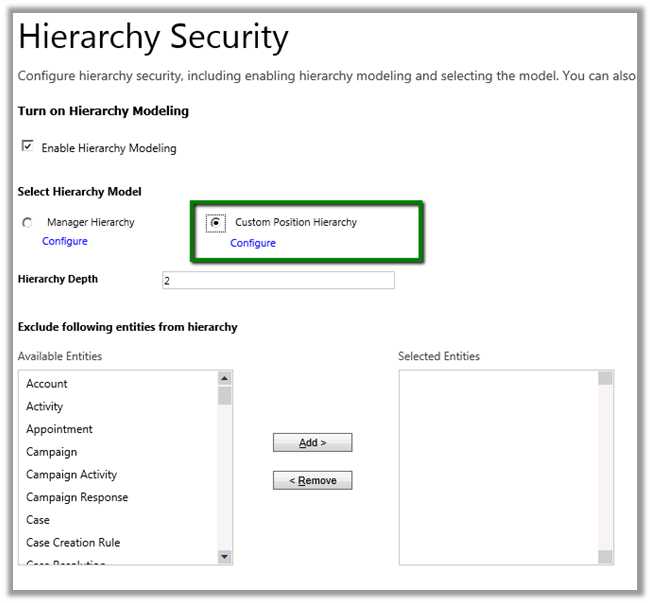
- Open Settings à Security à Hierarchy Security
- Select Custom Position Hierarchy à Configure (Set Hierarchy Depth as 2)
- Create a new position record “position 1” and add a user to it “Ceo”
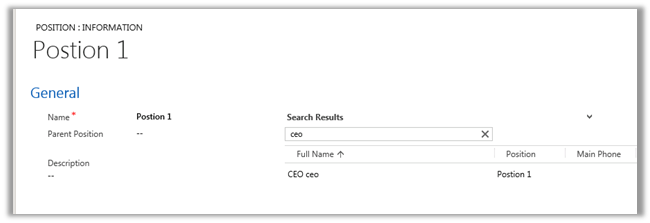
- Similarly create Position 2 and Position 3 record add “Manager A” and “First Name”

The Hierarchy à
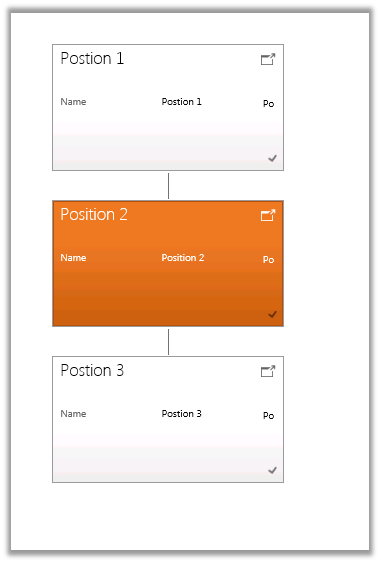
Record created by user at position 3 is read only for the CEO user at Position 1 and editable for Manager User in Position 2 as we have set the depth as 2.
Discover more from Nishant Rana's Weblog
Subscribe to get the latest posts sent to your email.
Share It -


 Nishant Rana's Weblog
One thought on “Custom Position Hierarchy in CRM 2015”