Fixed – Workflow must be in Published state (Dynamics 365 Field Service)


Recently, we got the following error while booking a resource in our schedule board. We earlier got the same error while trying to delete bookable resource booking records.

We could not figure out the workflow or SLA that could be responsible for the issue.

Eventually, turning on the Use Enhanced Background Processing (Preview) option in Field Service Settings >> Other fixed the issue for us.

Use Enhanced Background Processing (Preview)

In Field Service, a bunch of background jobs take care of things like managing Agreements. Normally, this uses the tried-and-tested workflows. However, we can flip on the new preview option that uses Power Automate Flows instead. This can help in tricky cases—like when the Agreement owner no longer has access to Dynamics 365. We could see this option enabled in our other environments, and this environment was a copy of one of them, so that could be the reason it worked in our case.

Also check –

https://community.dynamics.com/forums/thread/details/?threadid=65c9c51f-26e3-442c-bd87-4892a61b8ee4

https://community.dynamics.com/forums/thread/details/?threadid=8ceeb26f-bc7e-4a22-b2b6-672ef89c6401

Get more information

Hope it helps..

Advertisements

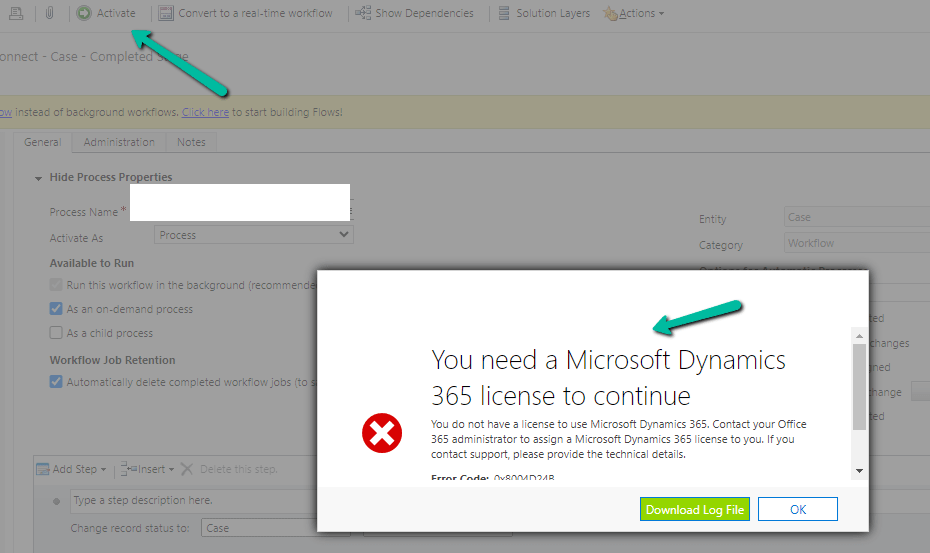
Turn on failed or You need a Microsoft Dynamics 365 license to continue error while trying to Activate a Workflow – Dynamics 365 / Dataverse


Recently while trying to Activate a Workflow we got the below error –

Turn on failed. The user with SystemUserId=xxxxxxxx-483e-eb11-bf70-000d3a795b83 in OrganizationContext=xxxxxxxx-a88f-4f40-b654-7bab4d5c1f95 is not licensed. Please contact your system administrator to add license to this user for the action to succeed. SystemUserAccessMode=0 is not either of (NonInteractive=4, SetupUser=1). User IsDisabled=True, IsLicensed=False. ImpersonatingSystemUserId=xxxxxxxx-9fe2-47b8-84a9-d87c65dc9dfd.

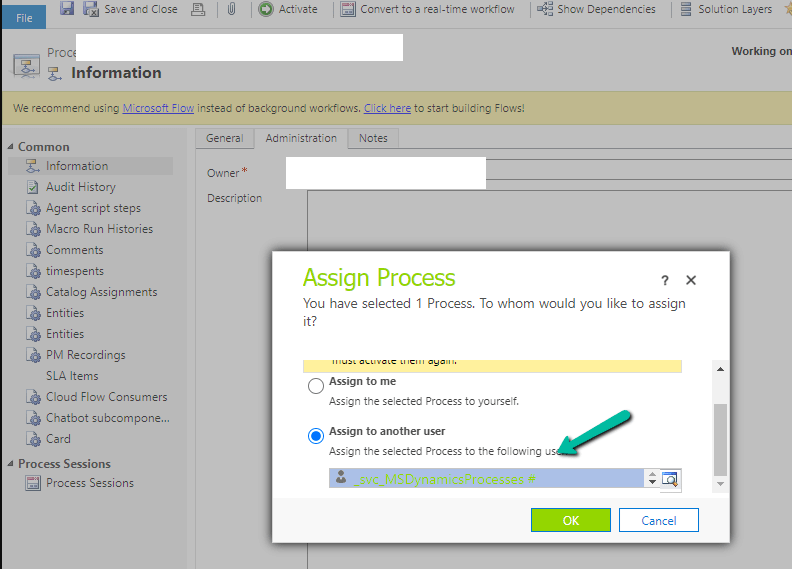
The user account through which we were trying to do so had a System Administrator role, however, it turned out that it was because of the Owner of the Workflow. The system user record set as Owner of the workflow was Inactive.

A screenshot of a computer

Description automatically generated

Assigning it to the other active user, fixed the issue for us.

We were able to activate the Workflow than.

Hope it helps..

Advertisements

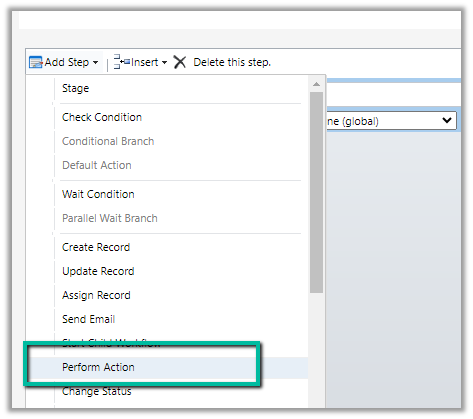
Custom Actions missing in the “Perform Action” step of the workflow (Dataverse / Dynamics 365)


We might see some of the custom actions not appearing in the Actions list inside the Perform Action step of the workflow.

This is because the Custom Action would be using one of the following parameter types, which is not supported for Perform Action like

  • Picklist (Optionset)
  • Entity
  • Entity Collection

E.g. we have the following actions defined few are bound to the Contact table, some are Global, and have different types specified as either Input or output parameter.

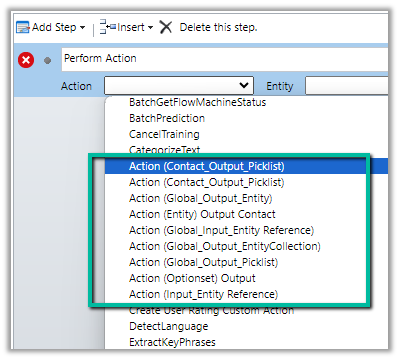
Out of the above actions defined, we can see only the following actions listed inside the perform actions step of the workflow.

The action which has input as Entity Reference are the ones listed, as it is one of the supported types. For the unsupported types, if used as an output parameter, the actions are listed.

https://learn.microsoft.com/en-us/dynamics365/customerengagement/on-premises/developer/create-own-actions?view=op-9-1#execute-an-action-using-a-process

Hope it helps..

Advertisements

Four Nested If Limitations on workflows in CRM.


Hi,

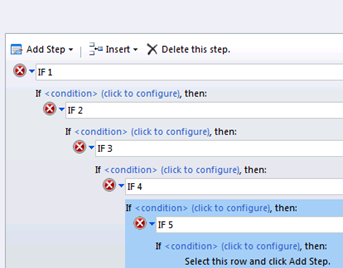
We recently had a requirement to write a workflow that would require nested if conditions. Much to our surprise we realized that only 4 nested if conditions are supported.

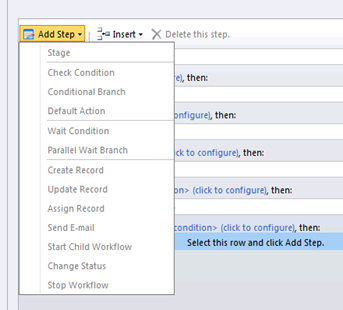
After selecting “Select this row for “IF 5″and clicking on “Add Step”, we can see the Add Step menu greyed out.

The workaround is to use Child Workflow.

Check out this wonderful article

http://www.wipfli.com/BlogPost_MCRM_blog_10_14_09.aspx

Hope it helps.