Using RetrievePrincipalAccessRequest in CRM


Hi,

Recently had a requirement to show\hide a ribbon button based on the condition i.e. if a user has Write access to that record show it else hide it.

Here either the user can have Write access to the record through the one of the security roles assigned to him or through the team which has that rights.

In this case we can use RetrievePrincipalAccessRequest which returns as response all the right user had on that particular record either through his own security roles or teams he is part of.

For e.g. we give following rights on a particular record to a team (which the user is part of)
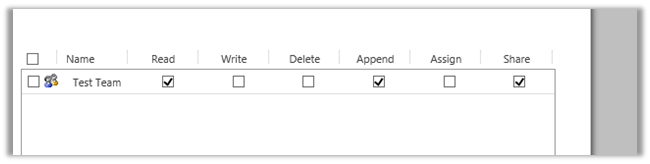
If we check the rights user has on the record using RetrievePrincipalAccessRequest we get the following response (combination of all the rights either through sharing or his own security roles)

[


RetrievePrincipalAccessRequest request = new RetrievePrincipalAccessRequest();

// system user or team
request.Principal = new EntityReference("systemuser", new Guid("EBEECB5F-2D60-E511-80F8-3863BB357FC0"));

// record for which we want to check the access
request.Target = new EntityReference("is_productionsite", new Guid("15734DF9-31DD-E511-810E-3863BB353ED0"));

RetrievePrincipalAccessResponse resp = (RetrievePrincipalAccessResponse)orgService.Execute(request);


Hope it helps.

Only Secure Content is displayed notification while using Bing Map API version 7.0 in CRM Online.


Hi,

We recently developed a web resource using Bing Map API to show address as push pin for Custom Entities.

However, we were getting the following notification

The reason being we were using Http version of the API and CRM is on HTTPS. We changed it to use HTTPS version and it fixed the issue.

Else we would have to do the following settings in the browsers

http://du.screenstepslive.com/s/docs/m/7107/l/219447-allow-mixed-content-in-browsers

Helpful post

http://blog.devdave.com/2011/01/removing-mixed-content-warning-when.html

Hope it helps..

How to – Get Total Count of records in CRM. (more than 5000)


For version 9.0 please check the below post

RetrieveTotalRecordCountRequest

https://dreamingincrm.com/2019/07/22/getting-entity-record-counts/

https://docs.microsoft.com/en-us/dotnet/api/microsoft.crm.sdk.messages.retrievetotalrecordcountrequest?view=dynamics-general-ce-9

Just sharing a sample code to get the total number of records (e.g. account here)

<br />
 IOrganizationService orgService = GetOrganizationService();</p>
<p> int totalCount = 0;</p>
<p> QueryExpression query = new QueryExpression("account");<br />
 query.ColumnSet = new ColumnSet();<br />
 query.Distinct = true;<br />
 query.ColumnSet.AddColumn("accountid");<br />
 query.PageInfo = new PagingInfo();<br />
 query.PageInfo.Count = 5000;<br />
 query.PageInfo.PageNumber = 1;<br />
 query.PageInfo.ReturnTotalRecordCount = true;</p>
<p> EntityCollection entityCollection = orgService.RetrieveMultiple(query);<br />
 totalCount = entityCollection.Entities.Count;</p>
<p> while (entityCollection.MoreRecords)<br />
 {<br />
 query.PageInfo.PageNumber += 1;<br />
 query.PageInfo.PagingCookie = entityCollection.PagingCookie;<br />
 entityCollection = orgService.RetrieveMultiple(query);<br />
 totalCount = totalCount + entityCollection.Entities.Count;<br />
 } </p>
<p> MessageBox.Show(totalCount.ToString());<br />


Hope it helps

Advertisements

Business Process Error while trying to open records in CRM 2015


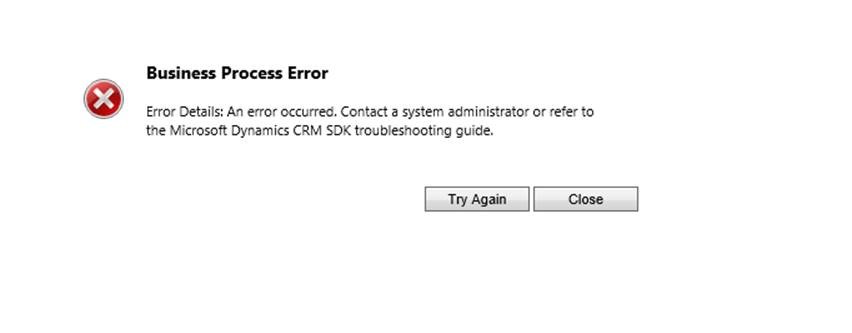
Hi we were getting the below error while trying to open any record in CRM 2015

G

Turned out that by mistake one wrong extra step had got registered on RetrieveMultiple

ActivityFeeds.Plugins: ActivityFeeds.Plugins.ActivityClose]

[c824b80a-d392-e511-8114-3863bb356f90: ActivityFeeds.Plugins.ActivityClose: RetrieveMultiple of any Entity]

Removing this step fixed the issue.

Hope it helps.

Fixed – Microsoft Dynamics CRM Reporting Authoring Extension Setup – Setup cannot continue because there is a pending restart required error in CRM 2015


Hi,

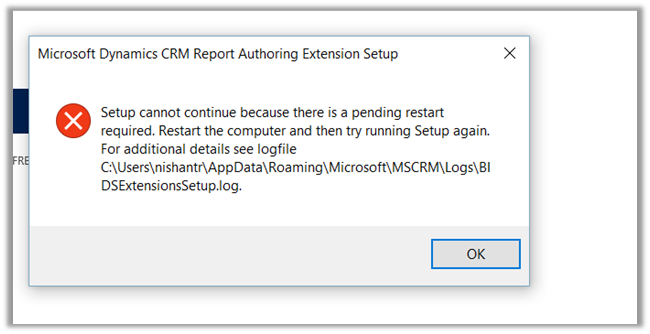
Got the below error while trying to install the Report Authoring Extension for CRM 2015.

To fix the issue, open the log file, check for the registry path and delete it

Hope it helps !

“Duplicate Column Heading Exists” Error while using Templates for Data Import in CRM 2015


Hi,

We were getting the Duplicate Column Heading Existing while trying to download template for data import for Opportunity Entity.

Through Customizations we changed the Display Name of the fields that were duplicate and it fixed the issue for us.

Solution:

https://community.dynamics.com/crm/f/117/t/169282

I had the same issue.  In Settings> Customizations, display the Entities that causes the error.  Sort the fields by display name and scroll through the list until you find two identical display names.  Rename one, save and publish your changes.  You should now be able to download the Import template.

Do check out this awesome article

http://missdynamicscrm.blogspot.in/2014/09/understanding-import-template-crm-2011-2013-fields.html

Hope it helps ..