Adding the existing Add Notes button to Actions Tab for Incident Entity Ribbon in CRM 2011


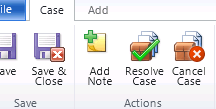
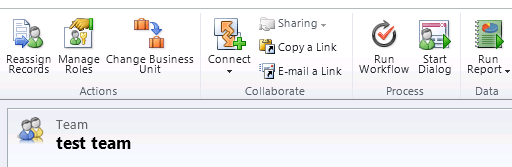
We had a requirement to add the Add Note button to Actions tab for incident entity.

Location="Mscrm.Form.incident.MainTab.Actions.Controls._children"
Defines the location where we want to add the Add Notes button.

Below is the RibbonDiffXml we used to achieve that.

<RibbonDiffXml>
<CustomActions>
<CustomAction Id="MoveAddNoteCustomAction" Location="Mscrm.Form.incident.MainTab.Actions.Controls._children" Sequence="1">
<CommandUIDefinition>
<Button Id="Mscrm.Form.incident.AddNote" ToolTipTitle="$Resources:Mscrm_Form_Other_Related_Document_AddNote_ToolTipTitle"
Sequence="1"
ToolTipDescription="$Resources(EntityDisplayName):Ribbon.Tooltip.AddNote" Command="Mscrm.AddNoteToPrimaryRecord"
LabelText="$Resources:Ribbon.HomepageGrid.Add.Document.AddNote" Alt="$Resources:Ribbon.HomepageGrid.Add.Document.AddNote"
Image16by16="/_imgs/ribbon/AddNote_16.png" Image32by32="/_imgs/ribbon/noteyellowadd32.png" TemplateAlias="o1" />
</CommandUIDefinition>
</CustomAction>
</CustomActions>
<Templates>
<RibbonTemplates Id="Mscrm.Templates"></RibbonTemplates>
</Templates>
<CommandDefinitions />
<RuleDefinitions>
<TabDisplayRules />
<DisplayRules />
<EnableRules />
</RuleDefinitions>
<LocLabels />
</RibbonDiffXml>

Hope it helps.

Custom Entity in CRM 2011


Hi,

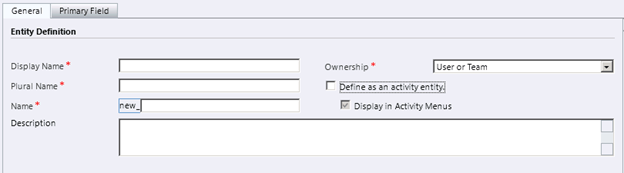
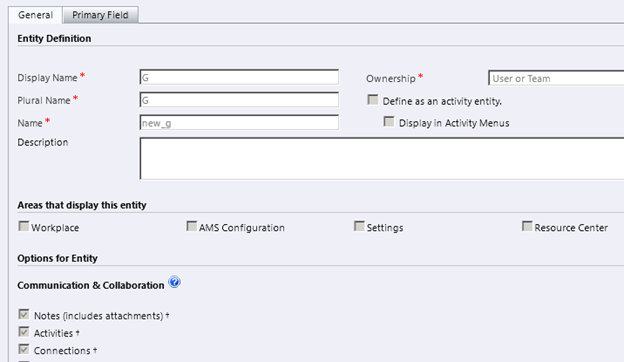
Let’s first start with the Entity Definition

Display Name, Plural Name, Description are the properties that can be changed at any time in the future.

Name and Ownership cannot be changed once the entity is created.

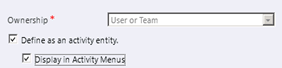
If we check Define as an activity entity check box,

Ownership drop down becomes disabled i.e. Activity entities cannot be organization owned.

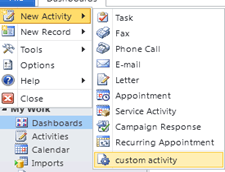
We can additionally specify if we want this entity to be displayed in the Activity Menus along with other activities.

These options cannot be changed once set i.e. if we have defined the custom entity as activity entity we won’t be able to change it back or if we have unchecked Display in Activity Menus option while creating the entity and then we decide later to enable it, we won’t be able to do so.

For activity type custom entity, we can’t specify the area where they can be displayed (expect the Activity Menus)

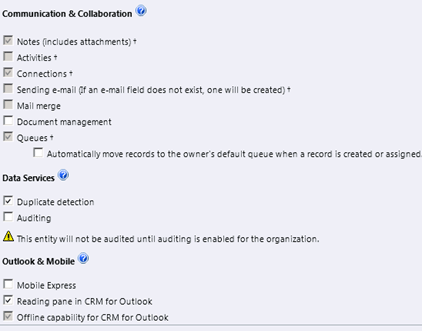
Notes, Connections and Queues will be automatically enabled.

We can enable Document Management, Auditing, Duplicate Detection etc. on the custom Activity Entity.

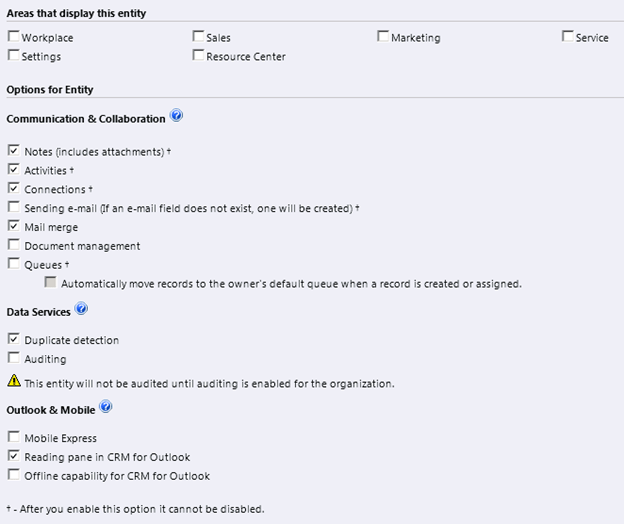
For our non-activity type Custom Entity, we can set the following options

  1. Areas where we can want to display them; this can be changed anytime in the future.
  2. Mail Merge, Document Management, Duplicate Detection, Auditing, Mobile express, Reading Pane in Outlook, Offline Capability are the options that can be changed, i.e. enabled\disabled as required.
  3. Notes, Activities, Sending Email, Connections and Queues: – These options once enabled cannot be changed\disabled later.

Hope it helps.

Solutions in CRM 2011 – New Features.


Hi,

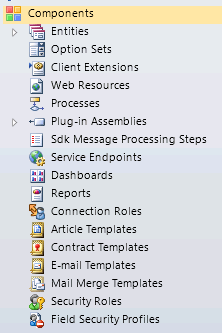
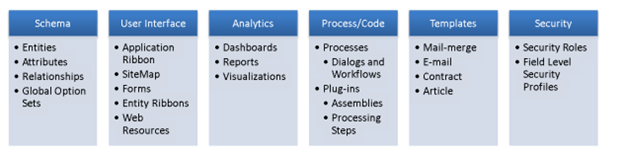
The different components that can be part of a solution are

Grouped by type:-

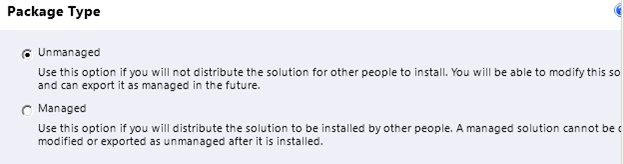
What are the differences between managed solution and unmanaged solution?

Unmanaged solution during export can be exported either as a managed solution or unmanaged solution.


If exported as managed and imported in the other organization, we don’t have to publish them. Unmanaged solutions after import have to be published.

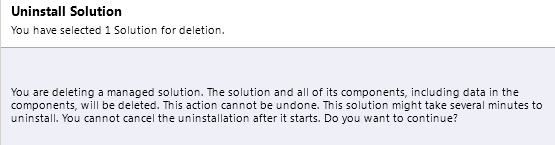
Managed solution can be uninstalled/deleted.


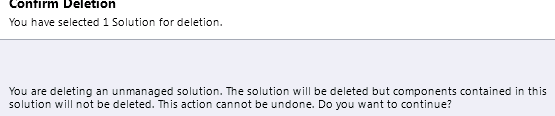
For unmanaged solution we get the following message.


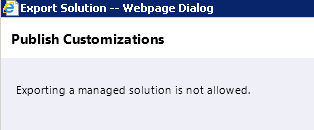
Managed solution cannot be exported.


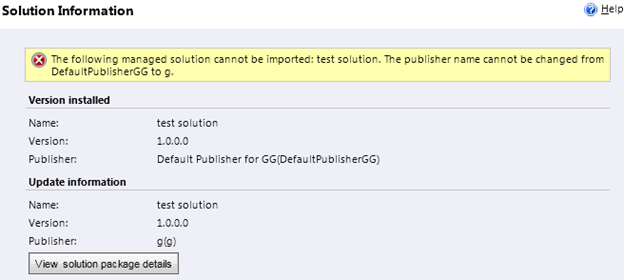
What happens if we change the publisher of the original solution that we exported as managed solution and try to import the same?


What happens if we try importing the same solution that we have already imported as managed now as unmanaged?


And the unmanaged one as managed?


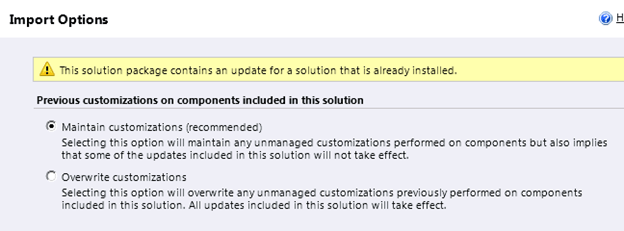
While importing the managed solution that have already been imported into the system as managed we get the following message


Some versioning information that I could find


http://www.dynamicscrmtrickbag.com/2011/05/28/dynamics-crm-2011-solutions-part-1/


http://www.slideshare.net/jukkan/microsoft-dynamics-crm-2011-walkthrough-part-2

Now let us create a solution having an existing entity lead and a new custom entity.

If we export this solution as managed and import it in my new organization and if we want to make changes to either the lead or the custom entity what do we need to do?

Well we get this message if we open the managed solution after importing it in other organization.


It says that we can’t directly edit the components within the managed solution, but if we want to do that then we can always do that from customization area or create a new unmanaged solution, add those components and then make changes to them.

But what if we want to restrict that?

Well we can do that using Managed Properties.

So we go back to our original unmanaged solution click on lead entity there and select Managed Properties option from the tool bar.


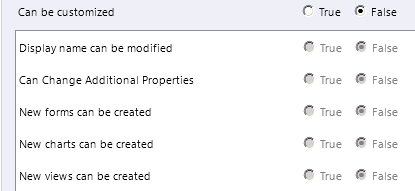
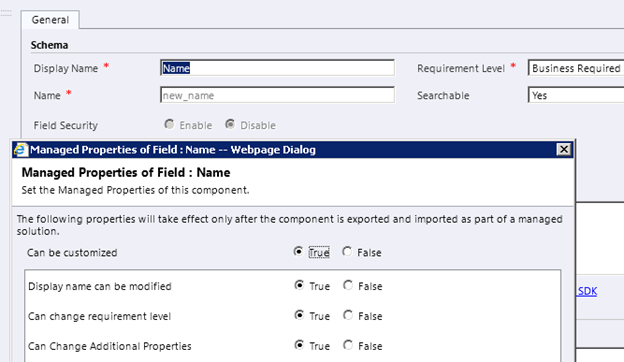
So by default the “Can be customized” option is set to true and all the other options are also set as true and disabled. We can’t edit it. So we have no control over the system entities, even if we export them as managed they can still be modified or further customized.

So what about our custom entity?

For our custom entity we can set the managed properties.


Now let us set it as false and again export the same unmanaged solution as managed and import in our other organization.

Let’s open the custom entity from customization area,


As expected we can see all the fields are disabled for our custom entity.

So what are the different managed properties that we can set for our custom components?

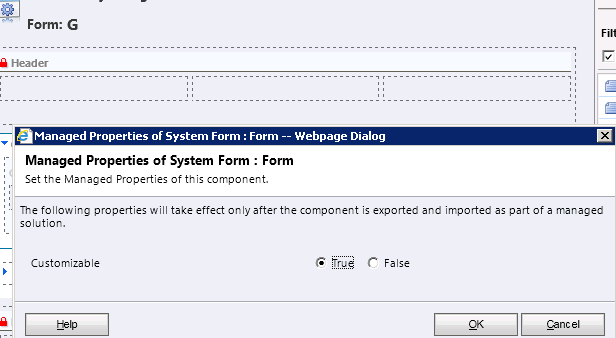
At entity level


Form level


Field level


View


Same for Charts and Relationship and other components of Solution like web resources, charts etc.

Although we can’t set managed properties for our system entities, we can definitely set the manage properties for any of the custom component created for those entities.

Also please check out these posts for more information like Conflict resolution and Dependency Tracking.


http://crm.davidyack.com/journal/2010/9/20/exploring-crm-2011-solution-framework-update-scenarios.html

http://www.resultondemand.nl/support/blog/post/Tips-in-using-managed-and-unmanaged-solutions-in-CRM-2011-%28MSCRM-2011%29.aspx

And of course MSDN

http://msdn.microsoft.com/en-us/library/gg334576.aspx

Hope it helps.


Teams in CRM 2011 – New Features


Hi, 

Records in CRM 2011 can either be user owned or team owned.

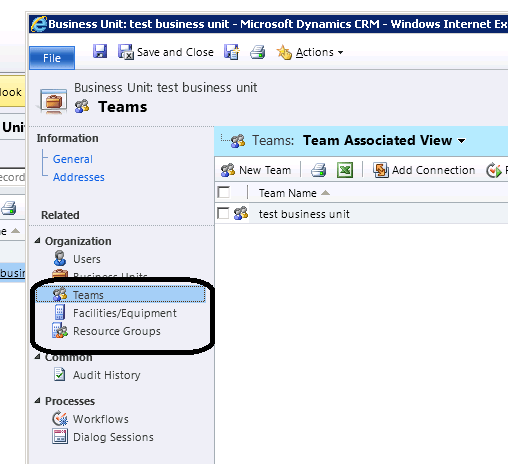
A default team gets created when a business is created with the same name. The users that are in business unit automatically become member of that default team.


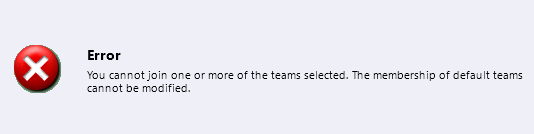
Default team cannot be deleted, renamed, moved to other business unit.

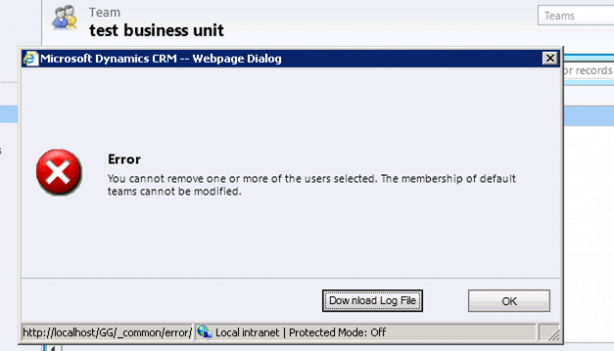
We can neither add nor remove member from the default team.


We can write dialogs and workflows against team

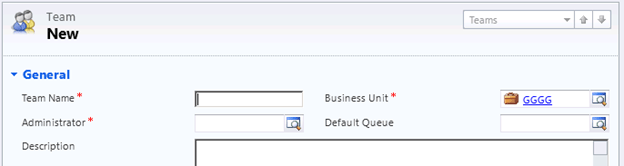
While creating a new team we need to specify Team Name, Administrator and Business Unit.


We can also specify Default Queue for the team, if we do not specify and save the record, queue with the name same as Team name gets created.

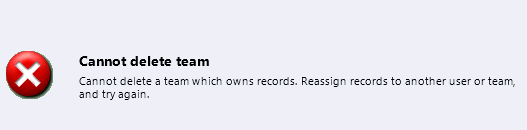
Team can now be deleted (except default team which gets deleted when we delete the business unit). To delete the team, we need to first remove all the records owned by the team by either deleting those records or assign those records to a different owner.

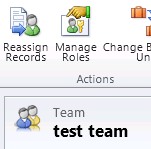
We can also use Reassign Records option to reassign them.

If we try deleting the team that owns the record we get the following error

The team record got deleted after I re-assigned the record owned by the team.

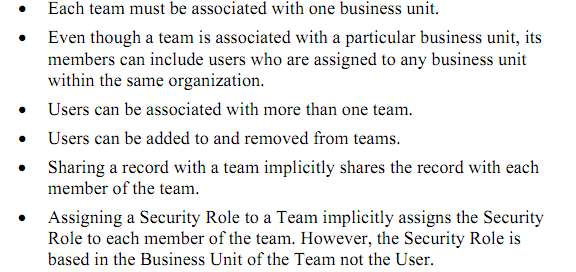
Finally few things to remember while working with team

Hope it helps.

Client Access Licenses (CAL) in CRM 2011 – New Features


Hi,

In CRM 4 for CAL we had the following options :-

In CRM 2011 it has changed,

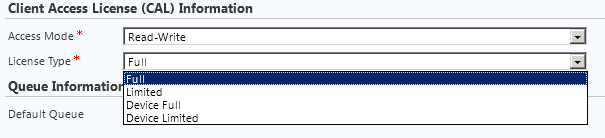
We now have License Type associated with the Access Mode.

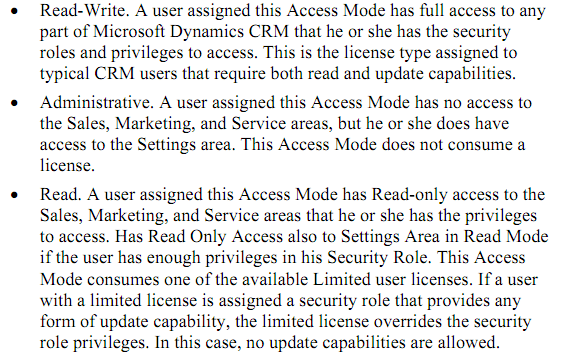
Read-Write:-

Administrative:-

Read:-

Device CAL – With a device CAL, the CAL is assigned to a device and may be shared by non-concurrentusers over time, such as in a shift worker or call center scenario.

http://crmdynamics.blob.core.windows.net/docs/Pricing_Licensing_Guide.pdf

Hope this helps.

Security Roles and Privileges in CRM 2011 – New Features


Hi,

listing down all the new privileges for Security Role in our CRM 2011.

The total numbers of tabs are same.

Details, Core Records, Marketing, Sales, Service, Business Management, Service Management, Customization and Custom Entities.

Privileges are now ordered alphabetically.

Core Records Tab

Application File: – Not sure what this refers to. Please post comment if you know. This is what sdk says about it

ApplicationFile ETC – 4707 FilteredApplicationFile For internal use only

Connection, Connection Role: – Connection replaces relationship role in CRM 2011. Relationship Role are still there but deprecated.

Check this following post that explains it nicely

http://www.avanadeblog.com/xrm/2010/09/crm-2011-feature-of-the-week-8302010-connections.html

Document Location: – CRM 2011 integrates with SharePoint out of the box. Here the document location refers to the URL of the document library folder associated with a particular entity record.

Follow, Import Source File, Post: – Not very sure about them. Please comment if you know about them.

SharePoint Site: – Refers to the site to which we are integrating CRM 2011.

User Chart and User Dashboard has been wonderfully explained here

http://www.dynamicscrmtrickbag.com/2011/07/15/dynamics-crm-2011-charts-and-dashboards-who-can-see-what/

Interesting thing here is that the chart and dashboard created by user from ribbon interface (i.e. without going to customizations) are not even visible to System Administrator until it is shared with him.

User Entity UI Settings: – If we have multiple forms for our entity, the id of the last viewed form is saved in this setting.

User Entity Instance Data: – Not sure.

Web Wizard, Web Wizard Access Privilege, and Wizard Page: – Not sure

http://www.avanadeblog.com/xrm/2011/06/crm-2011-form-navigation.html

Miscellaneous Privileges:-

View Audit Partitions, Delete Audit Partitions, View Audit History, View Audit Summary,
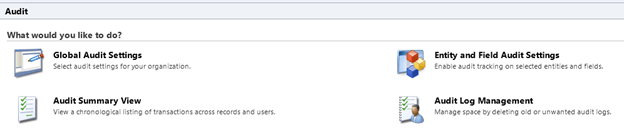
Best explained here:-

http://www.avanadeblog.com/xrm/2010/09/crm-2011-feature-of-the-week-9132010-auditing.html

Manage User Synchronization Filters:-

http://blogs.msdn.com/b/crm/archive/2011/06/02/controlling-user-synchronization-settings.aspx

Marketing Tab:-

Miscellaneous Privileges:-

Configure Internet Marketing Module, User internet marketing module.

It refers to the CRM 2011 online’s Internet Lead Capture feature.

http://www.youtube.com/watch?v=2WNY9DPMY1I

Sales Tab:-

Miscellaneous Privileges:-

Override Opportunity Pricing: – Something similar to Override Invoice, Order Pricing that were there in CRM 4.0

Override Quote Order Invoice Delete : – Not sure.

Service Tab:-

No changes.

Business Management Tab:-
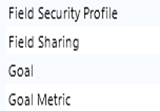
Field Security Profile and Field Sharing
à Refers to the new field level security feature in CRM 2011.

http://www.powerobjects.com/blog/2010/10/08/field-level-security-out-of-box-in-microsoft-dynamics-crm-2011/

http://info.profad.com/bid/64279/Determine-Field-Level-Security-Permissions-in-Microsoft-Dynamics-CRM-2011
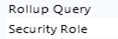
Goal and Goal Metric à Refers to Goals that are new to CRM 2011.

http://www.dynamicscrmtrickbag.com/2010/10/30/whats-new-in-crm-2011-webinars-session-3-goals/

Miscellaneous Privileges:-

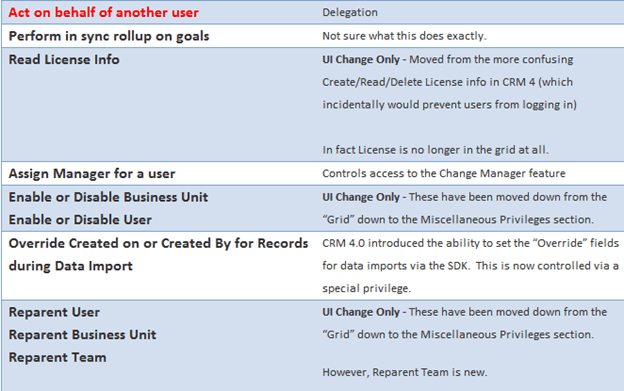
Act on Behalf of Another User, Assign manager for a user, enable or disable business unit, Override Created on or Created by for records during Data Import, Reparent Business Unit, Reparent User, Approve E-mail addresses for Users or Queues, Enable or Disable User, Perform in sync rollups on goals, Read License Info, Reparent Team.

Beautifully explained in this post.

http://www.avanadeblog.com/xrm/2010/09/crm-2011-feature-of-the-week-8232010-role-privilege-improvements.html

Service Management Tab:-

My Work hours not there in CRM 2011.

Miscellaneous Privileges:-

Create, Read, Write, Delete own calendar:-

http://social.microsoft.com/Forums/en/crm/thread/b1d3cce5-fd7d-400c-9212-7fad87428ea3

Customizations Tab:-

Entity Map and Attribute Map: –

http://msdn.microsoft.com/en-us/library/gg334512.aspx

Customizations.

Dialog Sessions: – Refers to new dialog feature in CRM 2011

http://blogs.msdn.com/b/crm/archive/2011/02/02/welcome-to-the-world-of-dialogs-part-1.aspx

Import Job: – Not Sure.

Option Set: – Picklists have been replaced by Option Set in CRM 2011. We can create Global Option Set that is available to all the entities e.g. Country or State List.

http://www.dynamicscrmtrickbag.com/2010/12/02/global-option-sets-in-dynamics-crm-2011/

Plugin Assembly and Plugin Type: – Plugin Type specifies whether it is a plugin assembly or custom workflow activity.

Process: – Might be referring to Workflows and Dialogs.

http://msdn.microsoft.com/en-us/library/gg328264.aspx

Publisher: – Refers to Publisher of a Solution.

Solution management

http://crmconsultancy.wordpress.com/2011/05/05/solutions-in-crm-2011/

http://ayazahmad.wordpress.com/2011/07/01/solutions-release-management-crm-2011/
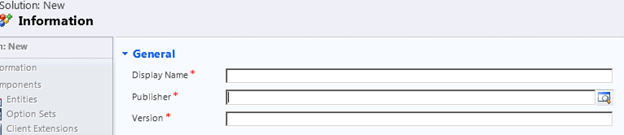
View: – Not very sure, might refer to Saved Views created by user using Advance Find window.

http://community.dynamics.com/product/crm/crmtechnical/b/xrm/archive/2011/09/19/boost-collaboration-by-sharing-saved-views-in-crm-online.aspx

Web Resource: –

These are our web resources in CRM 2011

Good introduction here

http://dynamicscrm2011.wordpress.com/2011/05/30/crm-2011-web-resources/
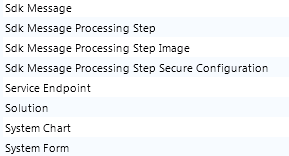
Sdk Message: – An SDK Message defines a message to the Microsoft Dynamics CRM platform. The message represents the operation that the platform is to perform. This entity should be considered read-only. You cannot use this entity to create or update a message in the platform.

Sdk Message Processing Step, Step Image, Step Secure Configuration and Service Endpoint: – Refers to plugin registration entities.
System Chart: – http://www.dynamicscrmtrickbag.com/2011/07/15/dynamics-crm-2011-charts-and-dashboards-who-can-see-what/

System Form :- Sdk Says – “The system form entity is used for organization-owned dashboards and entity forms”

Miscellaneous Privileges:-

Not there in CRM 2011

ISV Extension, Import Customizations, Publish Customization.

Would keep updating this post as I gather some new information.

Hope this helps.