PowerAutomate: Perform “Group By” operation on Data


Ajit Patra's avatarAjit Patra

In this post, we’ll see how we can perform aggregate function on data such as Sum or Count using PowerAutomate. Unlike LINQ in C# or SQL, it’s not very straight forward to do using PowerAutomate for which I thought of sharing the approach we had taken.

Recently, we got a requirement to calculate the sum of Quantity, after grouping the data on 5 columns NDISNumber, SupportDeliveredFrom, SupportNumber, ClaimType and CancellationReason in a custom entity Claim.

Below are the steps we followed to achieve the result:

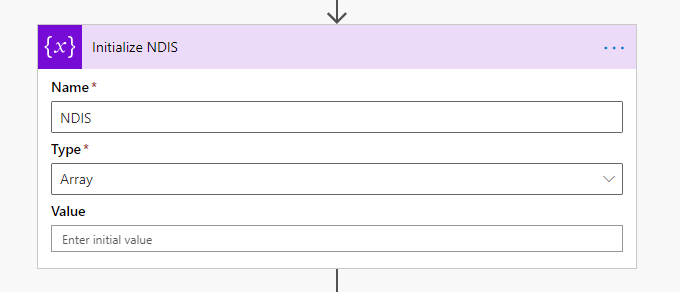
Action: Initialize Variable(Variable)
Purpose: Hold the unique data of 5 columns based on which we need to group data.

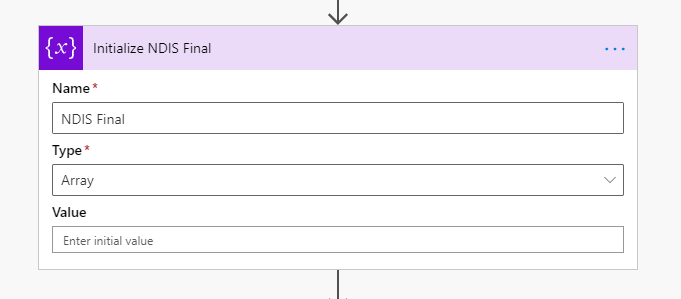
Action: Initialize Variable(Variable)
Purpose: Resultant array to hold unique data along with sum of quantity

Initialize 5 variables to hold unique values of each group-by column inside Apply to each action we are going to use further. Please see…

View original post 564 more words

Error – Please unblock each locked file or unlock XrmToolBox.zip before extracting its content


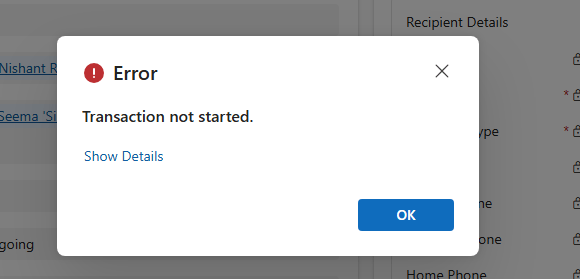
We were getting the below error while trying to run the XrmToolBox.

One reason can be that at least one file is locked by Windows. Please unblock each locked files or unlock XrmToolBox.zip before extracting its content”

The resolution in our case was to reset the XrmToolBox installation i.e. deleting the content of

C:\users\appData\[loginname]\roaming\MsCrmTools\XrmToolBox

Get the details here

https://www.xrmtoolbox.com/documentation/for-users/reset-xrmtoolbox-installation/

Hope it helps..

Recent Posts


Something went wrong. Please refresh the page and/or try again.

Advertisements

How to limit the responses in Microsoft Forms or send email on behalf of DL?


Friyank Parikh's avatarThe Tech Burst

Hi All,

Welcome,
Today we will see how to limit the number of responses in Microsoft Forms aka Customer Voice.

We have a survey, and customer can fill and submit this survey.
But, Requirement is to allow only first 5 customer to reply not more than that.

So Before this brand new customer voice product, this feature was not available in Microsoft forms
But now, Microsoft has come up with really good options and helped many organization 🙂

Thank you Microsoft.


View original post 223 more words

Sub grid and form tabs improvements in Power Apps Mobile App


There are couple of improvements in user experience for sub grids and form tab in Power Apps Mobile app.

Check other blog posts on Release 2020 Wave 2

  • Headers are more protruding for sub grid to separate it from rest of the sections of the form.
  • There is also an option (+ New Case – below) to add new record inline for empty sub grids.

  • Commands on sub grid opens as a drawer from the bottom of the screen.

  • Form tabs can be scrolled horizontally and selecting the tab automatically adjusts the header.

Hope it helps..

Displaying SharePoint RichText field as HTML interpreted in SSRS


HowCanIHelpYou?'s avatarHowCanIHelpYou?

SSRS Reports have a placeholder property HTML – Interpret HTML tags as styles. That property allows you to use HTML tags while displaying report.

devenv_2016-01-19_14-28-40

We have to face the problem when we want to display SharePoint`s RichText field content is SSRS Report. RichText field may contain some characters that are stored different in SharePoint DB and cannot be interpreted by SSRS as HTML (eg. :, &, {, <, >,  list elements, etc.)

View original post 210 more words