How to – Use RetrieveTotalRecordCount function to get the total number of records in Dynamics 365


Using RetrieveTotalRecordCount Function we can get the total number of records for an entity (works for more than 50000 records)

For e.g.

https://[orgname].crm.dynamics.com/api/data/v9.1/RetrieveTotalRecordCount(EntityNames=[‘lead’,’contact’,’account’,’incident’])


https://dreamingincrm.com/2019/07/22/getting-entity-record-counts/

https://stackoverflow.com/questions/51543802/counting-all-rows-in-dynamics-crm-online-web-api-odata

https://nishantrana.me/2020/05/27/different-ways-of-getting-record-count-total-in-dynamics-365/

Hope it helps..

Advertisements

The Nigel Frank International Salary Survey 2020/21 for Microsoft Dynamics 365


The latest edition of Nigel Frank International’s Microsoft Dynamics salary survey is now live!

This will be their 12th annual report published, and has proven to be an invaluable resource to myself and my peers over the years.

I had the pleasure of contributing a foreword to the report, which set the scene in terms of where the Dynamics 365 ecosystem is now, what the future holds, and my own career journey. I can say with certainty that the ecosystem has been, and will continue to be, altered dramatically due to the Covid-19 crisis, as is the same with the technology sector as a whole.

The report uncovers a wealth of changing sentiments, along with work benefits, diversity statistics, the importance of certifications, and of course average salaries to name just a few topics covered. After reading through the results, here are my 5 main takeaways:

  • Certifications are growing in importance

The crisis has resulted in a huge increase of professionals upskilling; this is due to a combination of increased free time and job losses. Certifications are the best way to beat the competition in this increasingly difficult environment according to 61% of professionals surveyed, who believe certifications give you the edge in the job market. This along with the fact that getting certified can increase your salary by up to a reported 22% makes the decision whether to get certified or not an easy one. This was echoed by 80% of respondents who agreed Dynamics certifications were important towards increasing earning potential. Now is the time to upskill and safeguard your career!

  • The rise of working from home

The most obvious impact of Covid-19 on our working lives has been the shift from office to remote. The increase in related benefits offered such as a company laptop (73%) has followed, with 60% of respondents being offered homeworking. It will be interesting to see if this continues as restrictions across the world are beginning to ease, but it certainly seems the pandemic has changed our way of working forever. A company laptop and flexible/ remote working options have continuously been the most desired benefits when looking at past editions of the survey, so if this continues, job satisfaction will surely be boosted within the Dynamics workforce.

  • Equal rights are being championed

69% of respondents see their employers as being equal rights champions, which is hugely positive. Obviously, there is some way to go to reach the remaining 31%, however this signals change for the better across the industry. This along with 61% of employers promoting racial and ethnic diversity, and 56% hiring and retaining mature employees, is a resounding success. I hope this will continue and grow across the tech sector as a whole.

  • Increasing workload for partners

51% of employees working for Dynamics partners have seen their workload increase over the last year, and this was prior to the effects of the Coronavirus. This is a keen reflection of the digital skills gap, which will only be widening with the increased demand on cloud and digital in terms of keeping businesses and economies functioning. It is crucial that more people are encouraged into the tech sector in order to relieve the burden from these existing Dynamics professionals. This will be sure to further boost diversity within the ecosystem also.

  • Increased adoption of Dynamics 365

Since its release in November 2019, there has been an increase in take up from both new customers and existing users. 41% of end users, an 5% increase on last year’s result, are using Dynamics 365, with a further 19% expecting to use it in the future. The move to the cloud has been instrumental to this increase, and Dynamics 365 only looks to keep building momentum and customer base.

If you’d like to read the full report, and find out the average salary for your role and location, please do take a look here: https://www.nigelfrank.com/microsoft-dynamics-salary-survey/

Hope it helps..

Fixed – ID3242: The security token could not be authenticated or authorized in Dynamics 365


We recently got this error in our web application while trying to fetch some records from one for CRM On-premise organization.

This error was because we had recently configured IFD for that CRM Server.

We had around 6 organizations in that particular deployment and because of security reasons, we didn’t use the wildcard SSL certificate and had a single certificate with multiple subject alternative names (SAN Certificate), and this organization was not part in it.

Fortunately, it wasn’t the case in our production environment and we had this organization part of the SAN Certificate used for IFD configuration there.

So as a quick and temporary fix, as we just wanted to test a couple of methods, we disabled the Claims Based Authentication / IFD from the deployment manager for that short period.

Hope it helps..
New Admin Trial (subscription-based) experience – Dynamics 365


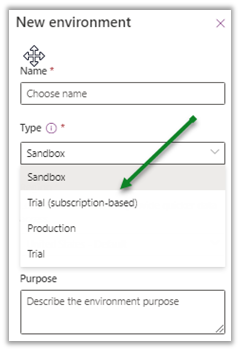
Recently a new Trial (subscription-based) environment option added to the tenants in the Power Platform Admin Center

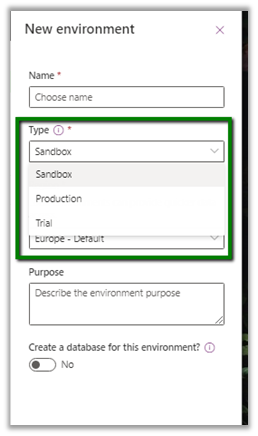
Earlier we were limited to below options –

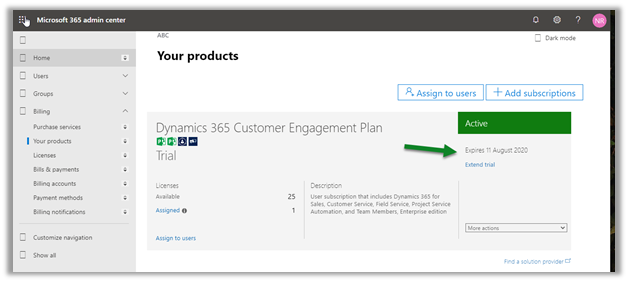
These new trial types are created and controlled by tenant administrators, as a result of signing up for a trial subscription and can be added to the existing tenant.

This new environment follows the trial subscription lifecycle (which is typically 30 days) and can be extended from the admin center.

https://admin.microsoft.com/Adminportal/Home#/subscriptions

  • A total of 3 trial environments can be created.
  • Trying to create 4th will give us the below error

Get more details here

https://docs.microsoft.com/en-us/power-platform/admin/trial-environments

Hope it helps..
The new Column comparison in queries in Dynamics 365 / PowerApps


Column Comparison is one of the best features that has been recently added to the product.

Column comparison allows us to compare values of 2 different columns in our query be it Fetch XML, Web API, or through SDK API.

Sharing some of the basic examples that we tried using our favorite  FetchXML Builder

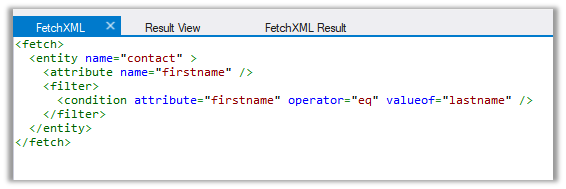
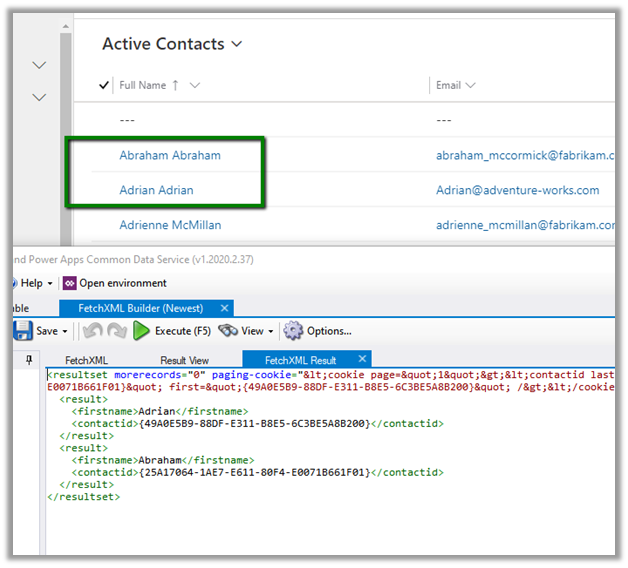
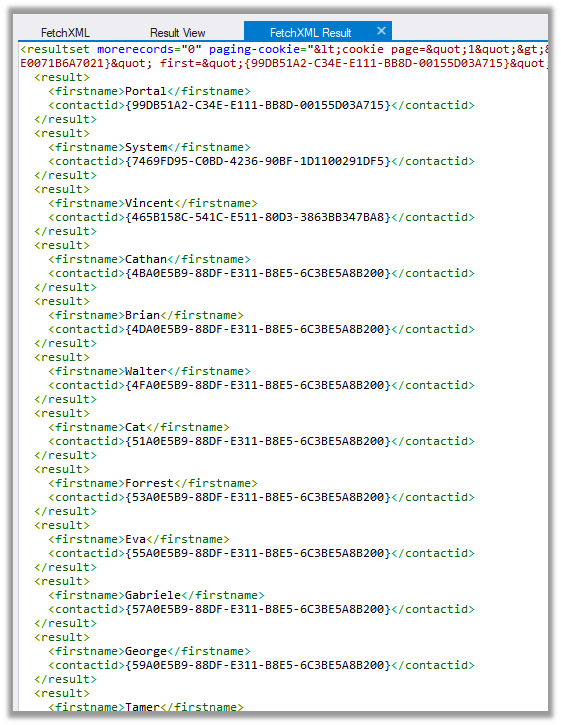
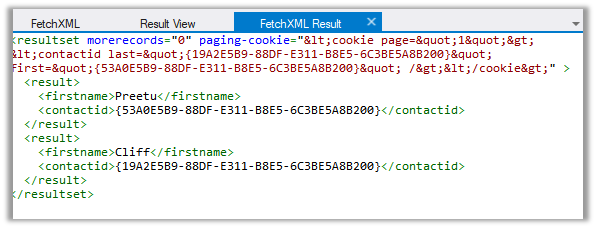
  • If we run the following query “Find all contact which has the first name equal to the last name”

The result –

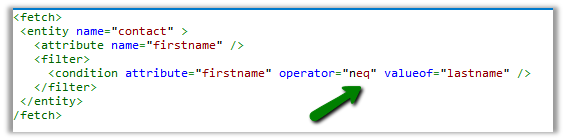
  • Find all contact where the first name is not equal to last name

The result –

The operators supported are –

Equal LessEqual GreaterEqual
Not Equal LessThan GreaterThan
  • Only 2 columns can be compared.
  • Only compatible attribute types can be compared.
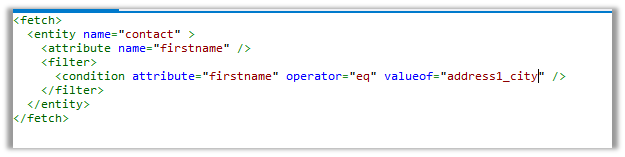
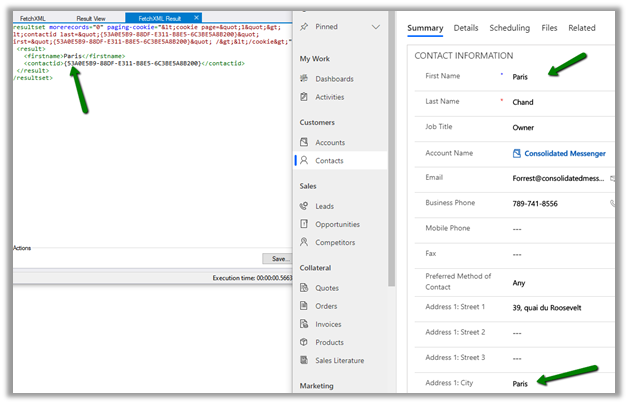
  • E.g. “Find all contact where the first name is equal to address 1 city”

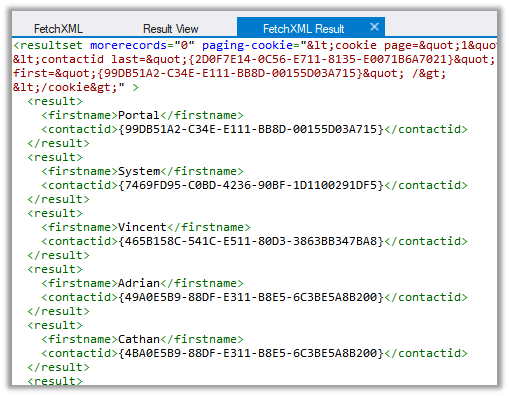
The result

It works as both are string attributes.

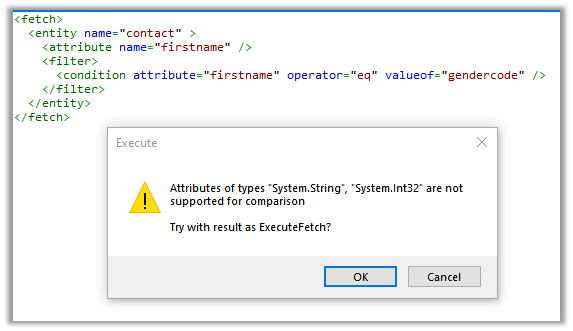
  • If we try comparing text field with options set, we will get below error message

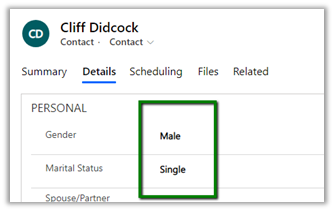
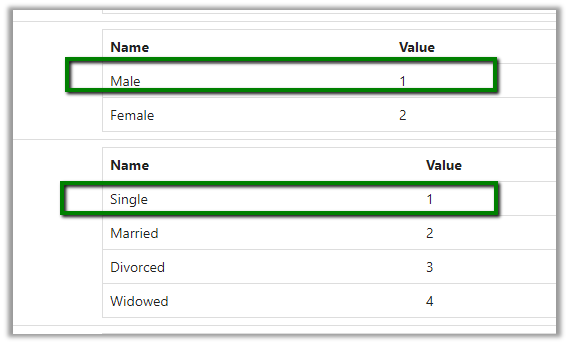
  • Two option set can be compared as they represent the same type integer

Both having value 1

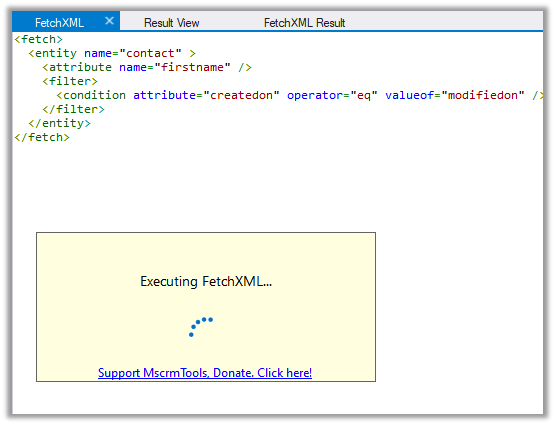
  • Comparing date fields

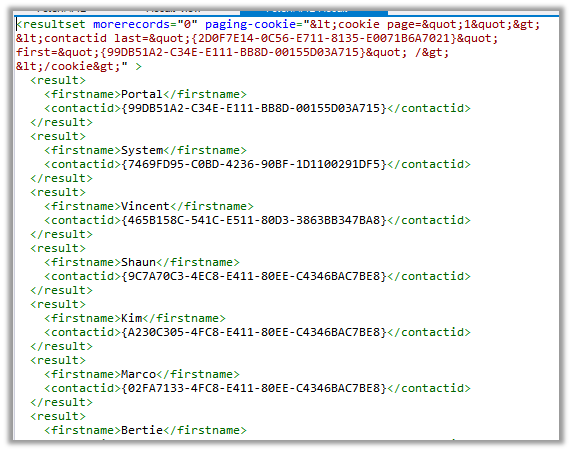
  • We are getting the result

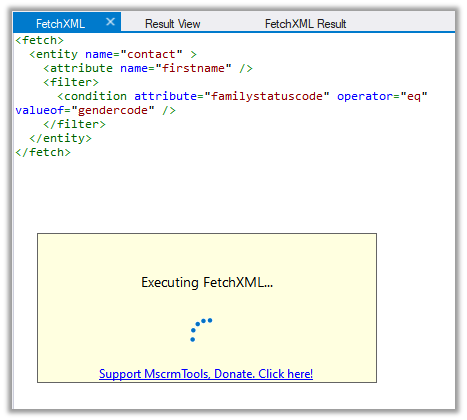
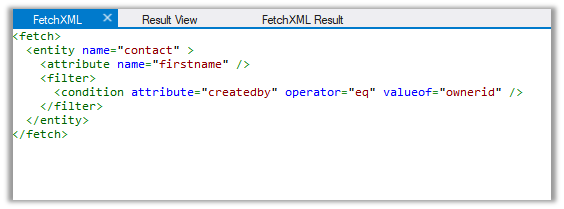
  • For the lookups, comparing created by and owner id

works as expected.

  • For the below record we have the First name and job title as null

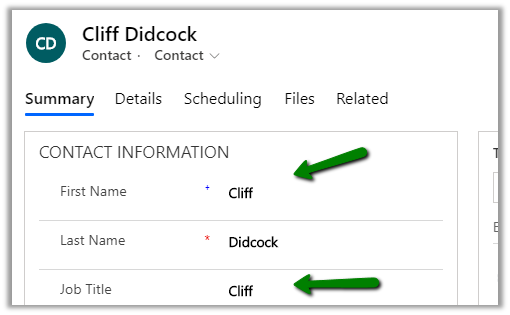
And here for below record, we have the same value for First Name and Job title.

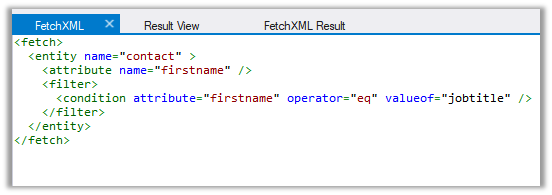
On running the below query – find all contact where the first name is equal to the job title.

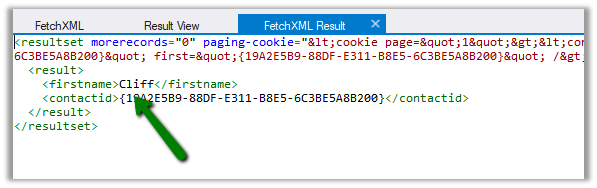
We get only one result. It ignored the blank (null) record.

Get all the details here

https://docs.microsoft.com/en-us/powerapps/developer/common-data-service/column-comparison

Hope it helps..
Notes on Adobe Campaign Classic V6 – Planning and Segmentation


I am going through the Getting Started with Adobe Campaign V6 Pluralsight course by Otto Warner (which I would highly recommend) to understand the basics of Adobe Campaign.
The course covers V6 of the Adobe Campaign Classic. (the latest version is V7).

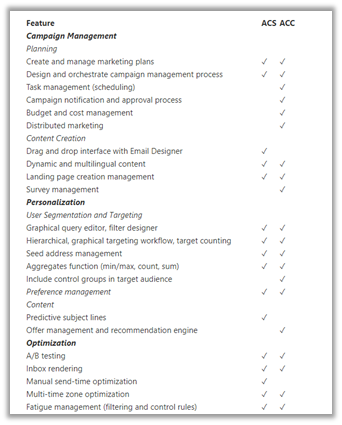
Adobe Campaign Classic is the original on-premise version of the product, the newer online-based is called Adobe Campaign Standard.

The below article list down all the differences between them

https://adobeexchangeec.zendesk.com/hc/en-us/articles/360020072212-Adobe-Campaign-Getting-started-with-your-integration

Below are some of the points that I have noted down from the course for quick reference

  • Adobe Campaign provides marketing automation and outbound communication capability.
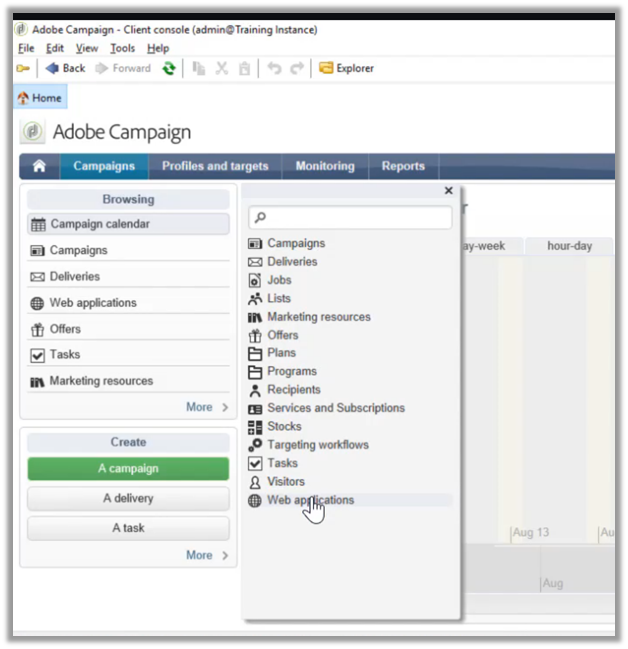
  • Adobe Campaign Client Console which is a rich client needs to be installed in PC, which connects to the Adobe Instance.
  • Below is the screenshot of the client.

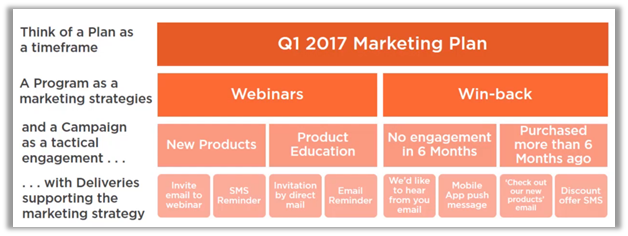
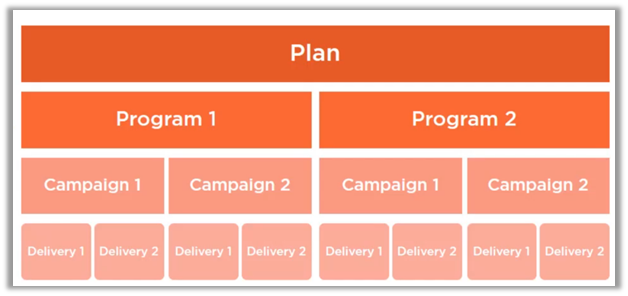
  • Below are how the campaigns are organized within Adobe Campaign. It starts with Plan, which can have multiple Programs, which in turn can have multiple campaigns in it.

  • Plan can be thought of as a calendar period, the program defines the actions to be taken with that calendar period and campaign centralizing all the aspects related to marketing campaign specifying target, delivery, etc.

  • To create a plan, we can navigate to Campaigns tab in the client app, and select Create à Plans

  • Below is how the new Plan screen looks like

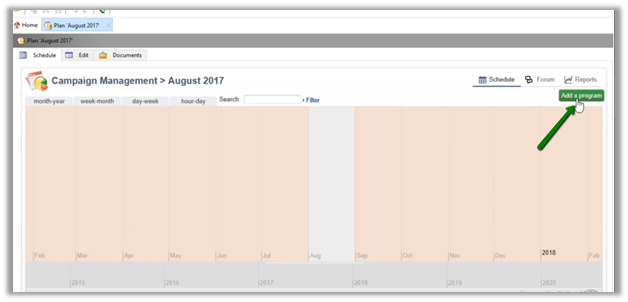
  • A new program can be added from within the Plan’s calendar.

  • Or can be created from Create option as shown below

  • The program screen looks similar to the plan.

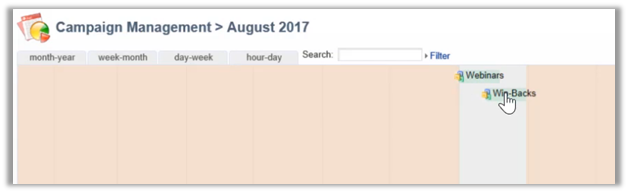
  • The below screen shows the Webinars program for the Plan – August 2017’s calendar view.

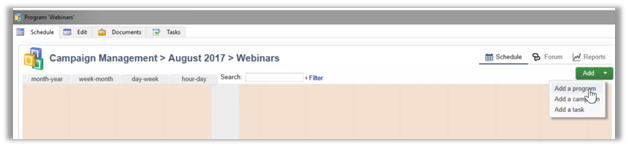
  • A new campaign can be added from within the Program or we can use the Create option.

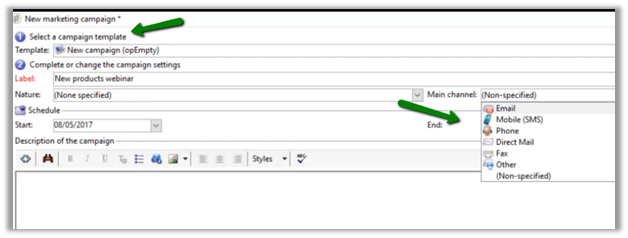
  • The campaign has additional details like campaign template and main channels as shown below.

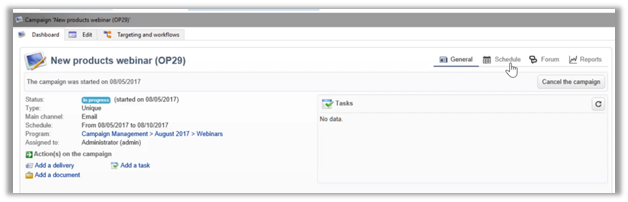
  • Below is how the dashboard of the saved campaign looks like.

  • The edit tab for the campaign allows assigning the campaign to a user.

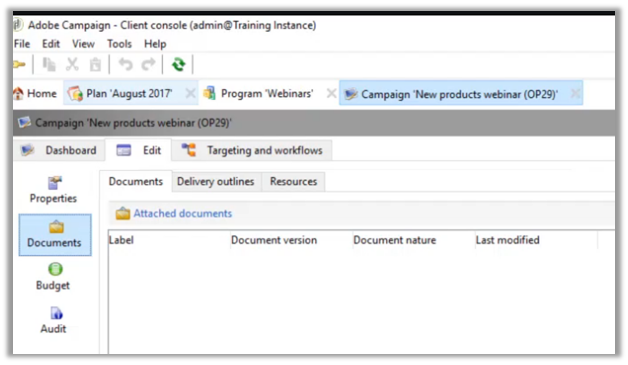
  • It allows provision for attaching the documents

  • We can also manage the budgetary aspect of the campaign, which could be used for reporting.

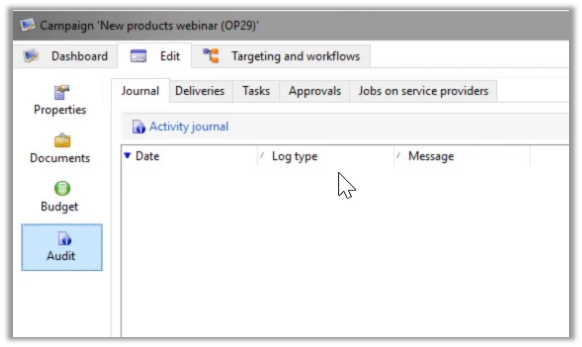
  • It also provides the Audit capabilities.

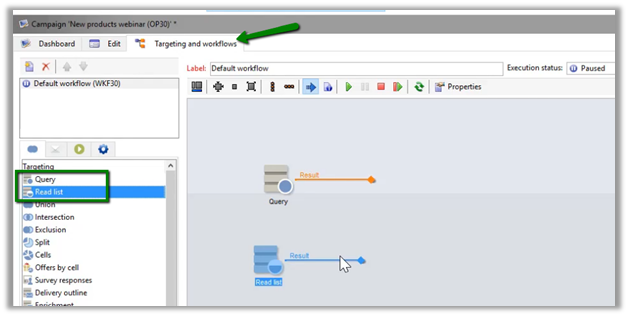
  • The targeting and workflows tab is where the actual orchestration happens

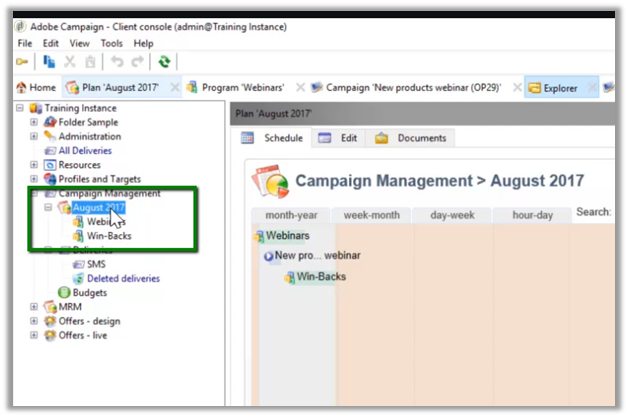
  • Below is the folder structure created for Plans (August 2017) and Programs (Webinar and Win-Backs) within the plan.

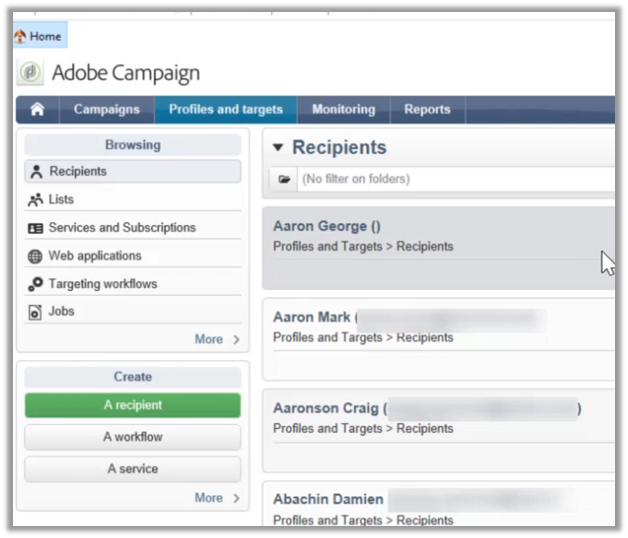
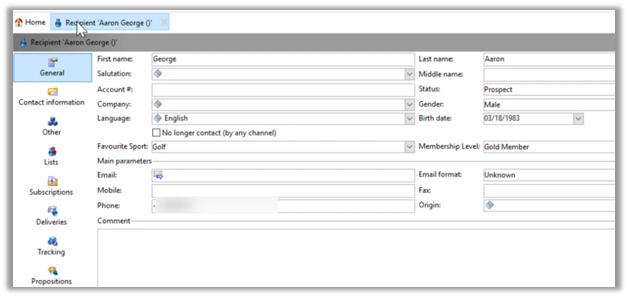
  • Recipients are the records against which campaign will be executed.

  • For recipients, custom fields can be added by admin.
  • New recipients can be created manually or can be imported from different sources.

  • Coming back to Campaign’s Targeting and workflows tab, we can see different components in the Targeting section, that can be used to define the workflow.
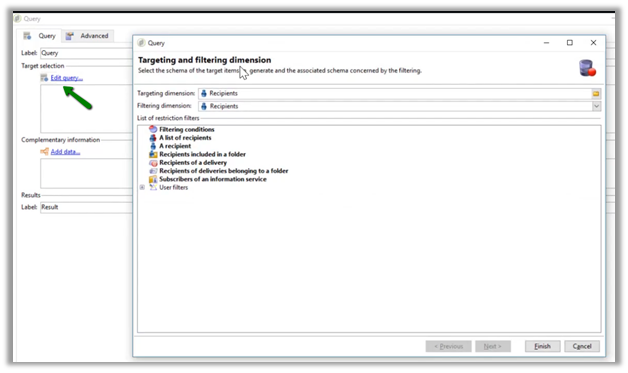
  • Query and Read list step are used for specifying the base target, this is where the workflow would usually start.

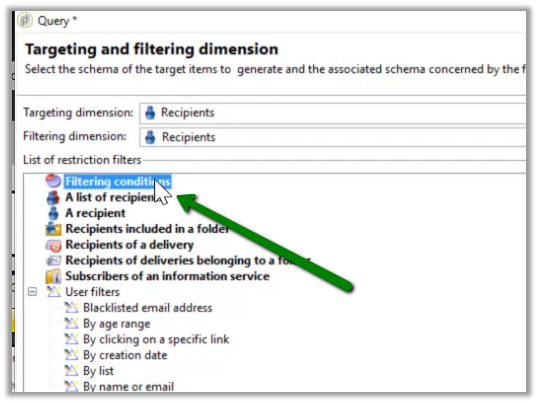
  • For Query step, below are the different filters that can be applied

  • Here user defined filters can also be applied.

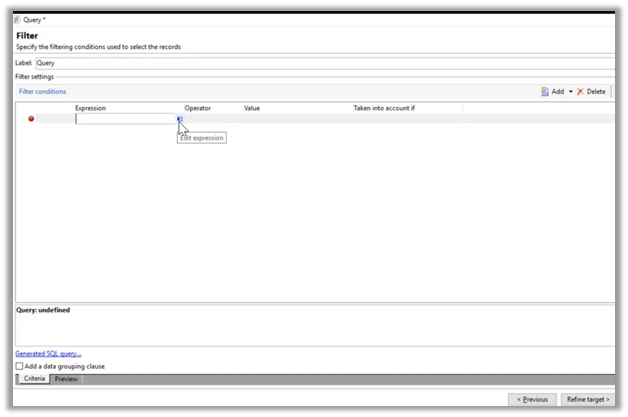
  • Filtering conditions restriction filter can be used to define filter conditions.

  • The expression editor allows selecting different fields either from the same target or from the related records.

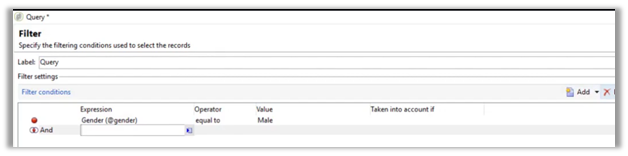
  • Below is the filter condition defined “Gender equal to male”, here multiple filter conditions can be defined and grouped.

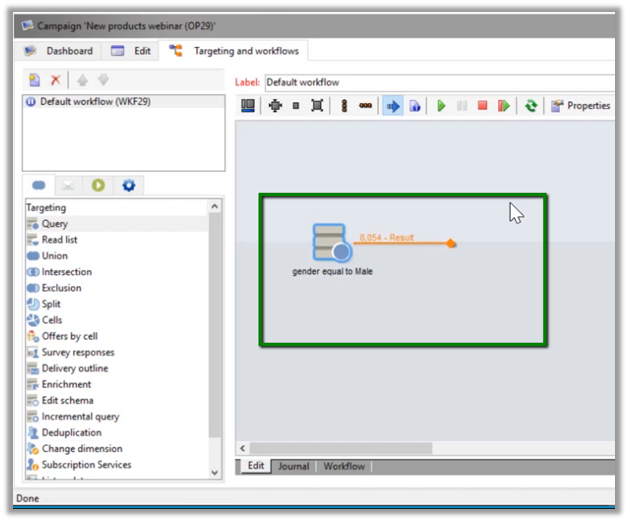
  • Below is how the query step looks within the workflow panel.

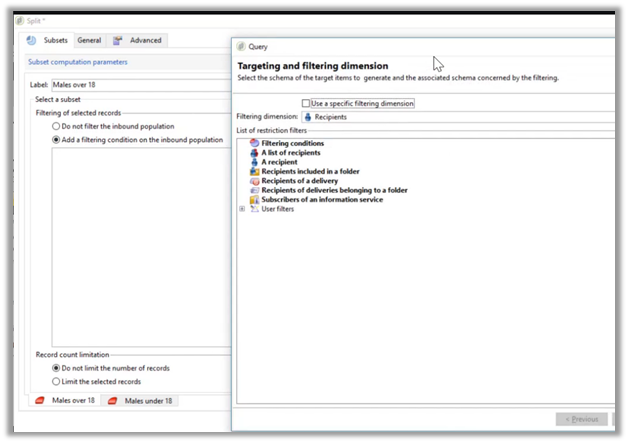
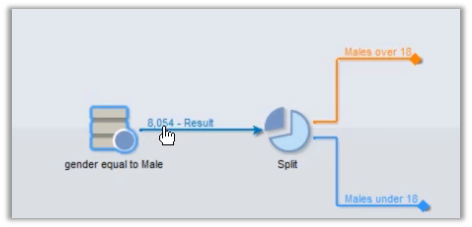
  • The split step can be used to further divide the list. Say e.g. we want to split males base list into above 18 and below 18 years of age.

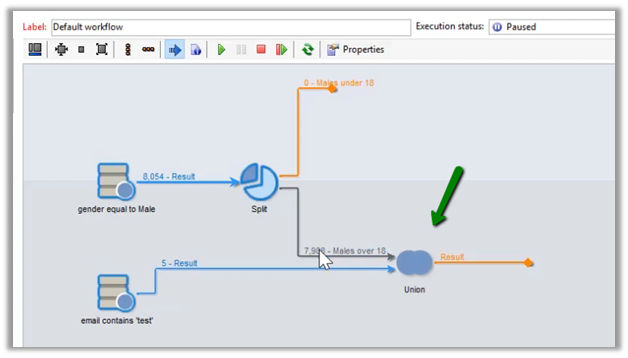
  • Union step can be used to combine the result of multiple queries.

  • With the intersection step, we can define reconciliation criteria either based on the key, shared columns, or specific columns.

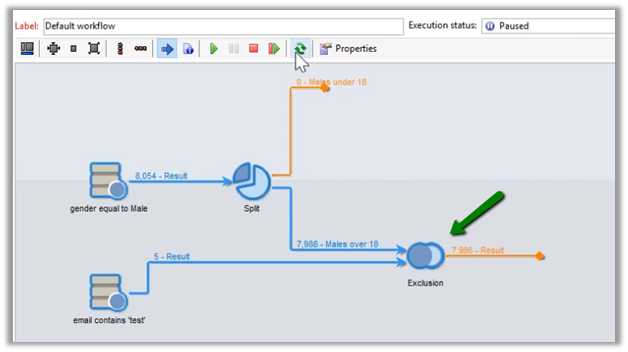
  • With the exclusion step, we can define what records to be removed from the primary set.

  • Deduplication step as the name suggests, can be used to remove duplicate records based on criteria defined.

Here we looked into some of the basics of Adobe Campaign with regards to Plan, Program, and Campaign and how the targeting works.

Next, I’d learn about the delivery aspect and how to run the campaign and share my notes on the same.

Hope it helps..