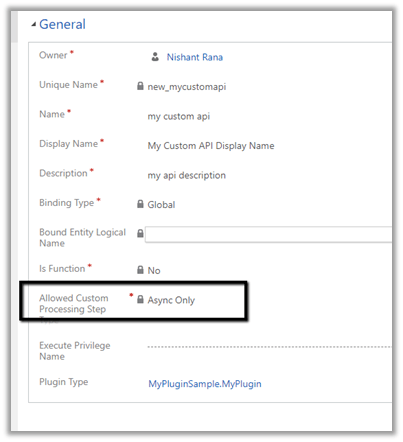
Allowed Custom Processing Step Type attribute of custom API allows us to control whether other plugins can be registered or not against the custom message
0 – None – No custom processing steps are allowed.
1 – Async Only– Only Async processing steps are allowed.
2 – Both Async and Sync custom processing steps are allowed
Let us create a custom API with the value of “Allowed Custom Processing Step Type” as None.
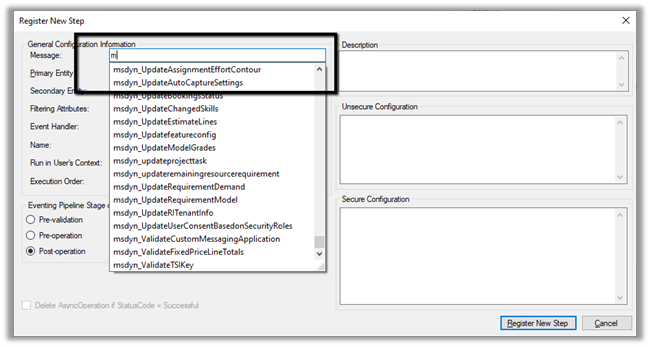
If we check inside the Plugin Registration tool, we will not find the above message that we registered i.e. my_sampleAPI there.
Let us create another custom API and specify “Allowed Custom Processing Step Type” as Async Only.
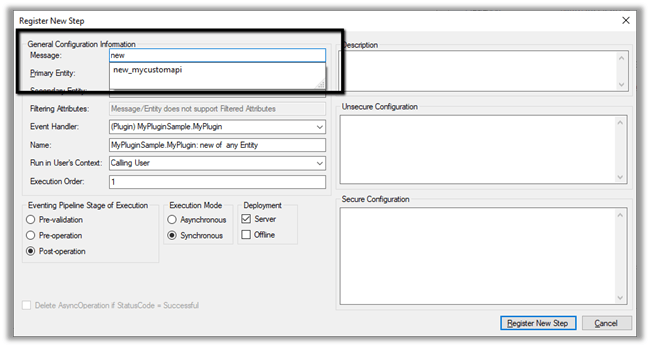
As expected we can find the message available there.
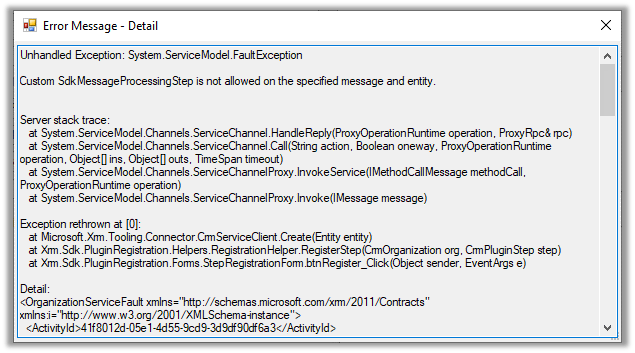
As it is Async Only, if we try to register the step with Synchronous mode, we will get the below error.
Custom SdkMessageProcessingStep is not allowed on the specified message and entity.
As expected it allows us to register the step in asynchronous mode.
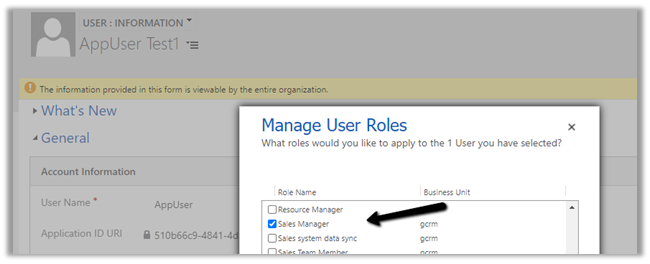
To test, we updated the security of the Application User to Sales Manager role which doesn’t have the create incident privilege.
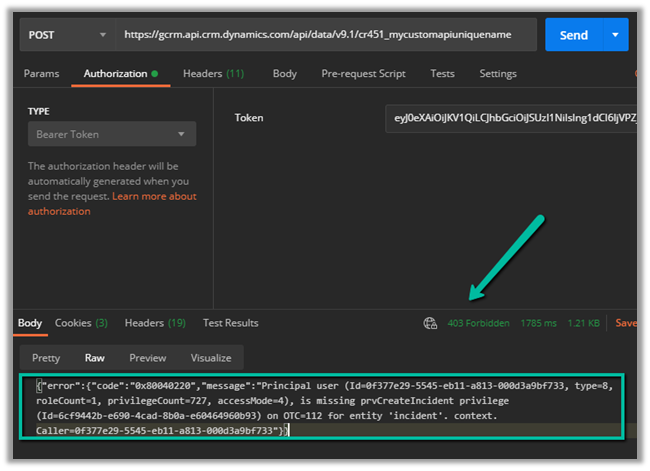
Calling the custom API this time as expected gave us the below error
{“error”:{“code”:”0x80040220″,”message”:”Principal user (Id=0f377e29-5545-eb11-a813-000d3a9bf733, type=8, roleCount=1, privilegeCount=727, accessMode=4), is missing prvCreateIncident privilege (Id=6cf9442b-e690-4cad-8b0a-e60464960b93) on OTC=112 for entity ‘incident’. context.Caller=0f377e29-5545-eb11-a813-000d3a9bf733″}}
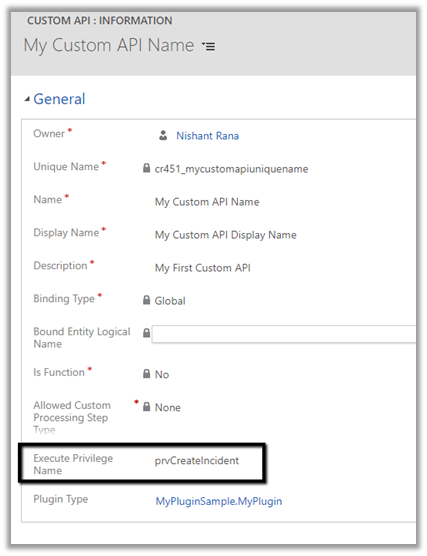
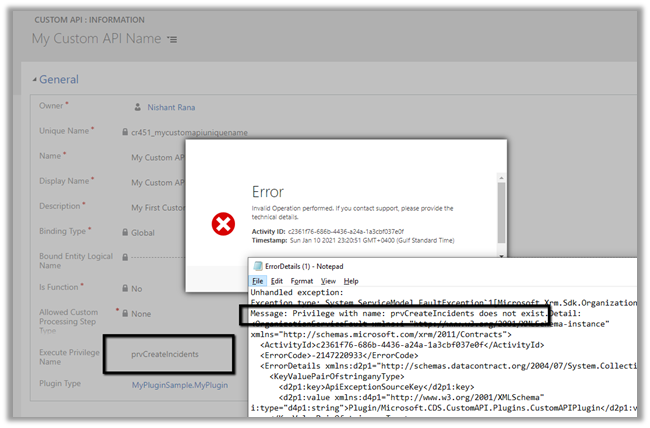
If we specify an incorrect privilege name we would get the below error and will not be able to save the record.
Recently, while trying to import a solution, we got the below dependencies error. Solution ” Configuration” failed to import: The dependent component SavedQuery (Id=50658a7f-473b-ec11-8c64-000d3a8ead20) does not exist. Failure trying to associate it with SystemForm (Id=a00da85e-5fc4-f011-bbd3-000d3ad2506c) as a dependency. Missing dependency lookup type = PrimaryKeyLookup. The error indicated that … Continue reading “Solution Failed to Import – Missing Lookup View Dependency in Dataverse / Dynamics 365”
While working with a model-driven app in Dataverse, we needed to change the display name of the sitemap. What made this interesting was that there is no option in the UI to rename the sitemap display name directly. After exploring the UI options and confirming that the sitemap … Continue reading “Renaming Sitemap Display Name in Dataverse / Dynamics 365”
Recently, we ran into an issue where the Audit History page stopped loading on the form. Interestingly, the problem was limited only to the Account forms. Whenever we tried to open Audit History, we received the generic error below: An error has occurred. Try this action again. If … Continue reading “Fixed: Audit History Page Not Loading (Dataverse / Dynamics 365)”
Accidental data deletion in Dataverse happens more often than we expect. A bulk delete job, an incorrect Power Automate flow, or incorrect manual delete can remove important records in seconds. Instead of restoring the environment, Dataverse provides a much better alternative: the Restore message, which allows us to … Continue reading “Using the Restore Message to Recover Deleted Records in Dataverse”


















 Nishant Rana's Weblog