Creating Patches – Solution Management in CRM 2016


Hi,

Just sharing a simple scenario to understanding the working of Patches with Managed solution,

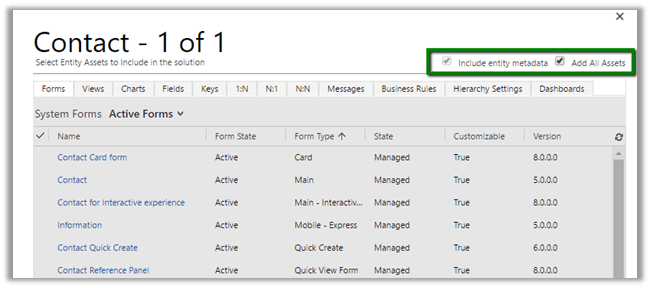
Create a solution named Test Solution with Contact entity in it. (with Add All Assets option)
  • Imported it in another Target Org as Managed.
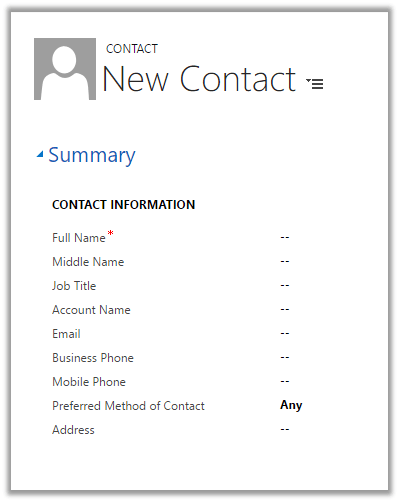
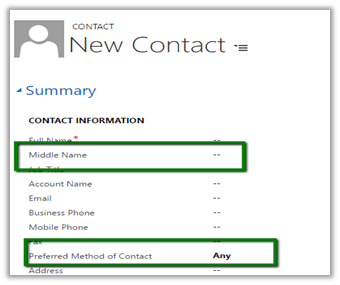
  • Now I want to change the width of the section so that label is clearly visible for Preferred Method of Contact field.
  • And we also add a new custom field named Middle Name in the form.

  • Instead of deploying the complete solution again, we can create a Patch which includes these changes.
  • In our Dev let us do the changes

  • Now click Clone a Patch button for the Test Solution.

  • In the solution add only the 2 components Main Form and the newly created Middle Name field in the patch solution.

  • Export this Patch Solution as Managed and import it in the target org.

  • In target Org after import of Patch we can see our changes.
  • Now suppose we make few other changes like removing the Fax field from the form (below mobile phone field) and want to deploy the entire solution and don’t need the patch anymore.
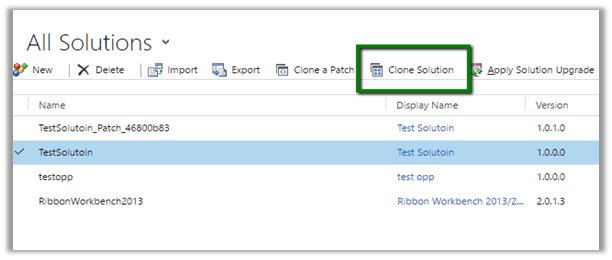
  • For this select Clone Solution button

  • This will make all the patches rolled up to the newer version of the solution.

  • This will auto-remove the patch solution created.
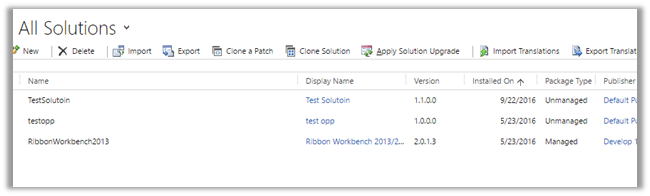
  • Now let us import this to our Target org. Target org. will auto detect the upgrade to the solution.

  • After import, select Apply Solution Upgrade
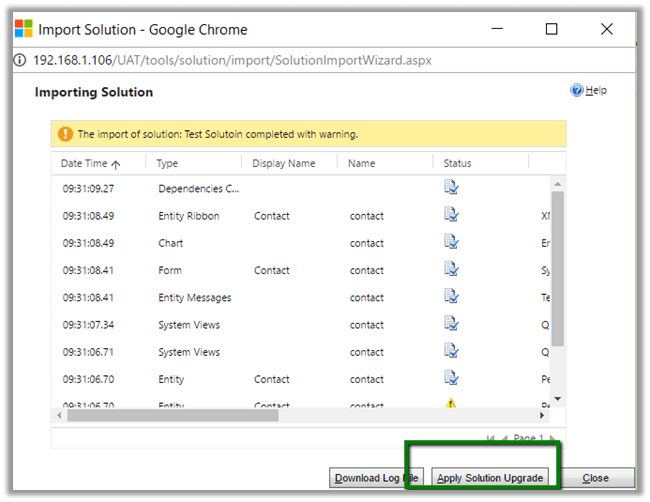
  • This will auto remove the TestSolution_Upgrade and TestSolution_Patch and merge all the changes into one newer version of TestSoluiton.

  • And as expected Fax field removed.

Hope it helps.

New Features CRM 2016 Online Update 1 – Category Entity.


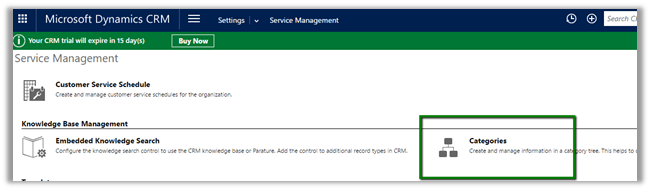
CRM 2016 Online Update 1 introduces new entity called Category.

We can define Parent Category and Child Categories.

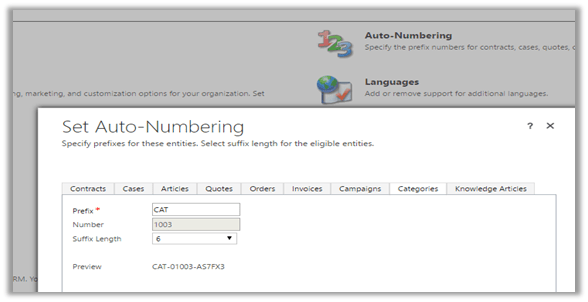
Category Number format can be defined in Auto Number settings.

For Category entity we can create 1 – N relationships with System Entity and Custom Entity and then associate their records with the categories. We cannot create N – 1 and N – N relationships from Category.

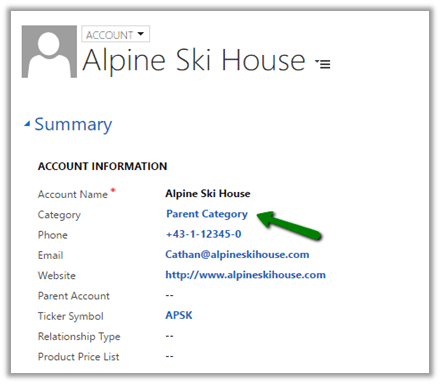
To associate category, I have created a new 1 – N relationship between Category and Account and added the lookup to the Account form.

This way category entity can help in grouping, search and reporting.

More details

https://msdn.microsoft.com/en-us/library/mt728945.aspx

Hope it helps.

Using Advanced Rest Client with Web API in CRM 2016


Hi,

To test Web API query we can make use of Advanced Rest Client chrome extensions.

https://chrome.google.com/webstore/detail/advanced-rest-client/hgmloofddffdnphfgcellkdfbfbjeloo

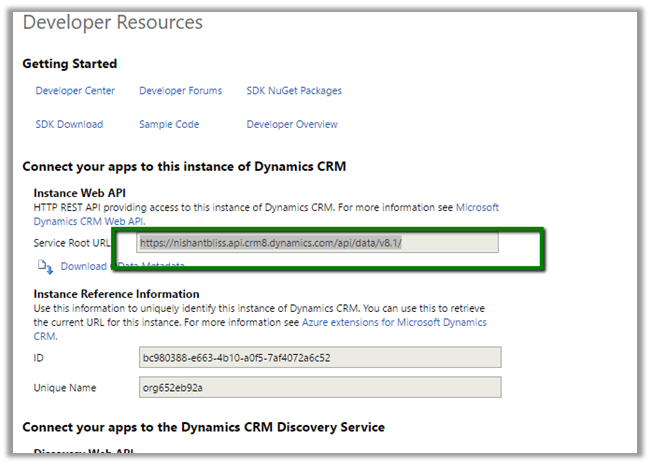
Log in to CRM Online and from Settings > Customizations > Developer Resources

Get the Service Root URL

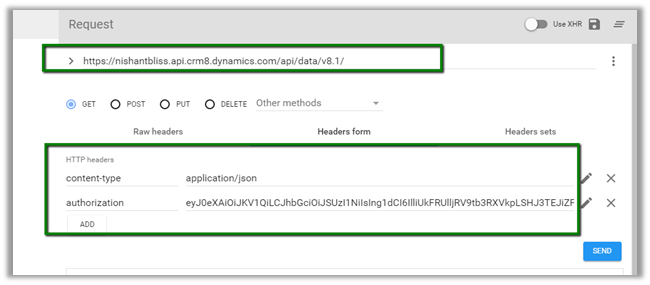
  • Launch Advanced Rest Client in Chrome
  • Put the URL copied.
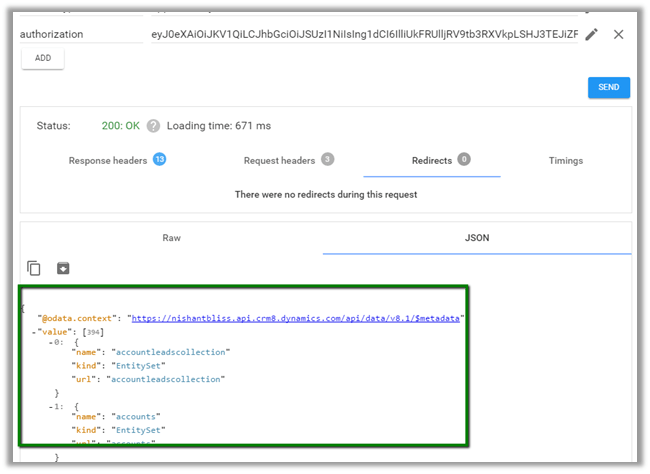
  • Here we would also need to set headers, content type and Authorization.

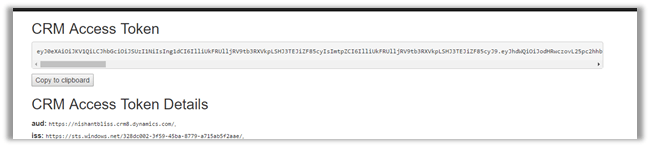
  • Copy the Access Token and use it for Authorization Header in Advanced Rest Client

Click on Send and to get the response

Update the query and click on SEND

More details here

https://msdn.microsoft.com/en-us/library/gg334767.aspx

Hope it helps.

Fixed: Translations not working in a field in Header in CRM 2016.


Recently we faced a strange issue with translations. It was showing correct translated value in the Form, however the same field in the Header was showing the label in English instead of German.

In Development environment it was working properly only in TEST we were facing this issue after deployment.

1

Then just to give it a try, I opened the form for customization, removed the City field form Header and added it back and did publish.

Surprisingly it started showing correct translated label in the header.

2


Hope it helps..

CRM 2011 Early Binding vs Late Binding Performance


Nice artilce on Early binding vs Late Binding Performance

James Wood's avatarWOODSWORKBLOG

Early binding versus late binding, which is faster?

Late.

View original post 353 more words

Isolated Dynamics CRM Security Feature – “Reparent”


Understanding Reparent

andisimo's avatarAbstruser Musings

There’s a feature of Dynamics CRM (that’s been in the product since version 3, I believe) that actually lives outside of the “front-and-center” security model that you normally think of with Dynamics CRM security roles.

I’m talking about the cascading functionality defined in entity relationships. Specifically, there is a cascading property called “Reparent.” There’s an old (but still relevant) article here about how this reparent functionality works. As this article explains, if you have a 1:N relationship between accounts and opportunities, and in this relationship, you have set the “reparent” property to “cascade all,” this means that the owner of an account (Acme INC) will see any opportunities created with Acme INC as the related account, and any opportunities whose related account is updated to be Acme INC.

When does “Reparent” take effect?

To go a bit deeper though, it’s important to understand exactly when this reparent property comes into play. If…

View original post 604 more words