To generate a C# class from change the extension to .cab from .xsn.

Open and copy the content of cab file to a separate folder

Open the Visual Studio Developer Command Prompt and run the XSD.exe to generate the class

Hope it helps…

To generate a C# class from change the extension to .cab from .xsn.
Open and copy the content of cab file to a separate folder
Open the Visual Studio Developer Command Prompt and run the XSD.exe to generate the class
Hope it helps…

Suppose we have to redirect user belonging to a specific group to some specific page, while they try to access CRM 2013.
For this we can implement an HttpModule
Sample code
public class Class1 : IHttpModule
{
public void Dispose()
{

}
public delegate void MyEventHandler(Object s, EventArgs e);
private MyEventHandler _eventHandler = null;

public event MyEventHandler MyEvent
{
add { _eventHandler += value; }
remove { _eventHandler -= value; }
}
public void Init(HttpApplication context)
{
context.AuthenticateRequest += new EventHandler(ContextOnAuthenticateRequest);
}

private void ContextOnAuthenticateRequest(object sender, EventArgs eventArgs)
{
HttpApplication app = sender as HttpApplication;
HttpContext context = app.Context;

// if the user belongs to adminsitrators role or reporting group
// redirect the user to bing.com
if (context.User.IsInRole(@"BUILTIN\Administrators") &&
context.User.IsInRole(@"LSS\ReportingGroup {0993772e-cfb6-47ba-8b88-2129bfc97f89}"))
{
app.Context.Response.Redirect("http://www.bing.com");
}

if (_eventHandler != null)
_eventHandler(this, null);
}
}
Put the dll in the bin of the CRMWeb
..\Microsoft Dynamics CRM\CRMWeb\bin
And register the http module in the web.config
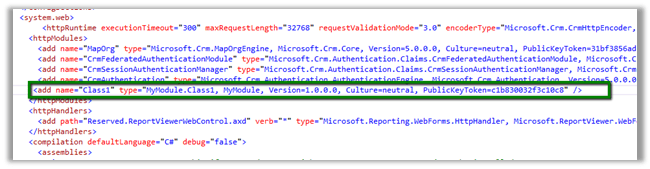
(use sn –T MyModule.dll to get the public key token)
Moreover this can be implemented using URLRewrite as it runs before the authentication so we wont be able to get the username
http://www.iis.net/downloads/microsoft/url-rewrite
Hope it helps

Hi,
We recently had a requirement to run a report on the form of a custom entity named incident.
It should show incident data and its related entity data i.e. contact and account.
Incident is having n: n relationship with Contact and Account here.
Here we will create three data sets one for showing the incident data and other two for the related entities.
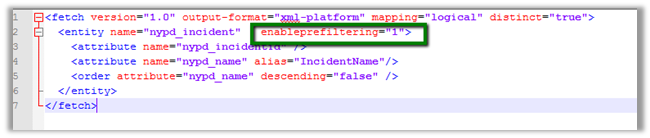
Create a DataSet for Incident to fetch the incident record information (using Advanced Find View).
Make sure to set enableprefiltering as 1
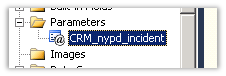
This will create a report parameter in the report
Next we will create a DataSet for Contact entity which is n: n (many to many) related to Incident.
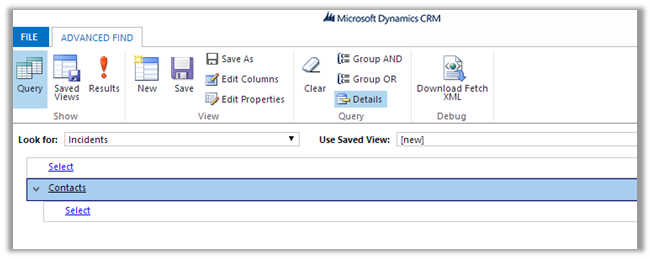
Download the fetch xml and add enableprefiletering attribute
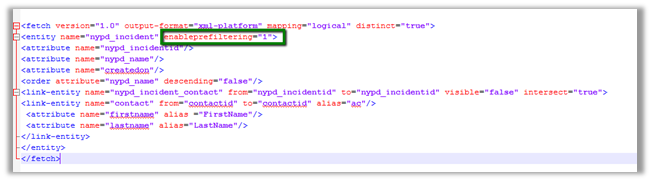
Follow the same step for the DataSet for account entity related to Incident.
While uploading the select Display in value as “Forms for related record types” to run the report in the context of the form.

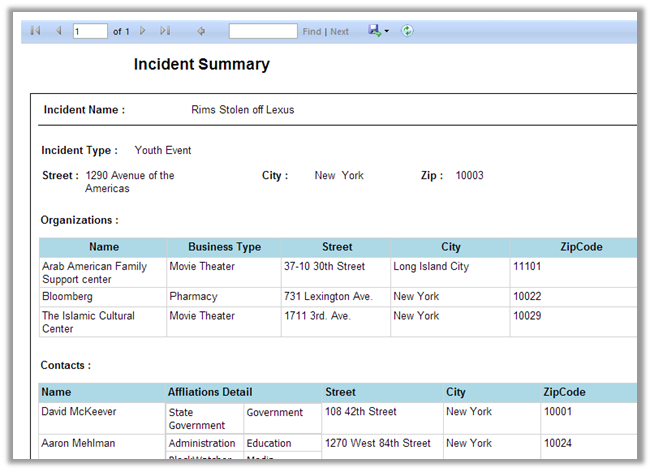
Report will start appearing in the Incident Form

Sample screenshot
Hope it helps

When retrieving information from multiple related records, I prefer using FetchXML and the SOAP endpoint over OData. To use FetchXML with JavaScript, we need the “RetrieveMultiple” message in the CRM Organization Service, which is available via what the CRM 2013 SDK (version 6.0.2 at time of writing) calls the “Modern App SOAP endpoint”.
View original post 1,384 more words

Hi,
Let us take a simple plugin to understand the debugging process. We need the profile which we will use for debugging.

Register the plugin (debug version) and corresponding step using plugin registration tool.
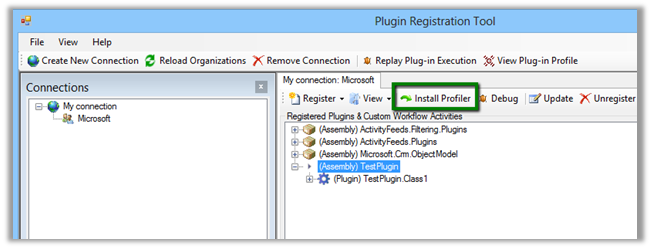
Select Install Profiler in Plugin Registration tool and wait till the installation is complete.
Select the Step in Plugin and Click Profile in the tool
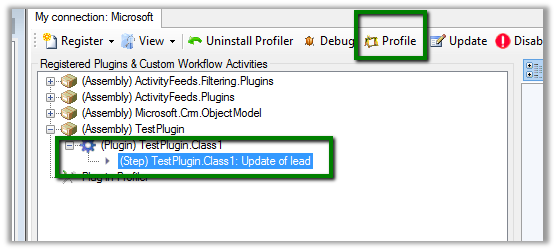
Select Ok in the dialog box
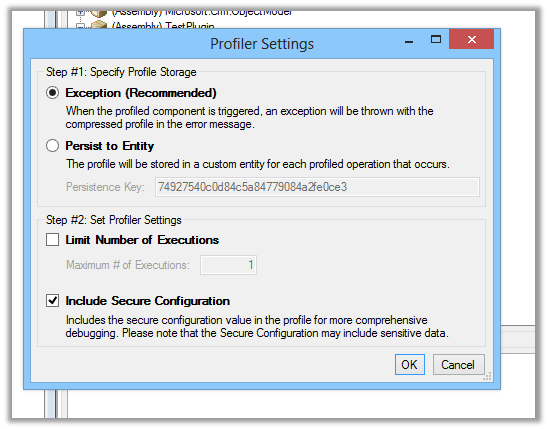
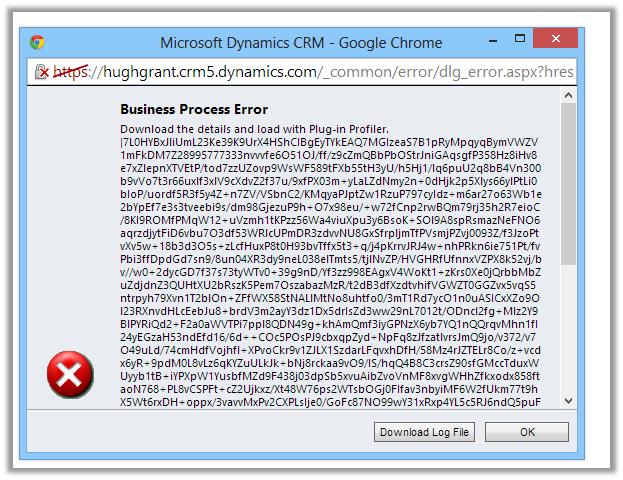
Open CRM and perform the step that will run the plugin.
Download the log file.
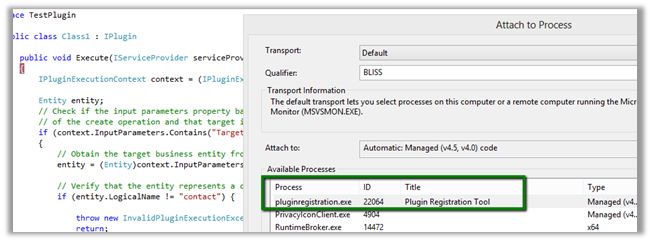
Open Visual Studio and attach debugger to PluginRegistrationTool.exe
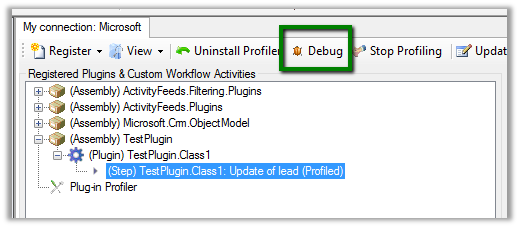
Go back to Plugin Registration tool, select the step and select Debug from the tool bar.
Specfiy the log file in the Profile location and plugin assembly that is in debug folder.
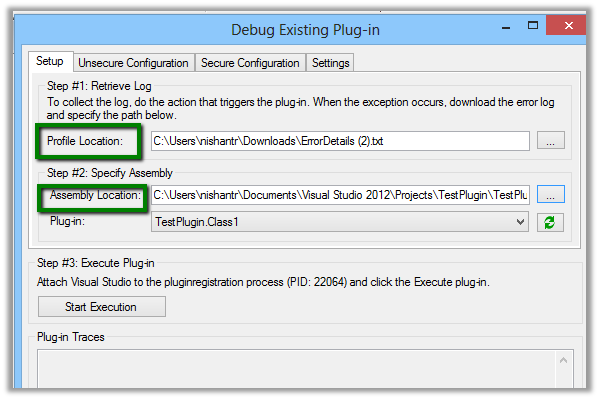
Click on Start Execution to start debugging
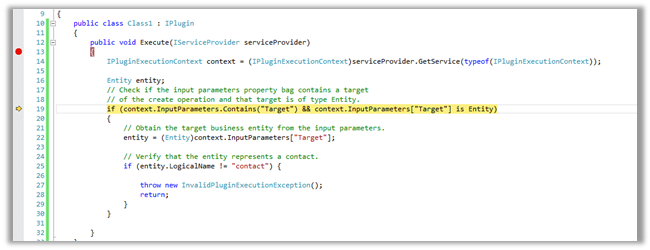
Hope it helps.

Check out this wonderful post on understanding HashSet
http://dotnetcodr.com/2014/01/08/using-hashset-in-net-to-allow-unique-values-only/
http://alicebobandmallory.com/articles/2012/10/18/merge-collections-without-duplicates-in-c
The Message box will show the count as 2.
HashSet will remove the duplicate entry.

Bye


 Nishant Rana's Weblog