Sharing a mind map for quick and easy reference of new methods added for Business Process Flow in CRM 2015
(click for full screen)
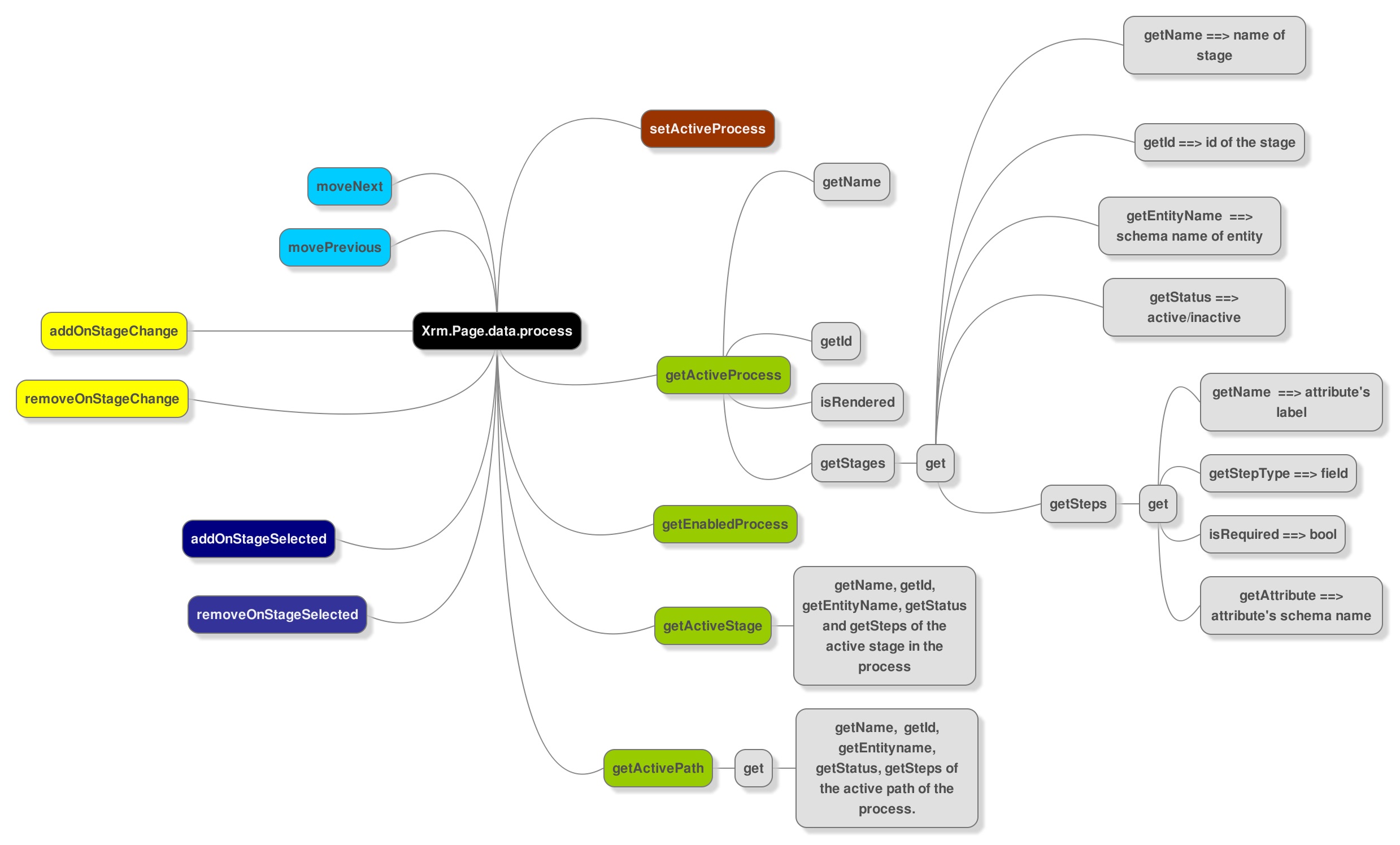

Sharing a mind map for quick and easy reference of new methods added for Business Process Flow in CRM 2015
(click for full screen)

Expand/Collapse Process
Xrm.Page.ui.process.setDisplayState(“collapsed”); // “expanded”

Hide Process from form
Xrm.Page.ui.process.setVisible(false);



CRM 2015 now provides rule based branching support for Business Process Flow.
In CRM 2013

In CRM 2015
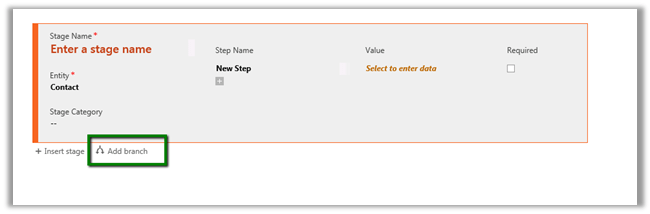
Using Add branch we can add conditions (rules)

Rule can govern the next stage in the business process flow.
For. e.g.
Based on the value specified for Address 1: Country field we can change the next Stage dynamically in the Business Process Flow.
Here if Country specified is India or China we change the Stage to “Stage Asia” and specify the Address1: Street 2 field to be mandatory.
If not then next Stage is set to “Stage ROW”, which expects value for Address 1: Street 3.

Inside the form, the next Stage changes dynamically based on value specified for country field.


We can combine multiple if and else conditions, however each branch cannot be more than 5 level deep i.e. cannot add more than 5 conditions for a particular branch.
Hope it helps..

Hi,
While starting one of the Virtual Machine got the error that Hypervisor is not running.
It was running perfectly few days back so it couldn’t have been hardware issue and i hadn’t made any change in BIOS Setting.
Running the following command fixed the issue
bcdedit /set hypervisorlaunchtype auto
Followed by restart.
http://blogs.technet.com/b/gmarchetti/archive/2008/12/07/turning-hyper-v-on-and-off.aspx
Hope it helps..

Hi,
We recently had the requirement to show the SharePoint ribbon to only the Admin user.
The best possible way of implementing this using SharePoint Security Trimmed Control.
We need to wrap the div with id ms-designer-ribbon inside that control.

http://blog.crsw.com/2007/11/05/spsecuritytrimmedcontrol-conditionally-display-contents-by-security/
Hope it helps ..

 Nishant Rana's Weblog