How to – Different ways of getting record count (total) in Dynamics 365


Let us take a scenario, where a data migration package is running, and it either creates or updates (or deletes) a large number of records into Dynamics 365, and we want to get the count of records created/updated/deleted in the last x hour or so.

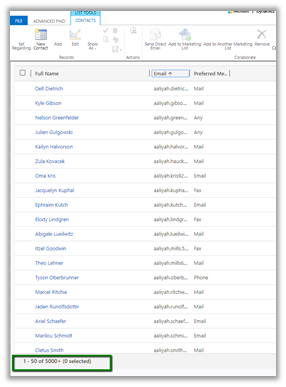
With views, we are limited to just 5000 records.
One option is to write the console app having the required QueryExpression or FetchXML condition using the Dynamics 365 SDK to get the count.

Or use the Record Counts tool of CDS.Tools

https://xrm.tools/RecordCounts
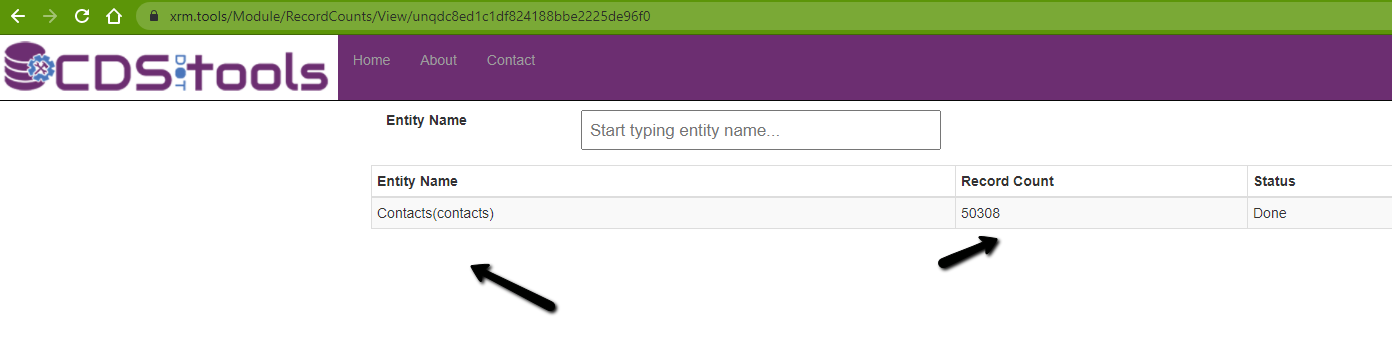
count

We can also make use of SSRS reports here.

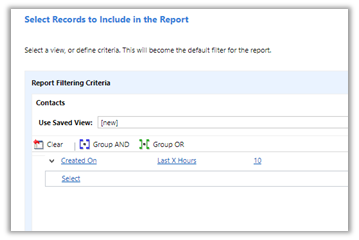
Create a report using the report wizard, specify the criteria
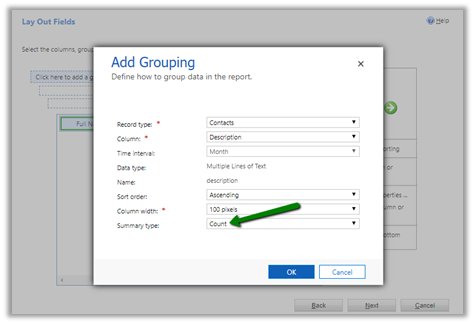
In the LayOut fields window, specify Count as the summary type for grouping.
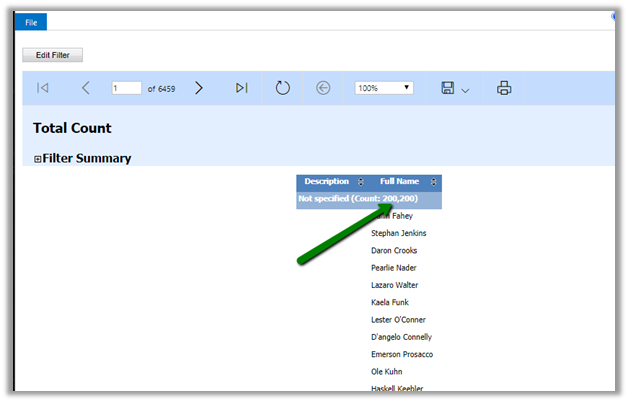
Run the report to get the count.
Another option that we have used the most is to use the FetchXML
Builder
plugin to build the query, copy it.
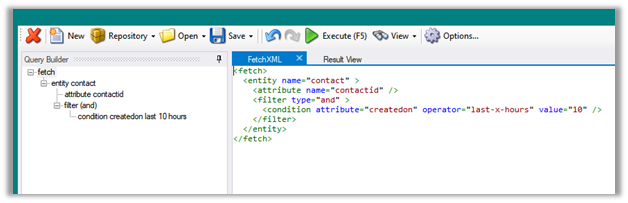
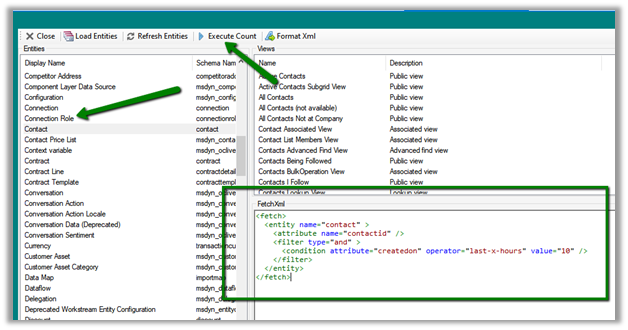
And use it in the FetchXML / View Record Counter plugin of XrmToolBox.

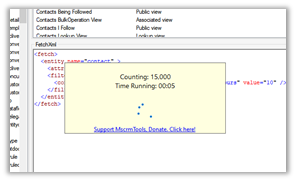
Select the entity, contact, in this case, paste the FetchXML query and click Execute Count.
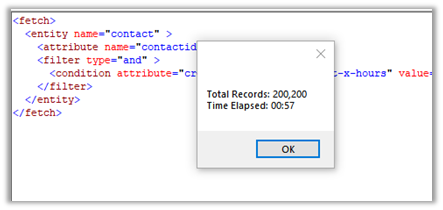
We will get the count.
Along with FetchXML / View Record Counter we can also use
SQL 4 CDS plugin.

Within the FetchXML builder click on Edit in SQL 4 CDS button.
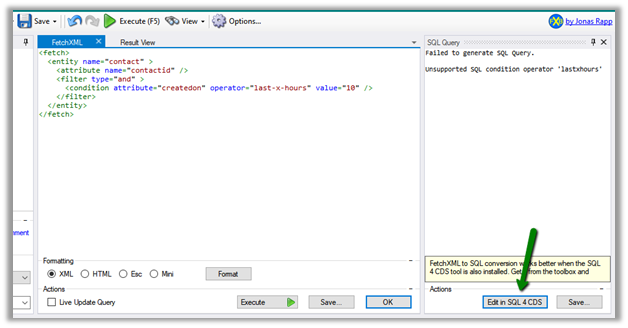
The result
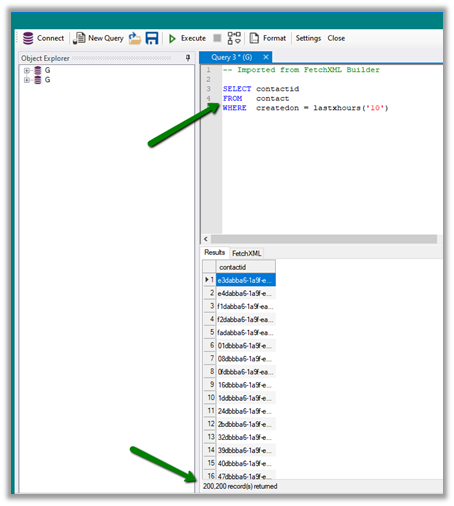
And now with CDS T-SQL endpoint (preview), we can use SQL Server Management Studio as well to directly write the T-SQL instead of fetch xml

https://nishantrana.me/2020/05/21/setting-up-using-sql-to-query-data-in-dynamics-365-preview/
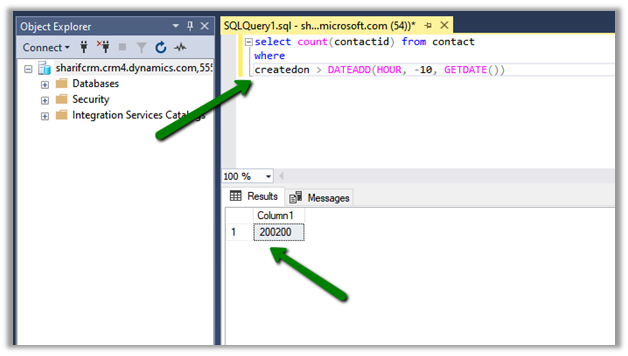
We can also use the CDS T-SQL endpoint within the SQL 4 CDS Plugin.

https://markcarrington.dev/2020/05/24/sql-4-cds-2-1-0-the-t-sql-edition/

What if we want total record count for an Entity?

Apart from all the methods above,

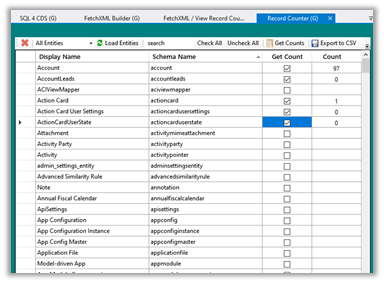
  • we can use Record Counter XrmToolBox Plugin for that

https://www.xrmtoolbox.com/plugins/AndyPopkin.RecordCounter/
  • or use RetrieveTotalRecordCountRequest

https://dreamingincrm.com/2019/07/22/getting-entity-record-counts/

  • or use Count aggregrate function

https://docs.microsoft.com/en-us/previous-versions/dynamicscrm-2016/developers-guide/gg309565(v=crm.8)?redirectedfrom=MSDN#count

however, it will fail in case of more than 50000 records
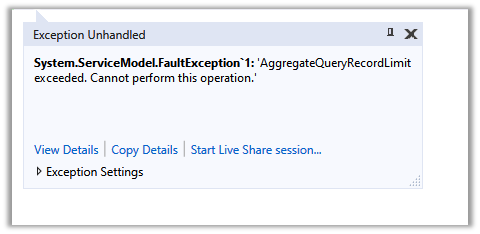

‘AggregateQueryRecordLimit exceeded. Cannot perform this operation.’

To increase the limit (on-premise)- https://nishantrana.me/2012/09/06/aggregatequeryrecordlimit-exceeded-cannot-perform-this-operation/

  • Will returntotalrecordcount property of FetchXML help ?
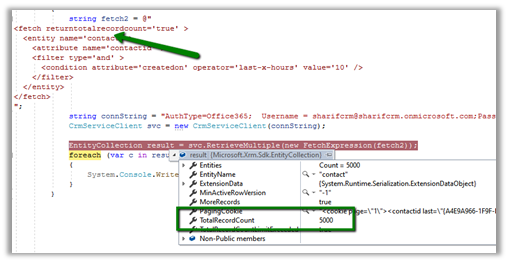

It will be helpful if total records are less than 5000.
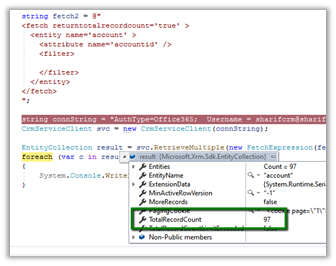

Hope it helps..

Advertisements

Planning to show a custom multi-select lookup. Use the Xrm.Utility.lookupObjects to show a multi-select lookup control in Dynamics 365


Debajit's avatarDebajit's Dynamic CRM Blog

Recently in my project I had the requirement to show up a multiselect lookup for selecting records across multiple custom entities. The customer have created a PCF control where they have designed to show the selected records spanning entities. But the issue was to show a lookup control to allow the user to select multiple records spanning entities.

Thankfully there is a method now to do exactly the same using Client API.

The below code shows how to show up a multiselect lookup control from account and contact entity. However you can do the same for all custom entities.

Below is how it looks.

image

Hope this helps!

Debajit Dutta

(Dynamics MVP)

For consultation/ corporate training visit www.xrmforyou.com or reach out to us at info@xrmforyou.com

Our product offerings:

CRM-Sharepoint Attachment uploader and metadata manager (http://www.xrmforyou.com/sharepoint-integrator.html)

Notes Manager (https://debajmecrm.com/2019/02/28/add-metadata-to-your-notes-and-attachments-in-dynamics-notes-metadata-manager-from-xrmforyou-com/)

Role based views for Dynamics 365 (http://www.xrmforyou.com/role-based-views.html)

View original post 41 more words

Using Data Spawner component (SSIS) to generate sample data in Dynamics 365


At times we need to generate sample data for our entities in Dynamics 365 for various reasons, performance testing is one of them.

Data Spawner component which is part of KingswaySoft’s
SSIS Productivity Pack provides us the most efficient way of doing so.

Download the component here –

https://www.kingswaysoft.com/solutions/ssis-data-generation-anonymization-components/data-spawner-component

Let us generate the sample data for Contact Entity.

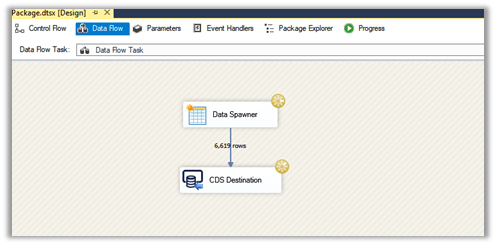
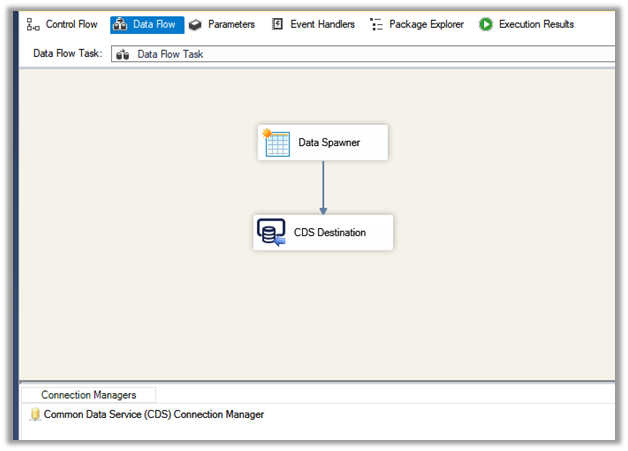
Add the Data Spawner component to the Data Flow along with the CDS Destination component in the integration service project.

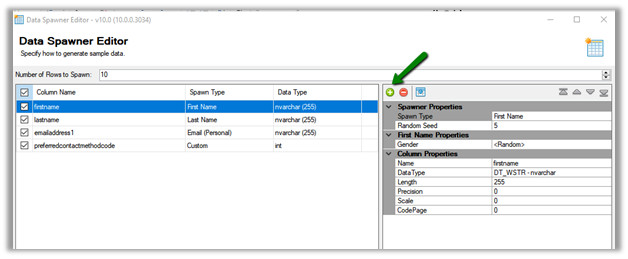
Double click the Data Spawner to open the editor.

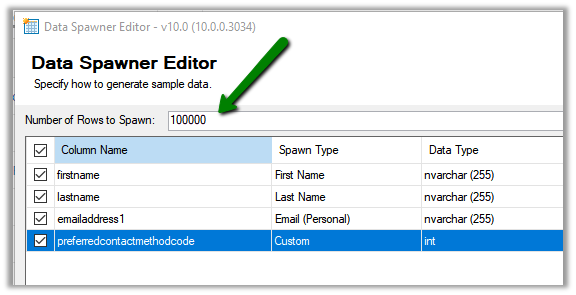
Click on Add + button to specify the columns, here we have specified four different columns.

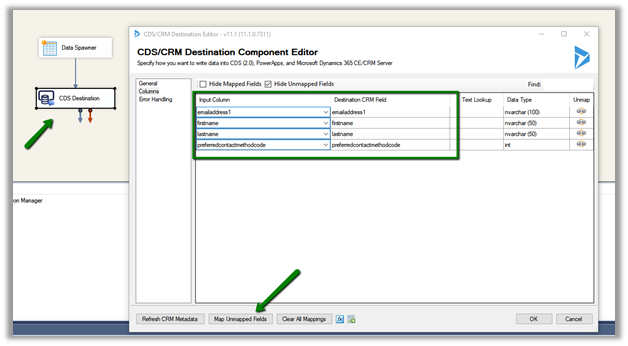
We have kept the name for each of the columns, same as the schema name so that it is easy to map them in CDS Destination.

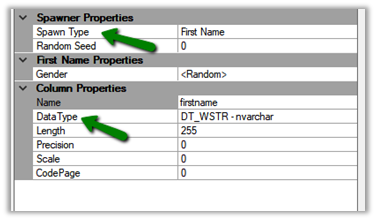
For the First Name column, we have specified Data Type as nvarchar and Spawn Type as the First Name, which will generate the string similar to first name value.

In Gender property for the First Name column, we can specify either to generate Male or Female first name.

Random will generate both Male and Female first name.

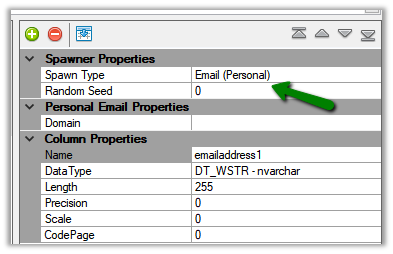
For the email address field, we have selected Spawn Type as email (personal), the other option is email (business).

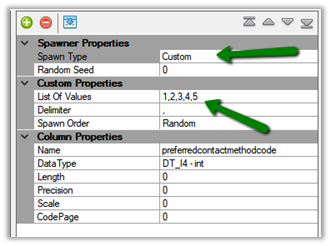
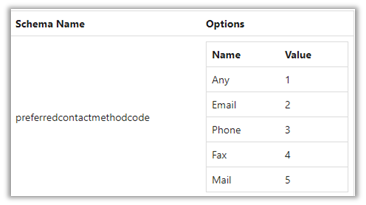
For our option set field preferred contact method, we have selected data type as an integer and Spawn Type as Custom, which will allow us to specify the list of available values, which is 1 to 5 in our case.

We have specified the total number of records to be generated as 100000.

Lastly, we have set the output of Data Spawner to the CDS Destination component. (use the Map Unmapped fields to auto map the fields as we have set the column name same as the schema name of the attributes)

Execute the package

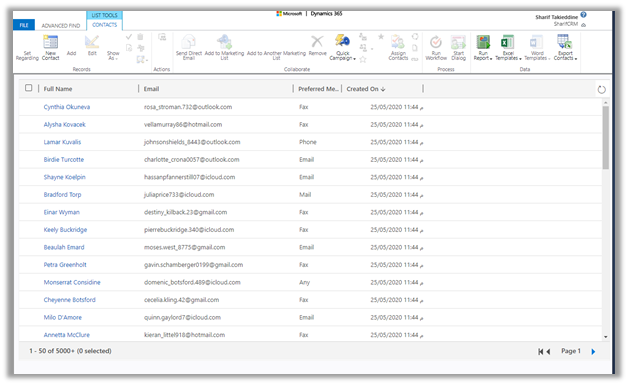
We can see our sample contact records start getting created.

Read more about Data
Spawner

https://www.kingswaysoft.com/products/ssis-productivity-pack/help-manual/data-generation-and-anonymization/data-spawner

Here are few other articles on SSIS (KingswaySoft)

https://nishantrana.me/2018/11/26/ssis-and-microsoft-dynamics-365/

Hope it helps..

How to – Get User’s last logon time in Dynamics 365


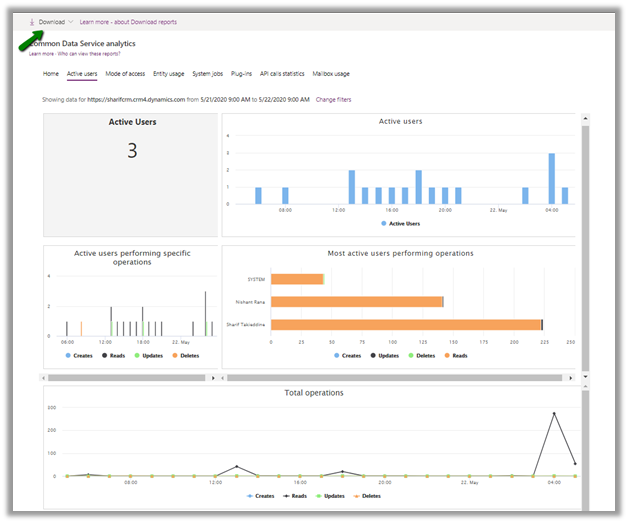
We can get the different metrics about the usage of the platform like active user usage, the operation performed, the entity used, plugins and API statics, etc. through Command Data Service Analytics (formerly Organization Insights).

https://admin.powerplatform.microsoft.com/analytics/d365ce

These reports can also be downloaded.

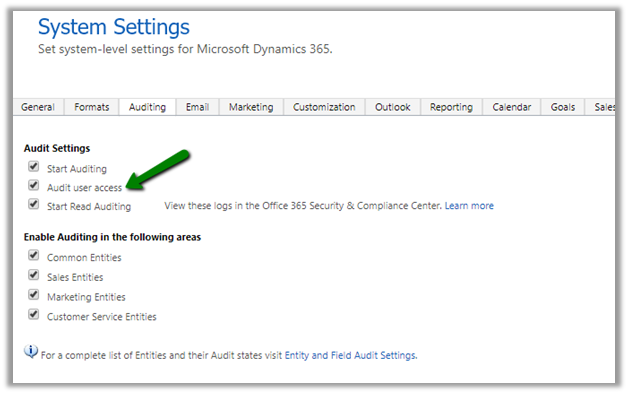
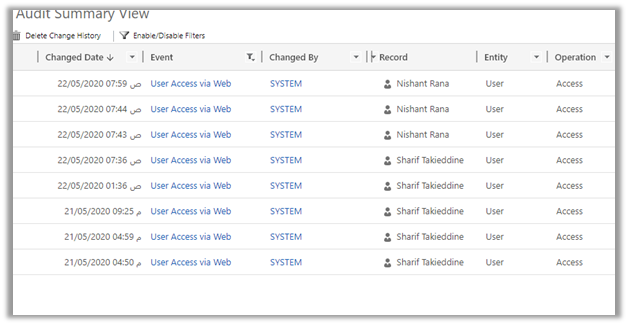
Some of these details can also be captured by enabling Audit user access.

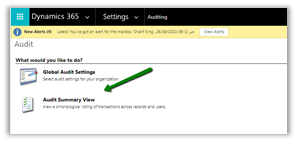
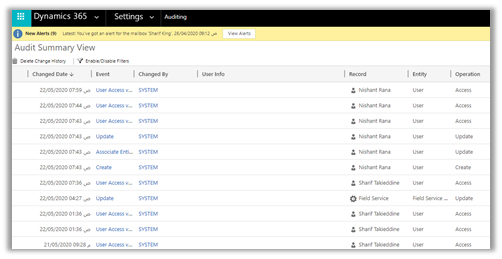
And navigating to Audit Summary View

This view can be filtered to show only the User Access via Web event to get the last logon details for the users.

We can use below FetchXML query to get the same details

<fetch mapping=’logical’ aggregate=’true’ version=’1.0′ >
<entity name=’audit’ >
<attribute name=’createdon’ alias=’LastLoginDate’ aggregate=’max’ />
<filter>
<condition attribute=’operation’ operator=’eq’ value=’4′ />
</filter>
<link-entity name=’systemuser’ from=’systemuserid’ to=’objectid’ alias=’su’ link-type=’inner’ >
<attribute name=’fullname’ alias=’fn’ groupby=’true’ />
<attribute name=’domainname’ alias=’dn’ groupby=’true’ />
<attribute name=’userlicensetype’ alias=’ult’ groupby=’true’ />
<attribute name=’accessmode’ alias=’am’ groupby=’true’ />
<attribute name=’isdisabled’ alias=’id’ groupby=’true’ />
</link-entity>
</entity>
</fetch>

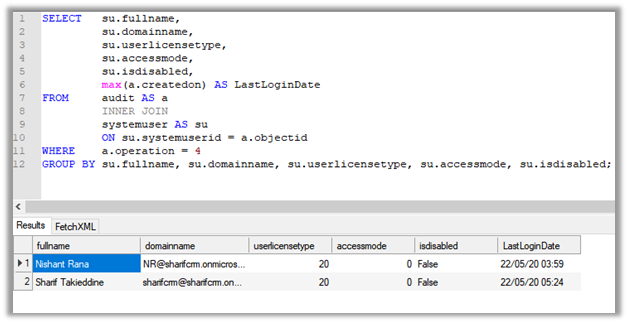
We can also run the following SQL Query (in case of on-premise) to get the details


SELECT su.fullname,
su.domainname,
su.userlicensetype,
su.accessmode,
su.isdisabled,
max(a.createdon) AS LastLoginDate
FROM audit AS a
INNER JOIN
systemuser AS su
ON su.systemuserid = a.objectid
WHERE a.operation = 4
GROUP BY su.fullname, su.domainname, su.userlicensetype, su.accessmode, su.isdisabled;

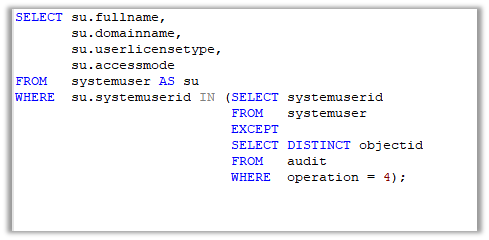
Now there could be some users who have never accessed the application, to get details of those user we can use the below query


SELECT su.fullname,
su.domainname,
su.userlicensetype,
su.accessmode
FROM systemuser AS su
WHERE su.systemuserid IN (SELECT systemuserid
FROM systemuser
EXCEPT
SELECT DISTINCT objectid
FROM audit
WHERE operation = 4);

We can also use the wonderful User Audit Viewer XrmToolBox Plugin for getting the user audit details.

Update – 8 Jun 2021- Just checked it- Audi Table is available in SQL 4 CDS so ignore the below details 

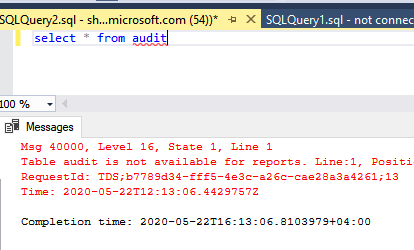
Can we use the new SQL Data Connection for CDS (preview) to query Audit information ?

We cannot as the Audit Table is not available

Audit

Hope it helps..

Advertisements

Setting up – Using SQL to query data in Dynamics 365 (Preview)


Recently we were trying out the preview feature of using SQL to query CDS data.

Below are the steps à

To get started,

Download or open SQL Server Management Studio (18.4 or later)

Use Azure Active Directory authentication to connect.

Specify the organization address URL followed by port 5558 in the server name.

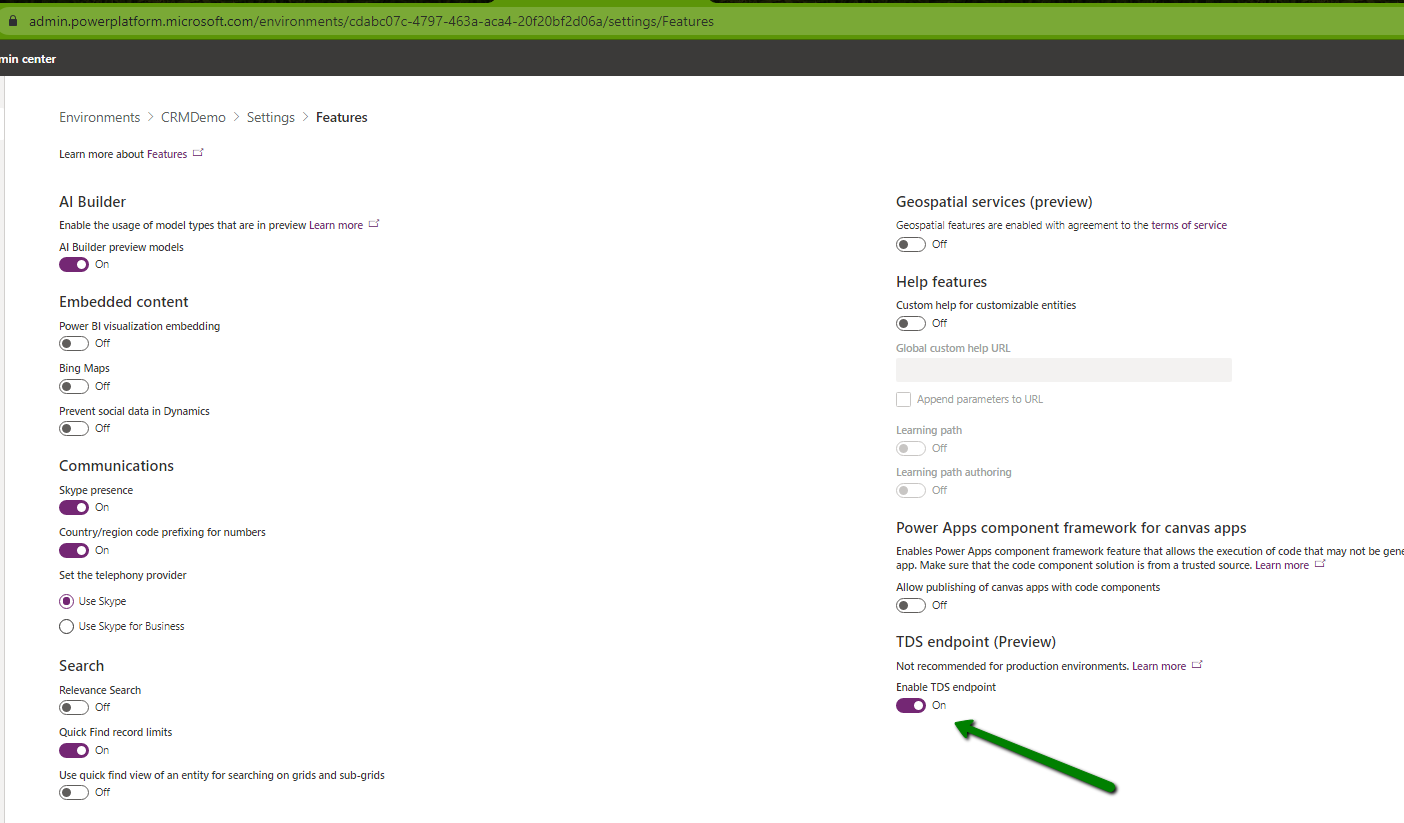
If you get the error “TDS protocol endpoint is disabled for this organization”, follow the below steps to enable the TDS i.e. Tabular Data Stream.

Enable the TDS endpoint (preview)

https://docs.microsoft.com/en-us/power-platform/admin/settings-features

enableTDS

enableTDS

or

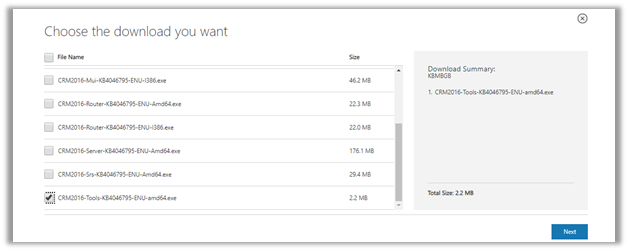
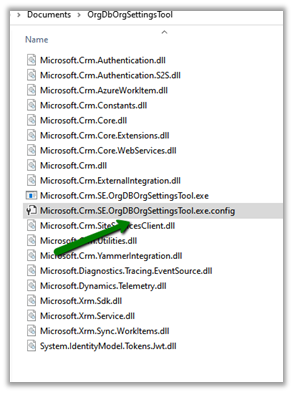
Download the OrgDBOrgSettingsTool i.e. CRM2016-Tools-KB4046795-ENU-amd64

https://www.microsoft.com/en-us/download/details.aspx?id=56131

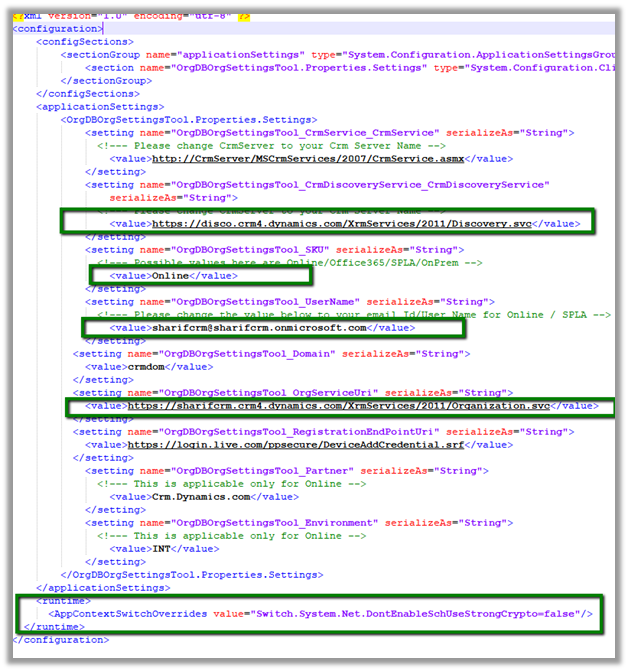
Make the following changes in the configuration file of the tool

Highlighted in green

Run the below command (& enter the password for the admin account specified)

Microsoft.Crm.SE.OrgDBOrgSettingsTool Update /u <org-unique-name> EnableTDSEndpoint true

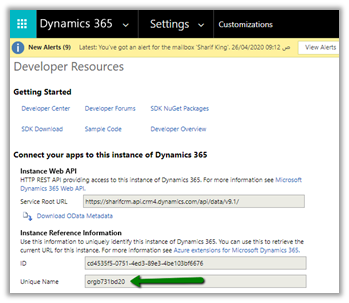
Get the organization unique name from Customization à Developer Resources

After making the above changes, we were able to connect successfully.

This is a definitely one of the most pleasing additions to the product !

Also check out the wonderful XrmToolBox plugin SQL 4 CDS

and

Skyvia Query 

for running SQL query against Dynamics 365.

Hope it helps..
Advertisements

Out of the box API to get Logged In user’s security role names in Dynamics 365 is finally there. Is the long wait finally over?


Debajit's avatarDebajit's Dynamic CRM Blog

Checking for logged in user’s security role is a requirement I haven’t missed in any of my implementations so far. From enterprise implementations to projects spanning couple of months, this requirement I had everywhere. And as much crazy it may sound, until recently there was no way to get the security role names directly using client API. Even the unified interface introduced which unfortunately had the same perennial problem – we shall get a the GUID of the roles user is having and then we have to fire a query to the server side to get the role names.

Thankfully Microsoft have slipped in an update to get the role names. Since this one came without much publicity, it didn’t get the media attention it deserved. Microsoft have deprecated – s and instead suggested to use . Use the function to take the output as array.

image

As seen from the…

View original post 169 more words