Improved duplicate detection and merge experience in Dynamics 365 for Sales– 2020 Release Wave 2


2020 Release Wave 2 brings improvement in duplicate detection and merge capabilities.

Check other posts on Release 2020 Wave 2

To enable it, navigate to – Settings > Data Management > Duplicate Detection Settings

Enable it –

With this enabled, the user can see why a record is being flagged as duplicate, it also allows users to merge the record using the improved Merge dialog box while the record is being added, updated, or quailed as in case of lead.

On creating a duplicate contact record with the same last name and first name, the dialog box opens up.

We can select any of the matched records and click on the Merge button to merge it.

We can see the different options within the merge dialog box.

Selecting the appropriate options, and clicking on Ok merges the record.

Hope it helps ..

Advertisements

D365 CE: Show/Hide and Enable/Disable same field placed in multiple tabs using JavaScript


Ajit Patra's avatarAjit Patra

We often put the same fields in different tabs based on business requirements.

To Hide/Show such fields we need to use below script:

var formContext = executionContext.getFormContext();
formContext.getAttribute("fieldName").controls.forEach(
function (control, i) {
     control.setVisible(false/true);
});

Similarly, to Enable/Disable such fields we need to use below script:

formContext.getAttribute("fieldName").controls.forEach(
function (control, i) {
        control.setDisabled(false/true);
    });

Without using the loop the script only works for the first occurrence of the field.

Hope it helps !!

View original post

Snapshot in Azure Data Lake (Dynamics 365 / CDS) – Azure Synapse Link


In the previous post, we saw how to export CDS data to Azure Data Lake Gen 2

https://nishantrana.me/2020/09/07/export-data-from-common-data-service-to-azure-data-lake-storage-gen2/

Here let us have a look how the sync and snapshot work.

We have already done the configuration and have synced the Account and Contact entity.

As the diagram depicts – there is initial sync followed by incremental writes for both entity data and metadata.

Below we can see we had initial sync completed for both contact and account entity, followed by an update in contact record which triggered another incremental sync – last synchronized on.

Within our storage container, we can see a folder created for each of the entities selected for sync.

As a part of initial sync or export, the entity data is written in CSV files

Changes in CDS are pushed to the CSV files continuously. (create, update and delete) along with a snapshot.

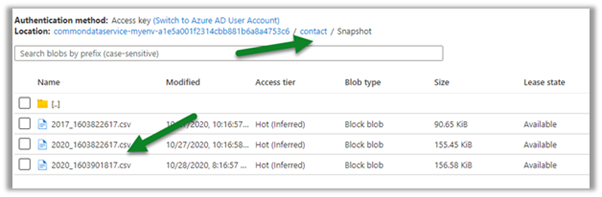
Within the Snapshot folder, we can see the snapshot added if there any change in the entity’s data.

Here for an account, we had no change.

Now let us look at the contact entity, here we can see the update in the 2020.csv file.

Let us look at the snapshot generated for contact; it shows no update as we have checked it within a 1-hour window of the update.

Snapshot is a read-only copy of data, which is updated at regular interval i.e. 1 hour, this ensures that the user is looking at a data which is not constantly getting refreshed.

Refreshing after some time, we can see the new snapshot added for the Contact entity.

As expected, no new snapshot for the Account entity as there was no change.

Let us create a new contact record, and see when we see the update in the CSV file and when does the new snapshot gets created.

We have created a new contact record around 8:30.

This was earlier before the update was made

Within 5 minutes we can see the update in the CSV file

And as expected another snapshot at 9:16 exactly after one hour of the first snapshot.

Get all the details here

https://docs.microsoft.com/en-us/powerapps/maker/common-data-service/export-to-data-lake

Posts on Azure Data Lake

Hope it helps..

Advertisements

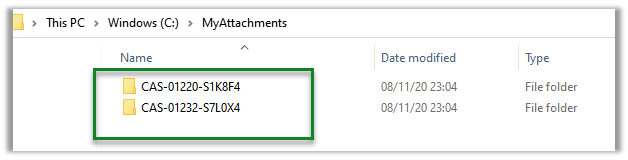
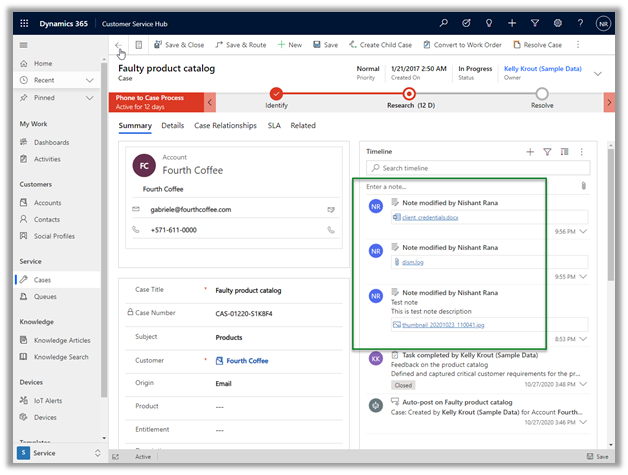
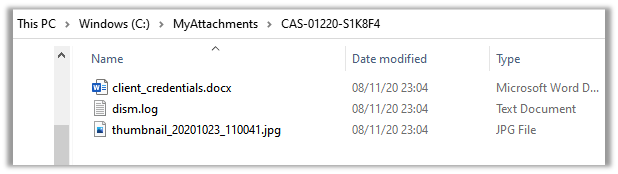
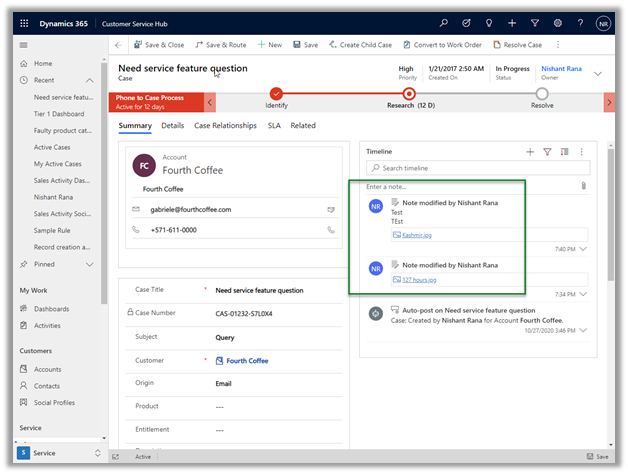
Dynamics 365 Attachments on Azure Blob Storage using the Attachment Management Add-in


Virendra Agrawal's avatarVirendra Agrawal's Blog

The Attachment Management Add-in is out there on the AppSource for quite some time, I recently enabled it for an internal Dynamics 365 implementation where the native SharePoint integration couldn’t be used due to the multiple tenant authentication issues and the new storage model licence wasn’t there to store/attach documents on default CDS file storage.

This add-on feature is to manage note and email attachments using the Azure Blob storage which will enable users to create and maintain files stored on Azure Blob via the Dynamics 365 app.

If someone is previously using this add-on, in the latest release, we also have a choice to move to default CDS file storageinstead of a Custom Blob storage.


View original post 916 more words

Replicate / Export Dynamics 365 (CDS) data – different options


The most common use case to export Dynamics 365 or Common Data Service data to an external database/datastore is to have more control over the data (without going through API route) with the ability to run analytics such as Power BI Reporting, Machine Learning, Data Warehousing, Integration, etc.

For analytics, we can also use our Microsoft Dynamics 365 AI apps that use Dynamics 365 data as a source

https://docs.microsoft.com/en-us/dynamics365/ai/

Below listing down few of the options –

Data Export Service – Configuration

It is a free Add on-service provided by Microsoft for exporting Dynamics 365 or CDS Data to Microsoft Azure SQL Database or Microsoft Azure SQL Server on Microsoft Azure Virtual Machine.

Microsoft recommends Azure SQL Database Premium P1 or a better plan for Data Export Service

https://docs.microsoft.com/en-us/power-platform/admin/replicate-data-microsoft-azure-sql-database

Notes on Data Export Service –

https://nishantrana.me/2018/10/04/my-notes-on-dynamics-365-data-export-service/ 

Export to Data Lake Service – Configuration

The service enables continuous replication of CDS Data to Azure Data Lake Gen 2.

https://docs.microsoft.com/en-us/powerapps/maker/common-data-service/export-to-data-lake

Few posts on Azure Data Lake

https://nishantrana.me/category/azure-data-lake/

Azure Data Factory – GUI based integration tool

Cloud-based integration service.

https://docs.microsoft.com/en-us/azure/data-factory/connector-dynamics-crm-office-365

Check out the informative posts on Azure Data Factory –https://dynamicscrmgirl.wordpress.com/tag/azure-data-factory/

We can also run SSIS Packages on Azure Data Factory

https://nishantrana.me/2020/10/21/posts-on-azure-data-factory/

Scribe Online Replication Services – GUI based integration tool

Cloud-based integration service.

https://nishantrana.me/2019/01/09/using-scribe-online-replication-services-rs-to-replicate-dynamics-ce-data/

Another option is to use Scribe Insight

https://trellispoint.com/quickly-copy-dynamics-365-online-data-to-sql-server-using-scribe-insight/

Skyvia’s Data Integration service

Informatica

Cloud-based integration service.

https://nishantrana.me/2019/11/13/easily-set-up-dynamics-365-ce-crm-replication-incremental-to-azure-sql-sql-on-premise-using-skyvias-data-integration-services/

Another GUI based integration tool that can be considered is Informatica

https://network.informatica.com/cloud/index.htm#page/cloud-microsoft-dynamics-365-for-sales-connector-guide/Introduction_to_Microsoft_Dynamics_365_for_Sales_Connector.html

KingswaySoft Integration Components – SSIS

Leading data integration software – provide SSIS components to integrate applications/databases.

http://www.kingswaysoft.com/blog/2017/04/04/How-to-Retrieve-Incremental-Changes-from-CRM-in-your-ETL-Process

Another SSIS based option is CozyRoc

https://www.cozyroc.com/ssis/dynamics-crm

Or we can use Script Component instead of using 3rd party components/ tool

https://nishantrana.me/2020/10/19/connect-to-dynamics-365-through-script-component-ssis/

More on SSIS and Dynamics 365

https://nishantrana.me/2020/10/16/ssis-kingswaysoft-and-dynamics-365/

Use SQL to query CDS data (Preview)

The capability to query CDS Data.

https://docs.microsoft.com/en-us/powerapps/developer/common-data-service/cds-sql-query

Check out all the articles on CDS T-SQL

https://markcarrington.dev/category/msdyn365/t-sql/

https://nishantrana.me/2020/05/21/setting-up-using-sql-to-query-data-in-dynamics-365-preview/

Query CDS data using Web API / Organization Service – Development

Write a custom tool using Dynamics 365 APIs

https://docs.microsoft.com/en-us/powerapps/developer/common-data-service/webapi/query-data-web-api

https://docs.microsoft.com/en-us/powerapps/developer/common-data-service/org-service/entity-operations

Hope it helps..
Advertisements

Posts on Azure Data Factory


How to – Export Dataverse (Dynamics 365) data to Azure SQL using Azure Data Factory pipeline template

[Visual Guide to Azure Data Factory – https://acloudguru.com/blog/engineering/a-visual-guide-to-azure-data-factory%5D Using the new Azure Data Factory pipeline template – Copy Dataverse data from Azure Data Lake to Azure SQL – we can now easily export the Dataverse data to Azure SQL Database. https://docs.microsoft.com/en-us/power-platform-release-plan/2021wave1/data-platform/export-dataverse-data-azure-sql-database Check other posts on Azure Data Factory Select Pipeline from template option inside the…
How to – improve data migration performance – SSIS & Azure Data Factory (Dataverse / Dynamics 365)

In one of our projects, we were executing SSIS Packages (KingswaySoft’s Dynamics 365 SSIS Integration Toolkit) under Azure-SSIS Integration Runtime in Azure Data Factory. Check out – Deploy and run SSIS Package in Azure Data Factory Deploy and run SSIS Packages that use KingswaySoft’s SSIS Integration Toolkit on Azure Data Factory. After trying out different…

Write batch size, data integration unit, and degree of copy parallelism in Azure Data Factory for Dynamics CRM / 365 Dataset

Let us take a simple example where we are moving contact records (.CSV) stored in Azure File Share to Dataverse or Dynamics 365 (UPSERT). CSV file has 50000 sample contact records (generated using https://extendsclass.com/csv-generator.html) stored in Azure File Storage. Another option of generating sample data https://nishantrana.me/2020/05/26/using-data-spawner-component-ssis-to-generate-sample-data-in-dynamics-365/ The Source in our Data Factory pipeline. The Sink…

How to – Deploy and run SSIS package in Azure Data Factory

Before the SSIS package can be deployed to Azure Data Factory we need to provision Azure-SQL Server Integration Service (SSIS) runtime (IR) in Azure Data Factory. In the previous posts, we had created an Azure data factory instance had used Azure SQL Database as the source. Within Azure Data Factory in the Let’s get started…