
While reviewing Power Automate flows recently, we ran into an issue where we could not open a flow in edit mode
When opening the flow, Power Automate displayed the “This flow will connect to” screen and requested that we fix one or more connections before proceeding.
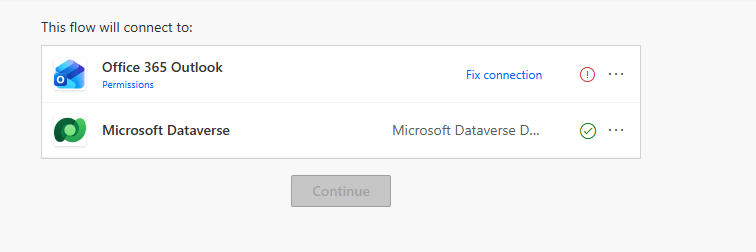
In our case, the flow contained an Office 365 Outlook connection reference that required attention. The problem was that we did not have access to create or repair that connection. Because of this, the Continue button remained disabled and we were unable to open the flow designer to understand what the flow actually did.
At first glance, it appeared that fixing the connection was the only option. However, in our scenario, we were simply analyzing existing flows to understand their purpose and determine whether they were still required.Repairing the Outlook connection would have required additional investigation, coordination with the appropriate users, and potentially creating or reassigning connection references. Since our immediate goal was only to review the flow logic, spending time resolving the connection issue first did not make sense.
Fortunately, we found another approach that allowed us to access the flow designer without fixing the connection immediately.
Instead of trying to fix the connection, open the flow’s Details page. From the details page, locate the Connections section and select Edit.

Next, add your user account as a Co-owner of the flow.
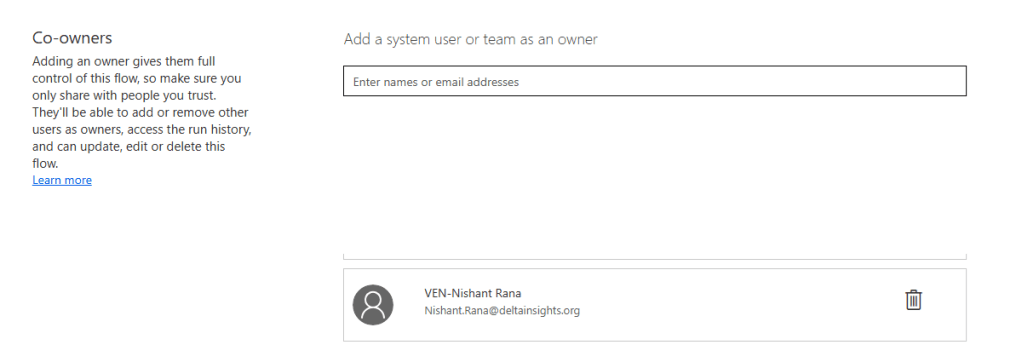
Once we added our user account as a co-owner, we refreshed the page and tried opening the flow again.This time, we were able to open the flow designer and review the flow logic even though the Outlook connection issue was not resolved.
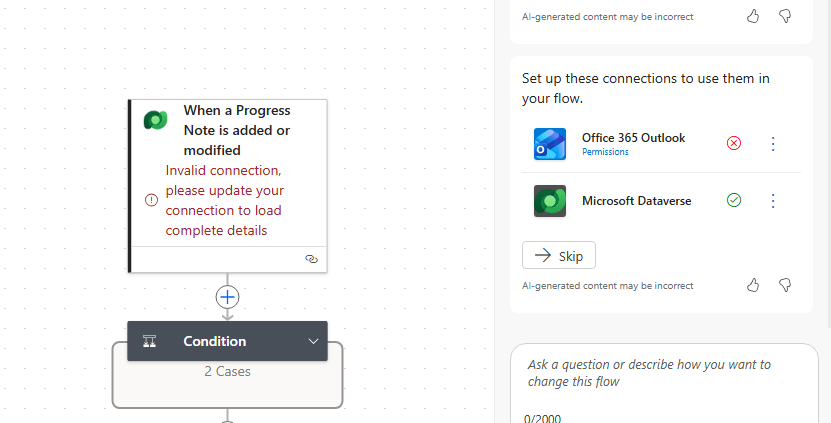
Seems that adding our account as a co-owner provides the permissions required to access and inspect the flow. This simple workaround can save considerable time when reviewing large numbers of flows across an environment.
Hope it helps..
Discover more from Nishant Rana's Weblog
Subscribe to get the latest posts sent to your email.
Share It -


One thought on “Open a Power Automate Flow for Edit Without Fixing Broken Connections First”