

In the previous posts, we covered the Key Features and Capabilities of Kupp Code Analytics and the Installation and Setup of the Visual Studio Extension.
In this blog post, we’ll cover one of its key features – IntelliSense.
As we saw in the last post the Kupp Analytics tool will download and cache the Metadata of the environment it is configured to, which it uses for IntelliSense.
To refresh the Metadata cache, or configure and manage the connection, navigate to Extensions >> Kupp Code Analytics >> Connection
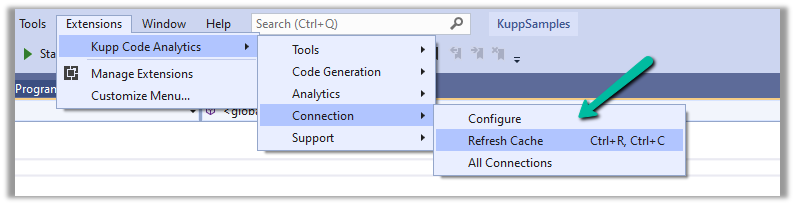
Let us look at different places where we get the IntelliSense.
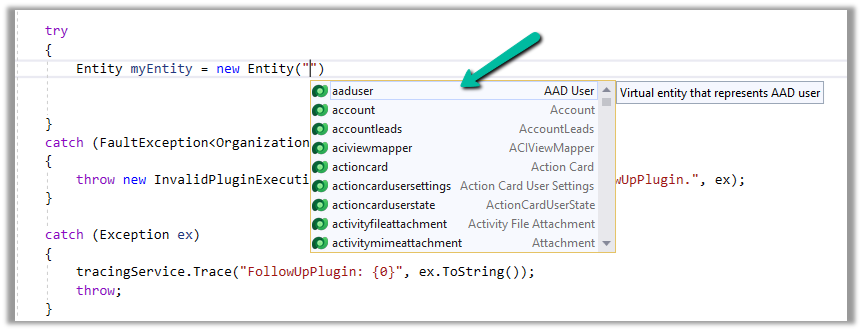
Starting with the entity or table, we can see it suggesting all the tables in that Environment.
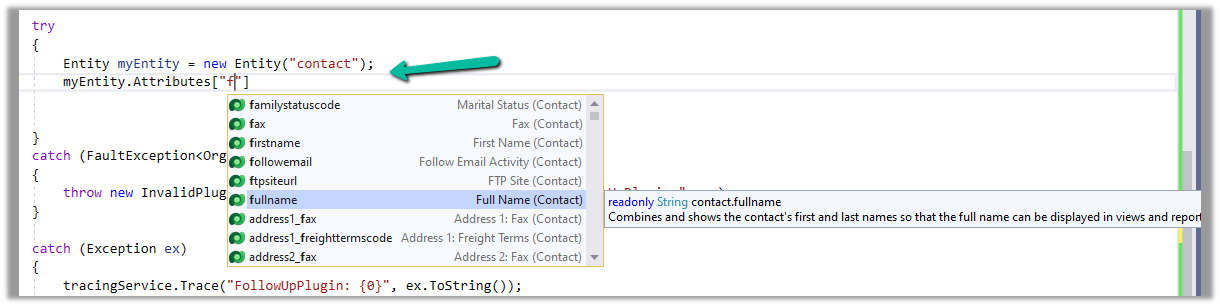
If we have specified the entity name, when it comes to attributes or columns, we can see it suggesting all the attributes specific to that table.
Getting attributes with specific type lists only attributes having the same type.
For EntityReference – we can see it suggesting all the lookup fields.

Same for Money –

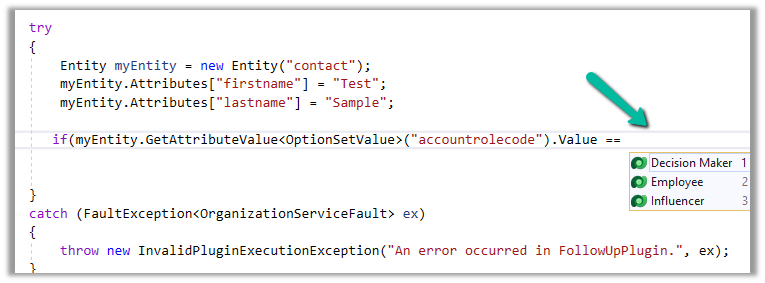
And for OptionSetValue –

It also suggests the attribute’s value in the case of Option Sets
IntelliSense also applies to Relationships, we can see it suggesting only contact-related relationships.

Apart from our Plugin and Console Applications (C#), we have the Intellisense feature available for our client-side code as well (JS/TS).
To configure we can navigate to Options >> Kupp Code Analytics >> General
Currently, the IntelliSense support is limited to retrieve operation only.
It suggests,
the name of the entity –

different query options –

attributes specific to the entity –

Filter
operators –

Query
functions –
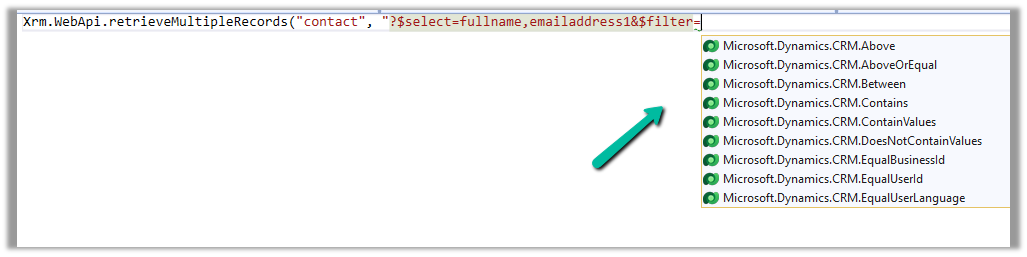
Thus using the IntelliSense feature that provides real-time suggestions, the development team can code efficiently, reduce typing errors, develop faster, and maintain code consistency.
Get all the details here –
https://docs.kuppsoft.com/Kupp-Code-Analytics/CA-Reference/CA-IntelliSense-(.NET)
https://docs.kuppsoft.com/Kupp-Code-Analytics/CA-Reference/CA-OData-IntelliSense
Hope it helps..
Discover more from Nishant Rana's Weblog
Subscribe to get the latest posts sent to your email.
Share It -


 Nishant Rana's Weblog
3 thoughts on “Using IntelliSense with Kupp Code Analytics”