
To rename the Search Customer and Search Issue labels in the conversation form,
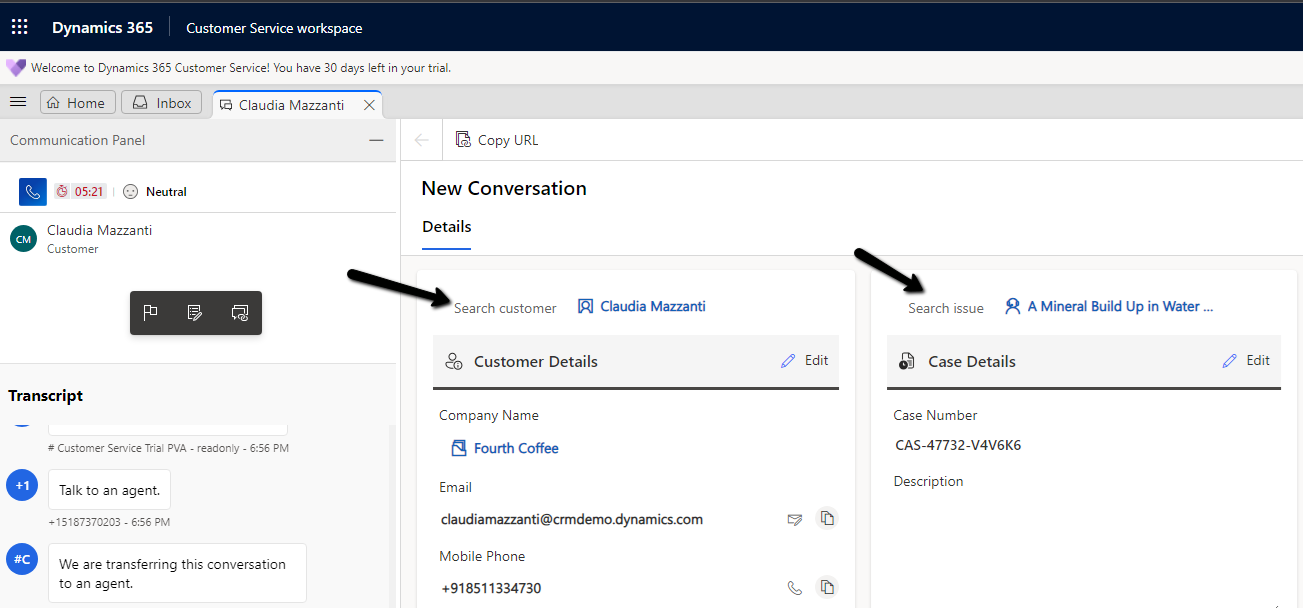
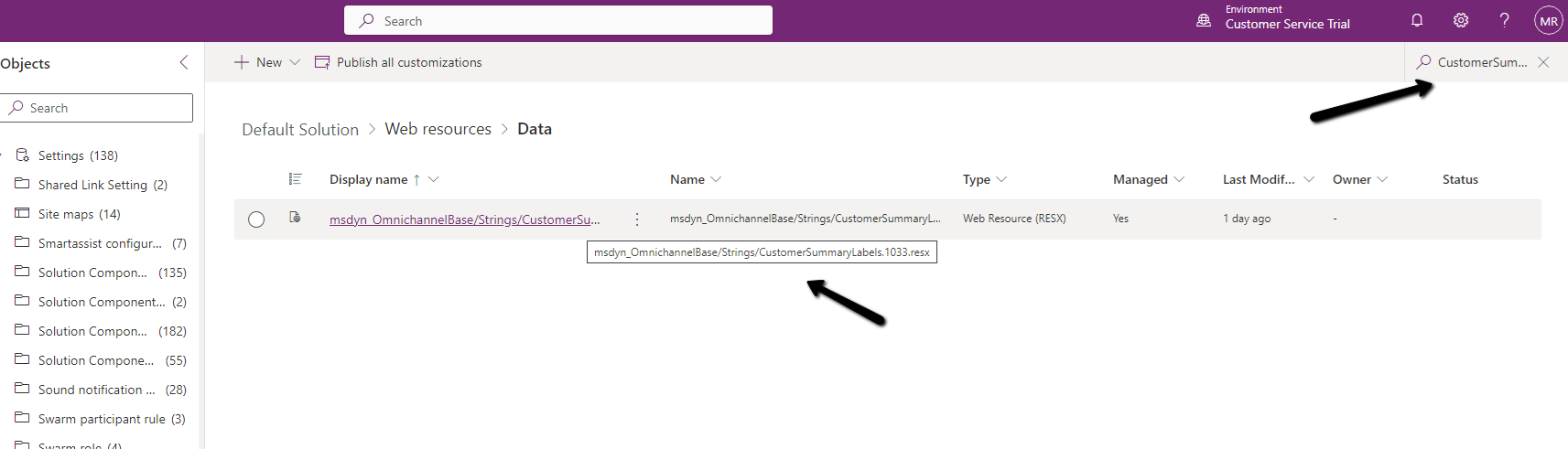
search and open the corresponding RESX Web Resource for customization.
The search term used – “CustomerSummaryLabels.1033”
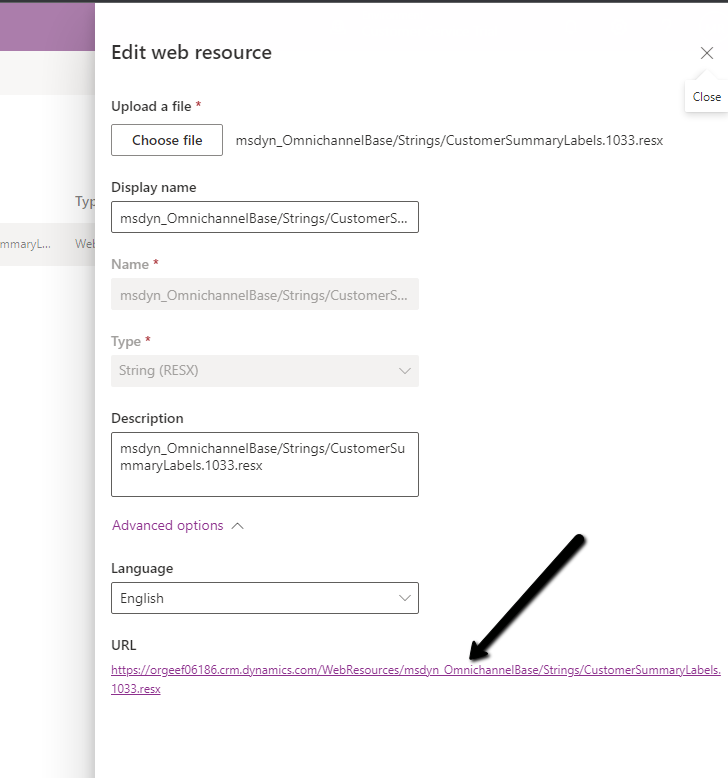
Open and copy the content
Update the value property accordingly
Before –
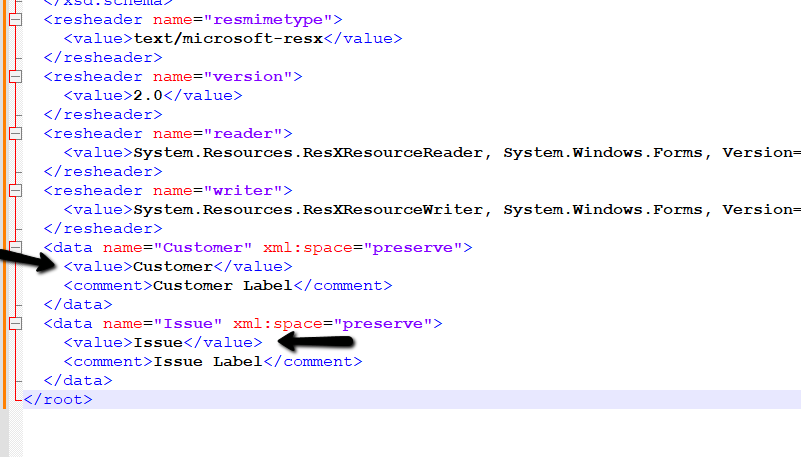
To –
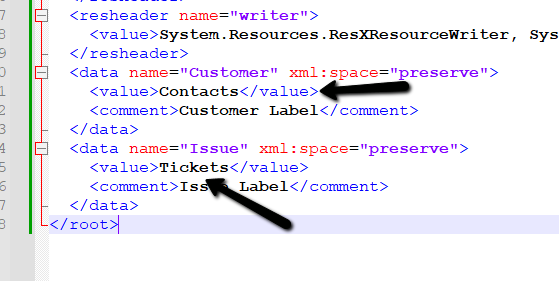
Upload and publish the changes.
We can see the labels updated.
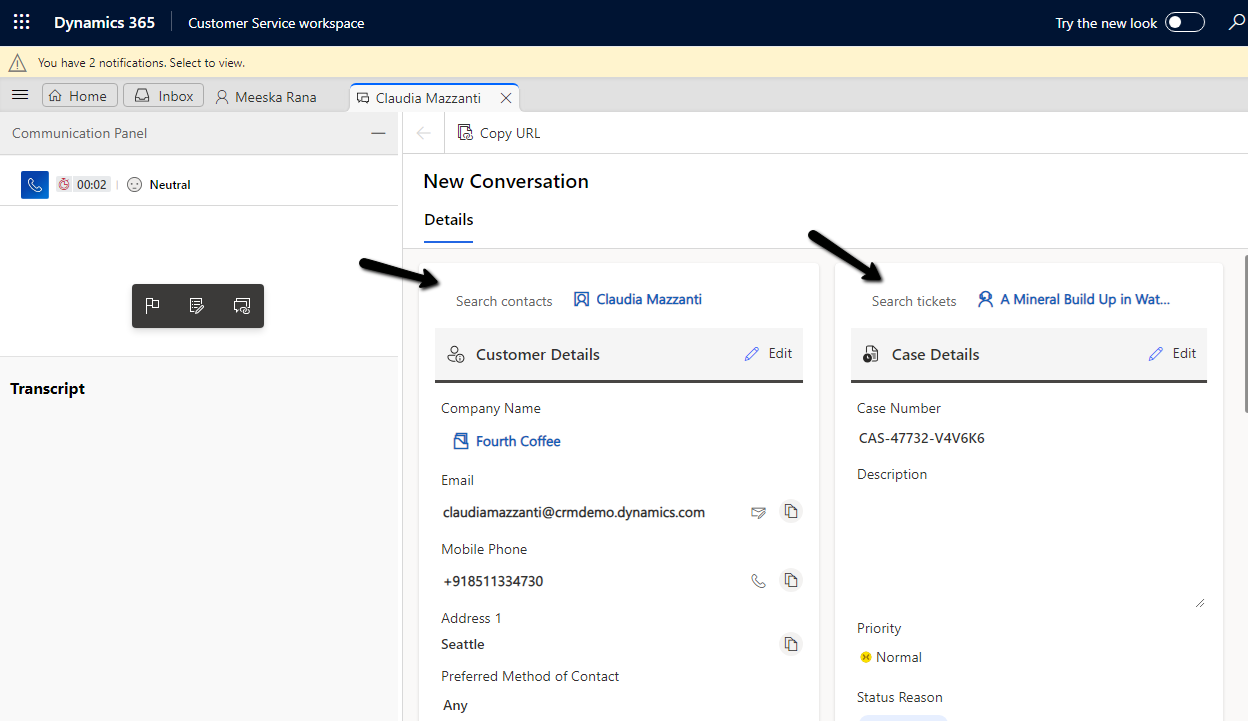
Hope it helps..
Advertisements
Discover more from Nishant Rana's Weblog
Subscribe to get the latest posts sent to your email.
Share It -


 Nishant Rana's Weblog
2 thoughts on “Customize label – Search customer, Search Issue in Conversation form – Omnichannel for Customer Service”