

Sample code for quick reference for connecting to CDS through a console application using OAuth
Add the NuGet package for Microsoft.CrmSdk.XrmTooling.CoreAssembly in the project.
Xrm.Tooling is the preferred way to connect to CDS, because of many benefits – we can define connection string, thread safety, support for X.509 certificate authentication, support for secure storage of sign-in credentials and reuse etc.
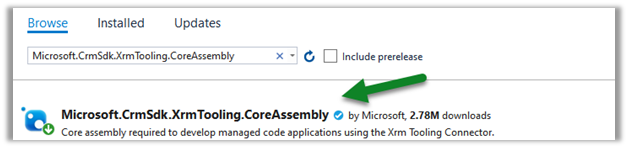
Note –

Here we will be using the sample AppId and Redirect URI.

Sample Code-
using Microsoft.Xrm.Sdk;
using Microsoft.Xrm.Tooling.Connector;
using System;

namespace SampleConsoleApp
{
class Program
{
static void Main(string[] args)
{
string ConnectionString = "AuthType = OAuth; " +
"Username = [username]@[domain].onmicrosoft.com;" +
"Password = [password]; " +
"Url = https://[orgname].crm.dynamics.com;" +
"AppId=51f81489-12ee-4a9e-aaae-a2591f45987d;" +
"RedirectUri=app://58145B91-0C36-4500-8554-080854F2AC97;" +
"LoginPrompt=Auto";

CrmServiceClient svc = new CrmServiceClient(ConnectionString);

if (svc.IsReady)
{
var myContact = new Entity("contact");
myContact.Attributes["lastname"] = "Test";
myContact.Attributes["firstname"] = "User1";
svc.Create(myContact);
}
}
}
}
For .NET Framework 4.5.2 – we need to explicitly specify Tls1.2 as the default protocol.
ServicePointManager.SecurityProtocol = SecurityProtocolType.Tls12;
https://nishantrana.me/2018/01/
.NET Framework 4.6.2 uses TLS 1.2 as the default protocol.
More details on – Connection string parameters.
Sample Code – Dynamics 365 Web API / Organization Service
Hope it helps..
Discover more from Nishant Rana's Weblog
Subscribe to get the latest posts sent to your email.
Share It -


 Nishant Rana's Weblog
Not able to connect without adding below line of code
ServicePointManager.SecurityProtocol = SecurityProtocolType.Tls12;
LikeLiked by 1 person
This should help https://nishantrana.me/2018/10/20/unable-to-login-to-dynamics-crmorganizationwebproxyclient-is-nullorganizationwebproxyclient-is-null-error-while-using-crmserviceclient/
LikeLike
How Redirect uri is working. I am using .net webform application and trying to get redirected to an aspx page.
LikeLike
check this -https://www.oauth.com/oauth2-servers/redirect-uris/redirect-uris-native-apps/
LikeLike
I’m able to connect but it prompts for credentials. I want to use this in console app using silent login. Is there any specific setting has to be done for this?
LikeLike