
Recently we were looking at the options of generating a Business Unit Org Chart for quick review.
Using SmartDraw we were able to do achieve it very quickly.
Steps
- Export the Business Unit records to excel.

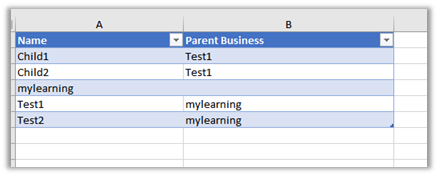
- Keep only the Name and Parent Business column and delete all the other columns including the hidden ones.

- Excel with required columns.
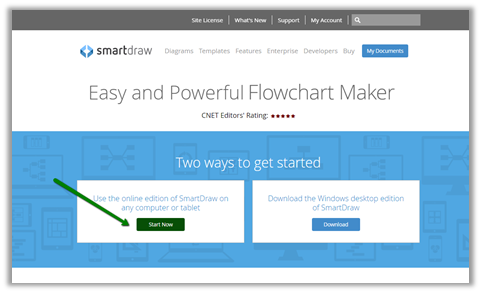
- Create the trial account of SmartDraw cloud
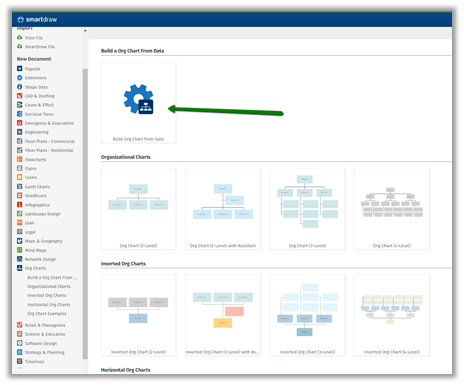
- Click on Org Charts from the New Document menu.

- Select Build Org Chart from Data option
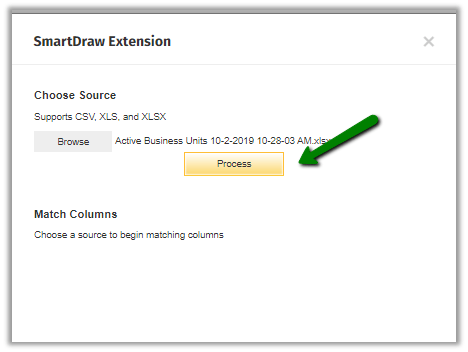
- Browse and select the xls file.

- Click on Process.
- Select Show in Shape for the columns and click on the Build diagram.

- The result

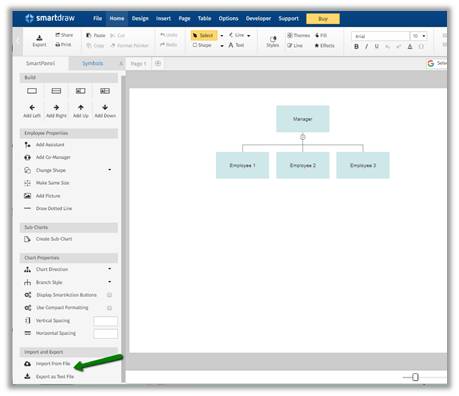
- The other option is to select any of the Organizational Charts

- Select Import from file
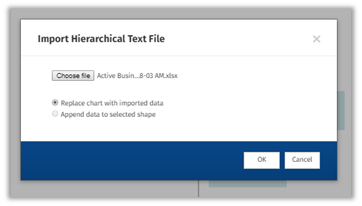
- Select the excel file
- The result

- The chart can be exported, shared and print.

Thus SmartDraw makes it very easy to generate the Org Chart for the Business Unit.
To achieve the same through Visio
http://www.planetxrm.com/12-steps-to-creating-crm-business-unit-org-charts/
Hope it helps..
Discover more from Nishant Rana's Weblog
Subscribe to get the latest posts sent to your email.
Share It -


 Nishant Rana's Weblog
2 thoughts on “Generate Dynamics 365 CE (CRM) Business Unit Org Chart through SmartDraw”