
Organization Insights Dashboard in Dynamics 365.
Create a new Dashboard and Add Organization Insight Components to it.
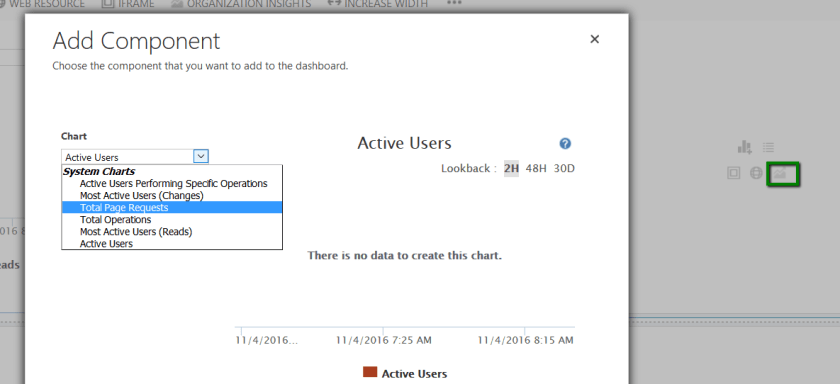
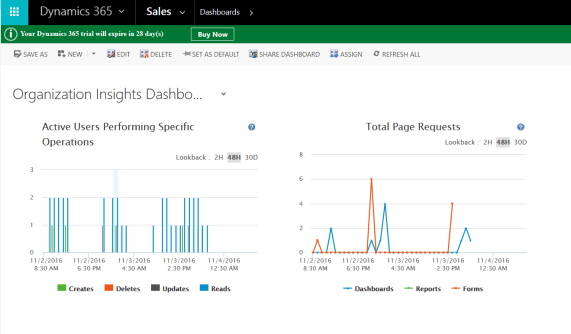

A new reporting component to provide organization insights has been added in Dynamics 365. These charts can be added to a dashboard and provide the mentioned below information
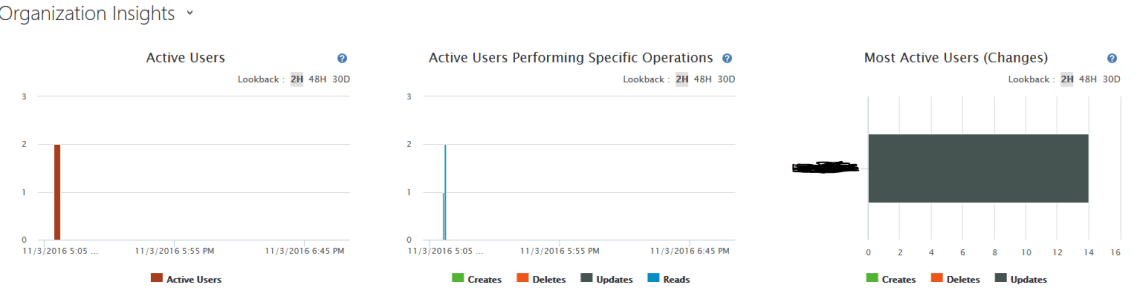
a) Active Users – Number of users that are logged at different times of the day.
b) Active Users Performing Specific Operations – Number of Different operations(Create, Update, Delete and Read) performed by active users at different times of the day.
c) Most Active User (Changes) – Number of changes (Create, Delete, Update) performed by different users past 2hours, 48`hours or past 30 days.

d) Total Page Requests – Page requests in classification of Dashboards, Reports and forms at specific times.
e) Total Operations – Total number of operations Create, Delete Update and Read happening at specific times.
f) Most Active Users – Read operations performed by the most active users.
For using organization insights, we need to be firstly configure them…
View original post 16 more words
Discover more from Nishant Rana's Weblog
Subscribe to get the latest posts sent to your email.
Share It -


 Nishant Rana's Weblog
One thought on “{Dynamics 365} Preview Feature – Organization Insights Dashboard”