
Hi,
Field Security in a new out the box feature in CRM 2011. The most important thing to know about it is that Field Security doesn’t work on out of the box attributes. It only supports custom attributes on system entity or custom entity.
Let us open one of the out of the box fields on Contact entity from customization area.
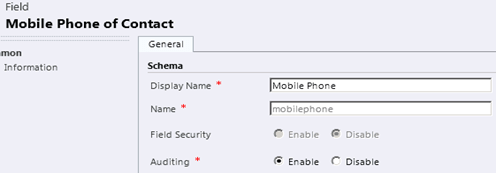
As we can see the radio buttons for Field Security are disabled. However there is some unsupported way to get that enabled for out of the box attributes
Let us create a custom field named “Password” (text) in our contact entity and enable field level security for it.
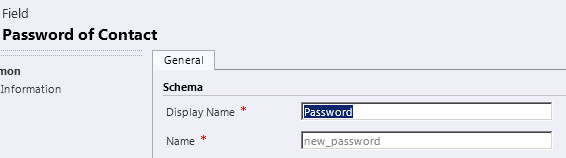
Dragging it to the form shows a “key” symbol beside it.

If a user with System Administrator role opens the record, he would be able to view, add a value and update the value for the password field.
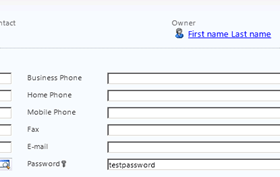
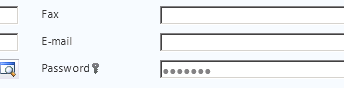
If a user with role other than system administrator opens the same record, this is what he gets to see
The field level security is governed through Field Security Profiles.
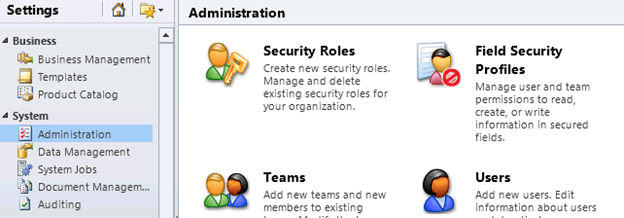
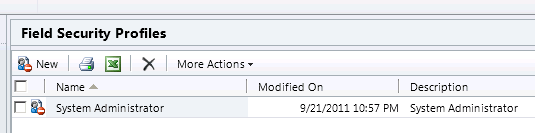
Opening Field Security Profiles we can see that the System Administrator is already added over there.
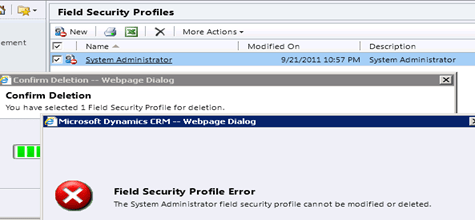
If we try to delete it, we get the following error message.
We can add users and teams to security profile.
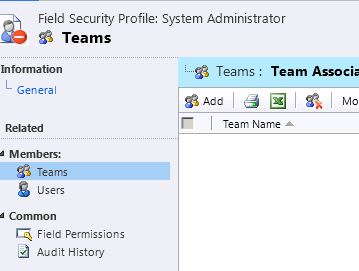
The specific points to remember about the System Administrator Security Profile are following
-
It has System Administrator user account added by default.
-
Has all the field permission set to Yes for all security enabled fields.
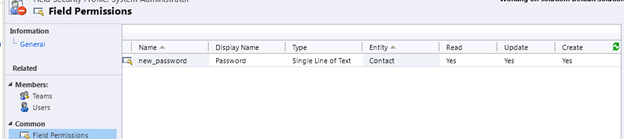
-
Any user or team with System Administrator role automatically gets added here, and these automatically added user or team cannot be removed. However it can have other users or team also added to it, which can be removed.
“Users who do not have the System Administrator Security Role have no permissions on secured fields unless the users are added to a Field Security Profile (either directly or through team membership). Any user who has no permissions on a secured field will still be able to see the field on a form or in field selection lists for a view, but will not be able to see or change the data in the field. On a form, the field will appear with dots in place of any data.”
Talking about field permission, there are three field level permissions.
Read, Update and Create. They are independent of each other i.e. it is not necessary to have read permission to have update permission.
To understand it more clearly let us create new security field profile named “Test Security Profile”, add a user (test user) other than System Administrator to it. By default the field permissions would be set as No.

Let us edit it and set Read as Yes.
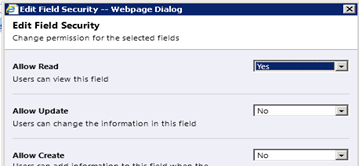
Now on opening the contact record with the test user who has been added to this profile, we can see the following changes now
The value of the password field is visible to the user. But it is disabled so can’t be edited. It remains disabled in case of new record as well.
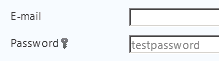
What if we set Yes for Allow Update and No for Read and Create?
In that case, the field appears blank but it is editable.

If we update the field with some value, after save the field again goes blank.
However for the System Admin user we can see the updated value.

Now let us look at how Field Security and Security Roles apply.
Suppose user A has read access to records of a particular Entity record, and then we create a Security Profile that has Read and Update set as Yes for a particular field for that entity and add the user A to it. Here User A would not be able to edit the field because of the restriction put by Security Role.
One thing to remember is that through Field Security Profiles we won’t be able to increase the access of user then what he has got through his security role.
Suppose user A shares a record with user B and gives him Read access. The user B is also part of a security profile that gives him read and update access on a particular field for that entity’s record. Here the User B will be able to see the value of that particular field as he has been given Read access by user A through sharing but he won’t be able to update it.
There is one more thing we should be aware of i.e. Sharing Secured Fields just like sharing records.
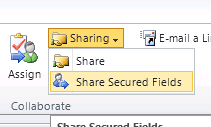
We can add user or team with whom we want to share the secured fields. Here we can only set Read and Update, no Create because to Shared Fields apply for Shared Records which are already created.
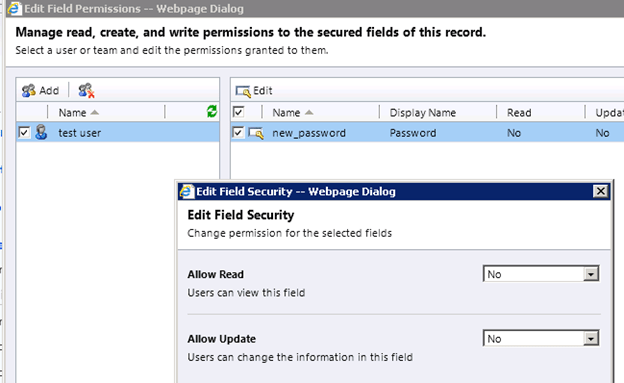
By share secured fields, permissions granted through sharing can be selectively reduced for secured fields.
“Connie shares a contact record with Patricia. The share permissions are read and write. Patricia also has read and update permissions on a custom field in the entity. When Patricia views the form for the record, she finds she can change the custom field. Connie then adds an entry in Share Secured Fields for the record that grants Patricia only read access to the custom field. Now when Patricia views the form, she cannot update the custom field. It also allows permissions to be increased over those granted through Field Security Profiles” (from Microsoft’s CRM 2011 training material)
It also allows permissions to be increased over those granted through Field Security.
“Jose shares a record with Chris, granting read and write share permissions. Chris has no access to a secured field through any Field Security Profiles. When Chris views the record in the form, he cannot change the value of the secured field. Jose then adds an entry for Share Secured Fields granting Chris update permissions on the secured field. Chris can now change the value of the secured field on the record.” (from Microsoft’s CRM 2011 training material)
A record does not have to be shared with a user in order to grant shared secured field permissions.
The permissions required to share fields can be set on the Business Management tab of the Security Role under Field Sharing.

Hope it helps.
Discover more from Nishant Rana's Weblog
Subscribe to get the latest posts sent to your email.
Share It -


 Nishant Rana's Weblog
Great explanation..Thanks! –Srihari
LikeLike
Thanks Srihari
LikeLike