
Hi,
Records in CRM 2011 can either be user owned or team owned.

A default team gets created when a business is created with the same name. The users that are in business unit automatically become member of that default team.
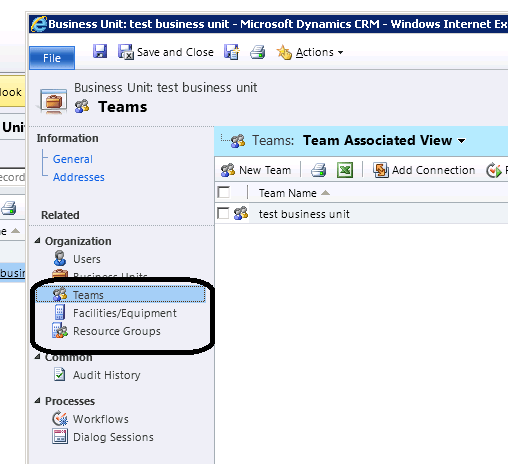
Default team cannot be deleted, renamed, moved to other business unit.
We can neither add nor remove member from the default team.
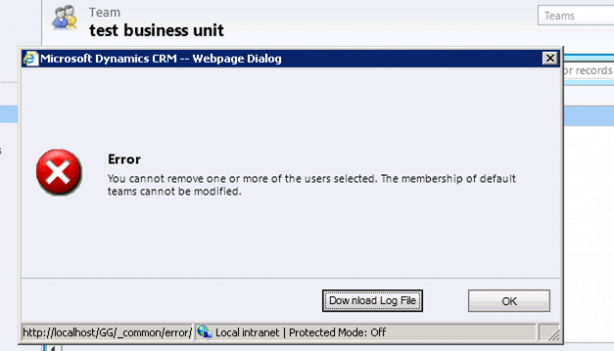
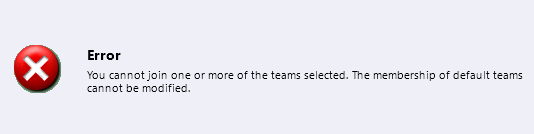
We can write dialogs and workflows against team
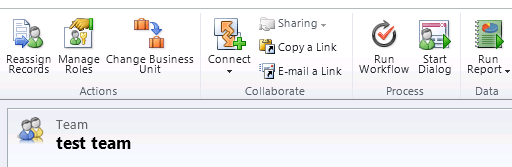
While creating a new team we need to specify Team Name, Administrator and Business Unit.
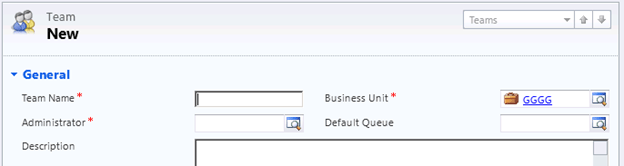
We can also specify Default Queue for the team, if we do not specify and save the record, queue with the name same as Team name gets created.

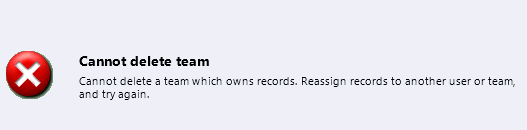
Team can now be deleted (except default team which gets deleted when we delete the business unit). To delete the team, we need to first remove all the records owned by the team by either deleting those records or assign those records to a different owner.
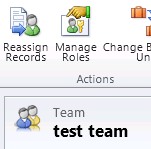
We can also use Reassign Records option to reassign them.
If we try deleting the team that owns the record we get the following error
The team record got deleted after I re-assigned the record owned by the team.
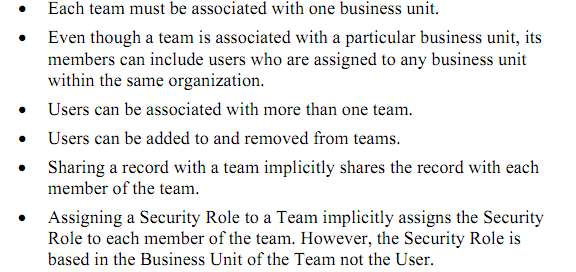
Finally few things to remember while working with team
Hope it helps.
Discover more from Nishant Rana's Weblog
Subscribe to get the latest posts sent to your email.
Share It -


 Nishant Rana's Weblog
Hi,
Thanks – this was a really useful article!
Hopefully you can help me – you mention members can belong to more than one team, however, whenever I try to add a member (who is already a member within the default BU/Team) I receive the “you cannot join one o rmore of the teams selected. The membership of default teams cannot be modified”.
I created a second BU and tried assigning my user to the new Team that got created as a result of this new BU (which should mean the user belongs to the defualt AND new team), however, I am receiving the error mentioned above and trying to work out why if you say it is possible for users to belong to more than 1 team?
Your help is much appreciated!
LikeLike
I believe a user cannot be in two default BU teams, only the one they reside in. If you create a new team then you can add the user to this team since it is not a default BU team. At that point the user will be a member of their default BU team and this new one you created.
LikeLike
Very good article !
Team owned records with where Team have security role of access to entity on user level.
In this case is I am able to access all the records owned by Team.
I am facing weird behavior, I can access some of the records owned by Team and othere are giving “AccessIs Denied” message.
>Crm Exception: Message: SecLib::AccessCheckEx failed. Returned hr = -2147187962, ObjectID: xxxxxxxxxxx, OwnerId: xxxxxxxx, OwnerIdType: 9 and CallingUser: XXXXXXX. ObjectTypeCode: 112, objectBusinessUnitId: xxxxxxxxxxx, AccessRights: ReadAccess , ErrorCode: -2147187962
Regards
Abhijeet Khake
LikeLike