Sometimes we need to find all the flows where a specific Dataverse field is used — maybe before renaming it, removing it, or just checking its usage. Manually opening each flow is slow, but we can do it in seconds with SQL 4 CDS.
For e.g. we want to search for flows that use the field: custom_mysamplefield
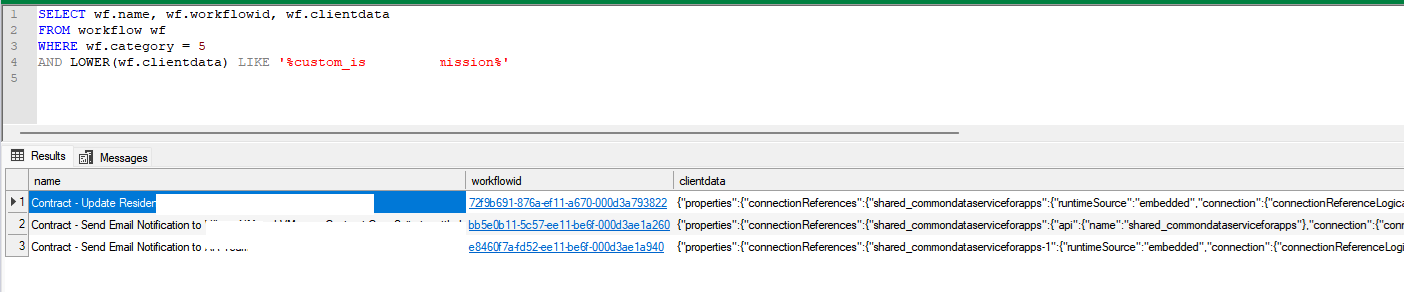
For this we can make use of the below query, run it in SQL 4 CDS (XrmToolBox).
SELECT wf.name, wf.workflowid, wf.clientdata
FROM workflow wf
WHERE wf.category = 5
AND LOWER(wf.clientdata) LIKE '%custom_mysamplefield%'
Here table workflow stores flows and workflows details, category = 5 refers to cloud flows, clientdata contains the flow’s JSON Definition.
MultiSelect OptionSet (Choices) fields in Dataverse provide a flexible way to store multiple values within a single field. However, querying and filtering these fields require different techniques depending on the approach used.
In this blog post, we will explore various ways to filter records based on the Skills field (cr1a7_skills), which has the following values:
Name
Value
C#
255780000
Java
255780001
Python
255780002
We have the Skills (choices) field in our Contact table.
The query is to fetch all the contact records where skills includes C# or Java.
Filtering Using FetchXML
FetchXML allows filtering MultiSelect Option Set fields using the contain-values operator.
Using QueryExpression, we can apply the ContainValues condition to filter Multi
var query = new QueryExpression("contact");
query.ColumnSet.AddColumns("fullname");
query.Criteria.AddCondition("cr1a7_skills", ConditionOperator.ContainValues, 255780000, 255780001);
Filtering Using OData (Web API)
OData allows filtering MultiSelect Option Set fields using the ContainValues function.
If you’re using the SQL4CDS tool in XrmToolBox, you can filter MultiSelect Option Set fields using LIKE conditions.
SELECT contactid,
       fullname
FROM   contact
WHERE  statecode = 0
       AND (cr1a7_skills = '255780000'
            OR cr1a7_skills LIKE '255780000,%'
            OR cr1a7_skills LIKE '%,255780000,%'
            OR cr1a7_skills LIKE '%,255780000'
            OR cr1a7_skills = '255780001'
            OR cr1a7_skills LIKE '255780001,%'
            OR cr1a7_skills LIKE '%,255780001,%'
            OR cr1a7_skills LIKE '%,255780001'
            );
Filtering Using LINQ (C#)
For LINQ queries, MultiSelect Option Sets must be processed as OptionSetValueCollection.
        if (myServiceClient.IsReady)
        {
            using (var context = new OrganizationServiceContext(myServiceClient))
            {

                var skillValues = new List<int> { 255780000, 255780001 };

                var allContacts = context.CreateQuery("contact")
                .Where(c => c["cr1a7_skills"] != null &&
                            (int)c["statecode"] == 0)
                .ToList();

                var filteredContacts = allContacts
                    .Where(c => ((OptionSetValueCollection)c["cr1a7_skills"])
                                .Select(osv => osv.Value)
                                .Any(skill => skillValues.Contains(skill)))
                    .Select(c => new
                    {
                        ContactId = c["contactid"],
                        FullName = c.Contains("fullname") ? c["fullname"].ToString() : string.Empty
                    })
                    .ToList();

                var result = filteredContacts;

            }
        }




 Nishant Rana's Weblog