

Below we have created a new field of Data Type Formula and Formula Data Type as Whole Number
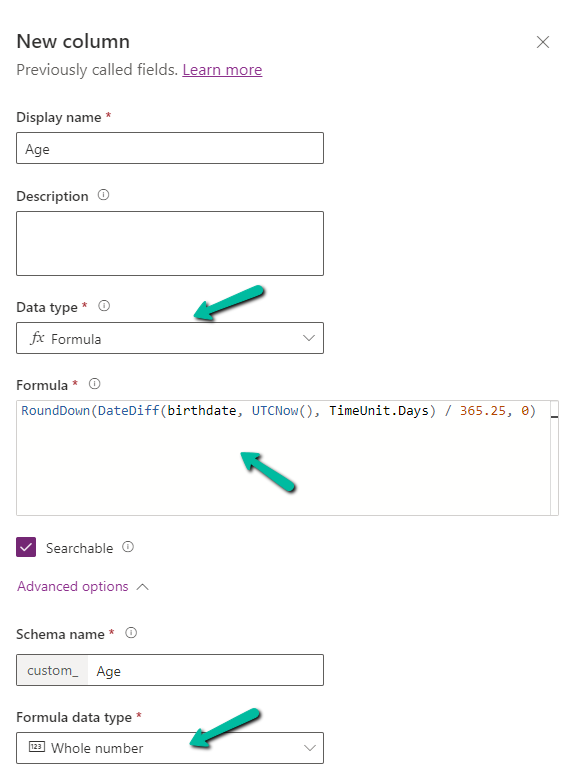
Specify the following formula.
RoundDown(DateDiff(birthdate, UTCNow(), TimeUnit.Days) / 365.25, 0)
- DateDiff calculates the difference in days between birthdate and current UTC Date.
- Dividing by 365.25 takes care of converting the days to years, considering the leap year into account.
- Roundown takes care of rounding the result to a nearest integer.
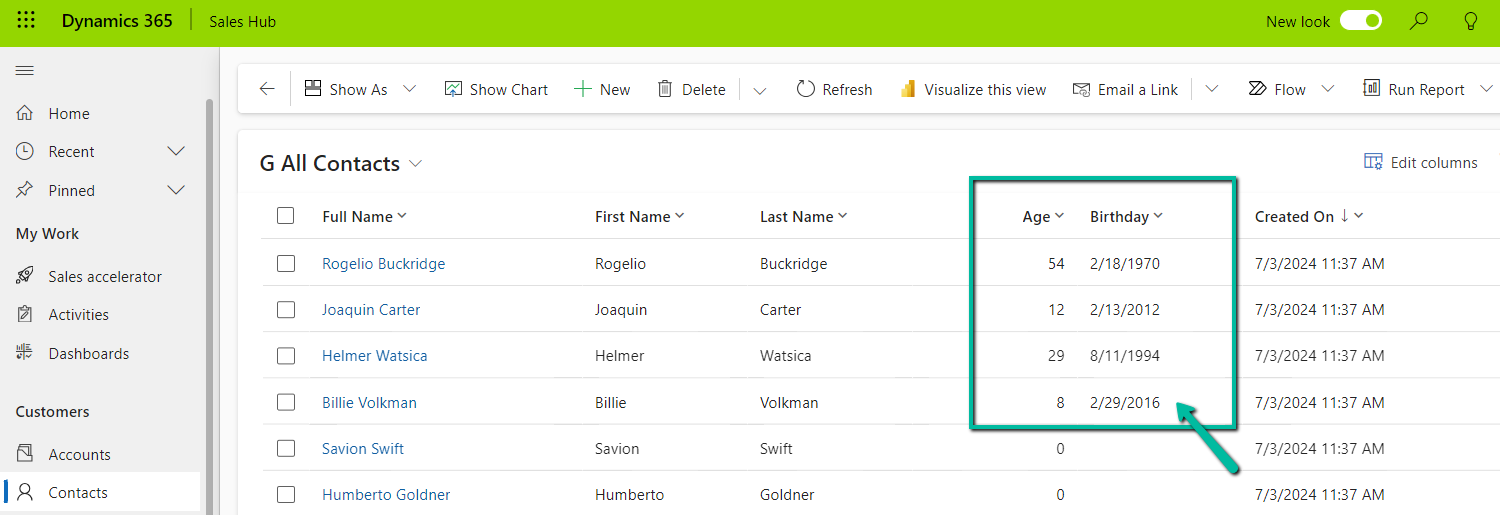
Below we see the field in action.
UTC current date is 10th Wednesday July 2024 for the below example.
Also checkout the helpful video –
and the forum – https://powerusers.microsoft.com/t5/Microsoft-Dataverse/Calculating-age-in-CDS-entity/td-p/495528
Hope it helps..
Advertisements

 Nishant Rana's Weblog