Error validating profile registration while configuring Microsoft Dynamics 365 Data Export Service


While configuring the Data Export Service we got the below error while validating the profile

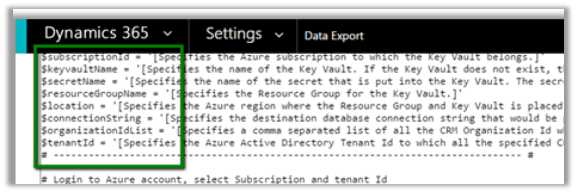
It mostly occurs if there is some issue with the connection string specified in the PowerShell Script used for generating the key vault.

Always copy the connection string from the Azure SQL Connection Strings property and double check the username and password provided there. And make sure the user specified has all the required rights.

https://technet.microsoft.com/en-us/library/mt744592.aspx#Anchor_1

Correcting the connection string resulted in successful validation of the export profile.

Hope it helps..

Could not load file or assembly ‘CrmLibraries, Version=8.0.0.0’ while using Microsoft Dynamics 365 Developer Toolkit


While trying to deploy Plugin through Developer Toolkit we got the below error

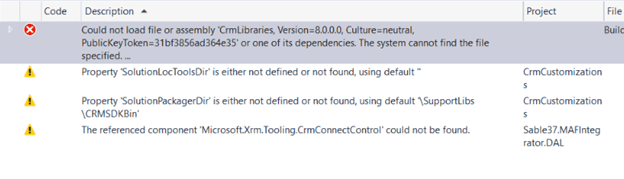
Could not load file or assembly ‘CrmLibraries, Version=8.0.0.0, Culture=neutral, PublicKeyToken=31bf3856ad364e35’ or one of its dependencies. The system cannot find the file specified.

   at System.Reflection.RuntimeAssembly._nLoad(AssemblyName fileName, String codeBase, Evidence assemblySecurity, RuntimeAssembly locationHint, StackCrawlMark& stackMark, IntPtr pPrivHostBinder, Boolean throwOnFileNotFound, Boolean forIntrospection, Boolean suppressSecurityChecks)

We will get this error if we haven’t configured the path to Plug-in Registration Tool and CRM SDK Bin Directory in our Visual Studio


Hope it helps..


“An error occurred when verifying security for the message” in Dynamics 365 CE


While trying to connect to Dynamics 365 CE through a console application we were getting the below error.

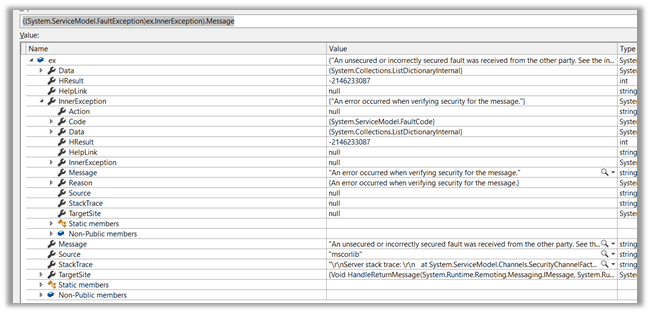
“An unsecured or incorrectly secured fault was received from the other party”

“An error occurred when verifying security for the message”

Changing the version of the assemblies referenced, changing the target version of the framework etc. didn’t help.

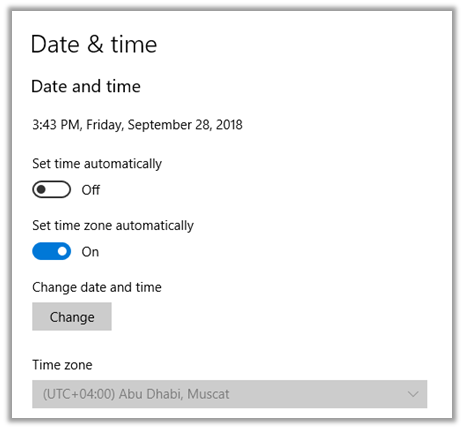
Eventually we realized that the Date and time was incorrect in the machine (was one day ahead). It is 27th September while writing this blog post.

Correcting it fixed the issue.

Hope it helps..

The type or namespace name Xrm could not be found (are you missing a using directive or an assembly reference?) error while using Azure Functions 2.x


Recently while working on Azure Functions (https://nishantrana.me/category/azure-functions/), we started getting the error that type or namespace Xrm could not be found.

We had added the project.json file with appropriate NuGet Package reference inside it

It was later we realized that project.json file have been replaced with function.proj in Azure Function 2.0.

More details here

https://blogs.msdn.microsoft.com/cjaliaga/2018/01/21/installing-nuget-packages-in-azure-functions-2-x-runtime-preview/

Hope it helps..

LookupRecordNotAvailable error while using Configuration Migration Tool in Dynamics 365 Customer Engagement


While trying to migrate the record using the Configuration Migration Tool, we were getting error like below in the log

ImportEntity – Result: True – Entity: transactioncurrency – Adding transactioncurrency to the reprocess List as field createdonbehalfby with value 05d52058-eb35-41e8-8af7-dfb7120c4599 – LookupEntity systemuser and Record Id 2655712b-e13b-e711-80fb-5065f38b5691 (SYSTEM) – (action:Update) failed validation for reason code: LookupRecordNotAvailable

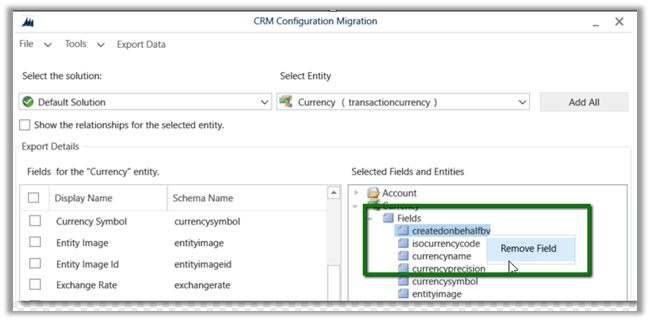
As we do not want to migrate the createdonbehalfby field, the easiest fix for this is to remove the field from the schema.

Ideally instead of adding the entire Entity, we should select only those fields whose value we want to migrate in the Schema file.

Hope it helps..

How to – Easily map OptionSet using CRM OptionSet Mapping Editor in SSIS


Just want to share my experience of using KingswaySoft’s OptionSet Mapping Editor and how easy and efficient it makes to migrate data in Microsoft Dynamics 365 CE.

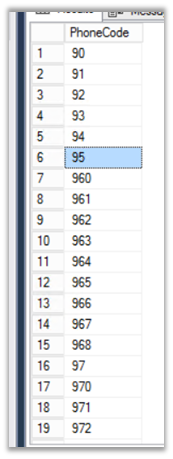
Here our SQL (OLE DB Source) was having following values for Phone Code field. Here we are doing upsert for the Contact entity.
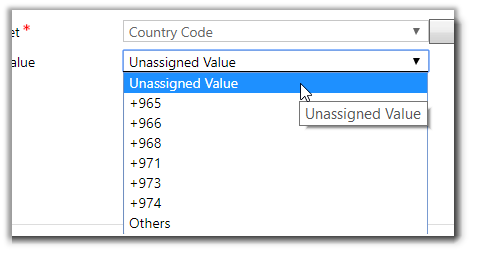
However inside CRM, we were only maintaining or dealing with few of the values as shown below for the corresponding field.
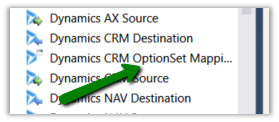
To deal with this situation, inside SSIS Package, drag the Dynamics CRM OptionSet Mapping component.
In General page, specify the input column of the table and for target properties, specify the CRM Connection Manager, Entity and the field to which we are mapping the input to.
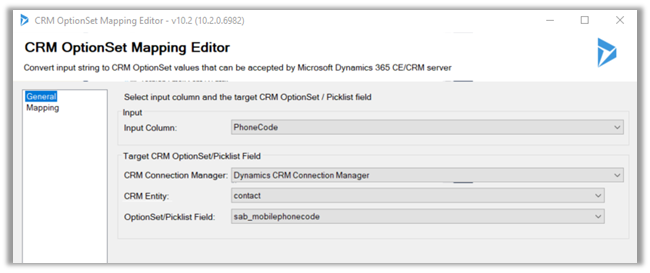
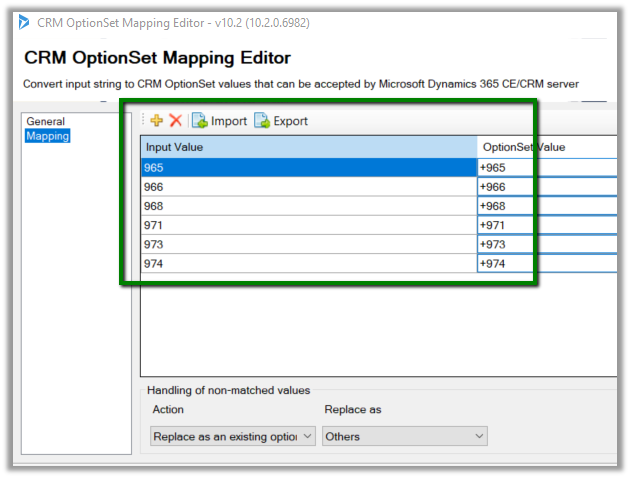
Here we need to explicitly define input value and option set value mapping, for each of the option set values for the field inside CRM, because the source doesn’t have the “+” appended to it i.e. unmatched values only.

Here we have defined the mapping
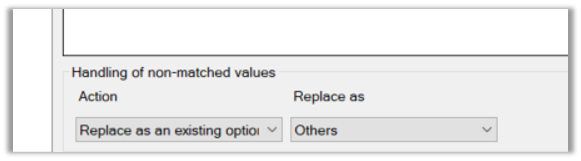
Now for the extra values that source have, we want it to map it to Others option set value inside CRM.

For this in Action Drop-Down select “Replace as an existing option” and in “Replace as” select the Others option set value.
If we want to create the missing input value as an option set value we can use Create Option Action
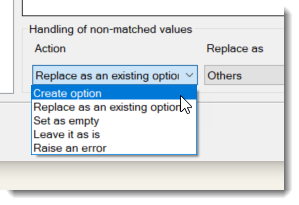
  • Set as empty will simply ignore the unmatched input values and would pass blank for them.
  • Leave it as is will not do any manipulation and will pass the input values as it is.
  • Raise an error as the name suggests will throw an exception.

Get all the details here

https://www.kingswaysoft.com/products/ssis-integration-toolkit-for-microsoft-dynamics-365/help-manual/crm/optionset-mapping

Hope it helps..

Advertisements