Business Hours in Service Level Agreements (SLA) in CRM 2013


Hi,

Was looking into how the business hours works in SLA.

For this we a created new SLA record on CreatedOn field and which will update one of the fields on warning after one minute and some other field on failure after waiting for 5 minute.

And Applicable When -> when the Title field of Case contains “mm” text in it.
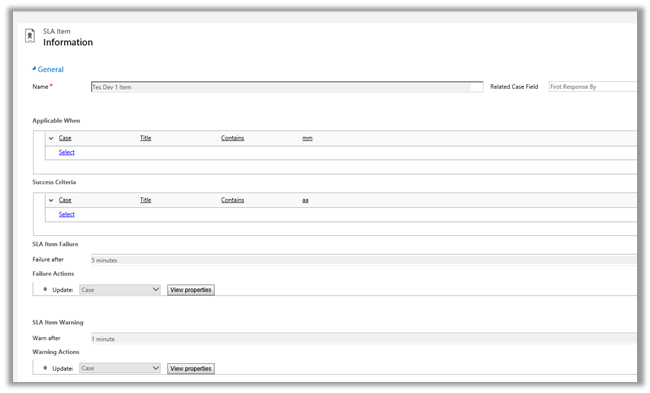


Following was the schedule
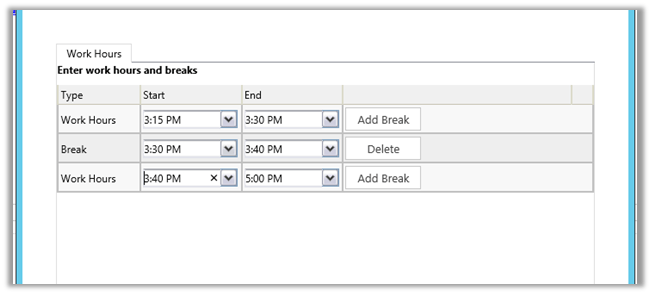
We created case record that satisfies the above condition at 3:28 P.M.

It updated one field on warning after one minute and then on 3:30 it went into wait condition and then resumed at 3:40 and showed failure at 3:43 as expected (i.e. total 5 minutes).

So it did consider the Break specified and on resuming ran for the remaining 3 minutes.

Hope it helps..


Fixed – Unhandled Exception: Microsoft.Crm.CrmException: Cannot create a lookup without the required parameters in CRM 2013


Hi,

Got this error in one of the steps in the Action. It was updating one of the lookup field using Update step.

The issue was that the lookup field was not in the form. Adding that particular field in the form back resolved the issue.

Hope this helps..


JavaScript Reference for Microsoft Dynamics CRM 2011 / 2013


Nice compilation ..

http://www.stunnware.com/crm2/topic.aspx?id=js13

Using CreateMultiEntityAssociation method of CRMServiceClient for 1: n records.


Hi,

CreateMultiEntityAssociation method of CrmServiceclient can be used for associating 1 : n records i.e. if we have one contact record that we want to associate with multiple opportunity record ( 1-n) then we can use that method. This way we wont have to update each individual record.

http://msdn.microsoft.com/en-us/library/microsoft.xrm.tooling.connector.crmserviceclient.createmultientityassociation.aspx

Sample Code


Uri organizationUri = new Uri("http://server/crmrog/XRMServices/2011/Organization.svc");
Uri homeRealmUri = null;
ClientCredentials credentials = new ClientCredentials();
credentials.Windows.ClientCredential = System.Net.CredentialCache.DefaultCredentials;
OrganizationServiceProxy orgProxy = new OrganizationServiceProxy(organizationUri, homeRealmUri, credentials, null);

CrmServiceClient crmServiceClient = new CrmServiceClient(orgProxy);
List<Guid> lstOpportunityGuid = new List<Guid>();
lstOpportunityGuid.Add(new Guid("9DDCE989-0738-E411-9878-00155D56FF56"));
lstOpportunityGuid.Add(new Guid("019E1598-0738-E411-9878-00155D56FF56"));
lstOpportunityGuid.Add(new Guid("EA393A91-0738-E411-9878-00155D56FF56"));
crmServiceClient.CreateMultiEntityAssociation("contact", new Guid("CF1FC3C0-0738-E411-9878-00155D56FF56"), "opportunity", lstOpportunityGuid, "opportunity_customer_contacts");

Hope it helps ..

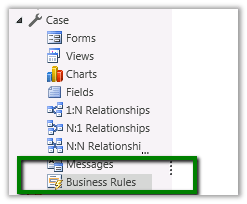
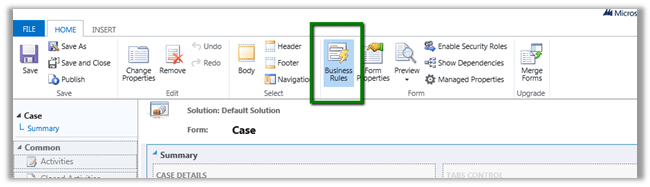
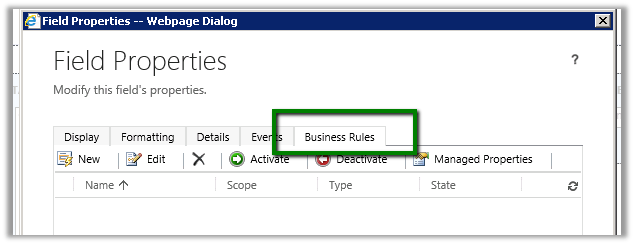
Business Rules in CRM 2013


Just writing down few key points regarding the Business Rules in CRM 2013.

  • Business Rules run on client side so any custom server side code or data import will bypass it.
  • Business Rule can be created for a specific form or all the forms of the entity.


  • Business Rules execute offline and also for tablet client.
  • If else conditions are not supported.
  • Rule are created for a single entity.
  • No support for or conditions.
  • If there is custom JavaScript and two business rules written on same condition, the custom JavaScript will run first, followed by the order in which the business rules have been activated.


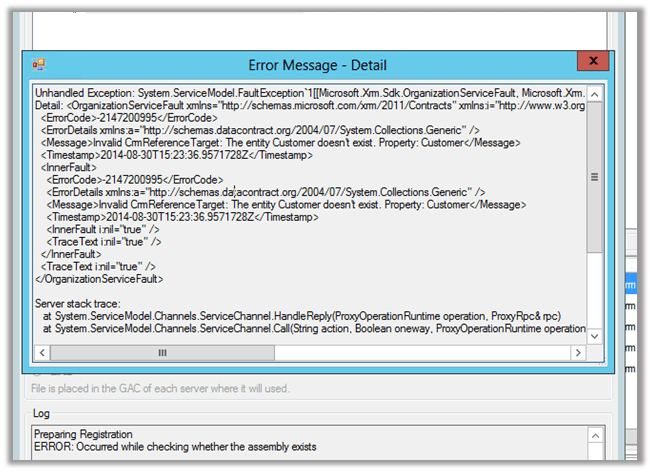
Invalid CRMReference Target: The entity Customer doesn’t exist.


Hi,

Was writing a custom workflow activity on incident entity and in which we wanted the Customer Lookup Value. And based on type of Customer i.e. either contact or account there was some logic to be executed.

So declared an input parameter or type Customer

However while registering the workflow I got the below error

The way to handle this is,

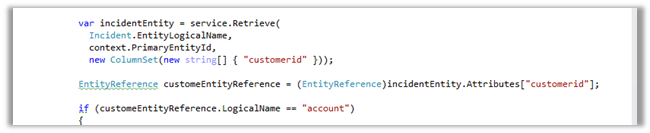
Get the guid of the record from the context and then retrieve the value of customer id attribute.

On retrieval check if the EntityReference is of type account or contact and then proceed accordingly


Hope it helps ..