

Recently we had to copy our production environment to one of our sandbox environments for some analysis and testing.
But before we copied we made sure we deleted the data/attachments/ logs that are not required to save some storage space.
Get more information – https://nishantrana.me/2024/10/15/free-up-storage-space-activitypointerbase-and-workflowlogbase-dataverse-dynamics-365/
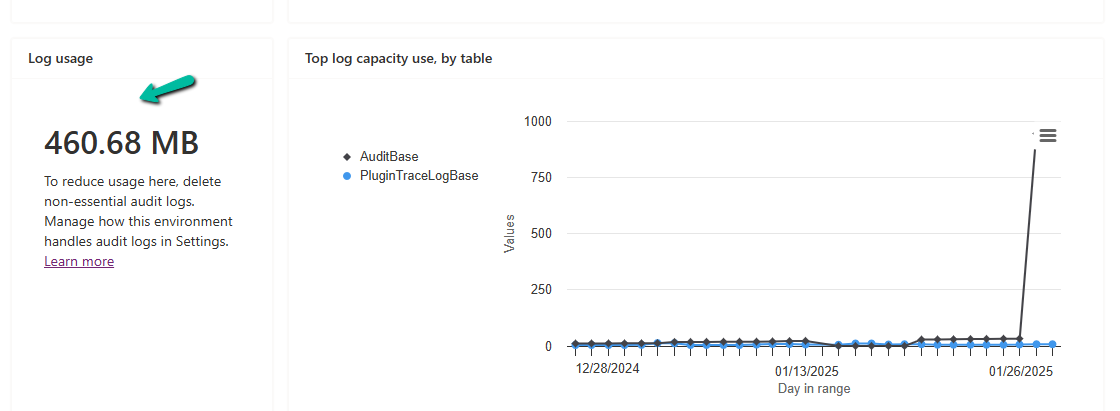
We had around 950 MB of Log data in it.
Below are the steps for deleting the audit logs –
Go to the Power Platform Admin Center, and sign in with the appropriate credentials.
Select the Environment, and select Manage Audit Logs in the Auditing section.
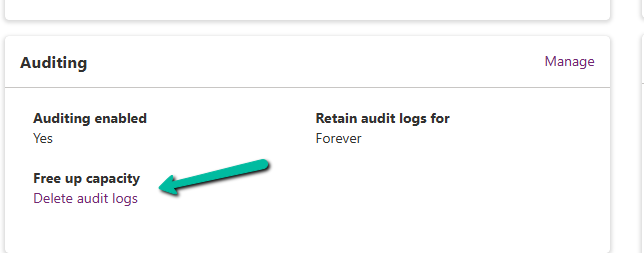
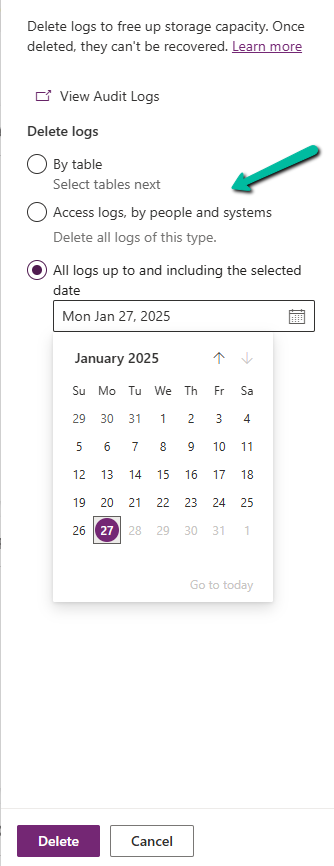
Click on Delete Audit Logs. We will be prompted to filter the logs to delete. Filter options may include:
- By Table (e.g., logs related to a specific table or entity).
- Delete logs, by people and systems.
- Time (e.g., logs older than a specific date).
Confirm Deletion.
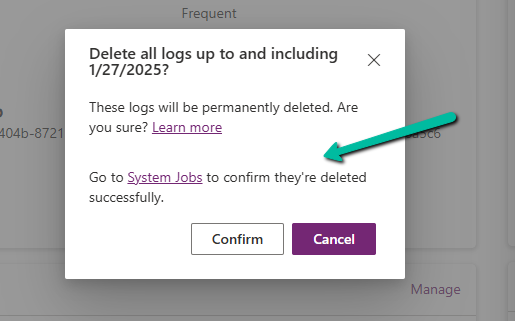
Review the summary of logs to be deleted. Click Delete to proceed. This action is irreversible.

Once the deletion is complete, the audit logs are permanently removed.
The storage won’t reflect it immediately.

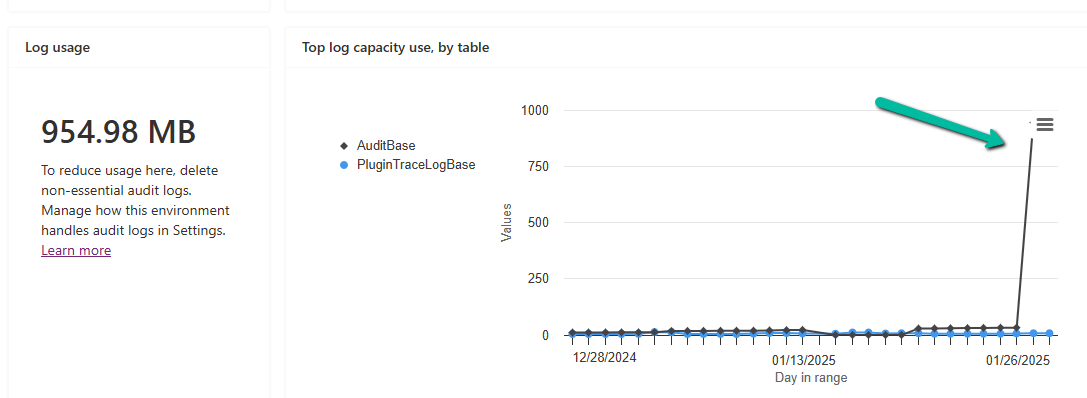


In our case, after 2 hours we could see log usage reduced to 460 MB from 954 MB.
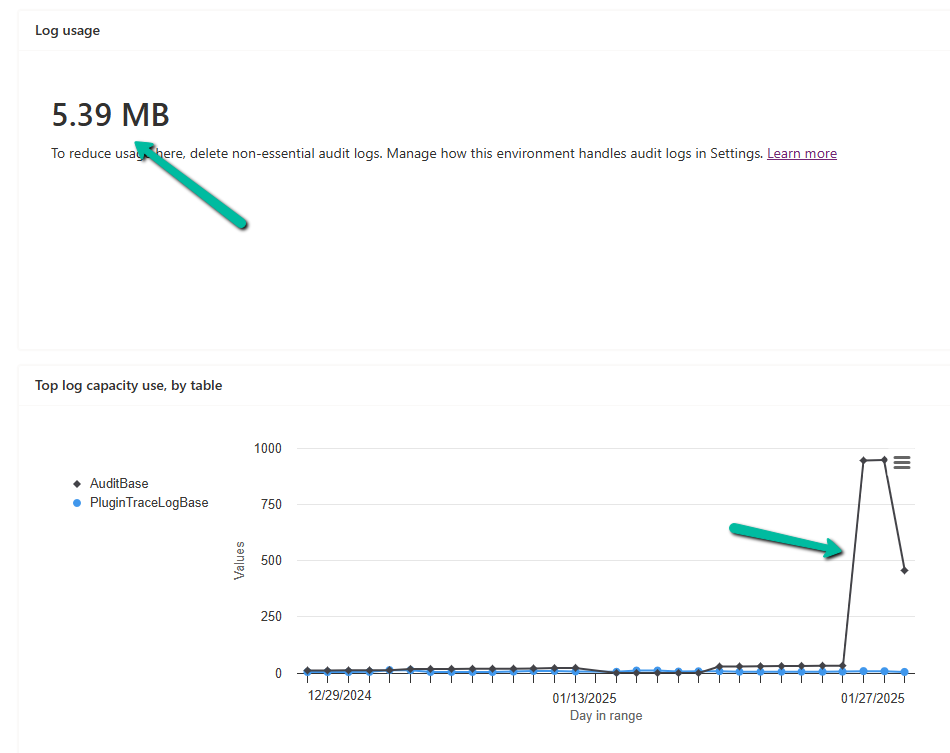
And almost after 24 hours, we could see it reduced to 5 MB.
Get all the details
Hope it helps..

 Nishant Rana's Weblog