The ‘Retrieve’ method does not support entities of type ‘fileattachment’ – Power Automate / Dataverse


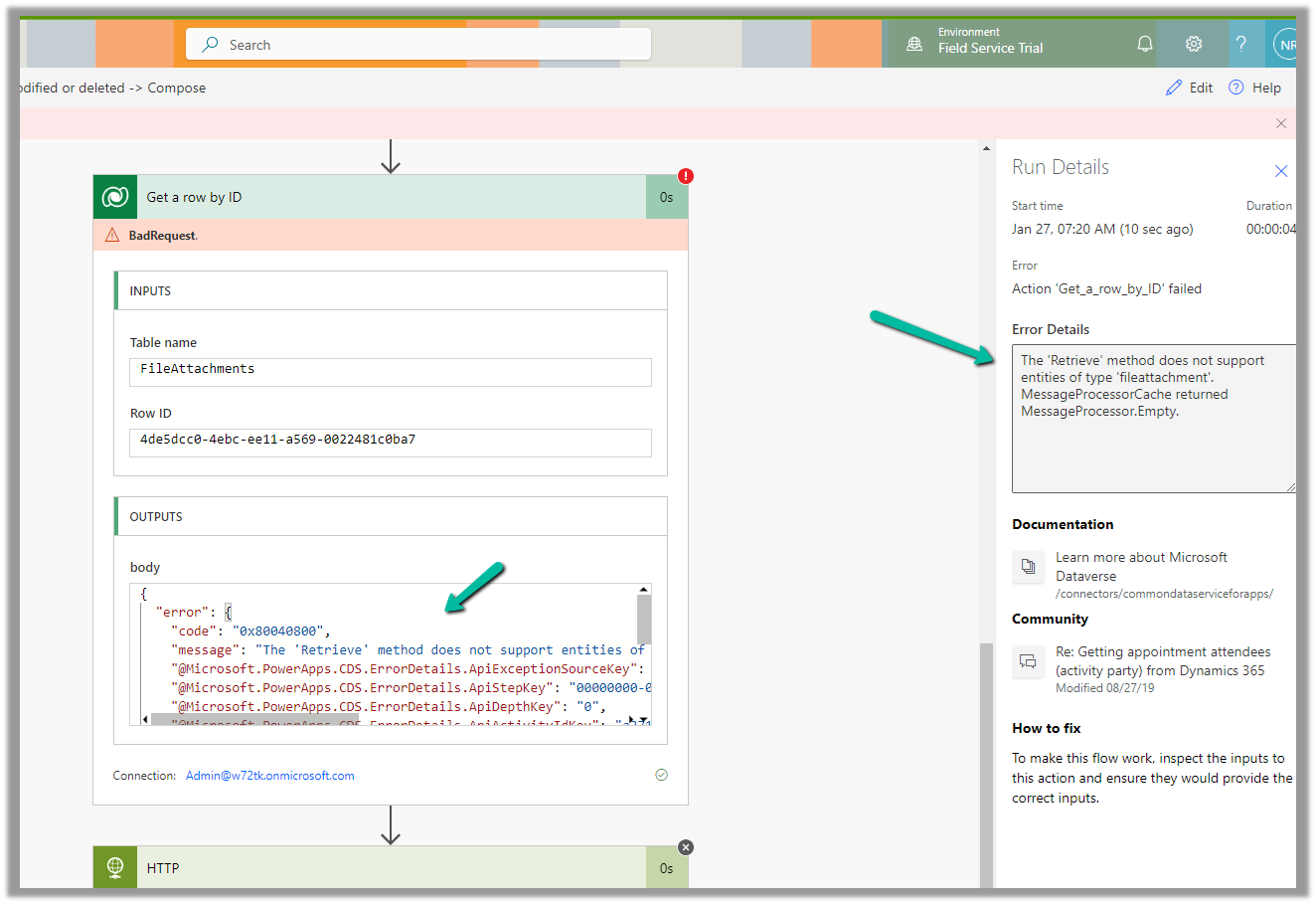
We were getting the below error on using the “Get a row by ID” action on the FileAttachments table.

We were doing it to retrieve the details like the file name and the mime type for the Image Column.

The ‘Retrieve’ method does not support entities of type ‘fileattachment’. MessageProcessorCache returned MessageProcessor.Empty.

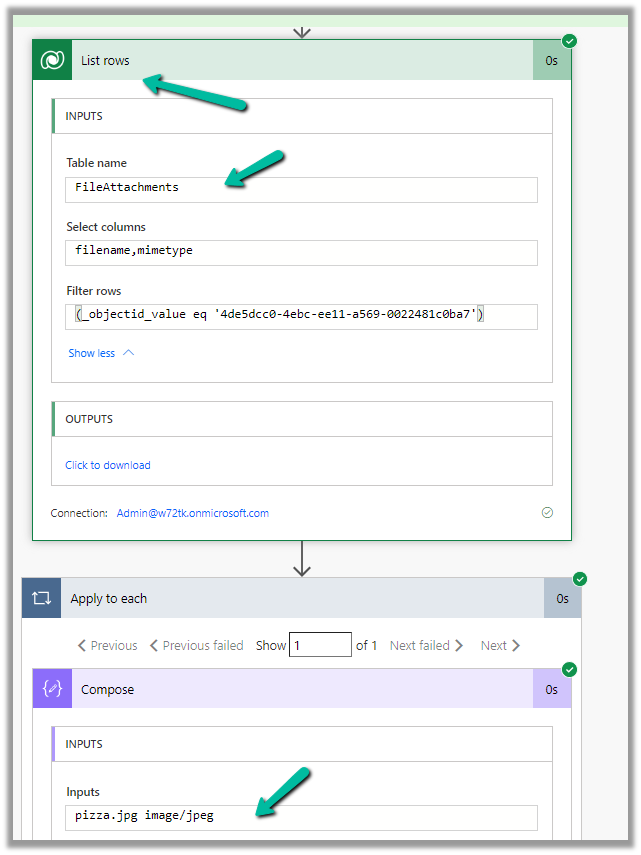
The solution here is to use List rows action instead.


The corresponding record –

Also check – https://temmyraharjo.wordpress.com/2021/09/02/dynamics-crm-plugin-development-exploring-file-and-image-datatype/

Hope it helps..

Advertisements

Flow UI showing up blank – Power Automate


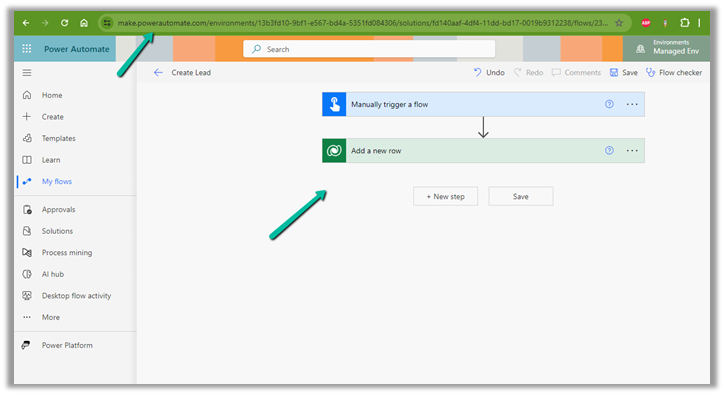
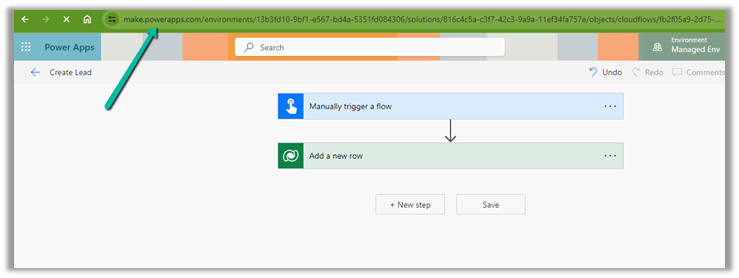
Recently on trying to open a cloud flow for editing, within the Power Apps Maker Portal,

the screen appeared blank as shown below.

This was in the Chrome browser, signing out and signing in again also didn’t help.

The same was the case inside the Edge browser.

Interestingly we were able to edit from within the Power Automate Maker Portal, so we continued our work from there.

Finally, the issue was resolved automatically after 6-8 hours or so, and we could edit the cloud from the Power Apps Maker Portal also.

Hope it helps..

Advertisements

Fix – Forbidden. There’s a problem with the flow’s trigger. Fix the trigger (Power Automate / Flow / Dataverse)


Recently we got the below error “Forbidden” for one of our flows that was using the Dataverse connection.

After some analysis, we found the root cause of the error.

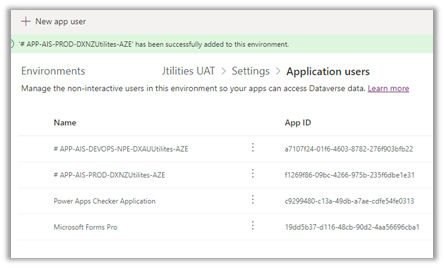
The Dataverse connection reference was created using the Service Principal but it was not added as an Application User (with appropriate security role) in that environment.

Adding the corresponding Application User used for the Dataverse connection fixed the issue for us.

Hope it helps..

Advertisements

Concurrency Control – Apply to each for improving performance (Power Automate / Dataverse)


Let us fetch 5000 contact records using List Rows, and then update it using Apply To Each.

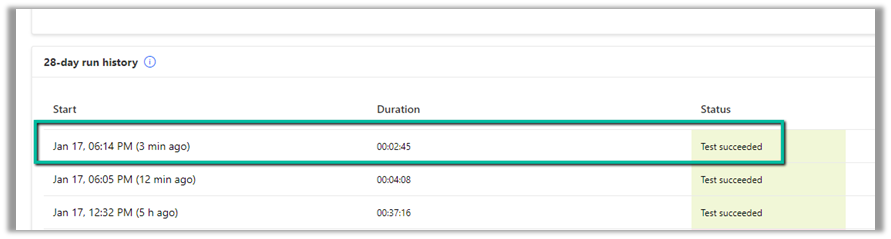
It took around – 37 minutes

Now let us enable concurrency control for Apply To Each action, and let it run under 20 (default) degree of parallelism.

This time it took around 4 minutes.

Let us increase it to the maximum this time, i.e. 50.

This time it took around 2:45 minutes.

Thus Concurrency Control option can help in processing records faster by processing records in parallel instead of one by one by using parallel threads. However, if the ordering of the way records need to be processed is critical, then we need to be careful before using it and also at times it can cause the API’s request limit to be hit.

Get more details on Concurrency limits

Hope it helps..

Advertisements

Fix – Cannot write more bytes to the buffer than the configured maximum buffer size: 104857600 (Power Automate / Dataverse)


We might below error in our flow –
BadRequest
. Http request failed as there is an error: ‘Cannot write more bytes to the buffer than the configured maximum buffer size: 104857600.’.


This is because of the 100 MB Message Size limits in Power Automate.
We can enable Allow chunking option if supported by the action.

Or we can fix it by specifying Select columns and Filter Rows to limit the data returned as in the case of the List Rows action of Dataverse.

Hope it helps..

Advertisements

The webhook call failed because the Http request timed out at client side. Please check your webhook request handler – Dataverse / Dynamics 365


Recently we were getting the below for one of our webhooks registered on Update of lead.

Exception Message: The webhook call failed because the Http request timed out at client side. Please check your webhook request handler.

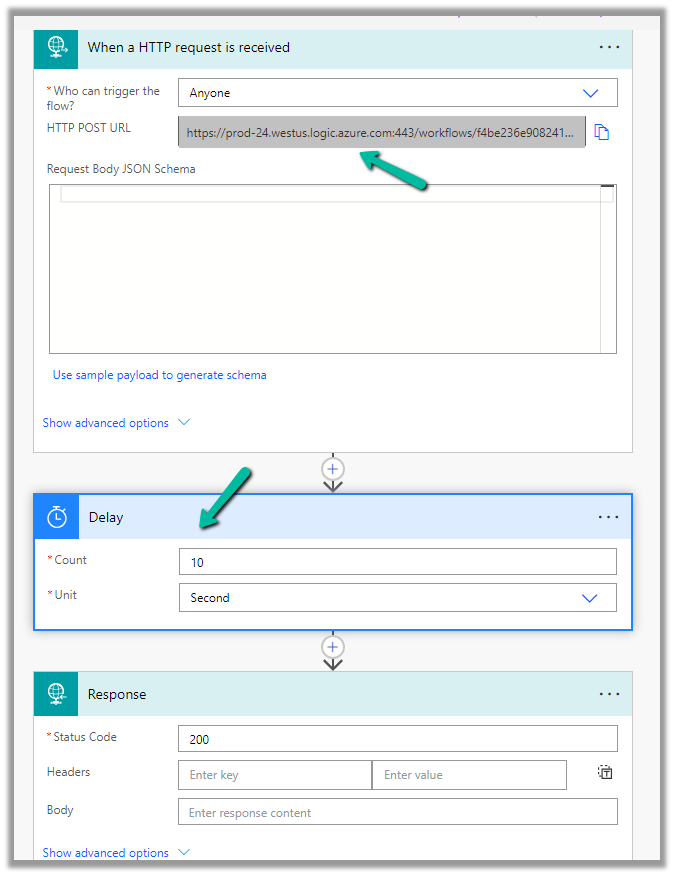
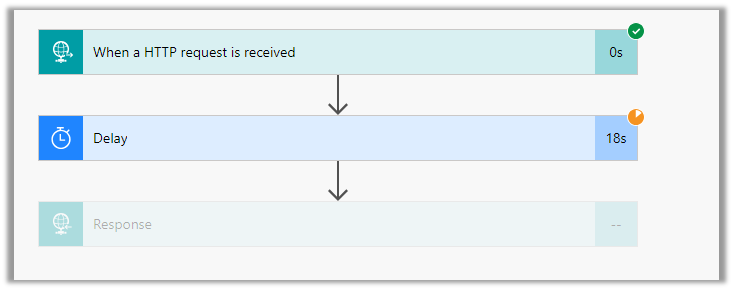
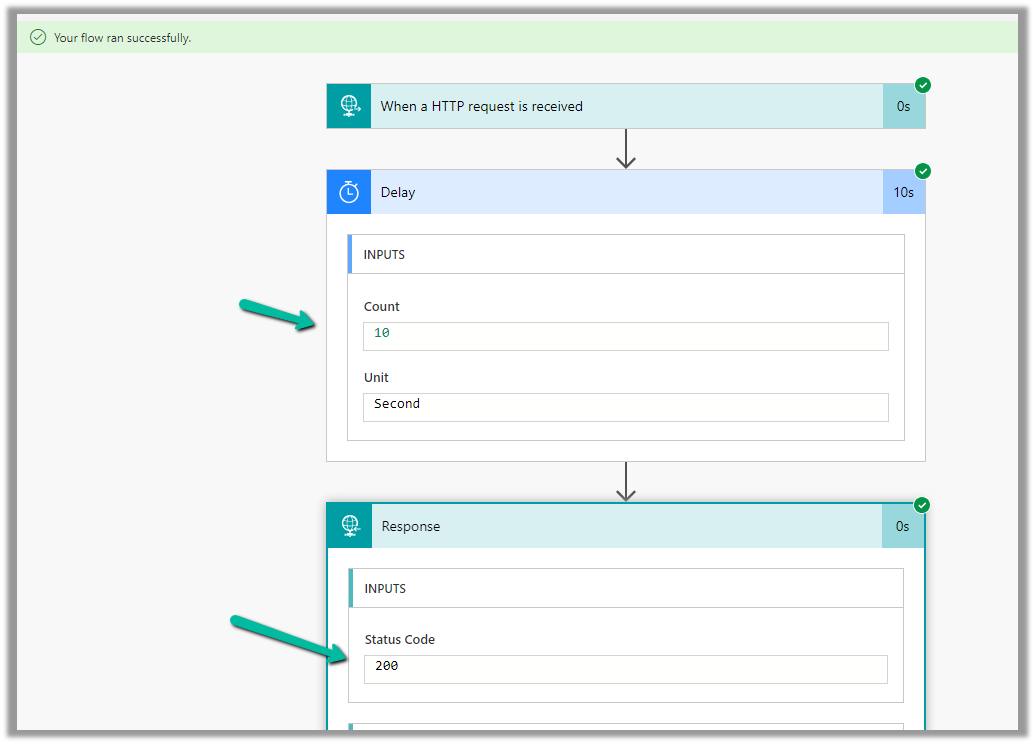
To test the timeout, we created a below Microsoft Flow with HTTP trigger, Delay and actions to be used as Webhook.

Helpful post – https://d365demystified.com/2021/11/23/call-flow-from-webhooks-in-dynamics-365-crm-power-automate/

Let us register this through the Plugin Registration tool.

We can get the values from the HTTP Post URL Generated.

For the Endpoint URL, enter URL Path and use Params for Key and Values.

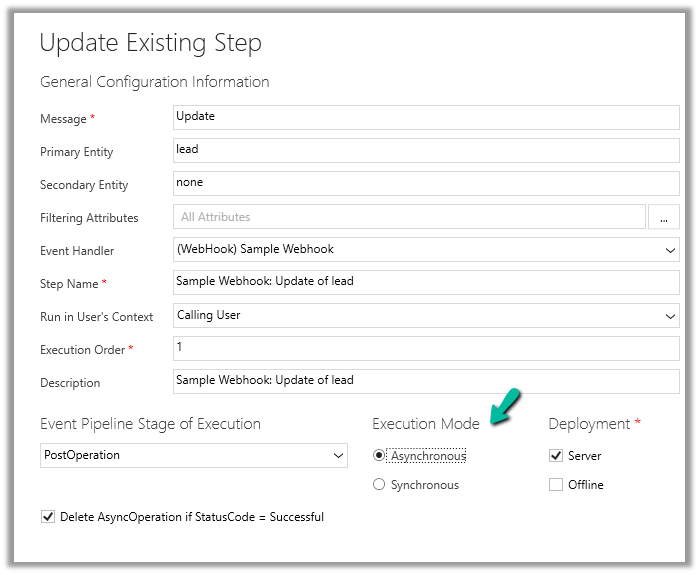
Register the synchronous step on the update of the lead for the webhook

Let us trigger the flow, right now we have Delay set as 10 seconds.

The flow runs successfully as expected.

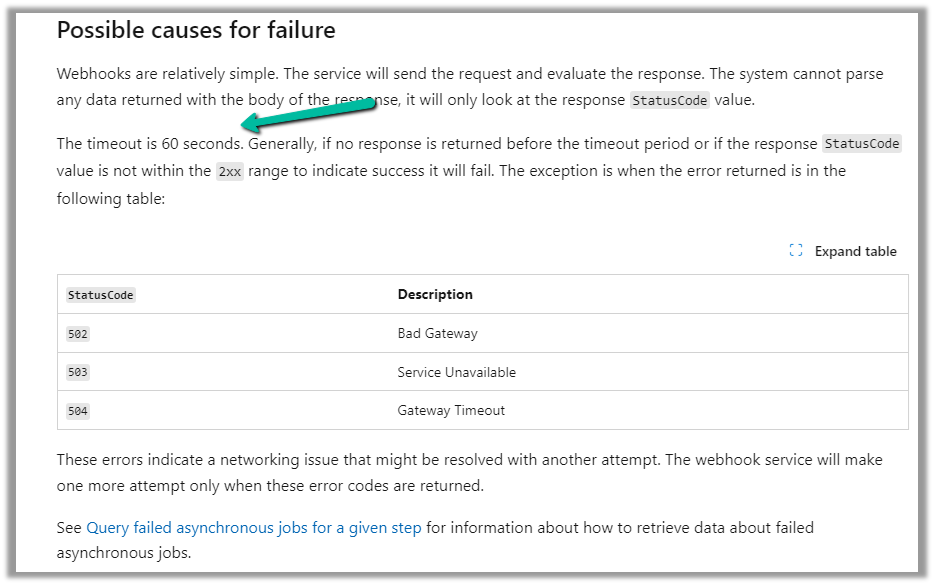
Now let us update the delay to 61 seconds and trigger the flow again by updating the lead record.

As expected we get the time-out error this time.

The same is the case if we register the plugin step asynchronously.

For the asynchronous step, we can check the corresponding system job for the error.

https://learn.microsoft.com/en-us/dynamics365/customerengagement/on-premises/developer/use-webhooks?view=op-9-1#possible-causes-for-failure

Hope it helps..

Advertisements