Resolved – Environment Operation Error, while trying to copy environment (Dataverse / Power Platform)


Recently we created a new environment, and when we tried copying our production environment to it, it gave the below error.

“Environment Operation Error -Sorry, something went wrong while requesting the details of an ongoing operation”

A screenshot of a message

AI-generated content may be incorrect.

On trying to open the newly created environment, we got the below error.

“Environment Not Found -The environment was not found. This can happen if you recently performed an operation or switched accounts”

A screenshot of a computer error message

AI-generated content may be incorrect.

Shortly after that, we noticed the environment disappeared from the list of environments in the Power Platform Admin Center. To investigate what might have gone wrong, we raised a support ticket. However, after about an hour, the Admin Center began displaying the newly created environment we were copying to, and upon opening it, we saw the message – “The environment was successfully copied.”

A screenshot of a computer

AI-generated content may be incorrect.

We got the below explanation from Microsoft Support which clarified the behaviour – “If a copy operation begins but does not complete, particularly when using the “Copy over everything” option, the target environment may enter a missing or soft-deleted state. This is a known behavior in Power Platform, where environments can temporarily disappear from the environment list during long-running or interrupted operations.”

Hope it helps..

Advertisements

Clearing Dirty Fields in Forms to Avoid Unnecessary Save Prompts (Dynamics 365 / Dataverse)


In Dynamics 365 forms, we often run into situations where a record looks unsaved even though the user hasn’t made any manual changes. This usually happens when fields are updated in the background by scripts. When that happens, those attributes are flagged as dirty and the form behaves as if the user made edits. The result is that whenever users try to navigate away, they are interrupted by the familiar “You have unsaved changes” popup.

Also Check – https://nishantrana.me/2025/09/09/finding-dirty-unsaved-fields-on-the-form-using-javascript-browser-console-dynamics-365-dataverse/

In our case, we were getting this issue for fields which were already hidden from the form. Also here as the record was on a particular stage, where we were setting all the fields in the form read-only, and also cancelling the save event. Because of which user was also not able to save the form.

A computer screen shot of a computer program

AI-generated content may be incorrect.

The way we fixed this issue was to scan all the attributes on the form in onload, detect which ones are dirty and reset their submit behaviours. By setting their submit mode to “never“, these fields were not included in the save operation, and the form was now showing the saved state, thus no unsaved changes prompts.

clearAllDirtyFields: function (executionContext) {
    var formContext = executionContext.getFormContext();

    // Delay to allow system updates (rollups/calculated fields) to complete
    setTimeout(function () {
        formContext.data.entity.attributes.forEach(function (attr) {
            if (attr.getIsDirty()) {
                attr.setSubmitMode("never");
                console.log("Dirty flag cleared for: " + attr.getName());
            }
        });
        console.log("All dirty fields cleared from the form.");
    }, 3000); // adjust delay as needed
}

This approach should still be used with some caution. The best practice is to first understand why certain fields are showing as dirty and, if possible, fix the underlying cause. The script should only be used in specific situations where we are confident that the dirty fields are not needed for saving the record. It’s also important to add the right checks or conditions so that it doesn’t run everywhere unnecessarily.

For example, in our case we only applied it when the form was in a particular status where it was expected to be read-only for the user. The fields were already hidden, so letting them stay dirty served no purpose.

Hope it helps..

Advertisements

Easily Identify Control Names When a Field Appears Multiple Times in Forms (Dynamics 365/ Dataverse)


Sometimes when we are writing JavaScript in Dynamics 365, we need the exact schema name of a field’s control so that we can hide, show, or manipulate it properly. While the attribute’s schema name is straightforward, controls may have numbered names like gendercode1, gendercode2, etc., depending on how many times the field is placed on the form.

To quickly figure this out, we can run a small helper script directly in the browser console. This script highlights all instances of the field on the form, expands tabs/sections if they are collapsed, and shows the schema names against each control.

Here’s the script for the field gendercode: – specify the schema name and run it in console.

(function () {
    // configurable schema name
    var schemaName = "gendercode"; // change this as needed

    var formContext = Xrm.Page; 
    var attr = formContext.getAttribute(schemaName);
    if (!attr) { alert(schemaName + " not found"); return; }

    // clear old highlights/badges
    document.querySelectorAll('.schema-badge-' + schemaName).forEach(function(b){ b.remove(); });
    document.querySelectorAll('.schema-highlight-' + schemaName).forEach(function(e){
        e.style.outline = '';
        e.style.backgroundColor = '';
        e.classList.remove('schema-highlight-' + schemaName);
    });

    var names = [];
    var tabsExpanded = {};

    // expand tabs/sections containing the control
    attr.controls.forEach(function (ctrl) {
        var name = ctrl.getName();
        names.push(name);

        try {
            var section = ctrl.getParent && ctrl.getParent();
            var tab = section && section.getParent && section.getParent();
            if (tab && typeof tab.setDisplayState === 'function') {
                var tabName = tab.getName ? tab.getName() : null;
                if (!tabsExpanded[tabName]) {
                    try { tab.setDisplayState('expanded'); } catch (e) {}
                    tabsExpanded[tabName] = true;
                }
            }
            if (section && typeof section.setVisible === 'function') {
                try { section.setVisible(true); } catch (e) {}
            }
        } catch (e) {}
    });

    // highlight after expansion
    setTimeout(function () {
        attr.controls.forEach(function (ctrl, index) {
            var name = ctrl.getName();
            var el = findElementForControl(name);

            if (el) {
                el.classList.add('schema-highlight-' + schemaName);
                el.style.outline = "2px solid orange";
                el.style.backgroundColor = "#fff8e1";

                var badge = document.createElement("div");
                badge.className = "schema-badge-" + schemaName;
                badge.textContent = schemaName + " " + (index + 1);
                badge.style.cssText = "font-size:11px;color:white;background:orange;padding:1px 6px;margin-top:4px;border-radius:3px;display:inline-block";
                (el.parentElement || el).appendChild(badge);
            } else {
                console.warn("Could not find DOM element for control:", name);
            }
        });

        alert("Controls for " + schemaName + ":\n" + names.map(function(n,i){ return (i+1)+". "+n; }).join("\n"));
    }, 500);

    // helper to find DOM element for a control
    function findElementForControl(name) {
        var selectors = [
            '[data-id="' + name + '"]',
            '[id="' + name + '"]',
            '[id*="' + name + '"]',
            '[name="' + name + '"]',
            '[name*="' + name + '"]',
            '[aria-label*="' + name + '"]',
            '[data-id*="' + name + '"]'
        ];
        for (var i = 0; i < selectors.length; i++) {
            var node = document.querySelector(selectors[i]);
            if (node) return node;
        }
        var lab = document.querySelector('label[for="' + name + '"], label[for*="' + name + '"]');
        if (lab) return lab.closest('div.field-wrapper, .control, .ms-crm-Form-Field-Container') || lab.parentElement;
        return null;
    }

    // clear function
    window.clearHighlights = function () {
        document.querySelectorAll('.schema-badge-' + schemaName).forEach(function(b){ b.remove(); });
        document.querySelectorAll('.schema-highlight-' + schemaName).forEach(function(e){
            e.style.outline = '';
            e.style.backgroundColor = '';
            e.classList.remove('schema-highlight-' + schemaName);
        });
        try {
            var a = Xrm.Page.getAttribute(schemaName);
            if (a && a.controls) a.controls.forEach(function(c){ try{ c.clearNotification && c.clearNotification(); }catch(e){} });
        } catch (e) {}
        console.log(schemaName + ' highlights cleared');
    };
})();
A screenshot of a computer

AI-generated content may be incorrect.

When we run this in the console, it: Highlights all instances of the field with an orange outline and light background. Adds a small badge like gendercode 1, gendercode 2 next to each control. Alerts and logs the schema names so we can directly use them in our scripts.

This makes it very easy for us to identify which control name we should be using in our JavaScript.

Hope it helps..

Advertisements

Finding Dirty / Unsaved Fields on the Form Using JavaScript / Browser Console (Dynamics 365 / Dataverse)


Sometimes while debugging forms in Dynamics 365, we need to know which fields have been modified but not yet saved. These are called dirty fields, and they can be quickly identified by running a small JavaScript snippet directly from the browser console.

We can open the form, press F12 to bring up the developer tools, go to the Console tab, and paste the following code

(function () {
    var dirtyFields = [];
    var attributes = Xrm.Page.data.entity.attributes.get();

    attributes.forEach(function (attribute) {
        if (attribute.getIsDirty()) {
            dirtyFields.push(attribute.getName());
        }
    });

    if (dirtyFields.length) {
        alert("Dirty fields: " + dirtyFields.join(", "));
    } else {
        alert("No dirty fields found.");
    }
})();

This script loops through all the attributes on the form and checks if they are dirty using getIsDirty(). If it finds any, it shows their names in an alert, otherwise it shows a message saying no dirty fields are found.

For example, if we modify First Name and Email on the Contact form without saving, it will pop up an alert showing:

A screenshot of a computer

AI-generated content may be incorrect.

Here we are using Xrm.Page even though it is deprecated, because it is still the quickest way to test such snippets directly from the console for debugging purposes. In actual form scripts, we should always use formContext.

Hope it helps..

Advertisements

Fixed – Flow not getting triggered / incorrect callback registration record (Power Automate / Dataverse)


Recently, we faced an interesting issue, where we updated an existing flow in our Dev, basically we removed the Filter Rows condition and deployed it to UAT.

Before

Now

In our Dev, it was working fine, getting triggered on the update of the field specified in the Select Columns; however, after deployment to UAT, it was still getting triggered only on the old filter condition, which we had already removed.

Turning off and on the Cloud Flow didn’t help.

The client data did not have the Filter rows condition.

Interestingly, we can still see the filter expression existing for the callback registration record of that flow in our UAT.

A screenshot of a computer

AI-generated content may be incorrect.

Eventually, we deleted the Callback registration record, turned the flow off and on, and it created the correct Callback Registration record with filter expression as null this time.

A computer screen shot of a computer

AI-generated content may be incorrect.

This fixed the issue, and our flow got triggered correctly.

More on Callback Registration

Fixed- Flow not getting triggered (Callback Registration)– Power Automate / Dataverse

Hope it helps.

Advertisements

Few handy SQL Queries (SQL4CDS) – Dataverse / Dynamics 365


Sharing some the queries we had used in our projects recently-

1) Get the list of table with audit enabled –

SELECT   logicalname,
         displayname,
         isauditenabled
FROM     metadata.entity
WHERE    isauditenabled = 1
ORDER BY logicalname;

2) Get the list of fields per table with audit enabled –

SELECT   entitylogicalname,
         logicalname AS columnname,
         displayname,
         isauditenabled
FROM     metadata.attribute
WHERE    isauditenabled = 1
         AND entitylogicalname IN (SELECT logicalname
                                   FROM   metadata.entity
                                   WHERE  isauditenabled = 1)
ORDER BY entitylogicalname, columnname;

3) Get the total number of activity records by different activity type

SELECT   activitytypecodename,
         activitytypecode,
         Count(activitytypecode) AS Total
FROM     activitypointer
GROUP BY activitytypecode, activitytypecodename
ORDER BY Total DESC;

4) Get the Time Zone information of all the users –

SELECT   su.fullname,
         su.domainname,
         us.timezonecode,
         tz.userinterfacename,
         tz.standardname
FROM     usersettings AS us
         INNER JOIN
         systemuser AS su
         ON us.systemuserid = su.systemuserid
         LEFT OUTER JOIN
         timezonedefinition AS tz
         ON us.timezonecode = tz.timezonecode
ORDER BY su.fullname;

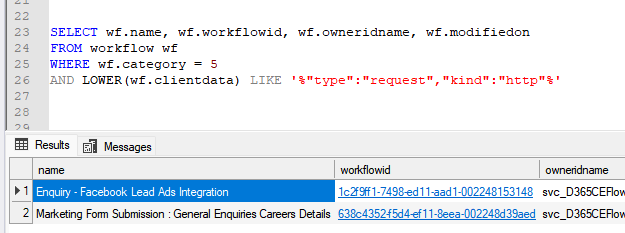
5) Get the list of cloud flows where a specific field is referred / used –

SELECT wf.name,
       wf.workflowid,
       wf.clientdata
FROM   workflow AS wf
WHERE  wf.category = 5
       AND LOWER(wf.clientdata) LIKE '%custom_actualsettlementdate%';

6) Get the list of Business Rules in the environment –

SELECT   primaryentity,
         primaryentityname,
         workflowid,
         workflow.name AS BusinessRuleName,
         workflow.ismanaged,
         statecode,
         statecodename,
         categoryname
FROM     workflow
         INNER JOIN
         entity
         ON workflow.primaryentity = entity.objecttypecode
WHERE    category = 2
ORDER BY primaryentity;

7) Get the list of Plugin Registration Steps where a particular attribute is used in the Image

SELECT 
    spi.sdkmessageprocessingstepimageid,
     s.name AS StepName,
    spi.name AS ImageName,
    spi.imagetype,
    spi.attributes,
    s.name AS StepName,
    m.name AS MessageName,
    e.name AS EntityName
FROM 
    sdkmessageprocessingstepimage spi
INNER JOIN 
    sdkmessageprocessingstep s ON spi.sdkmessageprocessingstepid = s.sdkmessageprocessingstepid
INNER JOIN 
    sdkmessagefilter f ON s.sdkmessagefilterid = f.sdkmessagefilterid
INNER JOIN 
    sdkmessage m ON f.sdkmessageid = m.sdkmessageid
INNER JOIN 
    entity e ON f.primaryobjecttypecode = e.objecttypecode
WHERE 
    spi.attributes LIKE '%custom_myfield%'
ORDER BY 
    EntityName, MessageName

8) Get the list of Security Role and total number of users assigned that role –

SELECT   r.name AS RoleName,
         COUNT(DISTINCT sur.systemuserid) AS AssignedUsers
FROM     systemuserroles AS sur
         INNER JOIN
         role AS r
         ON sur.roleid = r.roleid
GROUP BY r.name
ORDER BY AssignedUsers DESC;

9) Get number of security roles assigned per user –

SELECT   u.systemuserid,
         u.fullname,
         COUNT(sur.roleid) AS RoleCount
FROM     systemuser AS u
         INNER JOIN
         systemuserroles AS sur
         ON u.systemuserid = sur.systemuserid
GROUP BY u.systemuserid, u.fullname
ORDER BY RoleCount DESC;

10 ) Get the list of security roles assigned to a particular user

SELECT 
    su.systemuserid,
    su.fullname AS UserName,
    r.roleid,
    r.name AS RoleName,
    r.businessunitidname AS BusinessUnit
FROM systemuser su
INNER JOIN systemuserroles sur 
    ON su.systemuserid = sur.systemuserid
INNER JOIN role r 
    ON sur.roleid = r.roleid
where sur.systemuserid = '415a2261-d9b4-ea11-a812-000d3a6aaf70'

11) Get the list of users and security roles assigned to them

SELECT 
    u.systemuserid,
    u.fullname AS UserName,
    u.domainname AS UserDomain,
    u.isdisabled AS IsDisabled,
    u.businessunitidname AS BusinessUnit,
    STRING_AGG(r.name, ', ') AS SecurityRoles       
FROM systemuser u
INNER JOIN systemuserroles ur 
    ON u.systemuserid = ur.systemuserid
INNER JOIN role r 
    ON ur.roleid = r.roleid
WHERE u.isdisabled = 0 
  AND u.accessmode = 0              -- Only interactive users
  AND u.domainname NOT LIKE '#%'    -- Exclude system/app users
GROUP BY 
    u.systemuserid, u.fullname, u.domainname, u.isdisabled, u.businessunitidname, u.accessmode
ORDER BY u.fullname;

12 ) List all custom plugins (non-Microsoft assemblies)

SELECT   pt.plugintypeid,
         pt.name AS className,
         pa.name AS assemblyName,
         pa.version,
         pa.culture,
         pa.publickeytoken
FROM     plugintype AS pt
         INNER JOIN
         pluginassembly AS pa
         ON pt.pluginassemblyid = pa.pluginassemblyid
WHERE    pa.ismanaged = 0 -- custom (not managed solution)
ORDER BY pa.name, pt.name;

13) List of all table, plugin name and steps registered for custom plugins (to be used to compare between different environment)

SELECT   COALESCE (e.name, 'Global') AS entity,
         pa.name AS assemblyName,
         pt.name AS pluginClass,
         COUNT(s.sdkmessageprocessingstepid) AS stepCount
FROM     sdkmessageprocessingstep AS s
         INNER JOIN
         plugintype AS pt
         ON s.eventhandler = pt.plugintypeid
         INNER JOIN
         pluginassembly AS pa
         ON pt.pluginassemblyid = pa.pluginassemblyid
         LEFT OUTER JOIN
         sdkmessagefilter AS f
         ON s.sdkmessagefilterid = f.sdkmessagefilterid
         LEFT OUTER JOIN
         entity AS e
         ON f.primaryobjecttypecode = e.objecttypecode
WHERE    pa.ismanaged = 0   -- only custom plugins
GROUP BY COALESCE (e.name, 'Global'), pa.name, pt.name
ORDER BY entity, pa.name, pt.name;

14) Plugins by Execution Mode (Sync vs Async)

SELECT   COALESCE (e.name, 'Global') AS entity,
         SUM(CASE WHEN s.mode = 0 THEN 1 ELSE 0 END) AS syncCount,
         SUM(CASE WHEN s.mode = 1 THEN 1 ELSE 0 END) AS asyncCount
FROM     sdkmessageprocessingstep AS s
         INNER JOIN
         plugintype AS pt
         ON s.eventhandler = pt.plugintypeid
         INNER JOIN
         pluginassembly AS pa
         ON pt.pluginassemblyid = pa.pluginassemblyid
         LEFT OUTER JOIN
         sdkmessagefilter AS f
         ON s.sdkmessagefilterid = f.sdkmessagefilterid
         LEFT OUTER JOIN
         entity AS e
         ON f.primaryobjecttypecode = e.objecttypecode
WHERE    pa.ismanaged = 0
GROUP BY COALESCE (e.name, 'Global')
ORDER BY syncCount DESC;
Advertisements
Advertisements