Fixed – You don’t have any apps in this view or We can’t find any app for your role error in Dynamics 365 for Phones and Tablets app


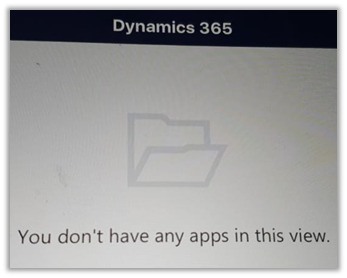
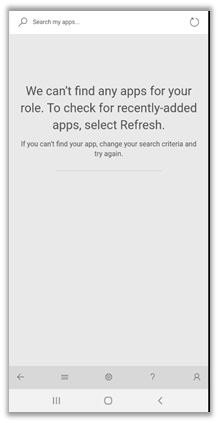
For one of our users, we were getting below error when he was trying to access Dynamics 365 through phone and tablet app.

To resolve it make sure that all the required privileges are assigned to the user’s security role.

https://docs.microsoft.com/en-us/dynamics365/mobile-app/set-up-dynamics-365-for-phones-and-dynamics-365-for-tablets#required-privileges

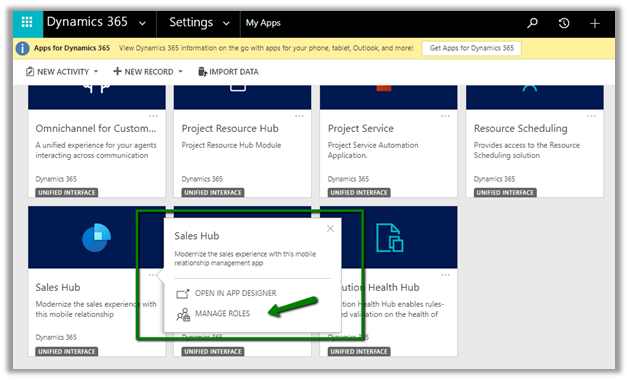
and also the role is added to the appropriate app.

Settings à My Apps

Select the security role and click on Save.

We can see the app appearing for the user.

Hope it helps..

Advertisements

Upload files using SharePoint Integration for Dynamics 365 for Phones and Tablets app


Check the other articles of this series

Recently I wrote a blog post that mentions a few points that we can consider while designing a solution with regards to attachments in Dynamics 365 for Phone / Tablet App.

Attachment to Notes à

https://nishantrana.me/2020/03/30/attachments-to-notes-in-dynamics-365-for-phone-and-tablet-app/

Using SetWordTemplate to combine multiple attachments as a single doc à

https://nishantrana.me/2020/04/01/calling-setwordtemplate-from-custom-ribbon-button-in-dynamics-365/

Using the above approach, we can get the doc file attached to the notes.

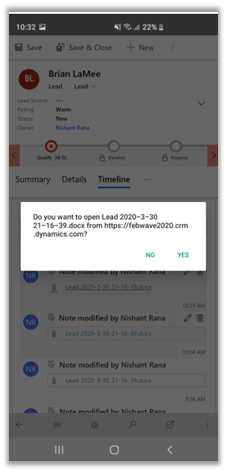
However, if we try to open the file, we would get the below error message.

To get working with attachments seamlessly from the Mobile / Tablet device, we can make use of out of the box SharePoint integration feature of the product.

https://docs.microsoft.com/en-us/power-platform/admin/set-up-dynamics-365-online-to-use-sharepoint-online

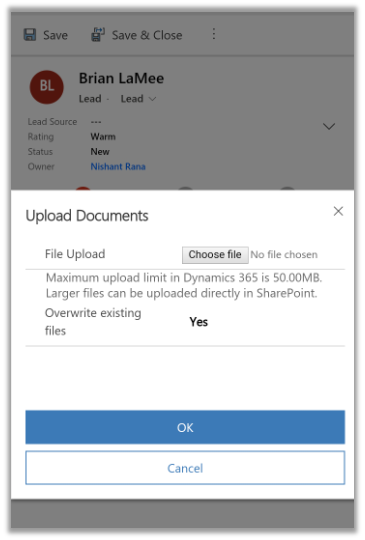
It will allow the user to upload any files from the local file system.

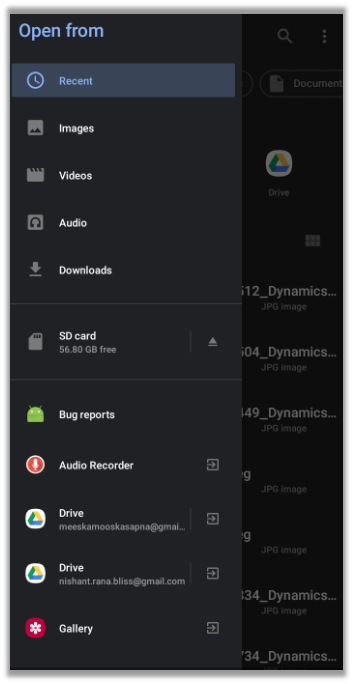
Full access to the local file system

While trying to open the word document it will open the appropriate apps installed

Hope it helps..

Calling SetWordTemplate from custom ribbon button in Dynamics 365


Check the other articles of this series

Let us continue our previous post and this time instead of calling SetWordTemplate action / request from a workflow, we will call it using a custom ribbon button.

If we try calling the action directly using Xrm.WebApi.online.execute
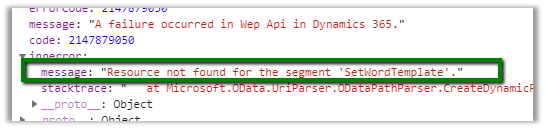
method from a custom ribbon button, we will get the below error “Resource not found for the segment ‘SetWordTempalte’

Source Code: –


function CallAction()
{

var parameters = {};

var selectedTemplate = {};
selectedTemplate["@odata.type"] = "Microsoft.Dynamics.CRM.documenttemplate";
selectedTemplate["documenttemplateid@odata.bind"] = "/documenttemplates(4853247F-AD72-EA11-A811-000D3A31EEC)";

var target = {};
target["@odata.type"] = "Microsoft.Dynamics.CRM.lead";
target["leadid@odata.bind"] = "/leads(2fa01d2d-7332-e611-80e5-5065f38b31c1)";

parameters.SelectedTemplate = selectedTemplate;
parameters.Target = target;
var setWordTemplateRequest = {
SelectedTemplate: parameters.SelectedTemplate,
Target: parameters.Target,

getMetadata: function() {
return {
boundParameter: null,
parameterTypes: {
"SelectedTemplate": {
"typeName": "mscrm.documenttemplate",
"structuralProperty": 5
},
"Target": {
"typeName": "mscrm.lead",
"structuralProperty": 5
}
},
operationType: 0,
operationName: "WinOpportunity"
};
}
};

Xrm.WebApi.online.execute(setWordTemplateRequest).then(
function success(result) {
if (result.ok) {

Xrm.Utility.alertDialog("Success");
}
},
function(error) {
Xrm.Utility.alertDialog(error.message);
}
);

}

As a workaround, we can define a custom action and add the Perform Action step with SetWordTemplate step to it.

Source Code: –


function CallSetWordTemplateAction(primaryControl) {

var formContext = primaryControl;
var leadid = formContext.data.entity.getId(); 

var target = {};
target.entityType = "lead";
target.id = leadid; 

var req = {};
req.entity = target;
req.getMetadata = function () {
return {
boundParameter: "entity",
parameterTypes: {
"entity": {
typeName: "mscrm.lead",
structuralProperty: 5
}
},
operationType: 0,
operationName: "pcfpre_CreateDocumentAction"
};
};

Xrm.WebApi.online.execute(req).then(
function (data) {
var e = data; 

},
function (error) { 

var errMsg = error.message;
}
);
}

Another option is to use the Process.js library

The Ribbon Button
Ribbon button definition

Dynamics 365 for Phone \ Tablet


Source Code: –


function createWordDocument(primaryControl) {

var formContext = primaryControl;

var leadid = formContext.data.entity.getId();

Process.callAction("SetWordTemplate",
[
{
key: "Target",
type: Process.Type.EntityReference,
value: new Process.EntityReference("lead", leadid)
},
{
key: "SelectedTemplate",
type: Process.Type.EntityReference,
value: new Process.EntityReference("documenttemplate", "{4853247F-AD72-EA11-A811-000D3A31EEC8}")
}
],

function()
{
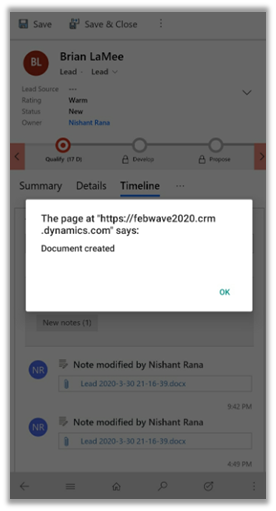
alert('Document created');
},

function (error, trace)
{

alert(error);
}
);
}

It internally makes the Soap call to SetWordTemplate Request.

Although we are able to attach the doc to notes, from mobile if we try to open it we will get the below error message

Pic2

To get the document upload to work seamlessly either we need to use Windows 10 based tablets or we need to use out of the box SharePoint integration.

Hope it helps..

MS CRM Version & Names


Dynamics CRM Code Names

soma's avatarSoma crm

Microsoft Giving a code name to every version  ,

CRM 4.0  –  Titan

CRM 2011 On premise –  no name given

CRM 2011 Online    – Polaris

CRM 2013 -version 6.0     – Orin

CRM 2013 SP1     version 6.1 – Leo

CRM 2015 — version  7.0 —  Vega

CRM 2015  — version 7.1  — Carina

CRM 2016 — version 8.0 —  Ara

CRM 2016  — version 8.1  — Naos

Dynamics 365  — version 8.2 — Centaurus

Dynamics 365  – version 9.0  — Potassium

Dynamics 365 – version 9.1  — Calcium

View original post

Limitations of Microsoft dynamic CRM Word Templates


Nice findings on Document Template !

Ranjeet Patel's avatarRanjeet Patel

  1. It cannot Filter/Sort the repeater data.
  2. We can only go up to one level down in context of relationship.
  3. If any of the attribute value is empty then it reserves the place (template looks dirty because of empty spaces)
  4. Repeater Only shows 100 lines( if you have more than 100 contact in account it won’t show)
  5. Once the document is downloaded and later on if you add any new field you have to delete the document and create the new document, As there is no update document option. We need to remap the fields again (here copy paste works that’s one releaf point).

View original post

How to – Use SetWordTemplate action to automate document generation and attaching it to note in Dynamics 365


Continuing our previous post,

https://nishantrana.me/2020/03/31/using-word-template-to-combine-multiple-images-attached-to-notes-in-a-single-document-in-dynamics-365/

wherein we used word template to generate a document having all the note’s attachments (picture) to it.

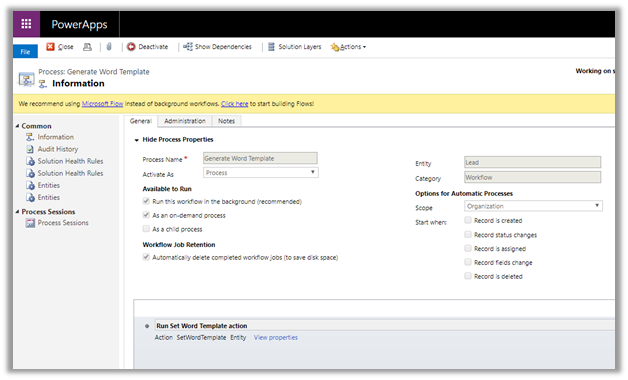
To enhance it further, we can write a custom workflow that calls the SetWordTemplate in Perform Action step.

SetWordTemplate action will generate the document, based on the word template defined, and will attach the document to the note of that particular record.

For this

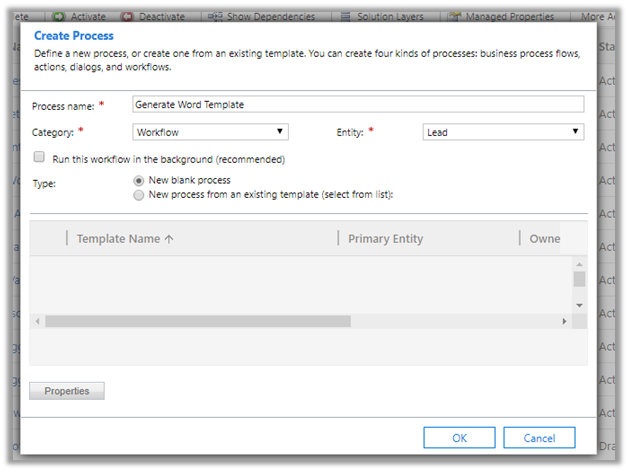
  • Create a process of type workflow.

  • Select step Perform Action

  • Specify the Document Template and the associated entity (e.g. lead) for its input properties.

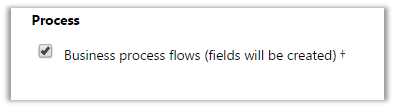
*if you do not see the entity listed, enable BPF on it

*also make sure you have notes enabled for the entity.

  • Activate the workflow.

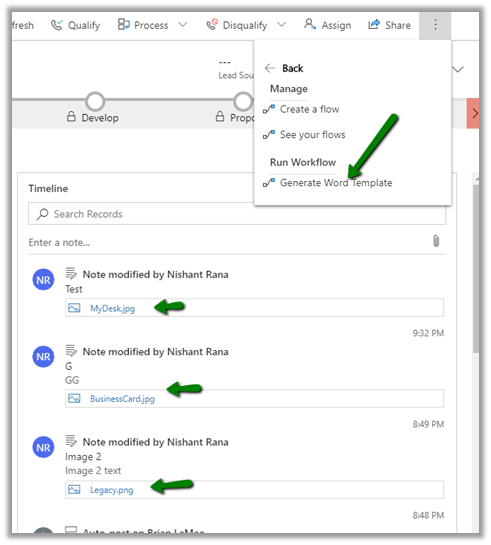
  • Run the workflow Generate Word
    Template.

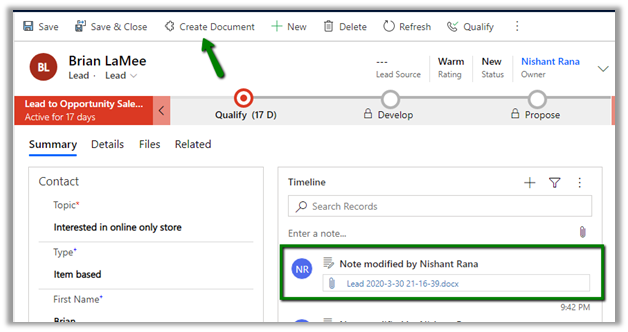
  • After refreshing the timeline, we can see the new note record created with the document as attachment to it.

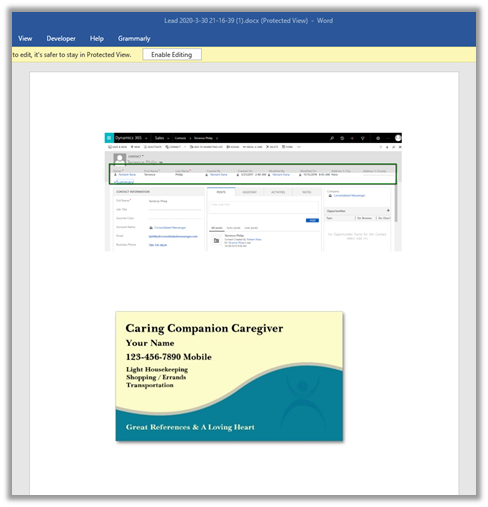
The generated document à

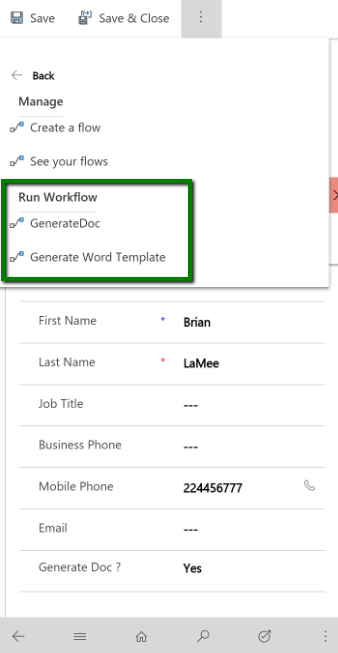
Now as we do not have option of running On Demand Workflow from Dynamics 365 Mobile / Tablet app.

It seems like April 2020 Release Wave 1 has added this feature to the mobile app

OnDemandWorkflow

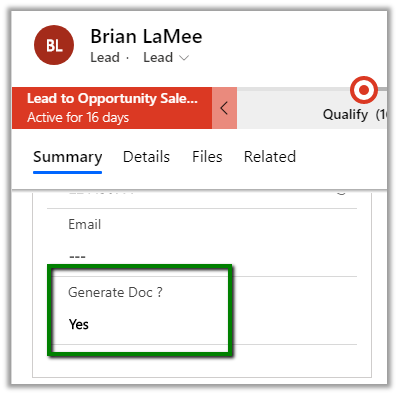
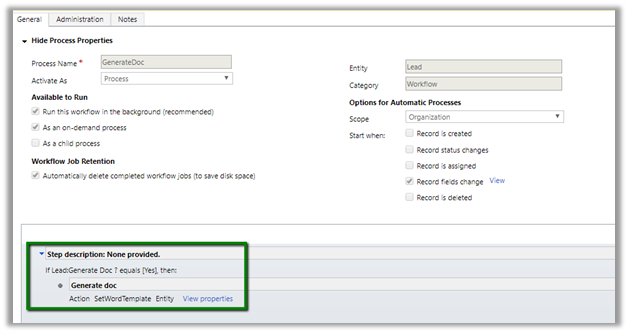
So here instead of on demand workflow, we can have a custom workflow to run on change of a specific field.

For e.g. we can add a custom field named when it is updated to Yes, we perform the same action

The workflow

This way we will be able to perform the same function within Dynamics 365 Mobile and Tablet App

Hope it helps..