

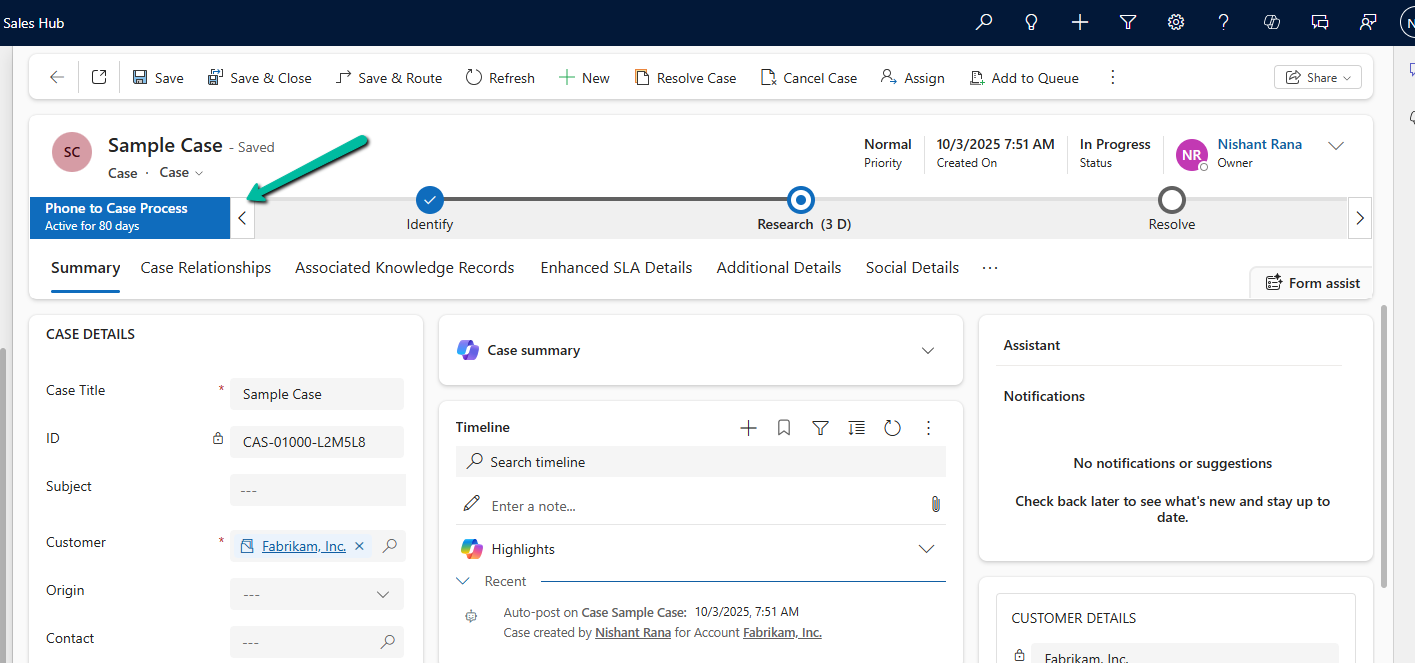
In Dynamics 365, Business Process Flows are usually progressed by users through the UI. However, in scenarios like data migration, bulk remediation, or backend automation, we may need to move a BPF stage programmatically. Here we will cover one of the ways we can advance the Business Process Flow to the next stage using a C# console application, with a Case example used only as a reference.
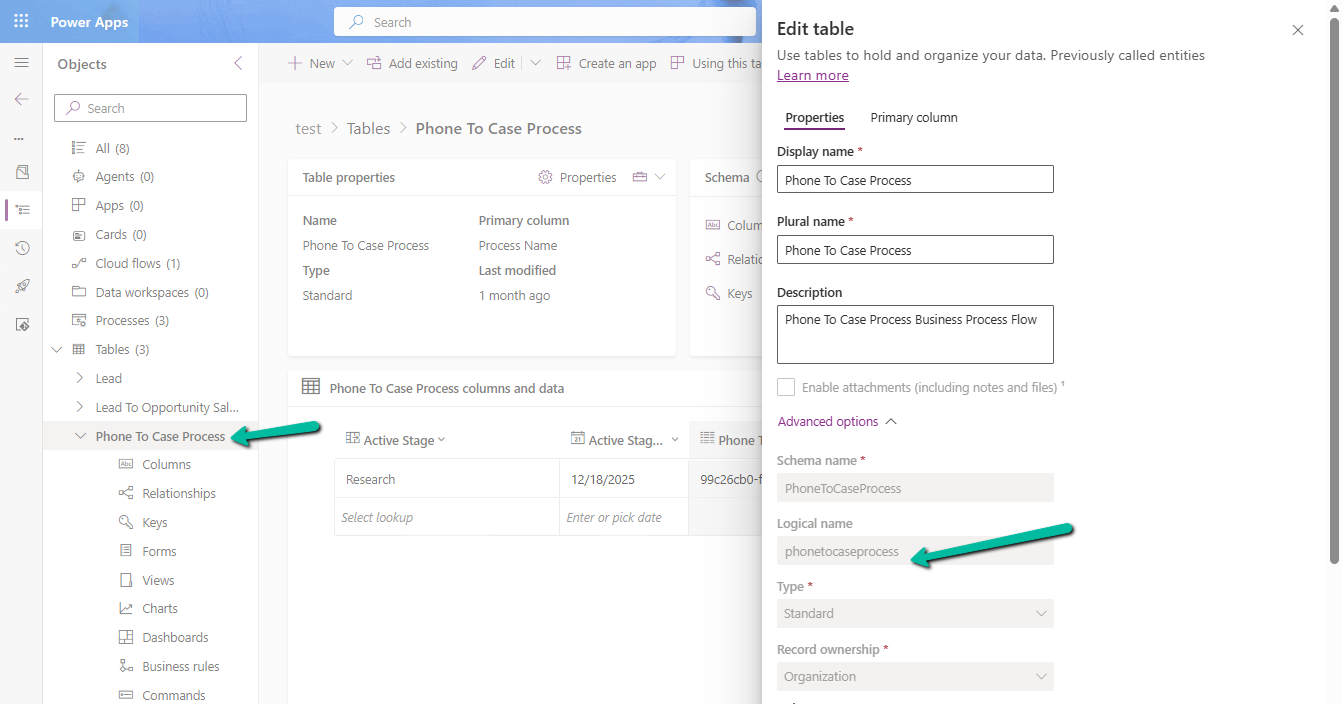
Every Business Process Flow in Dataverse is backed by its own table, created when the process is published. The table name is derived from the process schema name and stores one record per entity instance participating in the flow.
Below is the table for the Phone To Case Process with schema name – phonetocaseprocess
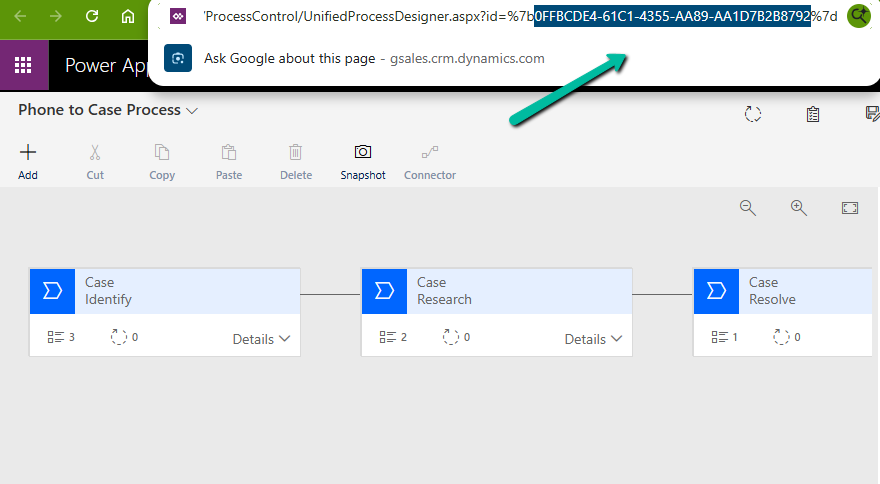
We can get the stagename and the processstageid for the business process flow from the processstage table, passing the GUID of the business process flow.
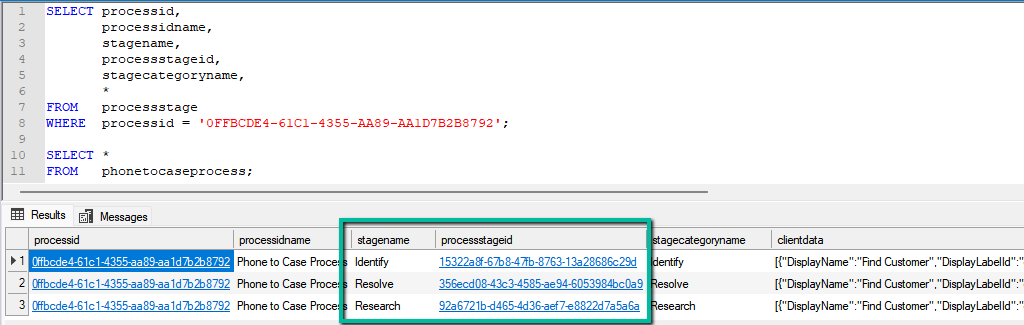
SELECT processid,
       processidname,
       stagename,
       processstageid,
       stagecategoryname,
       *
FROM   processstage
WHERE  processid = '0FFBCDE4-61C1-4355-AA89-AA1D7B2B8792';
Regardless of the entity, two columns control stage movement: activestageid, which represents the current stage, and traversedpath, which stores a comma-separated list of all stage IDs the record has passed through. When moving a BPF programmatically, both values must be updated together to ensure the UI reflects the change correctly. The table will also include the column referring to the record it is associated with; in our example, it is incidentid.
The traversedpath value must be constructed as a comma-separated list of processstageid values, preserving the exact order in which stages are completed, with each newly reached stage appended to the end of the existing path.
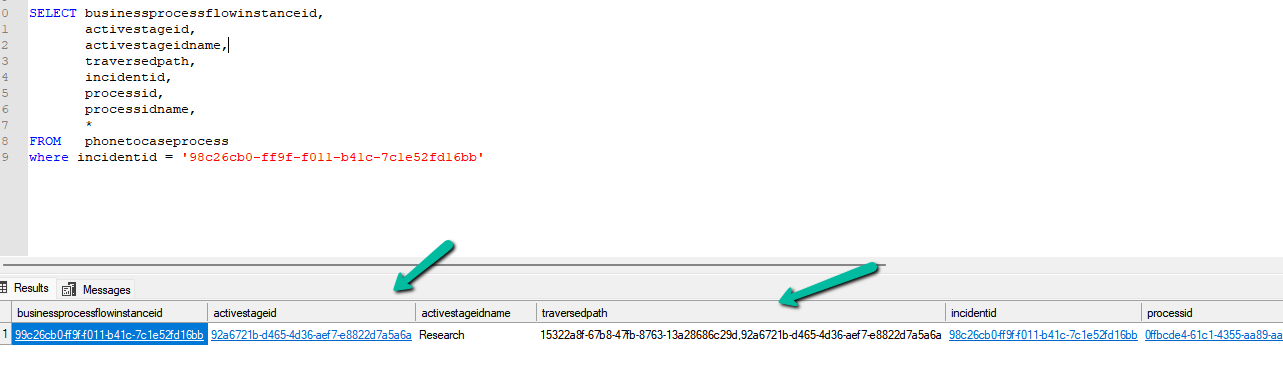
SELECT businessprocessflowinstanceid,
       activestageid,
       activestageidname,
       traversedpath,
       incidentid,
       processid,
       processidname,
       *
FROM   phonetocaseprocess
where incidentid = '98c26cb0-ff9f-f011-b41c-7c1e52fd16bb'
At a high level, the process is always the same. We first identify the correct BPF table, then retrieve the BPF instance associated with the primary record. Next, we update the activestageid to point to the next stage and append that stage ID to the existing traversedpath. Finally, we persist the update back to Dataverse. Because this logic runs outside the UI, it bypasses stage validations and required-field enforcement, making it ideal for backend utilities but something that should be used carefully.
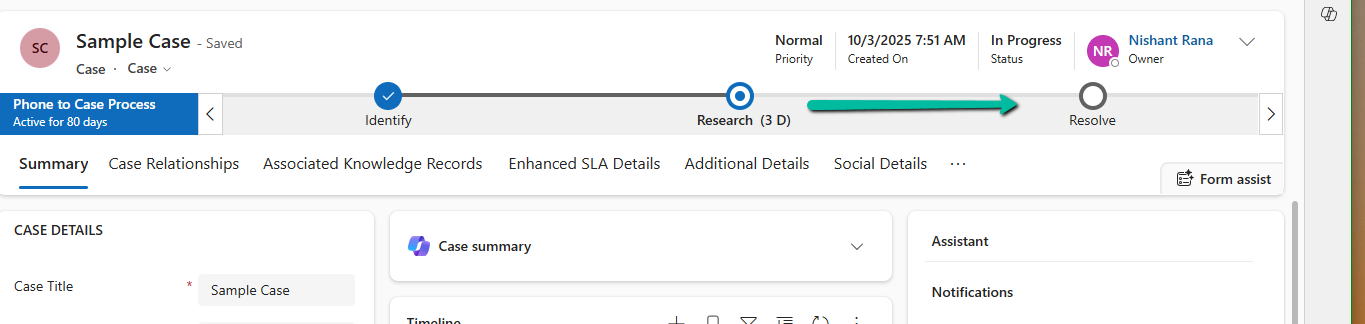
Below is our sample code that moves the case record from the Research stage to the Resolve stage.
Sample Code
 static void Main(string[] args)
        {
            Console.WriteLine("MoveCaseBpfToResolve started.");
            // CRM connection
            string connString = @"AuthType=OAuth;
            Username=abc.onmicrosoft.com;
            Password=xyz;
            Url=https://abc.crm.dynamics.com/;
            AppId=51f81489-12ee-4a9e-aaae-a2591f45987d;
            RedirectUri=app://58145b91-0c36-4500-8554-080854f2ac97/";

            var service = new CrmServiceClient(connString);

            var bpfSchemaName = "phonetocaseprocess";

            var caseId = "98c26cb0-ff9f-f011-b41c-7c1e52fd16bb";
            var resolveStageId = new Guid("356ecd08-43c3-4585-ae94-6053984bc0a9");

            // Query the BPF instance for the Case
            var query = new QueryExpression(bpfSchemaName)
            {
                ColumnSet = new ColumnSet("activestageid", "traversedpath")
            };
            query.Criteria.AddCondition("incidentid", ConditionOperator.Equal, caseId);

            var instances = service.RetrieveMultiple(query);

            if (!instances.Entities.Any())
            {
                Console.WriteLine("No BPF instance found for the Case. Exiting.");
                return;
            }

            var bpfInstance = instances.Entities.First();


            var updateBpf = new Entity(bpfSchemaName)
            {
                Id = bpfInstance.Id
            };
            // Set active stage to Resolve
            updateBpf["activestageid"] = new EntityReference("processstage", resolveStageId);
            // Update traversed path
            var traversedPath = bpfInstance.GetAttributeValue<string>("traversedpath");
            updateBpf["traversedpath"] = $"{traversedPath},{resolveStageId}";
            service.Update(updateBpf);

            Console.WriteLine("BPF successfully moved to Resolve stage.");
            Console.WriteLine("MoveCaseBpfToResolve completed.");
        }
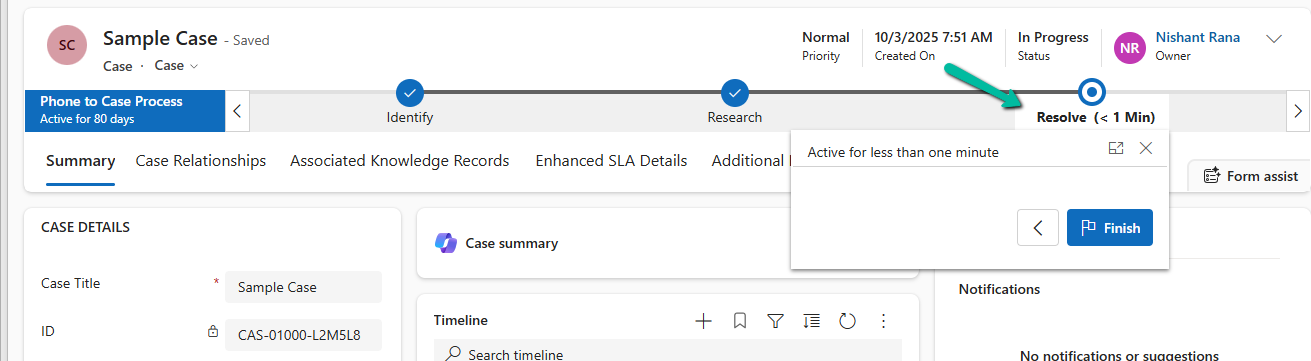
Result –
Hope it helps.
Discover more from Nishant Rana's Weblog
Subscribe to get the latest posts sent to your email.
Share It -


 Nishant Rana's Weblog
3 thoughts on “Advancing a Business Process Flow Stage Using a C# Console App (Dataverse / Dynamics 365)”