

The BypassBusinessLogicExecutionStepIds optional parameter or request header value allows us to bypass a specific plugin step by passing its GUID, irrespective of whether it is synchronous or asynchronous, unlike the other optional parameters – BypassCustomPluginExecution and BypassBusinessLogicExecution that will bypass all the custom synchronous and/ or asynchronous logic (plugins and workflows).
Using BypassCustomPluginExecution and BypassBusinessLogicExecution parameters – https://nishantrana.me/2024/05/21/using-bypassbusinesslogicexecution-parameter-preview-to-bypass-custom-sync-and-async-logic-plugin-and-workflow-dataverse-dynamics-365/
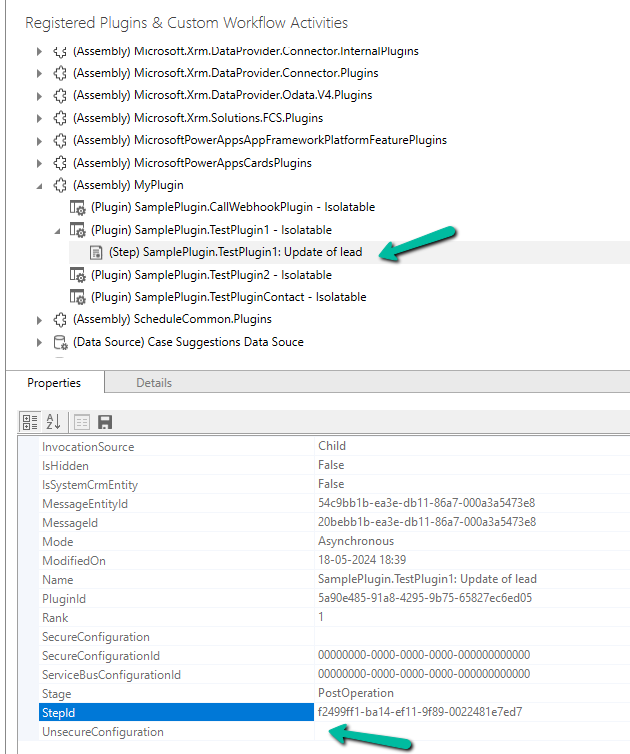
Below we have our plugin registered, that writes to the Plugin Trace log.

The plugin step is registered on the update of the lead record. We have got the StepId of the plugin step from the Properties window.
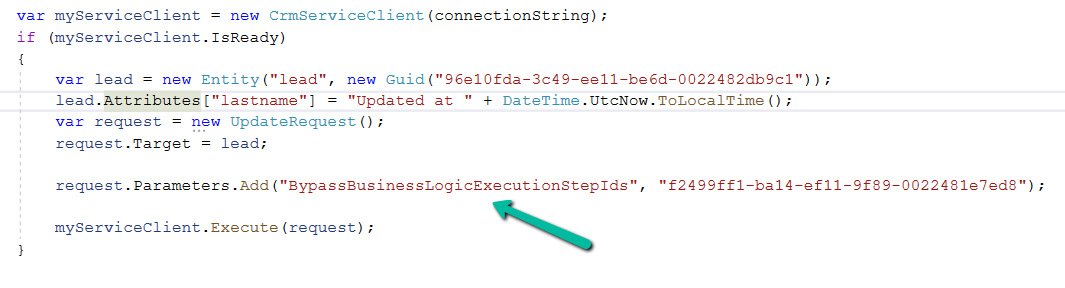
Below is our console app, which updates the lead, triggering the plugin. On running it without the BypassBusinessLogicExecutionStepIds, we can see the trace log parameter record created.

Upon adding the BypassBusinessLogicExecutionStepIds parameter in UpdateRequest, as shown below, the plugin is not triggered and no trace log is created.
Also, we can pass multiple Step’s GUID to it

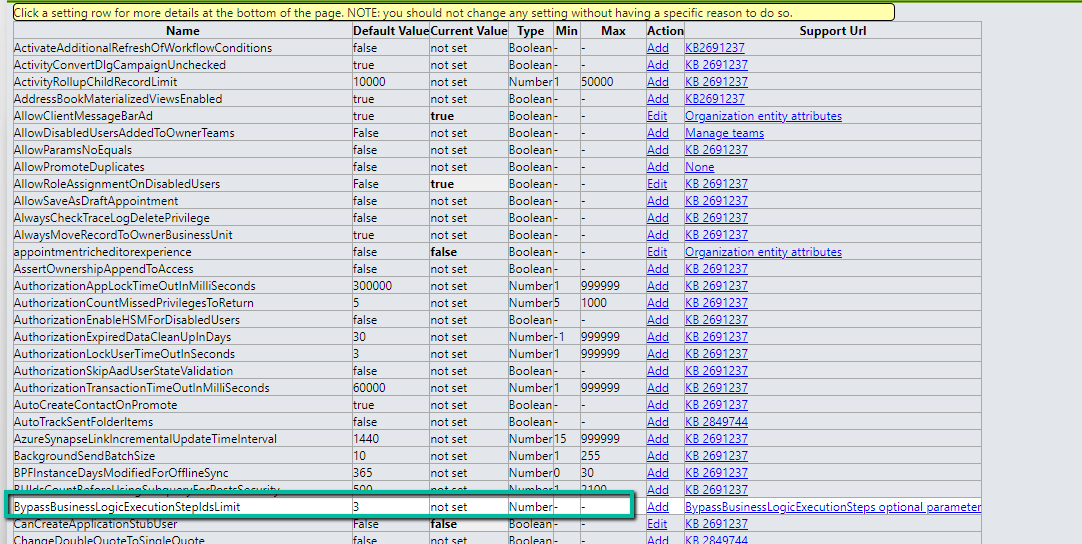
By default, we can maximum of 3 steps to it, which can be defined through BypassBusinessLogicExecutionStepIdsLimit Organization Settings value.
Get more details
Hope it helps..
Discover more from Nishant Rana's Weblog
Subscribe to get the latest posts sent to your email.
Share It -


 Nishant Rana's Weblog
2 thoughts on “Bypass execution of specific plugin (step) using BypassBusinessLogicExecutionStepIds parameter – Dynamics 365 / Dataverse”