

To delete the user from Power Platform, we need to enable the following feature – Delete disabled users.

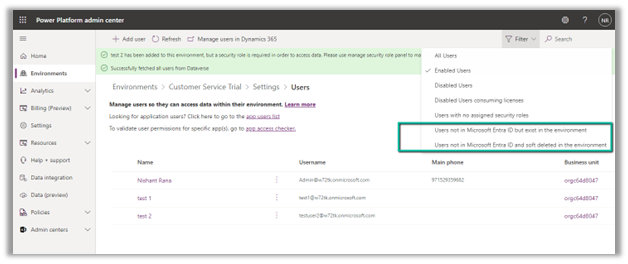
Before enabling this feature we can see the following Views for the Users.

After enabling Delete disabled users, we can see 2 new views added,
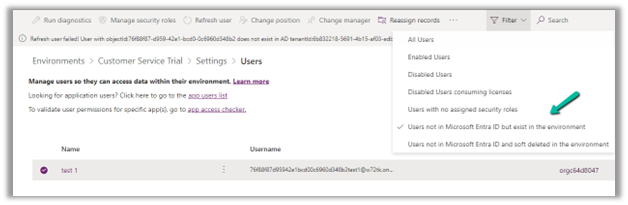
- Users not in Microsoft Entra ID but exist in the environment.
- Users not in Microsoft Entra ID and soft deleted in the environment.
Also currently we can see 3 users (enabled) in the environment.
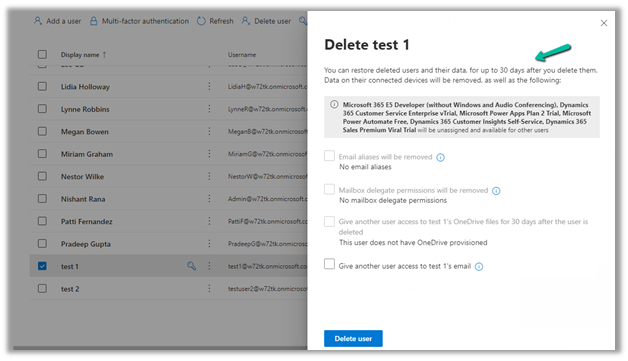
Now let us delete the test 1 user from the Microsoft 365 Admin Center.

The deleted user and its data can be restored up to 30 days (soft delete)
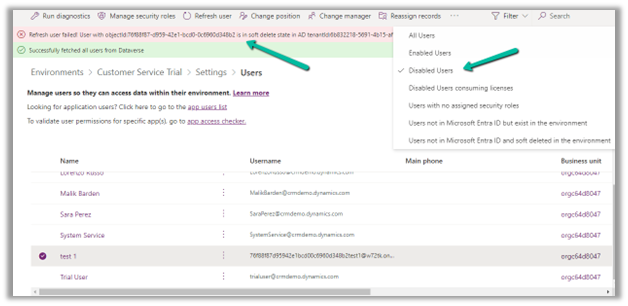
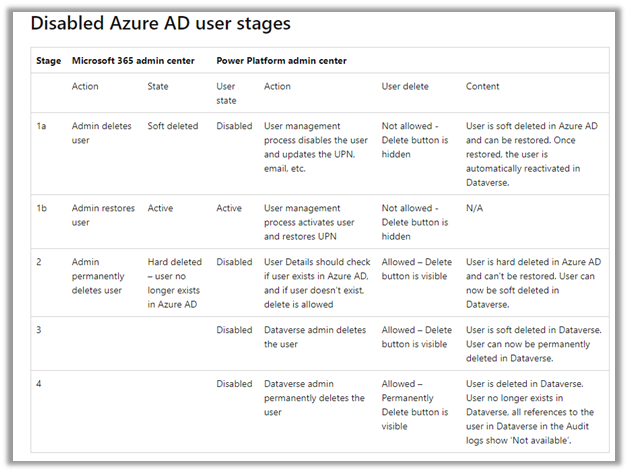
Inside Power Platform Admin Center, we can see the user account being disabled (and soft delete state in AD)
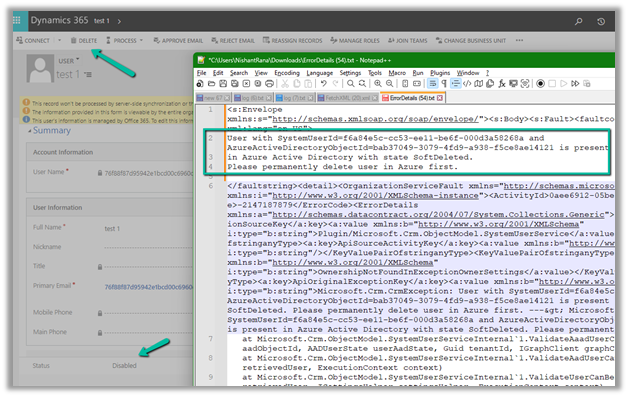
If we try to delete the record, we will get the below error that use is present in AD in the state SoftDeleted. Please permanently delete the user in Azure first.
Let us permanently delete the user in Azure AD.
Login to Azure Portal or Microsoft Entra admin center, select Users
>> Deleted Users
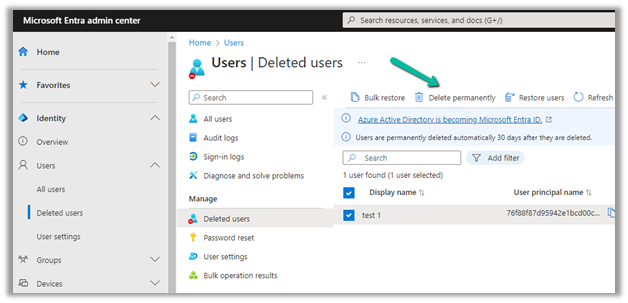
Select the user (deleted) and click on Delete Permanently.
On Refreshing the user, we get the message that the user does not exist in the AD, and also user record is now moved to the “Users not in Microsoft Entra ID but exist in the environment” view.
Let us try deleting the user record from CRM now.
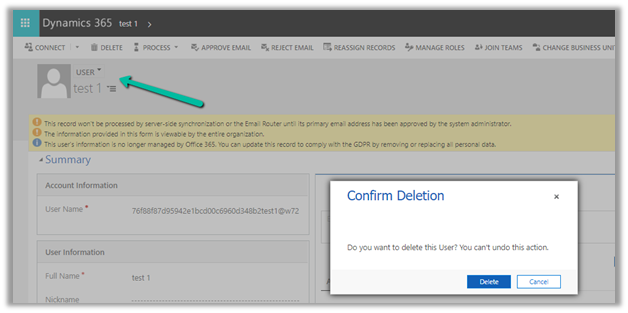
This time user records get deleted (soft delete) successfully.
Within the Power Platform Admin Center, we can see the user record moved to “Users not in Microsoft Entra ID and soft deleted in the environment”

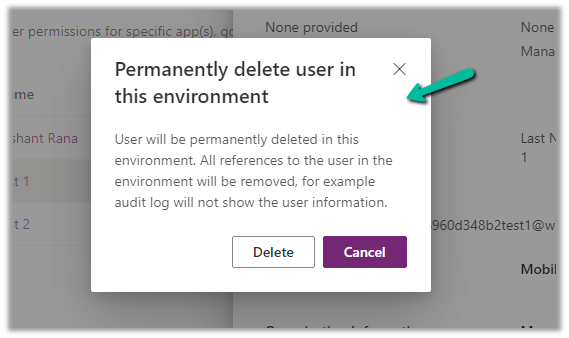
Similar to Azure Active Directory or Microsoft Entra, now we get the option to permanently delete users from the Power Platform Admin Center after soft delete.


Get all the details here
Hope it helps..
Discover more from Nishant Rana's Weblog
Subscribe to get the latest posts sent to your email.
Share It -


 Nishant Rana's Weblog
so what happens to all those records which reference the deleted user in the created by, modified by and owner fields? will it still show his name or will be a guid or does it behave it differently?
LikeLike