

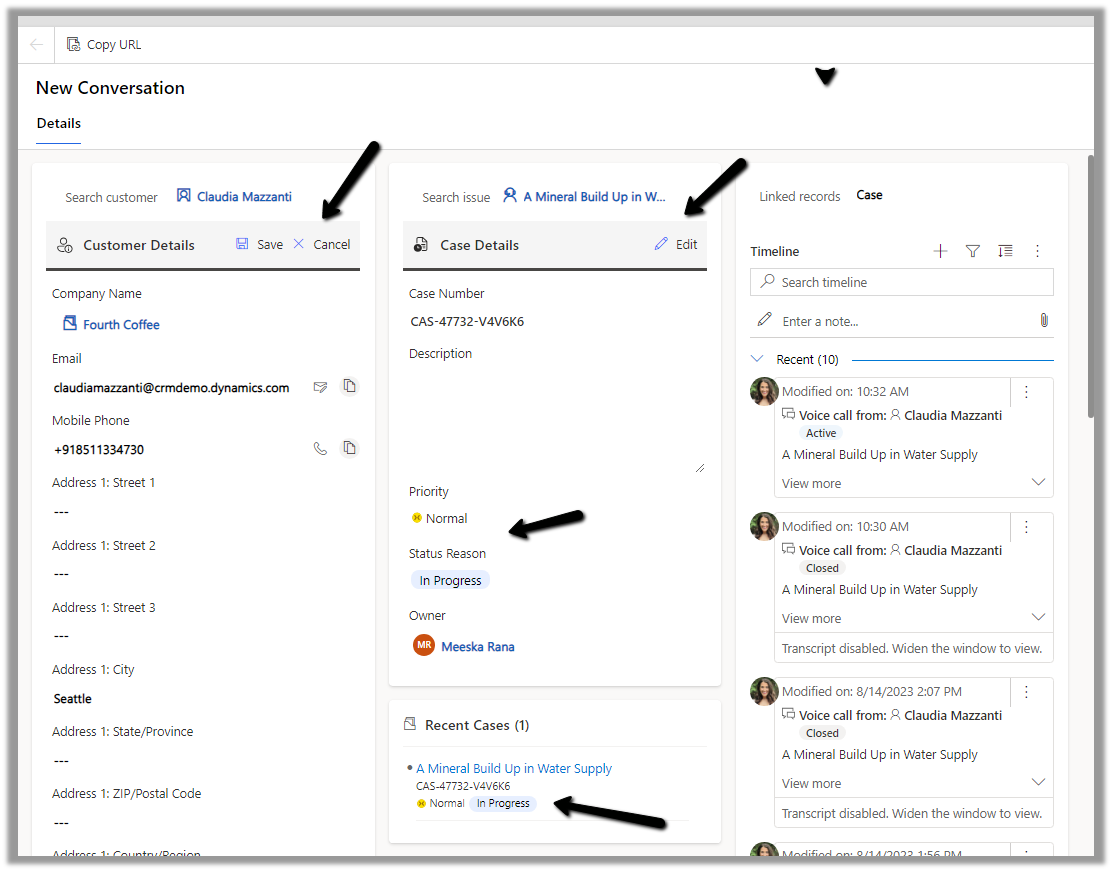
The conversation form in Omnichannel is now updated to allow agents to view and edit customer and case information more efficiently.
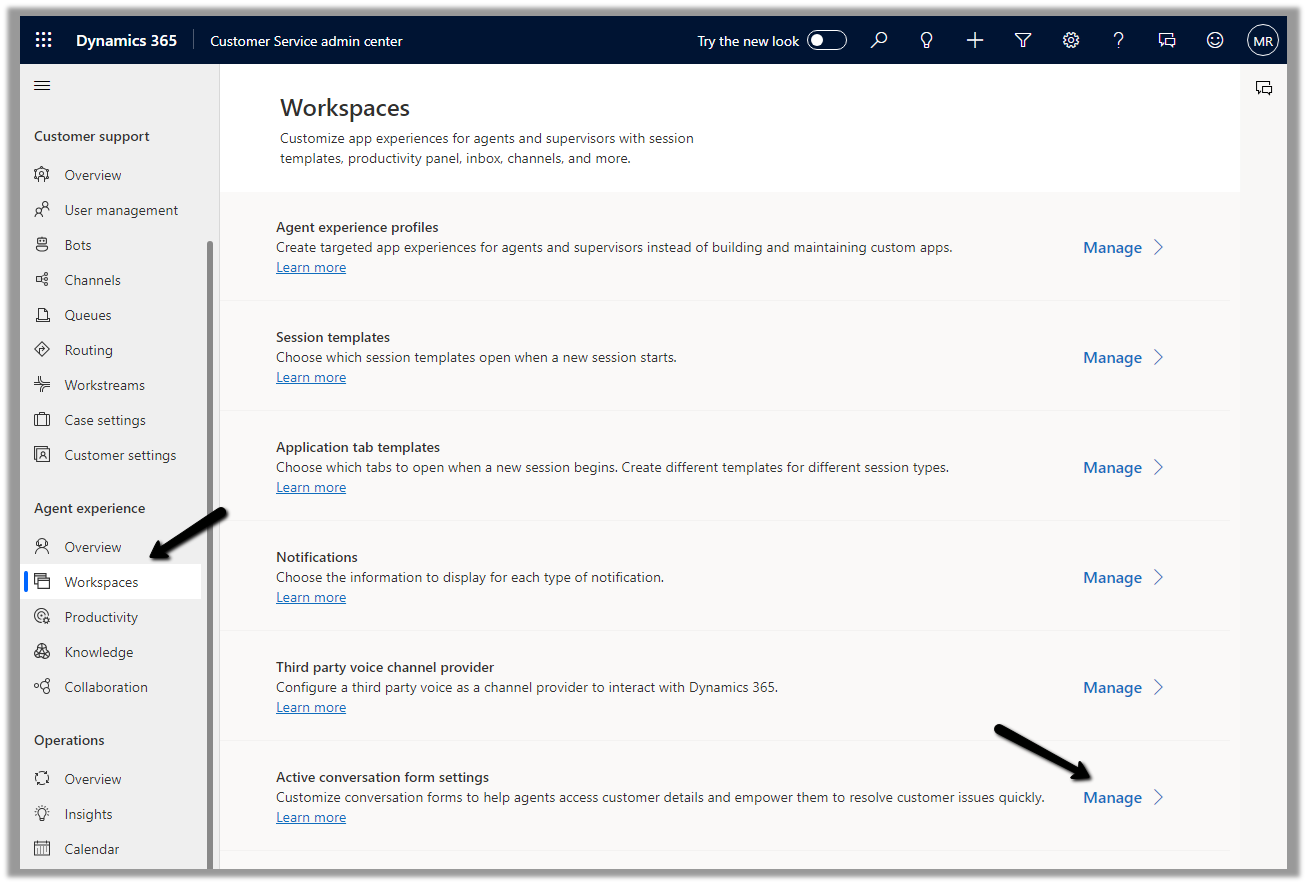
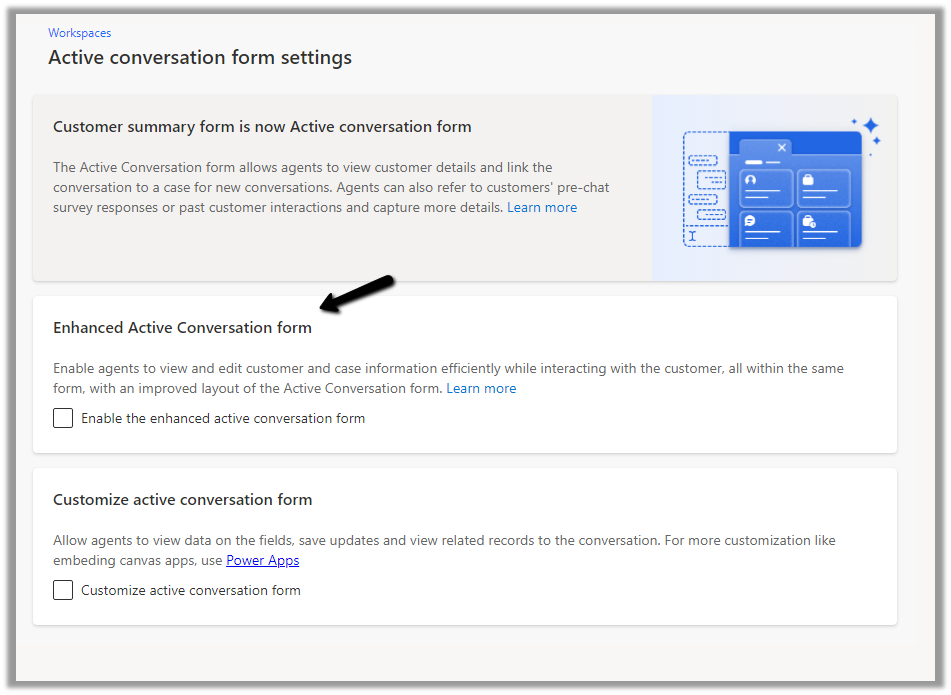
To enable it, Inside Customer Service Admin Center app – navigate to Workspaces >> Active Conversation form settings (Manage)
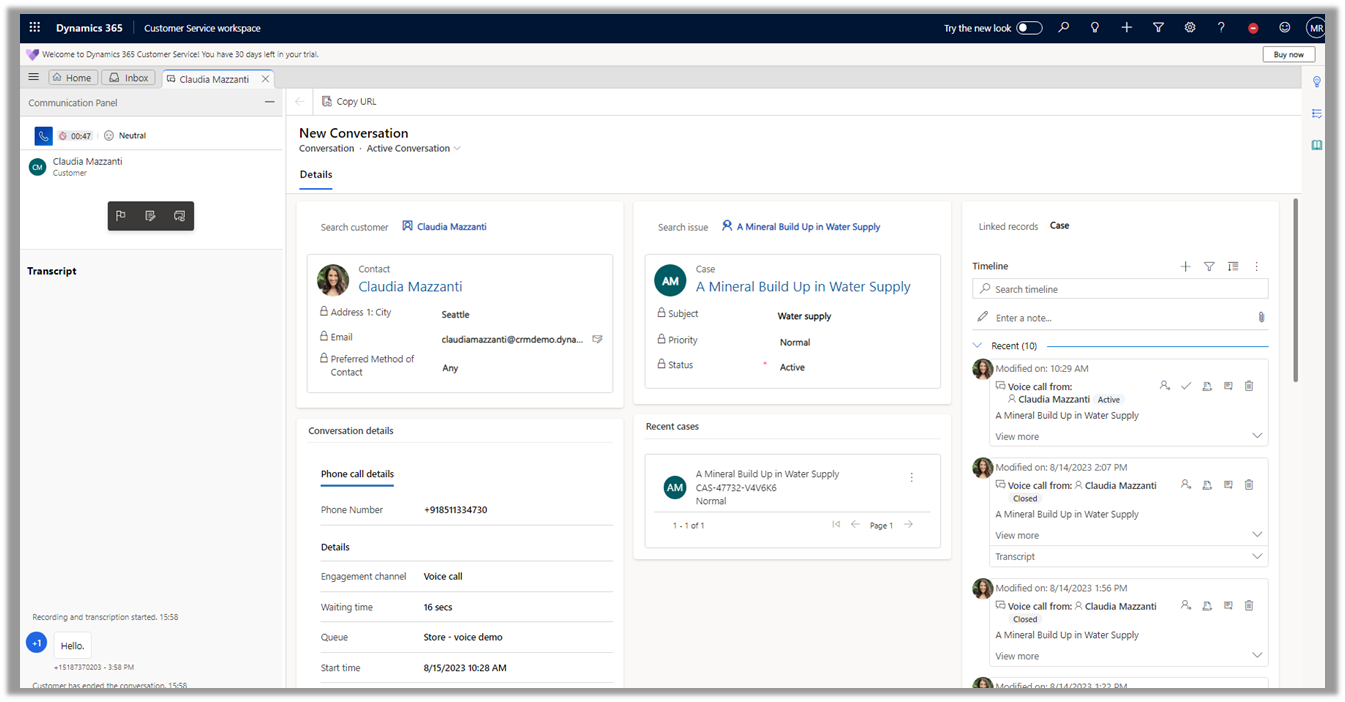
Before we enable it let us have a look at the exiting conversation form.
Now let us enable and compare it with the enhanced one.
We can see the form displaying a Customer 360 Card for Customer (Contact or Account), which also allows for inline editing of details from within the Conversation form, and a similar card showing case details and allowing for inline editing. The fields that are displayed are configurable.
Another change is the color-coded priority and case status field for easy discoverability for the agents.
Hope it helps..
Discover more from Nishant Rana's Weblog
Subscribe to get the latest posts sent to your email.
Share It -


 Nishant Rana's Weblog
One thought on “Enhanced Active Conversation form in Omnichannel for Customer Service – Dynamics 365”