

By default, if the calendar view is starting on Sunday for the week as shown below, we can update the system settings, to start it on Monday or any other day

From Administration >> System Settings > > Formats >> Customize (Current Format)
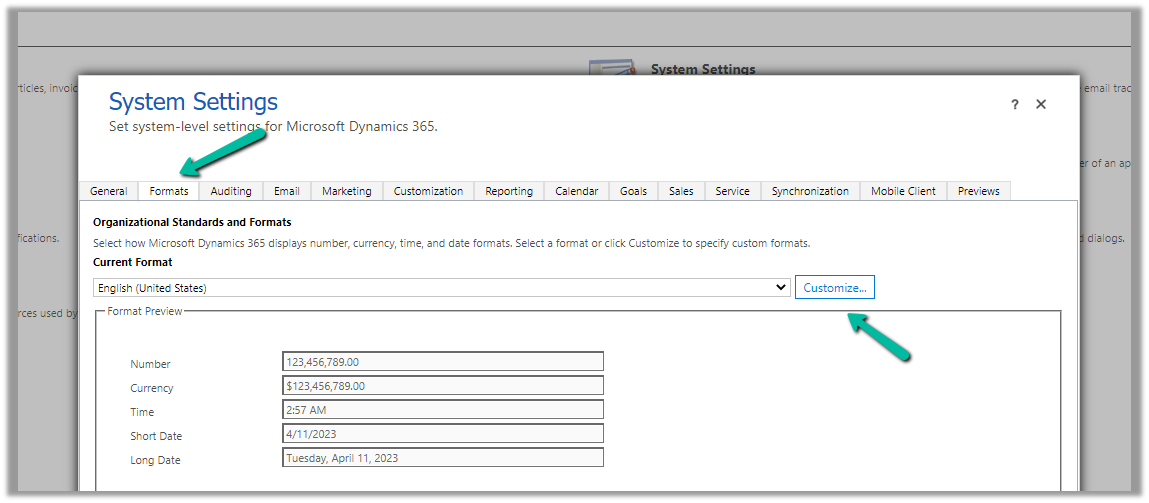
Specify the First Day of Week

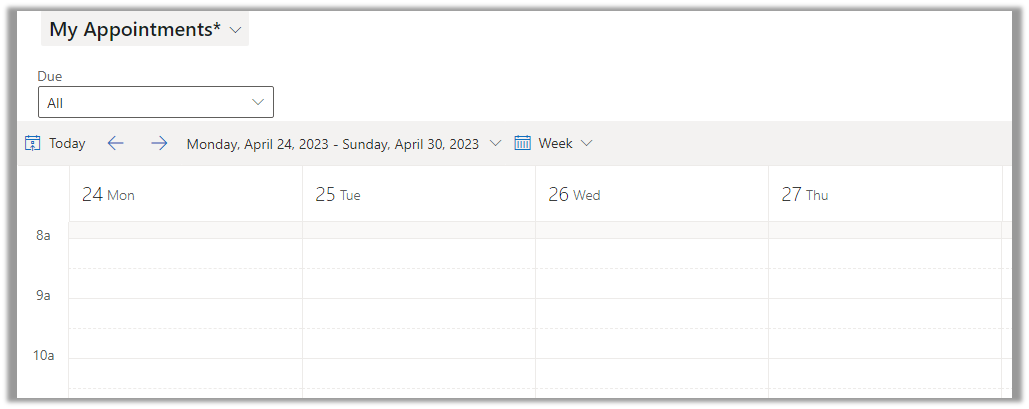
On update, we can see the view updated to show the week starting from Monday.
Hope it helps..
Advertisements
Discover more from Nishant Rana's Weblog
Subscribe to get the latest posts sent to your email.
Share It -


 Nishant Rana's Weblog
One thought on “How to – set Calendar View to start the week from Monday – Dynamics 365”