

The form-matching strategy defines what field(s) will be used to find the matching record.
Can be found at – Dynamics 365 Marketing >> Settings >> Lead Management >> Form Matching (Outbound)

We then associate the form-matching record with a marketing form.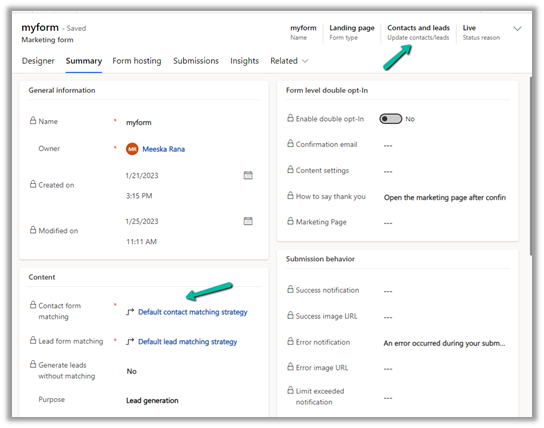
So if a contact with the same email address is found, the record will be updated, if not then a new contact record will be created, on form submission.
Now to identify these auto-created contact records, we can make use of the out-of-the-box Marketing Only Boolean field. The system populates this field for the contact records created as part of marketing form submission.
We can find the field in the Contact form – Details tab >> Marketing Section.

Read more on marketing only flag
Hope it helps..
Discover more from Nishant Rana's Weblog
Subscribe to get the latest posts sent to your email.
Share It -


 Nishant Rana's Weblog