

In the earlier posts, we set up the trial of Dynamics 365 Customer Insights, configured our data sources, one from Microsoft Dataverse and the other from a local excel file.
- https://nishantrana.me/2022/01/26/how-to-set-up-dynamics-365-customer-insights-trial/
- https://nishantrana.me/2022/02/01/how-to-import-data-from-dataverse-crm-to-dynamics-365-customer-insights/
- https://nishantrana.me/2022/02/09/how-to-import-data-from-local-data-files-to-dynamics-365-customer-insights/
In this post, we will unify the contact in our different data sources and create the Customer Profile.

Navigate to Unify, and click on +Select entities to select our contact entities from the different data sources for creating the customer profile.

We have selected all the fields from Contacts – Local Excel Data Source.
We have selected Id, emailaddress1, first name, gender code, last name, mobile phone field selected from the contact entity of CRMDataSource.
Click on Apply.

For CRM Data Source – Contact, we can see the field auto mapped as we have Intelligent mapping on by default.

For the primary key, we have specified ID as the primary key.

For Contact – Local Excel Data Source, we can see one field not mapped.
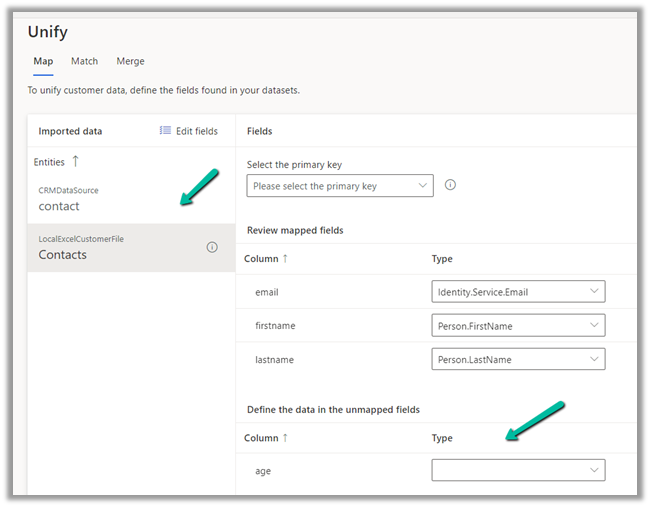
As we cannot find the field in the existing list of fields, we can type in and that will create the new field.

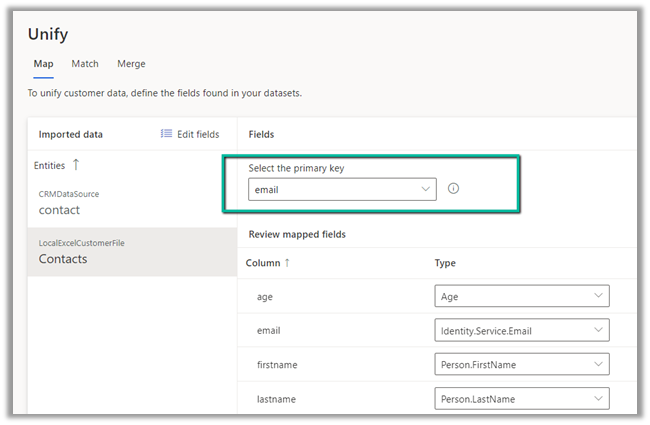
For the primary key, we have selected email.
Save the mapping.
Now let us move to Match.
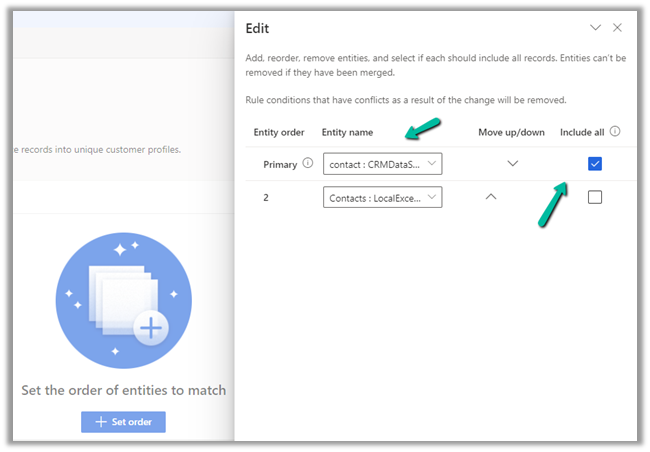
Here we will define the order first.

Here we have specified our CRM’s Contact as the primary data source and specified that all the records from it should be included.
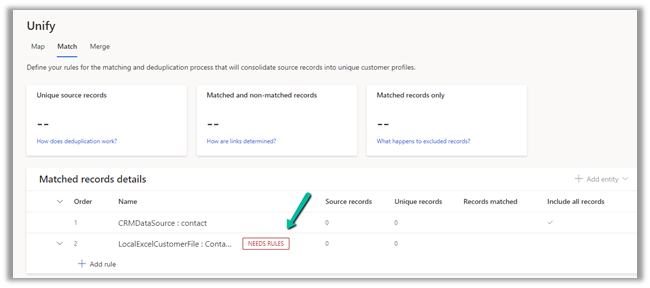
Next, we need to define the rules for matching the records between the data sources.
We have selected the email field and set the precision as Basic – Medium.

The other option for Precision is Custom, where a value between 1 to 100 can be specified and we can also add additional rules.

For now, we’d only keep the email address rule with precision as a basic – medium.
Save the changes and Run the rule.

We can see the results after some time.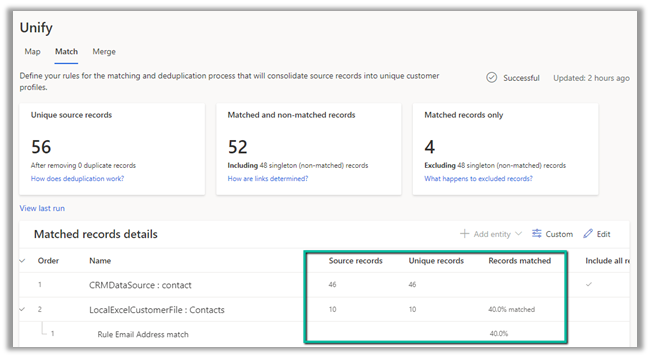
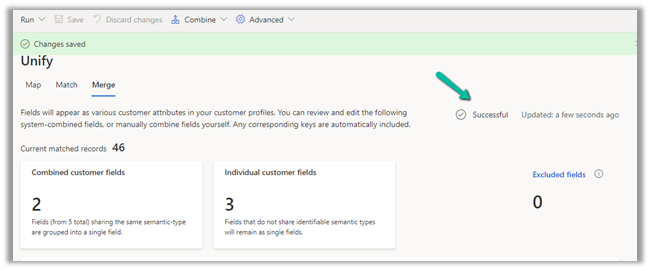
Time for Merge now. Clicking on Merge, we can see that it has auto-combined 2 fields first name and last name. 
We have the option of Editing, renaming, separating, excluding, moving fields up and down.

We’d save and run the Merge.

For Run, we have 2 options –

Run Only Merge will affect the unified customer entity, whereas Run Merge and downstream processes will run enrichment, segments, measures process followed by changes in the customer profile.
Here we have selected Run Only Merge.

After around 5 minutes we can see the Merge successful.
Clicking on Customers asks us to configure the last step – Search & filter index.

Click on Add fields to define fields for searching and filtering.

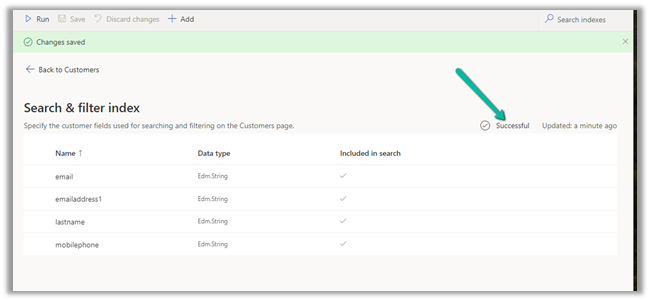
We have selected below fields for indexing

Save and Run.

After a couple of minutes, we can see the indexing is successful.
Click on Back to customers to see our customer profile ready.


We will explore other features of Customer Insights in the coming posts.
Hope it helps..
Discover more from Nishant Rana's Weblog
Subscribe to get the latest posts sent to your email.
Share It -


 Nishant Rana's Weblog
5 thoughts on “How to – Unify (Map, Match and Merge) Entities in Dynamics 365 Customer Insights”