

Recently as a part of our deployment activity – we had to copy one of our sandbox environment to another.
https://docs.microsoft.com/en-us/power-platform/admin/copy-environment
And we opted for Customizations and schemas only option
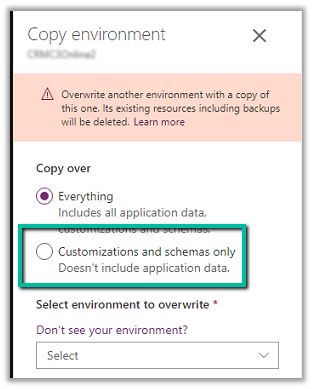
We had performed the activity a few days back and that time we opted for Everything (the environment size was around 3-4 GB) , it took around 40 minutes. So we were expecting the customization and schemas only option would be much faster.
Surprisingly it was more than 4 hours since we initiated the copy and it was still in progress, so we raised the Microsoft Support Ticket with severity A.
https://azure.microsoft.com/en-us/support/plans/response/

However, no sooner we raised the support request, in parallel the copy operation got completed.
Total it took around 4 .5 hours.
The reason as per the support team was that the server could be down for windows maintenance activity being it a weekend – Saturday.
Later at night also, we performed the same copy operation that time it took around 2.5 hours.
And recently 2-3 days after that day, we again performed the copy operation and it took the same 30-40 minutes – this being weekday.
So in case if it is taking more time than usual, you could raise a support ticket or could wait (if that is an option).
Hope it helps..
Discover more from Nishant Rana's Weblog
Subscribe to get the latest posts sent to your email.
Share It -


 Nishant Rana's Weblog
One thought on “Duration to Copy an environment – Dynamics 365”