
PowerChat is the live chat solution / addon developed by PowerObjects that supports both Dynamics CRM On-Premise and Online.
Below we will look at how to set it up and what are the features it provides.
To get started
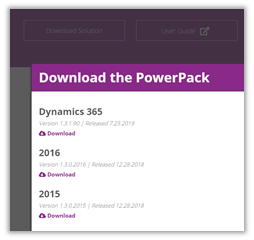
Download the appropriate solution
https://www.powerobjects.com/powerpacks/powerchat/
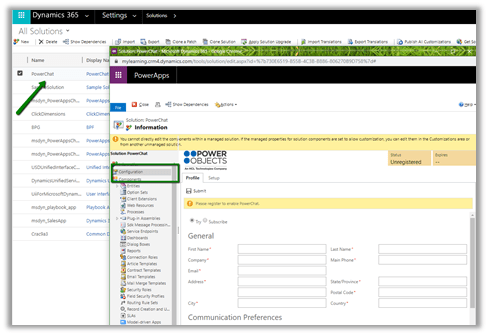
After successful import of the solution, next step is to register the solution. For this, open the solution and click on the configuration page, provide the required details in the Profile and Setup tab.
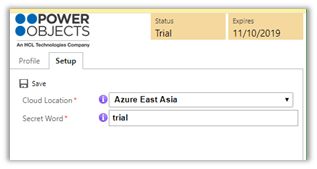
In Setup tab, provide the Cloud Location nearest to your deployment.
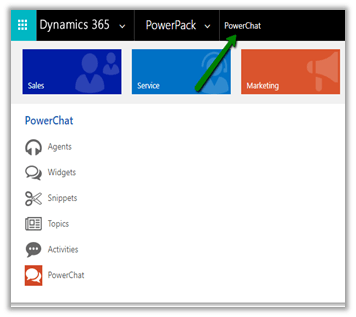
The PowerChat solution adds the following entities in the sitemap.
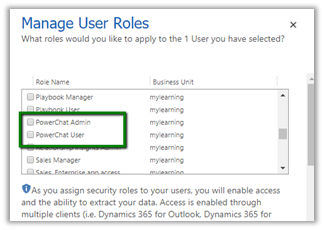
and the following security roles
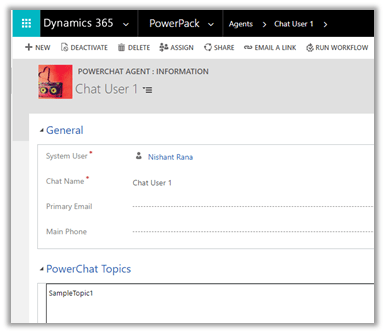
In Agents i.e. agent record we can specify the System User who would be working as agent and topics they are working on.
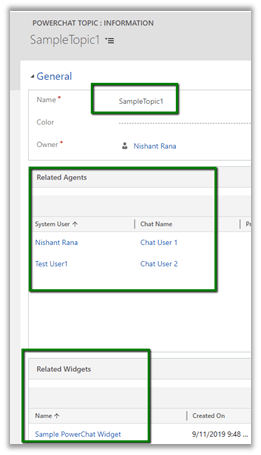
Topic, Agent and Widgets work hand in hand. We can have multiple topics defined in the system and for each topic we can define the agents who’d be handling that topic along with the widget that will be used for that topic.
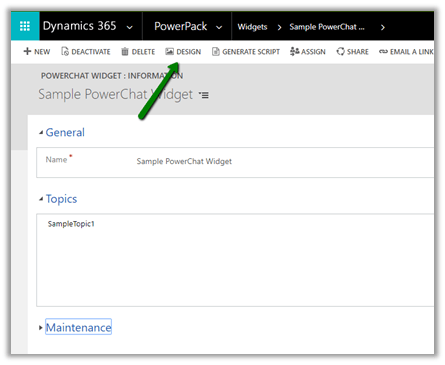
Widgets specifies the Chat Interface that would be deployed in the website. Clicking on Design opens the design interface for the widget.
Below are some of the different options that can be configured for the chat widget.
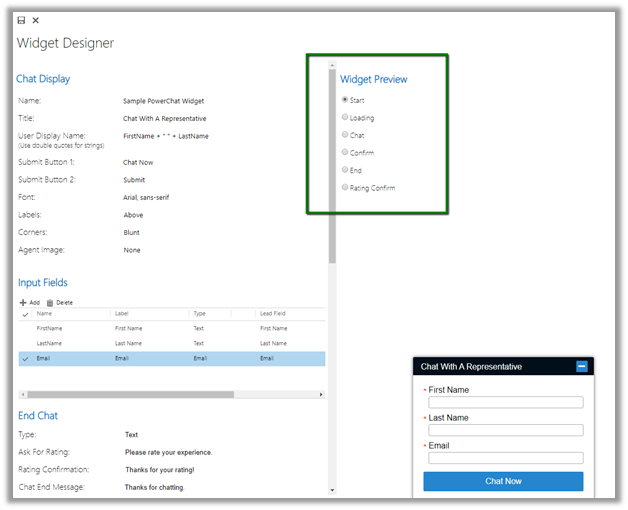
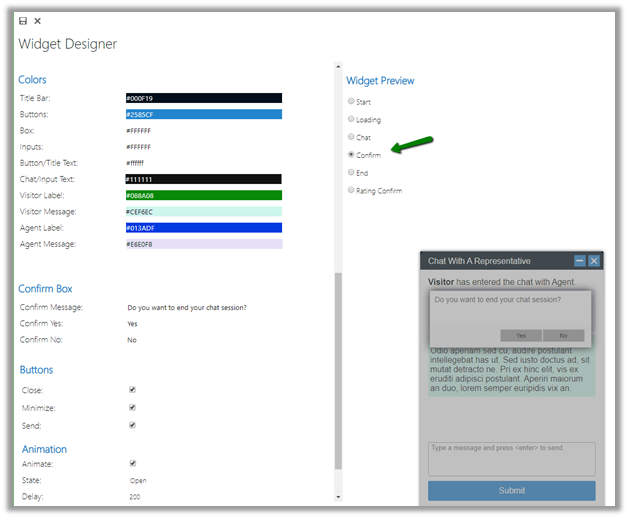
Once we are done with the configuration of the chat widget, we need to click on GENERATE SCRIPT ribbon button to get the script for the widget which we will be embedding to our websites.
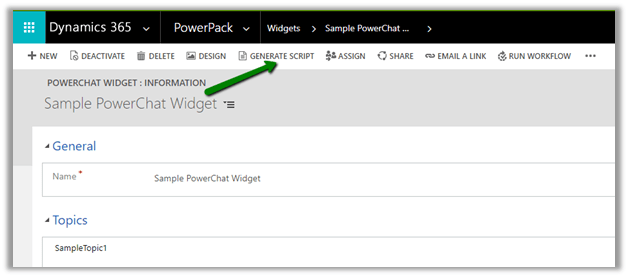
Below is the script generated à

Below is the sample website where we have embedded the above script

Back in CRM, users need to click on Power Chat and start the PowerChat for communication to begin.
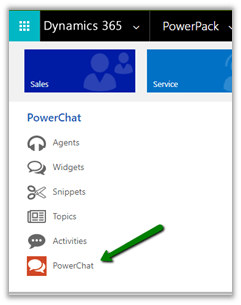
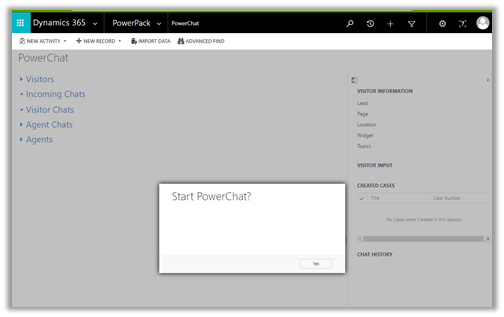
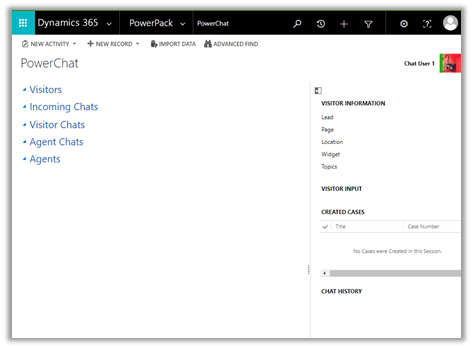
Power Chat interface à
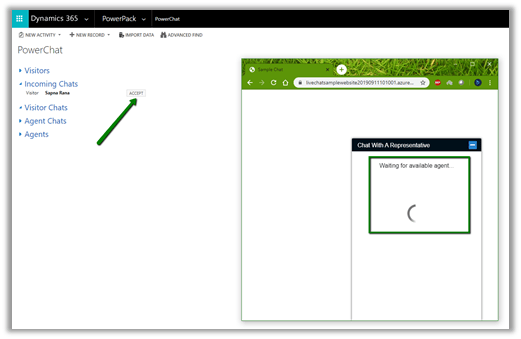
Once the user clicks on Chat Now button on the Chat window, the agent gets the notification to Accept the chat.
Below is how the communication looks like for the agent as well as the customer. The green bubble below is the timer that captures the duration of the chat.
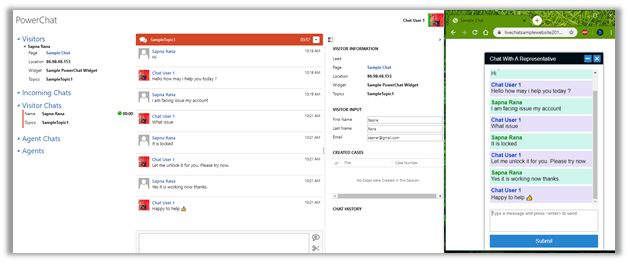
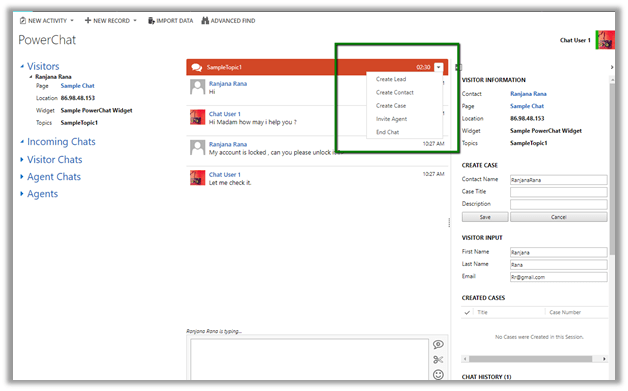
The agent also has the option of creating the lead, contact and case record associated with the chat. Create Lead and Create Contact option creates the lead and contact record in the background using the information auto populated at the Visitor Input section on the right panel.
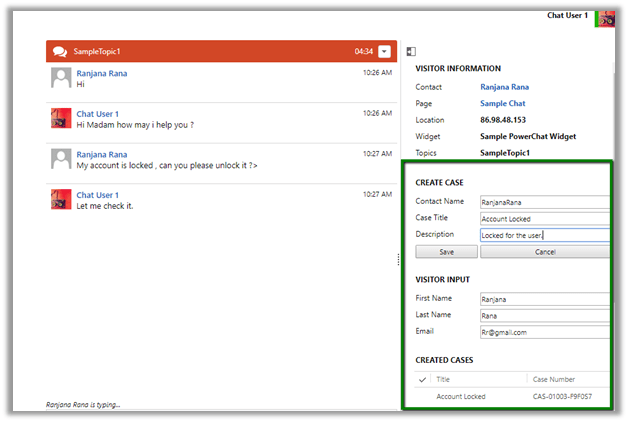
Create Case option allows agent to specify the Case Title and Description along with the Contact Name.
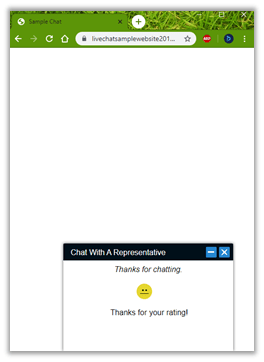
Agents and Customers both have the option to end the chat, the customer also have the option to rate the agent when they close the chat.
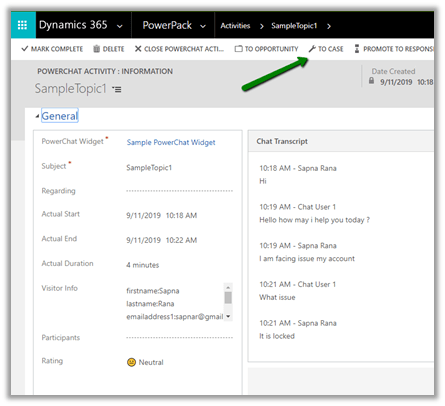
Every interaction creates PowerChat activity record in Dynamics CRM as shown below, which records the chat history, rating, duration etc. information about the chat.
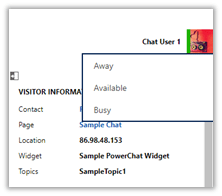
Agent can also set their status, if the agent is in Away or Busy status it will not receive the notification to accept the new chat.
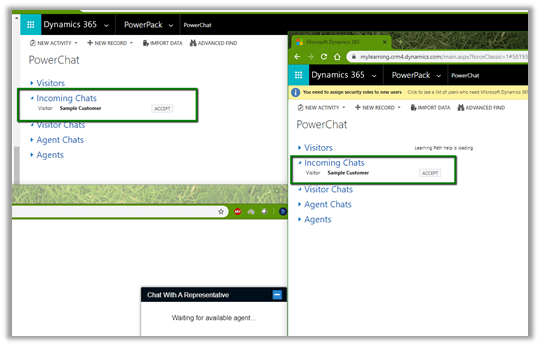
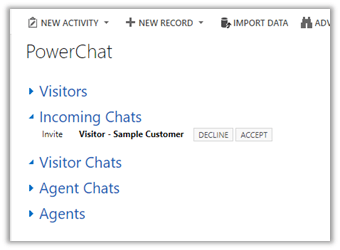
As we discussed earlier if we have multiple agents configures for same topic, they both will get the notification to accept the chat as shown below.
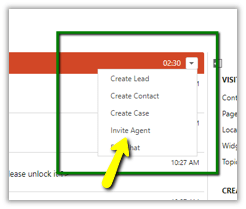
Also, Agent has the option of adding another agent to the chat.
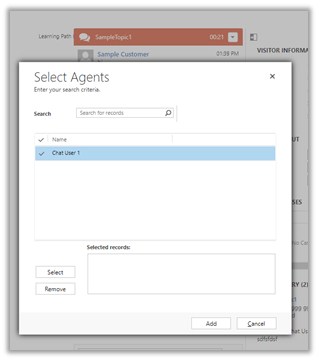
The invited chat agent can either accept or decline the request.
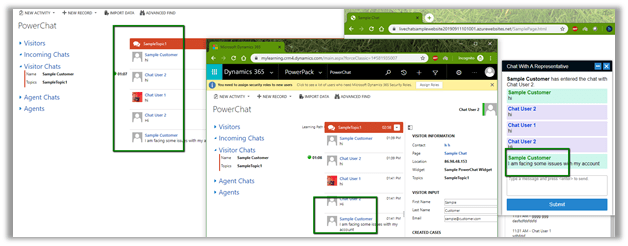
Below is how the communication looks like when we have multiple agents working with the same customer. Both the users are communicating with the Customer at the same time as shown below.
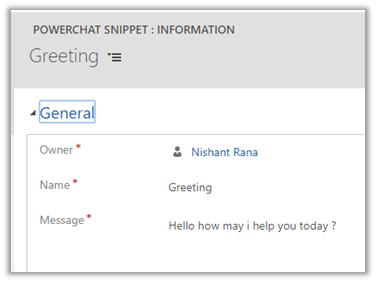
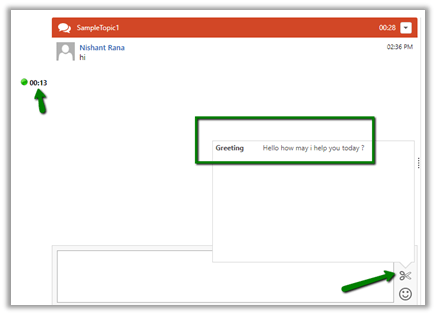
One more feature that agent has while interacting with the customer is to use the snippet, which basically defined predefined content which agents can use.
Thus, we saw how easy it is to configure the PowerChat and get started with Live Chat capabilities in no time.
Few months back we had also explored PowerApproval the approval solution for Dynamics CRM as part of PowerPacks add-on. Do check it out.
Hope it helps..
Discover more from Nishant Rana's Weblog
Subscribe to get the latest posts sent to your email.
Share It -


 Nishant Rana's Weblog
2 thoughts on “Enable Live Chat in Microsoft Dynamics 365 CE (CRM) using PowerChat”