
Using the XML Task component in SSIS we can apply XSLT to the input XML file.
Recently we had a requirement to read data from XML file and create/update corresponding records in Dynamics 365 CE. For the child entity tags in the XML, we wanted to insert some of the tags (key) from the parent to the child so that it can be easily used for mapping and setting the parent lookup.
For that we had used Foreach Loop Container to read the XML file, then had applied XSLT transformation using the XML Task before processing the file using XML Source Component and CRM Destination Component of KingswaySoft.
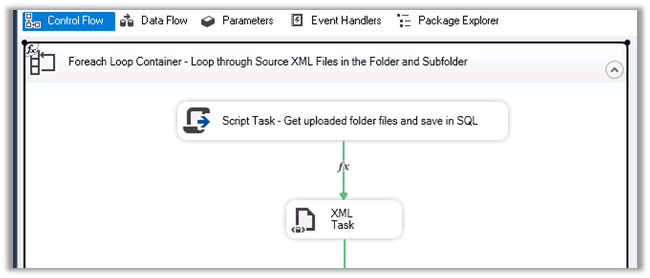
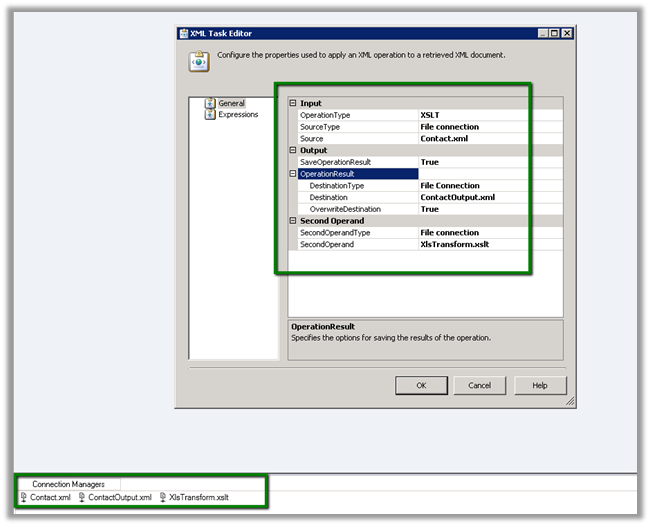
The XML task editor here is using 3 File Connection.
One for the input file, another for output and third for the XLST file.
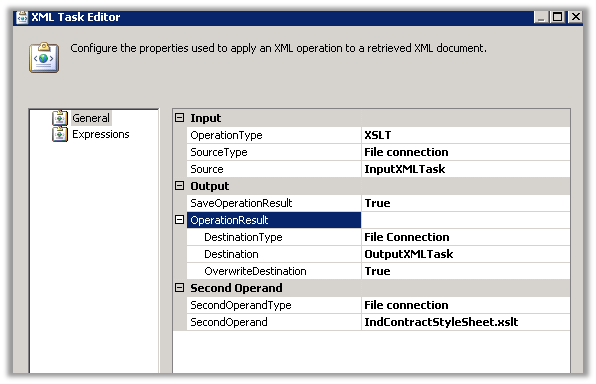
Here need to select
- Operation Type as XLST
- Source Type as file connection as we are specifying XML file as input.
- For output, we are creating an output XML file and overwriting the destination file if existing.
- In the Second Operand, we are specifying the XSLT file.
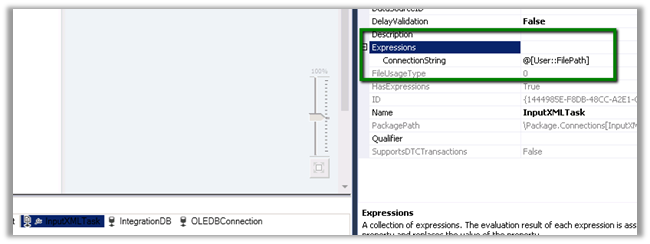
For InputXMLTask file connection, we need to specify the user-defined variable that reads the file in its connection string property for it to work properly.
Same for OutputXMLTask

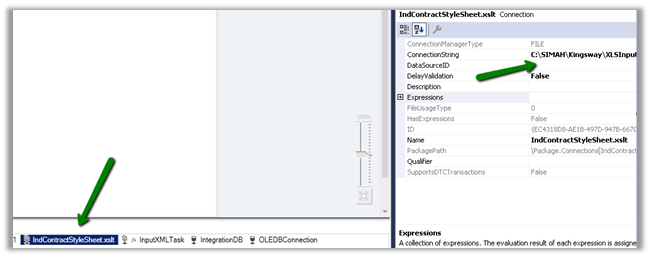
And for the XSLT File Connection
Let us take a simple example to understand it better à
Suppose below is our source XML i.e. Contact.xml
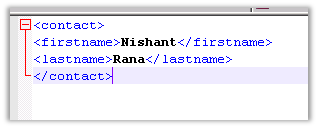
We want to apply following XSLT transformation to it, which adds the fullname tag to it which is a combination of firstname and lastname tag. i.e. XlsTransform.xslt

Drag the XML task to the control flow of the package.

Specify the following properties for it as shown below
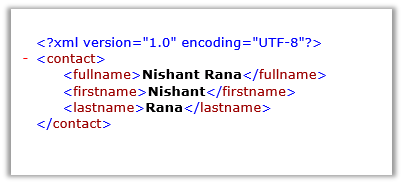
Run the package we will get the below output file, a fullname tag added which is combination of firstname and lastname tag as below i.e. ContactOutput.xml
Hope it helps..
Discover more from Nishant Rana's Weblog
Subscribe to get the latest posts sent to your email.
Share It -


 Nishant Rana's Weblog
Hello Sir, Your blog is quite good but can you help me to understand how to you have generated XSLT file (XlsTransform.xslt).
Not able to figure out this part, It will be very kind of you if you help me on this.
LikeLiked by 1 person
Same doubt for me also. please reply if any one.
LikeLike
Cannot recall it now friend. Try using some online tool that generates it based on input and output Online XSLT Code Generator – easycodeforall https://easycodeforall.com/XSLTCode.jsp
LikeLike
Thanks for your comments
Cannot recall it now friend. Try using some online tool that generates it based on input and output Online XSLT Code Generator – easycodeforall https://easycodeforall.com/XSLTCode.jsp
LikeLike